.png)
For years, QuickBooks Desktop (QBD) served as the financial backbone for many MSPs, valued for its robust features and familiar interface. However, as of September 30, 2024, Intuit officially ends sales of QuickBooks Desktop Pro and Premier.
If you’re still relying on it to manage your billing and financial operations, now’s the time to explore modern accounting software alternatives.
Today’s MSPs need tools that go beyond basic accounting. You’re managing complex billing models, integrating with PSA systems, automating payments, and reconciling across multiple platforms. Legacy desktop software wasn’t built for that.
In this guide, we will walk you through everything you need to evaluate and switch to a more future-proof accounting platform. We’ll also explain why MSPs are switching away from QuickBooks Desktop, compare the top options, and demonstrate how FlexPoint maintains automated and accurate billing across any system.
{{toc}}
Why MSPs Are Seeking Alternatives to QuickBooks Desktop
The shift away from QuickBooks Desktop isn't simply about the end of product support. It reflects fundamental changes in how MSPs operate and what modern accounting and financial management require.
Understanding these drivers helps clarify what to prioritize when evaluating QB Desktop alternatives.
QuickBooks Desktop Support Ending
As Intuit phases out QuickBooks Desktop, continued use of the software puts your MSP at risk of missing critical updates and security patches.
Without ongoing support, patches, and security upgrades, your financial operations may become increasingly vulnerable and less efficient over time.
Also, the software becomes increasingly vulnerable to cyber risks and system incompatibilities with newer technologies or the rest of your MSP technology stack.
Over time, this lack of maintenance leads to data exposure, workflow disruptions, and integration breakdowns with PSA, payment, and billing automation tools.
As a result, many MSPs are transitioning to cloud-based accounting platforms that offer continuous updates, stronger security, and seamless integrations.
This ensures your systems remain compliant, efficient, and future-ready.
The Need for Cloud-First Workflows:
According to Gartner, 70% of enterprises will use cloud platforms by 2027.
Modern MSPs operate in a cloud-driven world where flexibility, speed, and connectivity are essential.
However, QuickBooks Desktop was built for an on-premise era. It limits remote access, requires manual updates, and makes real-time collaboration difficult.
As teams grow and work from multiple locations, these restrictions create inefficiencies that slow down billing cycles and financial reporting.
Cloud-based accounting platforms provide always-on access from any device and integrate seamlessly with PSA, RMM, and payment automation tools. They also update automatically without requiring any IT intervention.
This shift to cloud-first workflows enables you to centralize data, eliminate version conflicts, and maintain real-time financial visibility.
Scalability Challenges:
As MSPs expand, QuickBooks Desktop often becomes a bottleneck rather than a backbone.
Its strict user limits hinder collaboration, and managing multiple entities means creating separate files and manually merging data, which is slow and error-prone.
Reporting is a significant challenge with QuickBooks Desktop since it lacks real-time dashboards and automation. It requires teams to manually export and combine data for visibility.
Manual work can reduce efficiency and delay financial decisions.
Cloud platforms, on the other hand, scale easily, support a larger number of users, and provide real-time, automated insights.
For growing MSPs, these capabilities aren't luxuries; they're essential for maintaining accuracy, agility, and profitability at scale.
Integration Requirements:
Manual billing and payment workflows in QuickBooks Desktop have become a significant bottleneck for growing MSPs.
The platform's limited integration capabilities mean teams often spend hours reconciling payments and manually updating invoices. These are tasks that modern automation can handle instantly.
Cloud-based accounting solutions now seamlessly connect with PSA tools, payment processors, and banking systems via robust APIs.
This ensures billing, collections, and reconciliation flow automatically without human intervention.
When synced with billing platforms like FlexPoint, a reliable accounting software can offer full automation, from creating recurring invoices to updating payments and financial records in real-time, while ensuring that everything is synced simultaneously across all platforms.
This not only reduces costly errors but also accelerates cash flow and boosts operational efficiency.
If you are considering replacing your QuickBooks Desktop, the focus should be on integration, scalability, and automation, rather than just replicating existing features.
Top QuickBooks Desktop Alternatives for MSPs: Features, Pros & Cons
Choosing the right accounting platform requires understanding how each option handles MSP-specific requirements: recurring billing, client management, reporting depth, and integration capabilities.
Here's a comprehensive review of leading alternatives.
1. QuickBooks Online (QBO)
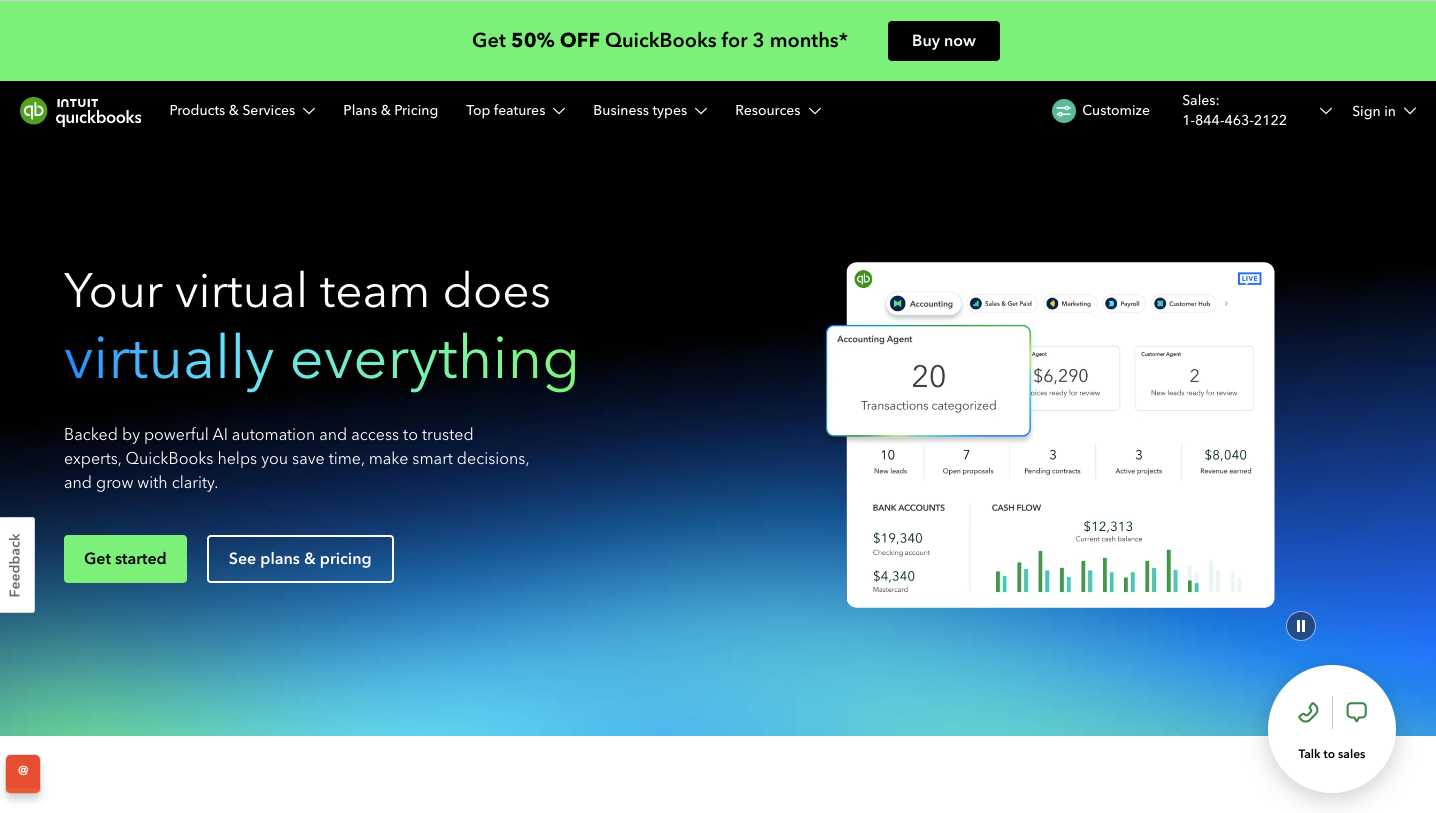
QuickBooks Online (QBO) is a cloud-based accounting platform that provides MSPs with real-time financial insights, automation, and easy access from anywhere.
For MSPs, QBO offers a scalable, modern upgrade over QuickBooks Desktop. It eliminates the need for local servers and enables seamless collaboration across teams and clients.
It also integrates seamlessly with PSA platforms and billing automation tools such as FlexPoint. This enables you to automate invoicing, payments, and reconciliation through an integrated billing workflow.
Also, QBO has a strong app ecosystem, flexible integrations, and a cloud-first design. This helps to streamline financial operations and reduce manual tasks.
QuickBooks Online Key Features:
- Track expenses, attach receipts, and manage project spending easily.
- View real-time dashboards and reports for better financial decisions.
- Automatically sync and reconcile bank and payment data.
- Automate recurring payments, reminders, and reconciliations to save time.
QuickBooks Online Integrations:
- PSA Tools: ConnectWise PSA, Autotask, HaloPSA, SuperOps
- Payment Platforms: FlexPoint, PayPal, Stripe, and QuickBooks Payments
Pros of Using QuickBooks Online :
- Scales easily for growing MSP teams and remote workflows
- Integrates seamlessly with FlexPoint for automated billing and financial operations
- Delivers real-time financial visibility and reporting access from anywhere
- Strong ecosystem of apps supports customization and extended workflows
- Automatic backups, version updates, and cloud security managed by Intuit
Cons of Using QuickBooks Online :
- You need a stable internet connection for full access.
- Some advanced automation or reports may need third-party apps.
- Migration from QuickBooks Desktop may require expert help.
- Costs can rise as you add users or upgrade features.
Suitability for MSPs:
It’s best suited for small to mid-sized MSPs that need:
- Real-time financial visibility across teams and clients
- Integration with PSA tools and payment systems
- Scalable accounting without server maintenance
- Automated workflows to reduce manual billing and reconciliation
QuickBooks Online Pricing
- Free Trial: 30 days
- Standard pricing: Ranges from approximately US $38 to US $275 per month, depending on plan.
Additional Reading: QuickBooks Online vs QuickBooks Desktop
2. Xero

Xero is a cloud-native accounting platform built for businesses that value flexibility, automation, and real-time financial insight.
For MSPs, it offers mobile-friendly access, strong integrations, and multi-entity support all within a secure, always-on environment.
The platform streamlines invoicing, payments, expense tracking, and team collaboration.
This makes it especially appealing to MSPs seeking reliable, scalable financial management without the complexity of traditional desktop systems.
Xero Key Features
- Create, send, and track invoices automatically with reminders and recurring billing.
- Generate key financial reports, such as cash flow, aging, and profit & loss.
- Automate expense tracking, recurring entries, and bank reconciliation.
- Manage multiple currencies and entities; perfect for MSPs with global or multi-location clients.
Xero Integrations
- Payments Tools: Stripe, PayPal, FlexPoint, and Wise
- PSA & MSP Tools: Syncro, Atera, HaloPSA, Autotask
Pros of Using Xero
- 100% cloud-based, no servers or IT maintenance needed.
- Supports unlimited users, allowing teams to collaborate freely.
- Automates invoicing, billing, and reconciliation to save time.
- Simple, user-friendly interface praised for ease of use.
- Scales smoothly from small MSPs to multi-location operations.
Cons of Using Xero
- Some PSA or RMM integrations need third-party tools or manual setup.
- Lower-tier plans limit the number of invoices or bills, which can affect high-volume MSPs.
- Extra features such as multi-currency support or project tracking may cost more.
- Prices are rising in some regions, so plan for future costs.
Suitability for MSPs
It's especially a good fit for small- to mid-sized MSPs who need:
- Real-time cash-flow visibility across clients or locations
- Automated workflows for billing, expenses, and reconciliation
- Multi-user access for remote or distributed teams
- A platform that can scale without heavy server infrastructure
Xero Pricing
- Free Trial: Xero offers a 30-day free trial.
- Standard Pricing: Starter plan around $20/month, Standard around $47/month, Premium around $80/month.
Additional Reading: QuickBooks Online vs Xero
3. FreshBooks
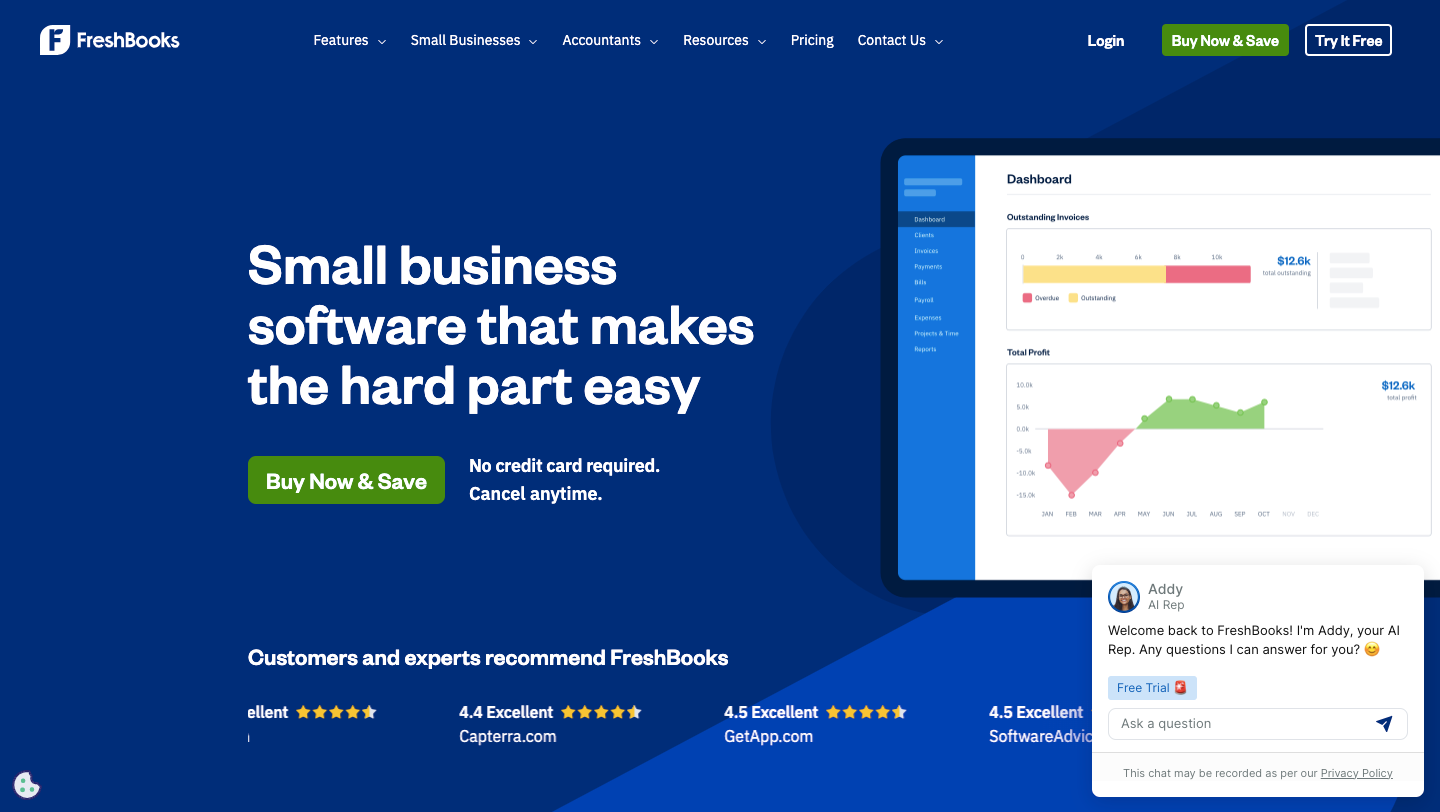
FreshBooks is a cloud-based accounting and invoicing platform designed for service-oriented businesses.
It offers a user-friendly interface and automation tools that help simplify billing, time tracking, expense management, and financial reporting.
For MSPs, FreshBooks stands out for its ease of use, mobile accessibility, and clean client experience. This makes it well-suited for teams that prioritize simplicity over complex accounting workflows.
It automates recurring invoices, tracks billable hours, and helps manage expenses, helping MSPs stay organized and improve cash flow.
FreshBooks Key Features
- Create and send customizable invoices with recurring billing and payment reminders.
- Track billable hours and link them directly to client invoices.
- Generate key financial reports, such as profit & loss statements and expense summaries.
- Automate late fees, recurring invoices, and payment reminders for steady cash flow.
- Accept online payments and automatically record all transactions.
FreshBooks Integrations:
- Payments Tools: Stripe and PayPal
- PSA & MSP Tools: Autotask PSA
Pros of Using FreshBooks
- Automates recurring billing and reminders, reducing manual workload.
- Strong mobile and cloud support teams can work on the go.
- Seamless payment gateway integration helps speed up collections.
- Customizable branding on invoices improves client experience.
- Transparent pricing tiers and a 30-day free trial make it easy to test.
Cons of Using FreshBooks
- Lower plans lack advanced accounting tools, such as full double-entry accounting and multi-entity support.
- No built-in PSA or IT service integrations. MSPs may need third-party tools such as Zapier to create and maintain billing workflows.
- Costs increase as you add more users, clients, or features.
- Limited support for international payments and multi-currency use.
Suitability for MSPs
Ideal for small to mid-sized MSPs who need:
- Streamlined invoicing and expense tracking without heavy accounting overhead
- Mobile-friendly, cloud access for dispersed teams
- Automated reminders, recurring invoices, and improved cash-flow visibility
- A modern client-centric billing experience
FreshBooks Pricing
- Free Trial: 30-day trial available.
- Standard Pricing: Monthly pricing starts at about $21/month for the Lite plan and rises to about $65/month for the Premium plan.
Additional Reading: FreshBooks vs QuickBooks Online
4. Zoho Books
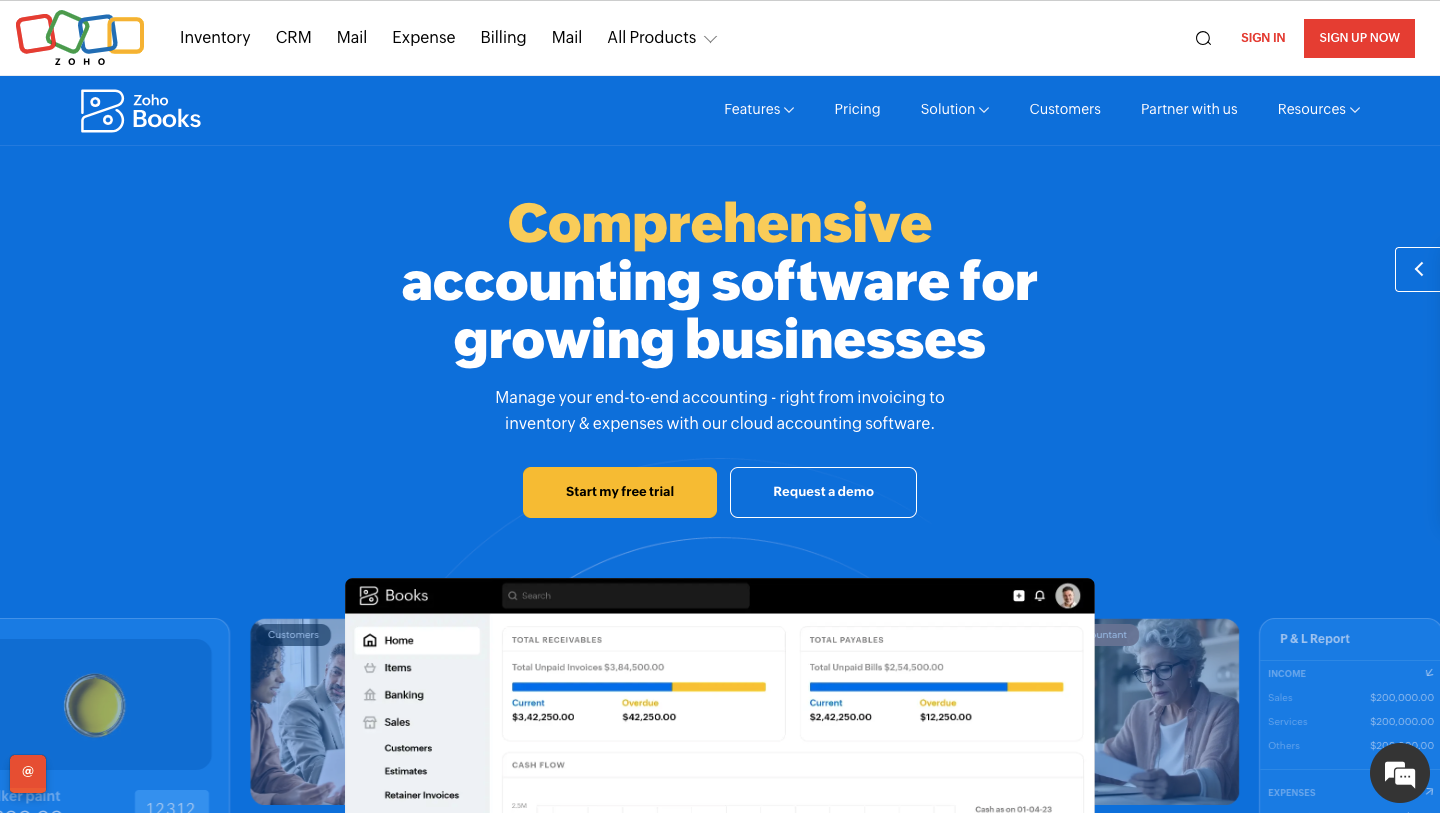
Zoho Books is a cloud-based accounting platform built for growing businesses that value flexibility, automation, and accessibility.
For MSPs, it delivers a streamlined financial system that combines invoicing, expense tracking, reporting, and workflow automation in a single, intuitive interface.
While it may lack some of the deeper MSP-specific billing features found in tools like FlexPoint, Zoho Books still delivers strong functionality for most service providers.
It offers excellent value for MSPs seeking a user-friendly, cost-effective, cloud alternative to legacy desktop accounting software.
Zoho Books Key Features:
- Create and send recurring invoices with automatic reminders and multi-currency options.
- Track expenses, attach receipts, and monitor project or client costs.
- Log billable hours, link them to invoices, and track profitability.
- Automate approvals, payment reminders, and recurring transactions.
- View real-time reports on cash flow, expenses, and outstanding invoices.
Zoho Books Integrations:
- Accounting & Payments: Syncs with Stripe, PayPal, Razorpay, and other payment gateways.
- PSA & MSP Tools: Integrates with Zapier, which connects to PSA tools like HaloPSA and ConnectWise.
Pros of Using Zoho Books:
- Ideal for small- to mid-sized MSPs seeking automation without the overhead of enterprise-grade systems.
- Strong mobile accessibility teams can work remotely and on the go.
- Integrates deeply with the broader Zoho suite (CRM, Projects, etc.), making it especially effective if you already use those tools.
- Transparent and affordable pricing tiers with a forever-free plan option.
Cons of Using Zoho Books:
- Zoho Books offers limited native PSA or RMM integrations, so MSPs may need to use third-party tools or implement custom setups.
- Advanced features such as multi-entity accounting or high invoice volumes require higher-tier plans or add-ons.
- Some plans have transaction or invoice limits, which may affect larger MSPs.
- While integrations are broad, they lack the deeper automation found in MSP-specific platforms.
Suitability for MSPs:
Zoho Books is best suited for small to mid-sized MSPs looking for:
- Automation of everyday billing, expenses, and project tracking without heavy accounting complexity.
- A user-friendly, cloud-based platform with minimal server/IT overhead.
- An accounting solution that integrates smoothly with the rest of the Zoho ecosystem (if already in use).
- Affordable pricing and the ability to scale reasonably as the business grows.
Zoho Books Pricing
- Free Plan: Available for small businesses and startups
- Standard Pricing: Paid plans start from around $20. In that case, the monthly rate is $29/month (Standard) and goes up to $240/month (Ultimate) when billed annually.
Additional Reading: Zoho Books vs QuickBooks Online
5. Sage
Sage Intacct is a cloud-native financial management platform built for service-based and mid-sized businesses. It provides advanced accounting, automation, and growth-ready workflows.
For MSPs managing multiple clients, service contracts, or business entities, Sage Intacct provides robust multi-entity support and real-time visibility.
It also offers a powerful platform for handling complex billing and financial consolidation.
Sage Intacct Key Features
- Automates recurring and project-based invoicing with milestone billing, audit trails, and service cost tracking.
- Offers customizable dashboards, real-time metrics, and advanced financial reports for service-based businesses.
- Integrates easily with PSA tools and other software through open APIs and a wide marketplace of add-ons.
- Supports multi-entity and multi-currency management, enabling MSPs to run all operations in a single system.
Sage Intacct Integrations
- MSP-Specific PSA: ConnectWise PSA
- Banking & Payments: PayPal and Versapay
Pros of Using Sage Intacct
- Scales easily to manage multiple entities, currencies, and complex service models.
- Automates accounting workflows with strong compliance, audit, and financial controls.
- Cloud-based design supports remote teams and global operations.
- Delivers high customer satisfaction and boosts productivity gains for finance teams.
Cons of Using Sage Intacct
- Higher cost compared to entry-level cloud platforms like QuickBooks Online or Xero.
- Requires setup time and user training, especially for smaller MSPs without dedicated finance staff.
- Customization and integrations may require support from IT or an implementation partner.
- Not ideal for MSPs' straightforward billing or accounting needs.
Suitability for MSPs
Sage Intacct is best suited for mid-sized to large MSPs that have:
- Multiple clients and revenue streams with complex billing models (project, usage-based, multi-entity).
- Entities in multiple locations or currencies that require enterprise-level consolidation.
- A need for strong financial controls, compliance readiness, audit capabilities, and advanced reporting.
Pricing
- Pricing information is not publicly available. MSPs must contact their sales team for a quote.
Additional Reading: Sage Intacct vs QuickBooks Online
Comparison Summary Table of Best QuickBooks Desktop Alternatives
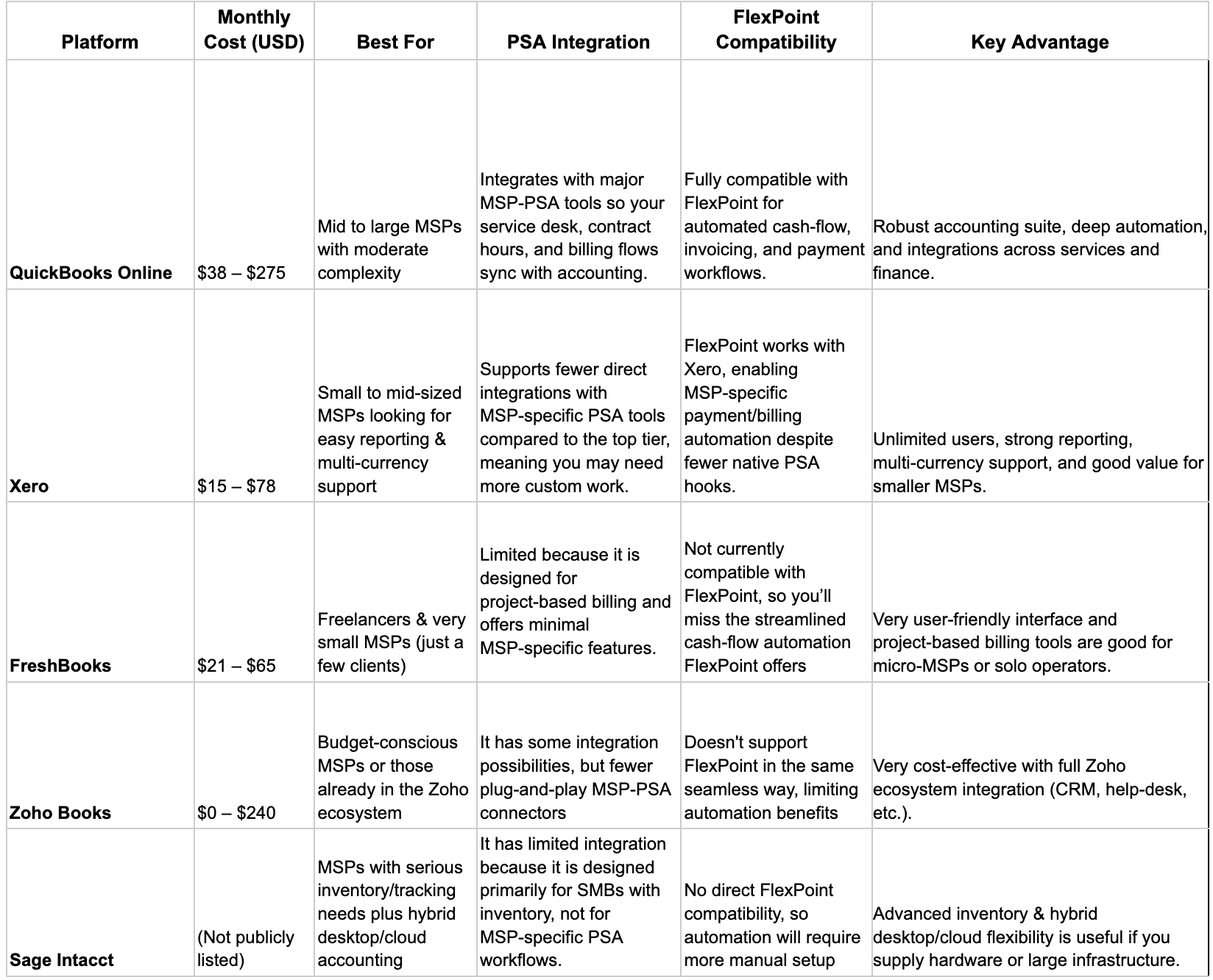
The best fit depends on your workflow and integration requirements.
MSPs prioritizing payment automation through FlexPoint must choose QuickBooks Online, as it's the only cloud alternative offering this exclusive integration.
How to Compare and Choose the Right Alternative for Your MSP
Selecting accounting software is a strategic decision that impacts your MSP’s daily operations, financial visibility, and scalability.
Use this framework to evaluate QB Desktop alternatives.
1. Assess Core Needs
To choose the right alternative for your MSP, start by assessing your core needs and listing your accounting, billing, and integration requirements.
Identify which workflows need automation, such as PSA syncing, payment collection, or reconciliation.
Next, compare accounting platforms based on scalability, ease of use, cloud accessibility, and integration depth with tools like ConnectWise PSA, HaloPSA, or Autotask.
Evaluate pricing models, security standards, and support options to ensure long-term value.
Finally, test shortlisted platforms through demos or trials to confirm they align with your billing complexity and growth goals before committing to a migration plan.
2. Prioritize Features
After assessing your core needs, you identify the essential features your business needs.
These include cloud accessibility, user roles, automation, and real-time reporting.
Begin with a clear list of business needs, such as billing complexity, integration requirements, and team size.
Next, evaluate platforms based on how well they support PSA connectivity, automate payment workflows, and handle scalability as your client base grows.
Test usability through free trials or demos, review support quality, and compare pricing models for long-term sustainability.
Finally, choose the platform that not only meets your current needs but also supports your future growth and automation goals.
3. Consider Budget and Growth
With your needs and priority features, you can define your business goals and growth plans.
First, assess your current pain points in accounting, such as manual billing, payment delays, or limited integrations.
Next, compare subscription costs and scalability to ensure the platform can grow with your business without adding manual effort.
Then evaluate the integration depth across your PSA, payment systems, and reporting tools to maintain automation and accuracy.
Finally, test the platform through demos or trials, review support options, and calculate the long-term ROI in time saved and improved efficiency before making your decision.
FlexPoint + Your New Accounting Platform: Streamlined Billing for MSPs
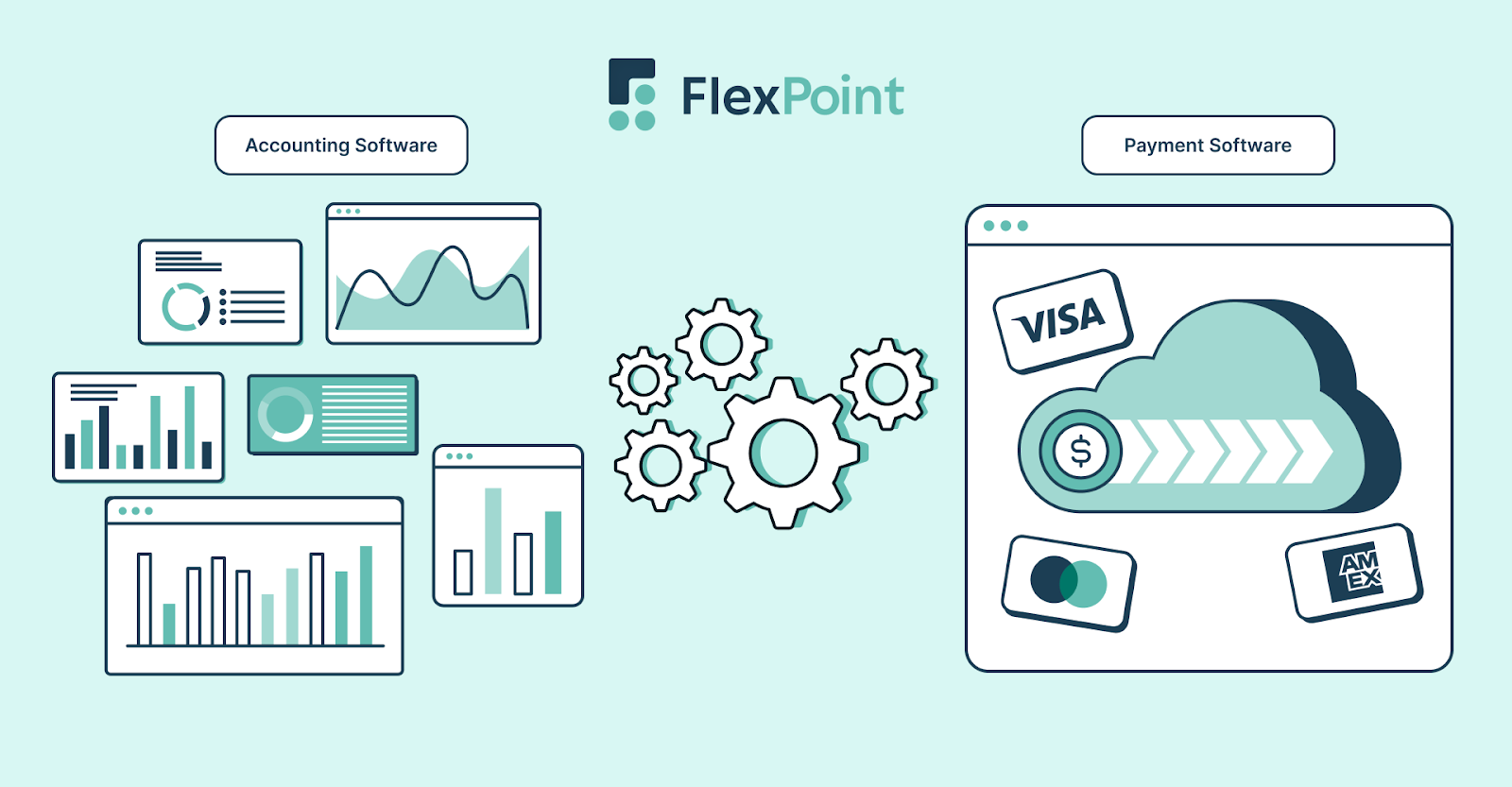
FlexPoint empowers MSPs to automate billing and payment workflows, regardless of the accounting platform they use.
FlexPoint brings billing, payments, and reconciliation together in one system, no matter which accounting platform your MSP uses.
- Broader Compatibility: FlexPoint integrates effortlessly with QuickBooks Online, QuickBooks Desktop, and Xero. This ensures that invoices, payments, and deposits stay perfectly synced across systems, maintaining accuracy and eliminating the need for manual data entry.
- Unified PSA and Accounting Workflows: FlexPoint bridges the gap between your PSA software and accounting systems by automatically syncing clients, tickets, agreements, and time entries. This ensures that every billable hour, service item, and contract detail flows directly into your accounting platform without manual intervention.
- Automation for Every Billing Model: From recurring service agreements to usage-based and custom project billing, FlexPoint automates billing for all MSP pricing models. Billing data flows directly from your PSA to your accounting platform. This ensures invoices are generated, tracked, and reconciled without manual intervention.
- Payment and Collection Automation: FlexPoint automates the entire payment cycle, including invoice delivery, collection, and reconciliation. Payments received through the client portal sync instantly with your accounting platform. This ensures real-time financial accuracy and predictable cash flow.
- Branded Client Portal: Deliver a polished client experience through FlexPoint's white-labeled payment portal. Clients can securely view invoices, set up AutoPay, update payment methods, and download statements. This helps you collect payments more quickly and build stronger client trust.
- Seamless Reconciliation: FlexPoint automatically reconciles payments and deposits, removing the need for manual matching or spreadsheet tracking. This reduces human error and accelerates the month-end close. It gives you complete financial visibility at every step.
- Migration Confidence: Whether you're moving from QuickBooks Desktop to Online or switching to a new platform (such as Xero), FlexPoint keeps your billing and reconciliation automated and consistent. Your financial workflows stay uninterrupted even during significant system changes.
In short, FlexPoint future-proofs your MSP billing by providing a unified, automated, and scalable financial foundation regardless of your accounting platform.
Note: FlexPoint currently doesn't integrate with FreshBooks, Sage Intacct, Bill.com, or Zoho Books; however, that could change based on MSP demands.
Conclusion: Confidently Move Beyond QuickBooks Desktop
Transitioning away from QuickBooks Desktop isn’t just about software. It’s also about upgrading your financial operations to match how modern MSPs actually run.
Cloud-based accounting platforms, such as QuickBooks Online and Xero, offer greater flexibility, collaboration, and scalability. However, it’s what you pair them with that determines whether your billing processes evolve or remain stagnant.
That’s where FlexPoint comes in.
FlexPoint connects the dots between your PSA and accounting platform. The billing platform automates the entire process of invoicing, payment processing, and reconciliation. Whether you’re migrating to QuickBooks Online, switching to Xero, or evaluating new options, FlexPoint keeps your billing and collections consistent, accurate, and efficient.
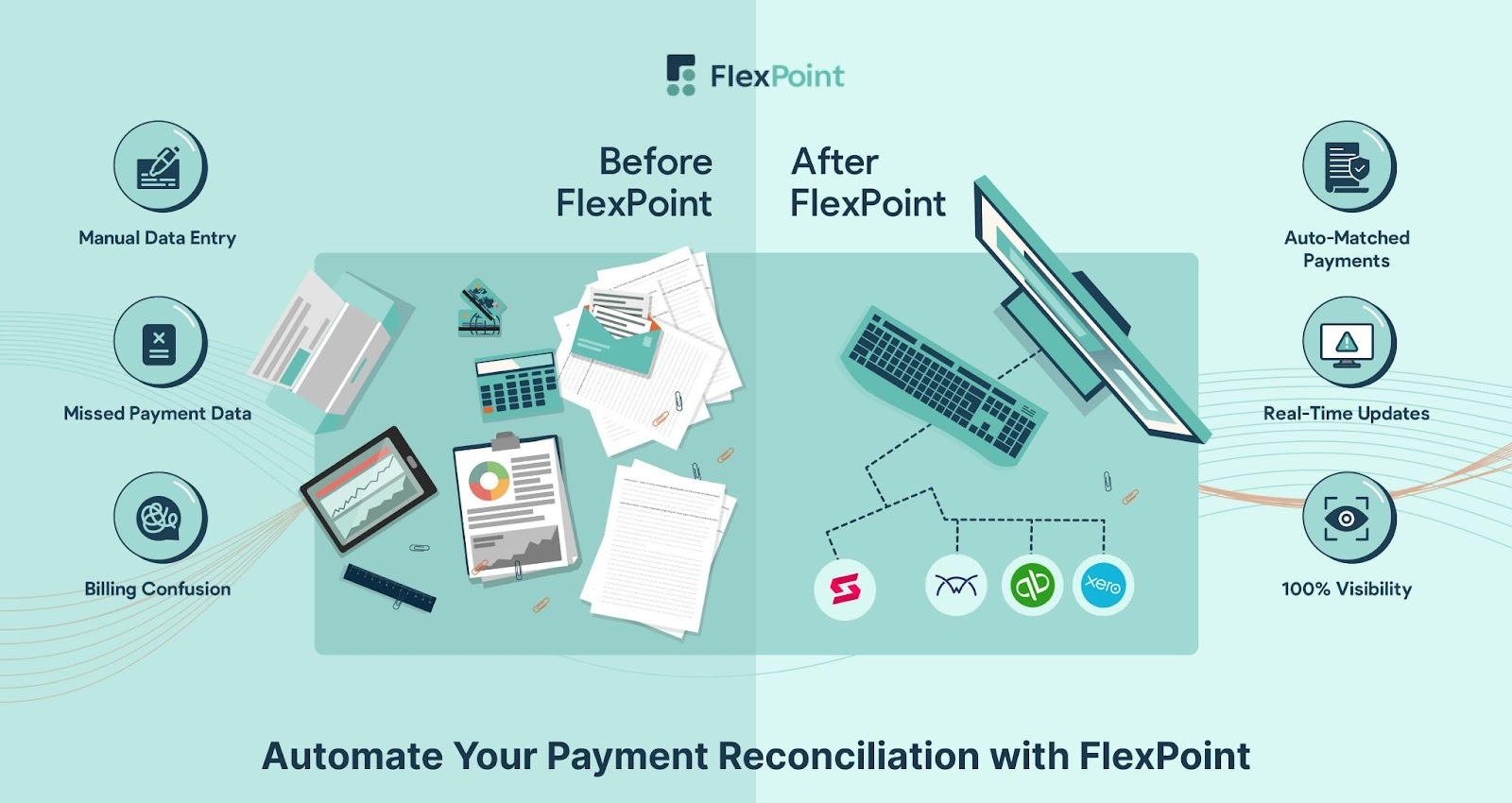
FlexPoint also connects with primary PSA tools, including ConnectWise, Autotask, HaloPSA, and SuperOps.
Let's consider SkyCamp Technologies, an Ohio-based MSP, for instance.
They struggled with disconnected payment systems and manual ACH processing in QuickBooks. This led President Dan Illausky to seek a fully automated, centralized billing solution to save time and reduce errors.
After switching to FlexPoint, SkyCamp seamlessly synced with QuickBooks Online, automating reconciliation, resolving PSA issues, and providing customers with complete invoice visibility through a simple, passwordless portal.
The results: 8 hours saved every month, and a 30% increase in payment speed from late clients.

SkyCamp Technologies isn't alone; MSPs nationwide are using FlexPoint to streamline billing, accelerate payments, and save hours every month.
Ready to modernize your billing and ditch QuickBooks Desktop?
Schedule a demo to see how FlexPoint supports your MSP's growth."
Additional FAQs: QuickBooks Desktop Alternatives for MSPs
{{faq-section}}
.png)

.png)
.png)