


.png)
Managed Service Providers (MSPs) require accounting software that exceeds basic bookkeeping capabilities. The ideal platform should simplify billing, integrate seamlessly with MSP-specific tools (such as PSA software), and offer real-time visibility into financial health.
Two of the most common options are QuickBooks Online and Xero.
QuickBooks Online is a full-featured accounting solution built for small to medium-sized businesses. It includes invoicing, expense tracking, and financial reporting, and integrates seamlessly with the PSA tools that MSPs rely on daily.
Xero stands out for its clean, intuitive interface, unlimited user access, and an extensive ecosystem of over 1,000 app integrations. With real-time collaboration and multi-currency support, it’s particularly appealing for MSPs with global clients or distributed teams.
In this article, we’ll compare QuickBooks Online and Xero side by side, highlighting their features, pricing, integrations, and usability.
We’ll also explain how layering billing automation on top of these accounting platforms (QuickBooks Online and Xero) streamlines payments, reduces manual work, and strengthens cash flow for MSPs.
{{toc}}
QuickBooks Online vs Xero: Why MSPs Are Comparing These Platforms
MSPs are comparing QuickBooks Online and Xero because both offer cloud-based accounting, but with different strengths. The decision often comes down to how an MSP prioritizes automation, scalability, and collaboration.
QuickBooks Online appeals to MSPs that want an all-in-one accounting system. It covers invoicing, expense tracking, reporting, and tax preparation, while integrating directly with PSA and billing tools. For MSPs focused on advanced functionality and automation, QuickBooks Online (QBO) is often the go-to choice.
Xero is chosen by MSPs that value collaboration and flexibility with unlimited users, real-time data sharing, and an ecosystem of 1,000+ apps. Additionally, it is well-suited for teams that involve outside accountants/bookkeepers, operate across multiple locations, or serve global clients.
In short, MSPs are weighing QuickBooks Online for depth and automation against Xero for openness and collaboration. Both accounting tools aim to improve cash flow, streamline billing, and support long-term growth.
Features Comparison: QuickBooks Online vs Xero for MSPs
Understanding how each platform handles core accounting functions helps MSPs make informed decisions based on their specific operational needs.
Below is a detailed comparison of QuickBooks Online and Xero across the core features that matter most to MSPs.
Invoicing and Billing
QuickBooks Online: Supports advanced invoicing with recurring billing, customizable templates, payment reminders, and progress invoicing. You can convert estimates into invoices and manage retainers or deposits. These tools help improve cash flow and reduce billing work.
Xero: Enables you to create professional invoice templates, set up recurring billing, and convert quotes to invoices. It’s user-friendly and straightforward, but lacks some of the advanced billing features found in QuickBooks Online.
Expense and Time Tracking
QuickBooks Online: Lets you manage expenses with mobile receipt capture, automatic categorization, and bank syncing to reduce manual entry. Time tracking is available in QBO (Essentials, Plus, and Advanced plans), allowing you to log billable hours and convert them into invoices.
Xero: Supports expense tracking with receipt capture, automatic categorization, and employee claims through “Expenses. However, it lacks built-in time tracking. Time entries are handled within its “Projects” or add-on solutions rather than a robust built-in time tracking tool.
Reporting and Analytics
QuickBooks Online: Offers 40+ standard reports such as profit & loss, balance sheets, cash flow, and AR aging. Higher-tiered plans unlock custom dashboards, budget tracking, and location-based reports.
Xero: Provides real-time financial reporting with simple dashboards. It includes core reports such as profit and loss, balance sheet, and cash flow. It’s user-friendly and intuitive, making it easy for non-accountants to understand. However, Xero is less feature-rich in customization and advanced analytics than QBO.
User Roles and Permissions
QuickBooks Online: Supports multiple users with role-based permissions that vary by plan. The Simple Start plan includes one user, plus an accountant, while the Advanced plan supports up to 25 users with customizable access controls.
Xero: Offers unlimited users across every plan, making it a cost-effective solution for larger MSP teams or those collaborating with external advisors. It also offers granular permission settings for precise control of financial access.
Integrations and Ecosystem
QuickBooks Online: Connects with 750+ apps, including direct connections to PSA tools such as ConnectWise PSA, Autotask, and HaloPSA. It also integrates seamlessly with payment processors/gateways and billing solutions, such as FlexPoint.
Xero: Provides over 1,000 app integrations across project management, billing, and PSA systems. Its open API also encourages developers to build industry-specific solutions, extending flexibility for specialized business needs.
Automation and Workflow Tools
QuickBooks Online: Automates recurring transactions, invoicing, and reminders across all plans. Advanced tiers add workflow templates, automated inventory tracking, and custom fields to further streamline operations.
Xero: Simplifies automation with bank reconciliation rules, recurring invoices, and payment reminders. While less extensive than QBO, its straightforward automation covers most standard accounting workflows.
Summary Table: QuickBooks Online vs Xero
Bottom Line: Both platforms offer strong foundations. QuickBooks Online is better suited for MSPs that require advanced accounting depth and direct PSA/billing integrations, while Xero excels in providing unlimited access, collaboration, and ease of use.
Pricing & Value: What MSPs Get With Each Platform
For MSPs, price is more than a subscription fee. It’s about the overall value delivered by the accounting tool. That includes the features unlocked at each tier, the number of users supported, and the cost of add-ons for billing, reporting, or integrations.
QuickBooks Online and Xero follow different pricing models, so MSPs need to weigh not only monthly costs but also how each platform scales with their client base, billing complexity, and integration needs.
QuickBooks Online Pricing
/
Xero Pricing Plans
Value Comparison for MSPs
QuickBooks Online: Provides comprehensive functionality that can replace multiple specialized tools. It offers tiered plans with increasing automation, project tracking, inventory management, and reporting. This allows MSPs to scale as their financial operations grow.
Xero: Best suited for MSPs that want straightforward accounting with strong collaboration. Unlimited user access offers excellent value for teams, while built-in multi-currency support and project tracking add flexibility.
Plan Upgrade Flexibility
Both accounting platforms (Xero and QuickBooks Online) make it easy to upgrade or downgrade.
QuickBooks Online unlocks advanced features, such as reporting and project profitability, at higher tiers.
Xero allows smooth adjustments to enable multi-currency, payroll, or additional features as needed.
In either case, MSPs should review the process carefully to understand any feature limitations or timing considerations when switching plans.
Trials and Promotions
QuickBooks Online: Offers a 30-day free trial. Occasionally, new users can access promotions like 50% off for the first three months.
Xero: Provides a 30-day free trial with full access to all features. Promotional discounts may be available for new subscribers. However, this depends on the region or time of year.
Usability, Integrations, and Support: Choosing the Best Fit Between QBO and Xero
For MSPs, the ideal accounting platform should strike a balance between ease of use, strong integrations with PSA tools, and dependable support.
QuickBooks Online offers advanced features and firm support, while Xero stands out for its simple, collaborative design.
Comparing usability, integrations, and support helps MSPs find the best fit for their needs and growth.
User Experience
QuickBooks Online: Provides a robust, feature-rich dashboard. However, it can be challenging for team members without accounting experience. The interface has been improved by Intuit over the years; however, some users still find advanced features difficult to navigate.
Xero: Known for its clean, intuitive interface, which resembles modern web apps. Its simple, visually appealing design makes it easy for non-accountants to use. This leads to faster team adoption and less training time.
Onboarding and Training Resources
Both QuickBooks Online and Xero offer onboarding resources, video tutorials, and community support.
QuickBooks Online: Offers guided onboarding, webinars, live chat, phone support, and access to certified ProAdvisors for personalized assistance.
Xero: Provides in-app tutorials, intuitive setup guides, and responsive chat/email support. Its focus on simplicity keeps onboarding straightforward.
Customer Support
QuickBooks Online: Support is available via live chat, phone support, and a comprehensive online help center, with assistance available six days a week. You can also access certified ProAdvisors for specialized guidance.
Xero: Offers 24/7 email support and a comprehensive help centre. However, its live chat and phone support are limited, so users often rely on self-service resources or community forums for assistance.
Integrations with PSA and Billing Tools
QuickBooks Online: Directly connects with PSA platforms such as ConnectWise PSA, Autotask, HaloPSA, and SuperOps. These integrations automatically sync service tickets, time entries, and client data for accurate billing.
Xero: Integrates with PSAs (ConnectWise, HaloPSA, SuperOps) through its marketplace. However, some connections may require third-party tools or a custom setup. Its open API supports customization, but can demand technical expertise.
Real-World MSP Feedback
QuickBooks Online: Valued for its complete feature set (though it might require upgrading to higher-tiered plans) and direct PSA integrations, though onboarding new staff can be time-intensive. MSPs with complex accounting needs generally prefer its depth.
Xero: Praised for unlimited users and ease of use. However, MSPs note that its reporting tools are less advanced, often requiring add-ons to match those of QuickBooks Online.
FlexPoint + QuickBooks Online or Xero: Automated Billing No Matter Your Choice
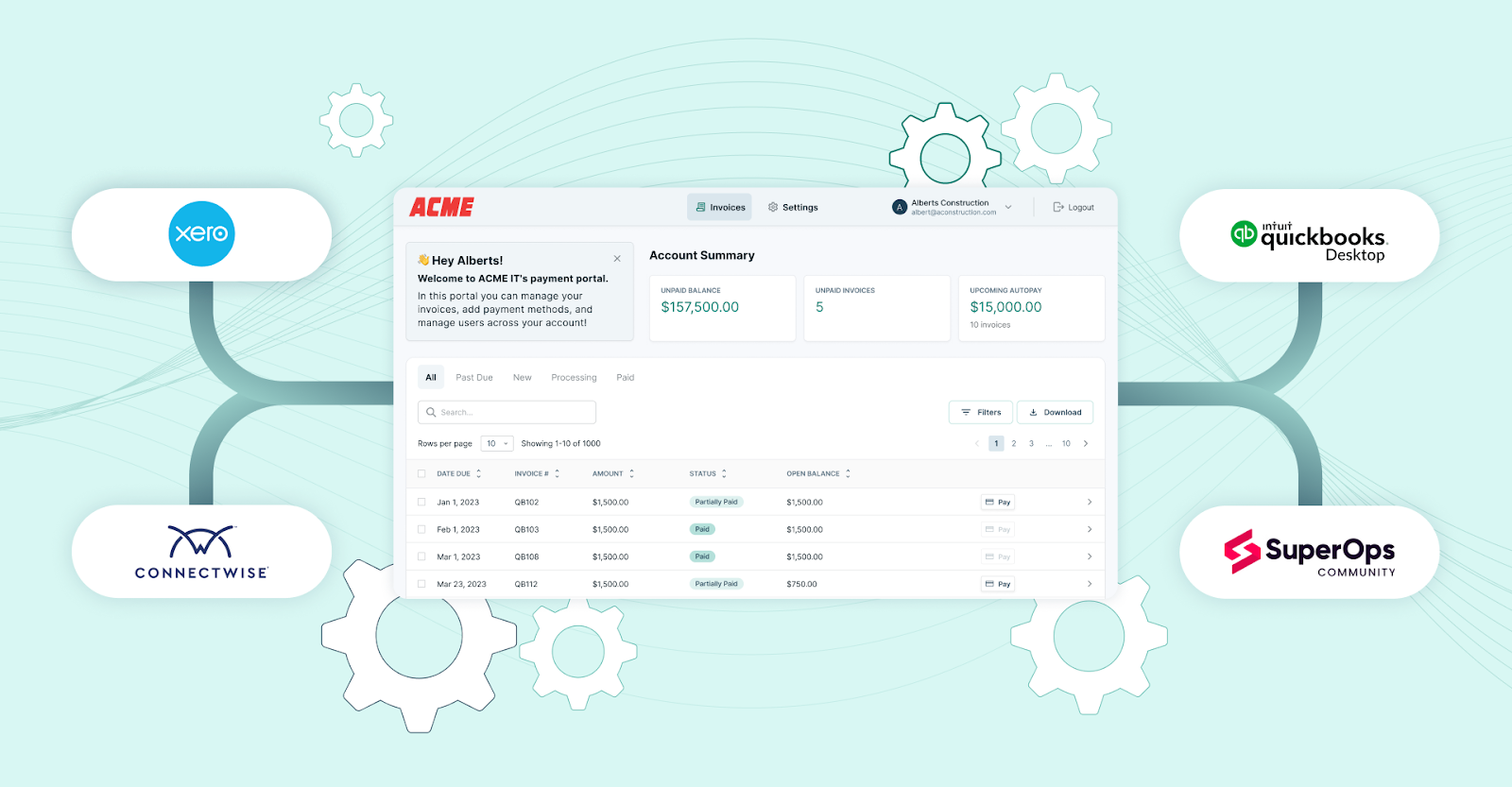
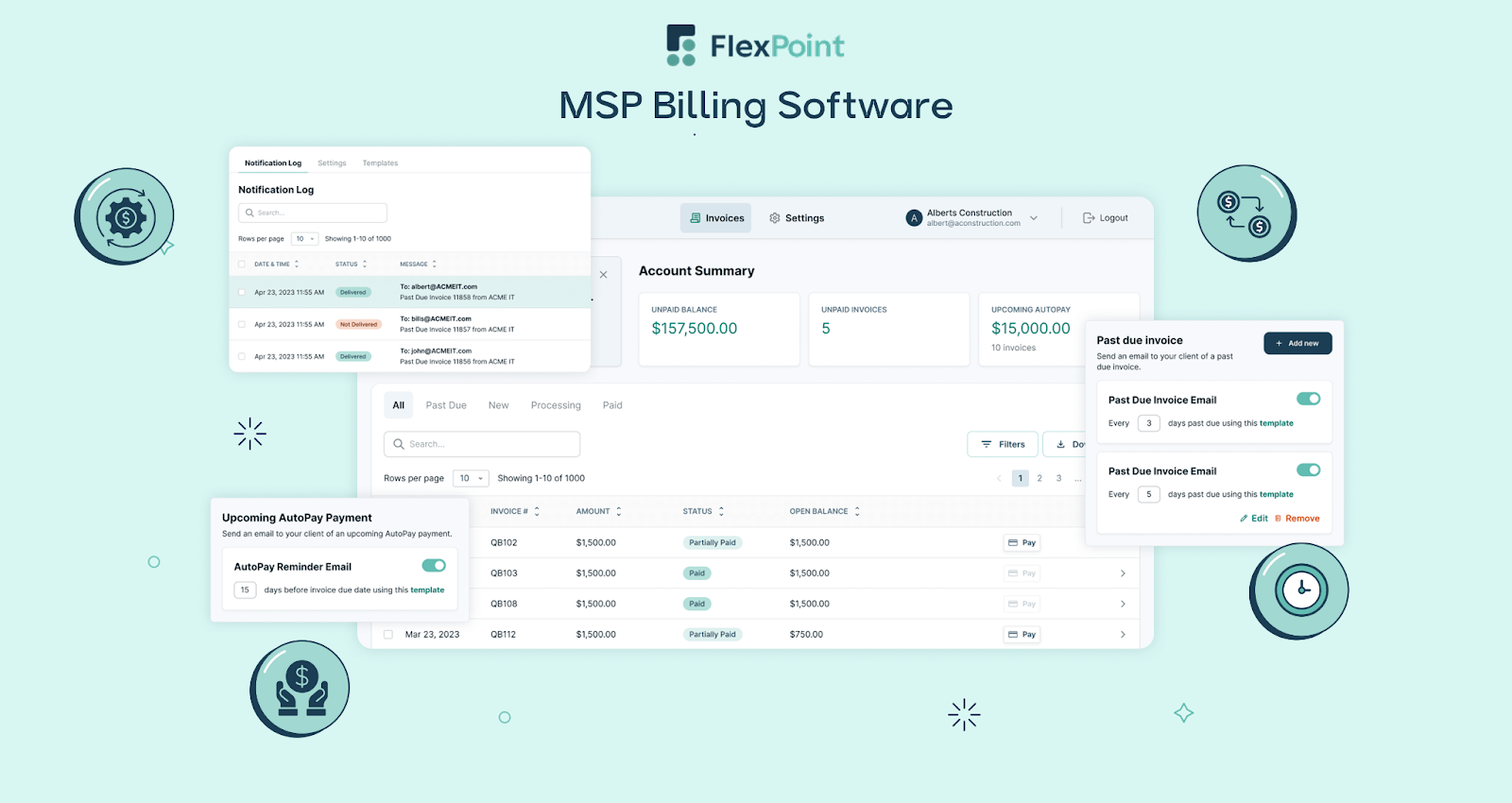
FlexPoint transforms leading accounting platforms such as QuickBooks Online and Xero into complete MSP billing engines.
By automating invoices, payments, and deposit reconciliation, FlexPoint removes manual work and strengthens cash flow. This enables your MSP to grow without being tied to one system.
- Compatibility with Both: FlexPoint integrates seamlessly with both QuickBooks Online (or QuickBooks Desktop) and Xero. Invoices, payments, and customer data are synced in real-time. As a result, you can switch or upgrade accounting platforms without disrupting billing or automation.
- Streamlined Billing Operations: FlexPoint automates all MSP billing models, whether it is recurring services, usage-based pricing, or project-based pricing. The platform pulls data directly from your PSA and applies billing rules to generate accurate invoices every time.
- Integrated PSA and Accounting Workflows: FlexPoint connects PSA tools, such as ConnectWise PSA, Autotask, HaloPSA, and SuperOps, directly to your accounting system. This eliminates duplicate entries, reduces billing errors, and ensures accurate deposit reconciliation. Also, all financial data stays consistent across all platforms.
- Business Continuity and Flexibility: Whether you’re on QuickBooks Online, Xero, or transitioning between them, FlexPoint maintains seamless billing automation. Client payments, invoicing, and financial workflows remain uninterrupted, providing your MSP with stability and room to scale.
Note: FlexPoint is fully compatible with both QuickBooks Online and Xero. MSPs seeking complete billing automation across invoicing, payments, and accounting will get the greatest value from pairing FlexPoint with either platform.
Conclusion: Find the Right Accounting Platform for Your MSP
Selecting the right accounting platform is a strategic decision for any MSP that shapes efficiency, financial accuracy, and client satisfaction. A side-by-side evaluation helps ensure the system you choose supports both current needs and future growth.
However, the final decision should be driven by a careful assessment of several critical factors. These include feature depth and billing automation, integrations with your PSA and other systems, and scalability with multi-client management.
Reporting and compliance, security and vendor support, as well as total cost of ownership, are also key considerations.
Regardless of the platform you choose, FlexPoint provides MSPs with the billing automation that is often lacking in standard accounting tools. The platform keeps invoices, payments, and reconciliations aligned in real-time, reducing billing errors and freeing up administrative time.
Branded client portals and flexible payment options (credit cards, ACH, or flexible financing) add a professional edge, making it easier for clients to pay on time while enhancing your business's cash flow.
Consider IT Vortex, a New Jersey-based MSP that migrates and maintains IT hardware and systems in the cloud. The team spent a significant amount of time and incurred substantial costs related to managing invoicing through previous systems.
After adopting FlexPoint as their billing software, invoicing and reconciling became seamless and automatic. Once they receive deposits, transactions are automatically reconciled and entered into QuickBooks.
This means that they no longer have to enter any manual payments, as everything auto-reconciles directly into QuickBooks.
As a result, IT Vortex:
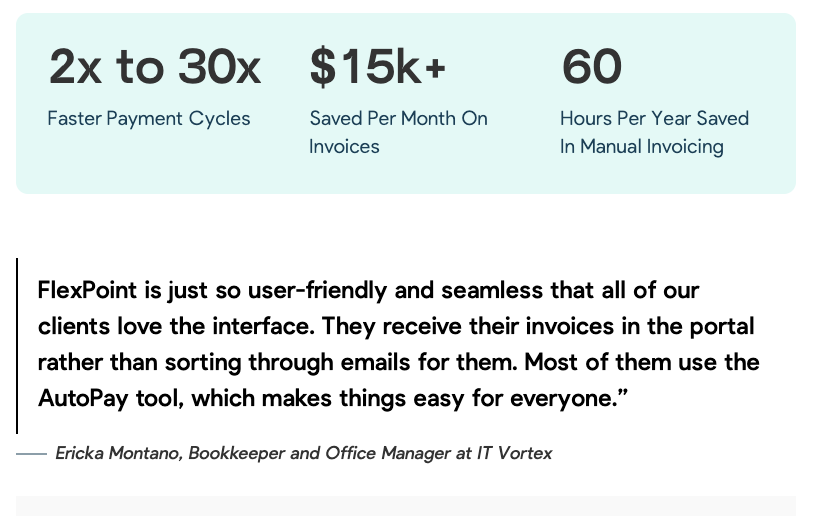
- Improved payment cycle speed from 2x to 30x
- Saved 60 hours a year on manual labor
- Saved $15,000 a month on invoicing
The results at IT Vortex are not unique. MSPs are streamlining financial operations, cutting manual work, and saving thousands of dollars each month by pairing QuickBooks Online or Xero with FlexPoint.
Ready to simplify your MSP's accounting and billing?
FlexPoint integrates with QuickBooks Online and Xero to automate payments and collections.
Schedule a demo to see FlexPoint in action for your preferred platform.
Additional FAQs: QuickBooks Online vs Xero for MSPs
{{faq-section}}




