


.png)
For Managed Service Providers, choosing the right financial software goes beyond bookkeeping.
It’s about creating a system that improves efficiency, ensures compliance, and supports long-term growth. Two popular cloud-based options for MSPs are Zoho Books and QuickBooks Online.
Zoho Books is recognized as a capable, all-in-one accounting solution within the broader Zoho ecosystem. It offers strong general financial tracking, invoicing, and client portal features, often at a competitive price point.
QuickBooks Online, on the other hand, is the industry-leading full-featured accounting platform. It offers strong tools for invoicing, expenses tracking, financial reports, and tax preparation, making it a go-to option for many small businesses, including MSPs.
For MSPs with complex billing models such as recurring revenue, the real question isn’t just about accounting software features. It’s about which platform can best handle automated billing, smooth integrations, and advanced financial workflows.
In this article, we’ll compare Zoho Books and QuickBooks Online. We’ll look at their features, pricing, ease of use, and integrations.
Then, we’ll explain how using QuickBooks Online with FlexPoint gives MSPs advanced billing automation and turns accounting into a driver of growth.
{{toc}}
Zoho Books vs QuickBooks Online: Why MSPs Are Comparing These Platforms
MSPs evaluating accounting software often narrow the choice to Zoho Books and QuickBooks Online. Both are cloud-based, automate core financial tasks like invoicing, and provide real-time visibility into cash flow. The question isn’t which tool is “best overall,” but which one fits your business model.
Zoho Books is a cost-effective accounting platform. It integrates seamlessly with the Zoho ecosystem. This makes it a strong choice for MSPs already using Zoho tools.
QuickBooks Online is a full-featured accounting solution. It has advanced reporting and a vast app marketplace for deep integrations. This helps to support complex MSP workflows.
For many MSPs, the decision comes down to scale and integrations.
Zoho Books works well for leaner operations, while QuickBooks Online offers greater flexibility. When QBO is paired with FlexPoint, it automates billing, payments, and reconciliation end-to-end (to be discussed in detail in upcoming sections).
Features Comparison: Zoho Books vs QuickBooks Online for MSPs
When MSPs evaluate accounting platforms, they need to understand how each one manages invoicing, billing, reporting, automation, and integrations.
Below is a detailed comparison of Zoho Books and QuickBooks Online across these key functions.
Invoicing and Billing
Zoho Books: Supports recurring invoices and payments through a client portal with ACH or credit cards. The dedicated customer portal also allows MSP clients to view invoices, approve quotes, and track timesheets, thereby reducing back-and-forth communication and enabling centralized billing in one convenient location.
QuickBooks Online: Offers recurring invoices, templates, and automated payment options. This makes it ideal for MSPs with monthly service bundles or retainers. Its billing features connect directly with invoices, payments, and reconciliation, ensuring a seamless entire accounting process.
Expense and Time Tracking
Zoho Books: Provides built-in expense tracking across all plans. It also provides options to add advanced features such as recurring bills, project-based expenses, and timesheets. This makes it easier for you to track costs tied directly to client projects or service delivery.
QuickBooks Online: Offers expense management in all plans, but time tracking is only available in higher-tier plans. You may need to upgrade for full project time tracking, which could increase costs if detailed labor reporting is required.
Reporting and Analytics
Zoho Books: Offers a range of financial and project reports. MSPs can track service delivery costs, monitor expenses, and measure project profitability with tailored views.
QuickBooks Online: Delivers a broader reporting suite with interactive dashboards and real-time analytics. This provides MSPs with instant visibility into cash flow, revenue, and expenses, enabling faster, data-driven decisions.
User Roles and Permissions
Zoho Books: Multiple users (with limits depending on the plan) and offers flexible role assignments to control what each user can do. This allows MSPs to delegate tasks while maintaining limited visibility to sensitive financial data.
QuickBooks Online: Offers multi-user access with more granular permission settings, varying by plan. MSPs can define who can view, edit, or manage specific records, providing tighter security and control over financial operations.
Integrations and Ecosystem
Zoho Books: Integrates smoothly within the broader Zoho ecosystem of business software, and supports a limited set of third-party tools. This makes it a good fit for MSPs already relying on Zoho tools for operations.
QuickBooks Online: Provides a far more extensive app marketplace and connects with most PSA platforms. It also supports MSP-specific billing tools such as FlexPoint. This provides MSPs with unique advantages in billing automation, payment processing, and financial workflow management across the entire stack.
Automation and Workflow Tools
Zoho Books: Offers workflow rules, recurring billing, and automated payment reminders. These features help MSPs cut down on manual tasks and keep client accounts up to date with less effort.
QuickBooks Online: Provides a broader set of automation tools that connect billing, payments, and reconciliation. This streamlines the entire billing cycle, enhances payment collections, and ensures that financial data remains accurate across the platform.
Summary Table: Features that Matter for MSPs
Pricing & Value: What MSPs Get With Each Platform
Zoho Books Pricing
QuickBooks Online Pricing
Trials and promotions
Zoho Books offers a 14‑day free trial of paid plans and a free forever plan (subject to revenue thresholds).
QBO promotes a 30‑day free trial and often runs intro discounts (e.g., 50% off for the first three months). Align your trial with a billing cycle so you can test end‑to‑end workflows.
Value for MSPs
If your MSP is early-stage and costs dominate, Zoho Books is hard to ignore.
If your growth relies on handling A/R, reconciling deposits, and syncing PSA with accounting, QBO is a wise choice. It delivers greater long-term value as contracts and billing needs grow.
Usability, Integrations, and Support: Choosing the Best Fit
For MSPs, the real value of an accounting or billing platform comes down to two things: how easy it is to use day to day, and how well it integrates with the rest of the tech stack.
Strong usability reduces administrative overhead, while robust integrations ensure smooth data flow across PSAs, CRMs, and billing tools.
Together, these factors determine whether a platform can truly support efficiency, accuracy, and scalability in an MSP’s operations.
Let’s review how Zoho Books and QuickBooks Online fare on these points.
User Experience
Zoho Books: Clean, simple interface that’s easy for smaller teams to set up and manage. Works well for straightforward billing but may feel limited for MSPs with complex workflows.
QuickBooks Online: User-friendly dashboard with a familiar layout designed to support growth. Scales from daily accounting tasks to advanced financial management without steep learning curves.
Onboarding and Training
Zoho Books: Offers a 14-day trial with guided onboarding, knowledge centers, and tutorials. Essential training for quickly testing core accounting features.
QuickBooks Online: Provides a 30-day trial, includes in-product tips for usability, and extensive training resources. The Advanced plan includes Priority Circle support for faster response times and dedicated training.
Customer support
Zoho Books: Includes live chat, email, and phone support across paid tiers.
QuickBooks Online: Offers multiple support channels, with enhanced resources and faster response times for Advanced plan users.
Integrations with PSA and billing tools
Zoho Books: Strong inside the Zoho ecosystem and works with select third-party apps like payment gateways and tax tools. Limited PSA compatibility makes it essential to confirm coverage before making a commitment.
QuickBooks Online: Wide app marketplace and strong PSA integrations. Paired with FlexPoint, it becomes a complete automated billing hub. QBO integrations connect PSA, payments, and accounting into one workflow.
Real‑world feedback
Zoho Books: User reviews indicate that Zoho Books receives praise for its flexible automation and custom scripting capabilities. However, many MSPs note a steeper learning curve and limited third-party integrations compared to QuickBooks Online.
QuickBooks Online: Valued for its widespread familiarity, strong ecosystem, and reliable support. The Advanced tier, in particular, offers the audit-ready workflows MSPs often require. Feedback also emphasizes that QBO migrations are generally smooth.
Summary
Zoho Books can be a strong option for smaller MSPs already invested in the Zoho ecosystem.
However, for MSPs that require scalability, advanced reporting, and deep PSA integrations, QuickBooks Online offers a more comprehensive and future-proof solution.
FlexPoint + QuickBooks Online: Automated Billing for Growing MSPs
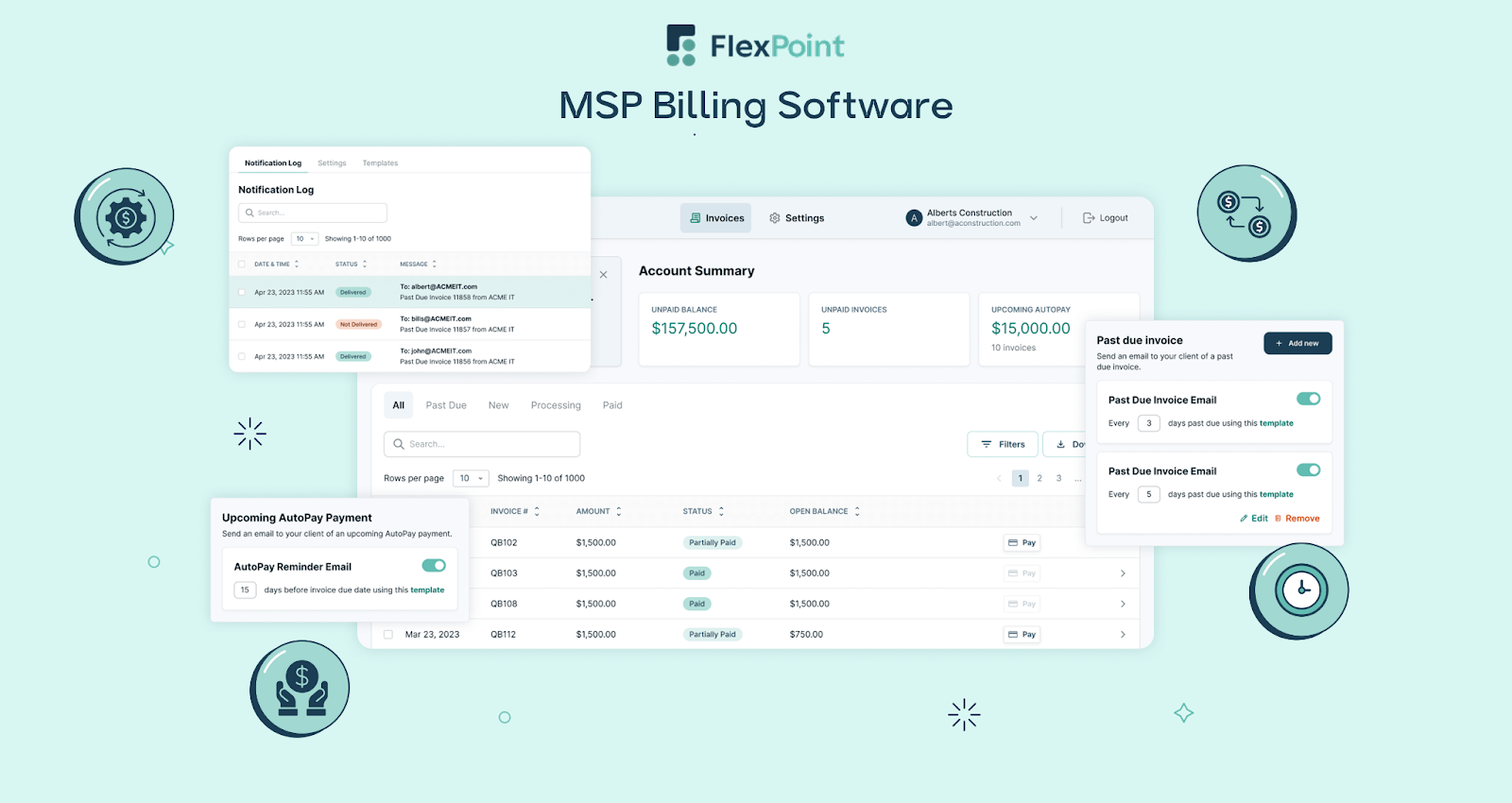
FlexPoint is designed to simplify and scale MSP billing. It works exclusively with QuickBooks Online to deliver complete automation across invoicing, payments, and collections.
These tools create a robust system that eliminates manual effort, improves accuracy, and accelerates cash flow.
- Direct QBO Integration: FlexPoint integrates natively with QuickBooks Online. It automates billing workflows end-to-end. Invoices, payments, and collections are synced in real-time. This ensures all financial data stays accurate and up to date.
- Automated Deposit Reconciliation: FlexPoint automatically reconciles deposits in QuickBooks Online. Payments collected through the client portal are matched to invoices and synced in real time, saving hours of manual work and ensuring accurate records.
- Branded Client Portal: FlexPoint provides a fully white-labeled client portal, hosted on the MSP’s domain. Clients can view invoices, store payment methods, and schedule payments, creating a professional and seamless payment experience.
- Streamlined Billing: FlexPoint handles complex MSP billing scenarios from recurring contracts to usage-based charges and custom billing models with ease. This reduces errors and saves valuable time.
- Integration With PSA Tools: FlexPoint connects QuickBooks Online to leading PSA platforms (such as ConnectWise PSA, HaloPSA, SuperOps, and Autotask) and MSP-specific tools (such as Quoter, Rewst). This eliminates duplicate data entry and creates seamless, accurate workflows across service delivery, billing, and accounting.
- Scalability: As your MSP grows, the FlexPoint and QuickBooks Online integration scales with you. It supports expansion while maintaining efficiency and automation without adding administrative overhead.
Note: FlexPoint currently does not integrate with Zoho Books. However, if you are seeking complete automation across invoicing, billing, and accounting, you will get the greatest value from pairing FlexPoint with QuickBooks Online.
Conclusion: Choose the Right Accounting Platform for Your MSP
For MSPs, accounting software isn’t just about bookkeeping. It drives efficiency, accuracy, and scalability across recurring revenue, client billing, and PSA connections.
Both Zoho Books and QuickBooks Online offer strong capabilities for billing and financial management. The right choice depends on your integration needs, automation goals, and growth plans.
QuickBooks Online stands out for its broader ecosystem and deeper PSA integrations, making it the stronger fit for MSPs with complex billing and reporting requirements.
Paired with FlexPoint, QuickBooks Online delivers even more value. FlexPoint automates billing, payments, and collections, handling recurring, usage-based, and custom billing models. It connects directly with PSA tools, giving MSPs unified workflows, accurate reporting, and real-time visibility into cash flow.
The result: less manual work, fewer errors, and a financial system that scales with your business.
Consider Excellent Networks, a Texas-based MSP, for instance. The team incurred significant time and financial expenditures on manual administrative tasks.
Clients often paid by check, which created delays and risk, while credit card payments had to be processed manually through QuickBooks with added fees.
After adopting FlexPoint, invoicing and payments became seamless. Invoices approved in QuickBooks sync instantly to FlexPoint, which sends automated reminders, processes payments, and automatically reconciles transactions.
The results:
- Improved payment speed by 80%.
- Saved 24 hours annually on manual tasks.
- Saved credit card fees up to $10,000.
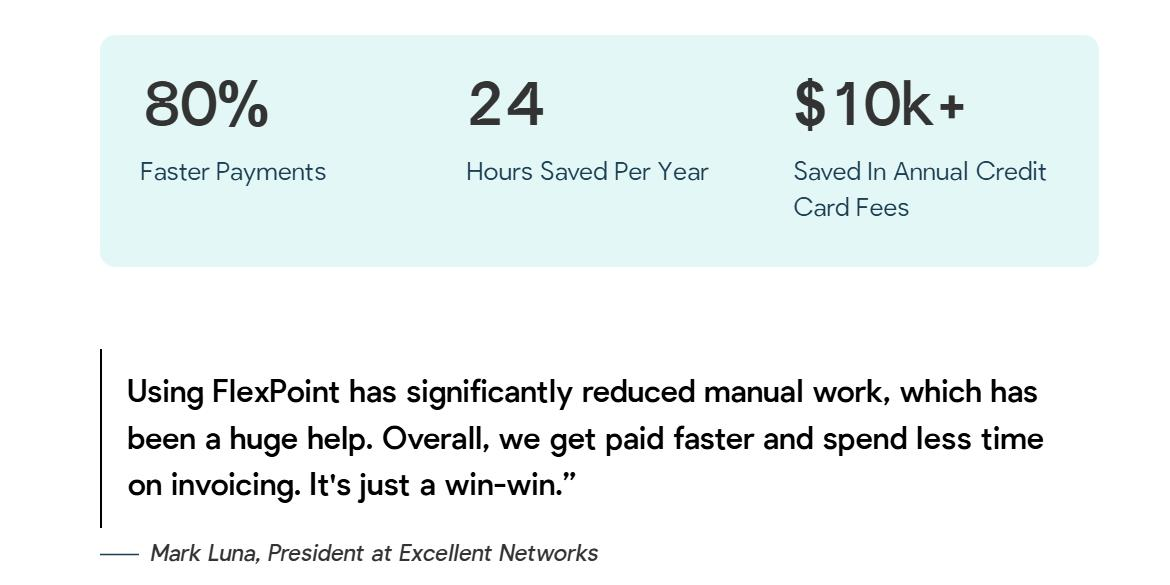
The efficiency gains at Excellent Networks are not unique. MSPs everywhere are saving time, reducing billing errors, and accelerating cash flow by pairing QuickBooks Online with FlexPoint.
Ready to automate your MSP’s accounting and billing?
FlexPoint integrates with QuickBooks Online to power seamless payments and collections.
Schedule a demo to see FlexPoint + QBO in action for your business.
Additional FAQs: Zoho Books vs QuickBooks Online for MSPs
{{faq-section}}




