


51% of customers rank convenience as the most important factor when choosing how to pay. For MSPs, that means clients now expect more than just the ability to settle invoices online. They also want a smooth, self-service payment experience that reflects the professionalism of your business.
ConnectBooster has long been a familiar name in MSP billing software. Many MSPs adopted it early on to automate invoice emails and let clients pay online. But owners are finding that they need more advanced, flexible, and automated billing solutions than what ConnectBooster offers as their MSP scales.
In this article, we will guide you through the top ConnectBooster alternatives for MSPs. We’ll highlight why MSPs are considering a change, the key features to prioritize in a new platform, and a comparison of leading competitors.
The short answer: For MSPs that have outgrown (or grown tired of) ConnectBooster, there are a handful of alternative tools available, each with pros and cons. The most popular payment solutions are FlexPoint, Alternative Payments, BenjiPays, and QuickBooks Payments. However, some are stronger solutions than others.
FlexPoint is the strongest replacement available. It's the only platform on this list built exclusively for MSPs, with Same-Day ACH included standard, autonomous AR Agents that work overdue invoices without staff intervention, native integrations across ConnectWise, Autotask, HaloPSA, and SuperOps, and automated deposit reconciliation that closes the loop other platforms leave open.
This article walks through all four alternatives to ConnectBooster so you can decide for yourself which is best for your MSP.
Why MSPs seek alternatives to ConnectBooster
As MSPs grow, the challenges they face can quickly outpace what ConnectBooster was built to handle. This turns once-reliable workflows into daily frustrations that instigate the search for better options.
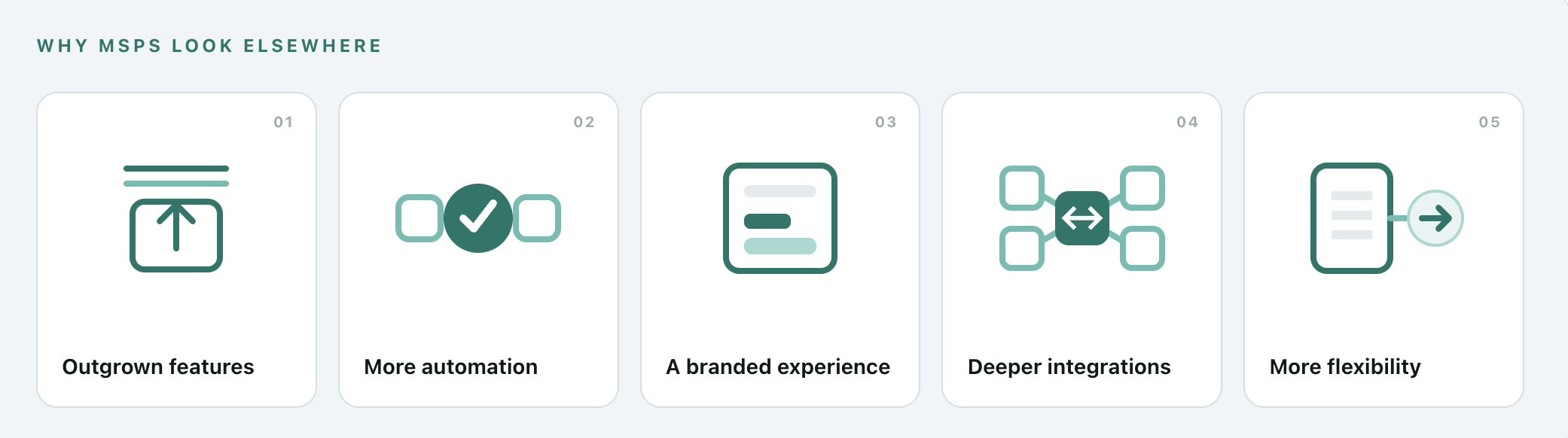
Here are the top reasons MSPs start looking for ConnectBooster alternatives as their needs evolve:
Outgrowing legacy features
As MSP operations scale, some find that ConnectBooster’s functionality isn’t keeping up. For example, ConnectBooster lacks same-day ACH funding and automated deposit reconciliation.
The platform provides basic reports, but modern MSPs need more insightful analytics and real-time billing data syncing across systems.
Desire for better automation
Many MSPs want a truly hands-off billing workflow. With automation now a top priority, MSPs are seeking platforms that can handle everything from invoice creation to payment collection to deposit reconciliation without constant human intervention.
Branded, modern client payment experience
According to research by McKinsey & Company, personalization (like a branded portal) can drive a 10–15% revenue lift by enhancing customer engagement. Trust and professionalism are crucial in client relationships.
ConnectBooster’s client portal runs on ConnectBooster’s own domain, not yours, and its interface can feel dated.
But newer solutions offer fully white-labeled portals on your domain, giving clients a seamless experience that feels like an extension of your business.
Deeper integrations
As MSPs grow, they often adopt a broader toolset.
For example, you could be using ConnectWise or Autotask for tickets, QuickBooks or Xero for accounting, and you need your payment system to talk to all of them. MSPs are seeking alternatives with deeper, real-time integration into their PSA (professional services automation) and accounting software.
Ideally, invoices and payments will sync instantly to avoid double data entry or missed updates and that's something ConnectBooster's platform doesn't directly support.
Notably, ConnectBooster does not integrate with popular tools like HaloPSA.
Support and flexibility
Finally, MSPs on Reddit cite challenges with ConnectBooster’s support or pricing model. Inflexible contracts can feel restrictive if your needs change. Growing providers may also desire more responsive, hands-on onboarding support to get up and running.
If your MSP has felt locked into a lengthy agreement or struggled to get timely help when issues arise, that frustration has likely driven the search for a more client-centric vendor.
Ultimately, seeking alternatives ensures your billing platform scales with you and delivers the professional experience your clients expect. If ConnectBooster is creating extra work or holding back your client experience, it may be time to explore a better fit.
Key features to look for in a ConnectBooster alternative
After hearing the drawbacks ConnectBooster's customers are facing, the key features to look for may seem obvious. But when evaluating a new billing and payments platform for your MSP, you’ll want to ensure it checks all the right boxes.
Here is a checklist of must-have features to prioritize in any ConnectBooster alternative:
1. Same-Day ACH included
Standard ACH is inexpensive and reliable, but settlement time can leave an MSP waiting several business days between collecting a client payment and having access to those funds. At higher payment volumes, that delay can snowball into a significant cash-flow consideration.
Same-Day ACH has quickly become a mainstream B2B payment method. In 2025, the ACH Network processed 1.45 billion Same-Day ACH payments worth $3.92 trillion. Volume increased 16.7% year over year, while the value transferred increased 21.4%. And B2B ACH volume reached nearly 8.1 billion payments in 2025, up almost 10% from the previous year.
When comparing platforms, don't just ask whether faster ACH is technically available. Look at how it is offered and priced.
Is Same-Day ACH part of the platform, or does faster access to funds require another product, an additional monthly fee, or a more expensive tier?
2. Native, bi-directional PSA integrations
An integration existing on paper doesn't necessarily mean it will remove work.
For MSPs, the important question is what information actually moves between the systems. A useful billing integration should keep invoices, payment statuses, client records, and accounting information aligned without requiring repeated exports, duplicate entry, or another syncing product in the middle.
That becomes especially important as MSP technology stacks expand. Fragmented tools can create duplicate work, errors, and gaps in visibility which are the exact problems an integrated PSA and billing workflow should eliminate.
ConnectWise and Autotask remain central PSA options, but MSPs should also evaluate newer PSA ecosystems such as HaloPSA and SuperOps. If you're already using one of these platforms (or expect to migrate in the next few years) don't evaluate your payment platform solely against your current stack.
The goal here with a ConnectBooster alternative is making sure your PSA, accounting platform, and payment system can operate as one billing workflow.
3. Automated deposit reconciliation
Getting paid doesn't finish the billing process.
A payment may be marked against an invoice, but someone still has to make sure the money arriving in the bank corresponds with the transactions recorded in the accounting system. That becomes more complicated when a single deposit contains multiple client payments, payment methods, processing fees, or transactions from different days.
This is where it's important to distinguish payment reconciliation from deposit reconciliation. A platform may automatically mark an invoice as paid while still leaving your team to determine which transactions make up the amount that actually hit the bank.
Automated deposit reconciliation closes that gap by connecting the bank deposit back to its underlying payments and invoices.
Look for a platform that carries automation all the way through the payment lifecycle rather than stopping once an invoice is marked “paid.”
4. Scalable, predictable pricing
Historically, ConnectBooster adopted a usage-based pricing model. When there were few competitors on the market, this was simply seen as “the cost of doing business” for MSPs. But as more vendors have entered the market, the demand for flat-rate, predictable pricing has exploded.
It’s tricky to pinpoint exactly how ConnectBooster pricing works, even for the MSPs using ConnectBooster. In typical usage-based pricing models, there are multiple layers of monthly costs and fees, including:
- A SaaS/platform fee
- Credit card transaction fees
- Separate interchange+ or percentage-based processing fees
- ACH transaction fees
- Misc. Fees (fraud fees, card updater fees, monthly account fees, regulatory reporting fees, etc.)
- Usage fee
It’s easy to see how costs can snowball. Unfortunately, as your business grows, so does the monthly processing volume that is being charged at that usage fee.
Before choosing a ConnectBooster alternative, model what the platform would cost at today's volume and your expected volume one or two years from now. Pay particular attention to whether successfully collecting more revenue automatically increases the amount you pay for the software.
5. Strong collections tools
Scheduled reminder emails are useful, but they're also the most basic form of AR automation. A traditional workflow might send a reminder three days before an invoice is due, another when it becomes overdue, and another seven days later.
That automates the email, but that's it.
Someone will still need to:
- Monitor aging reports and identify accounts that need attention
- Keep track of which clients have responded and which haven't
- Decide when another email isn't enough
- Call clients about overdue balances
- Determine the appropriate next step based on the client's response
- Flag disputes, promises to pay, or other situations that require human attention
- Create and manage follow-up tasks until the balance is resolved
When comparing ConnectBooster alternatives, look at how much of that actual workload the platform can take off your team's plate. Newer AR technology can continuously monitor accounts, adapt follow-up based on what's happening, use multiple channels to reach clients, and bring a person in when human judgment is actually needed.
Product development matters here, too. Collections technology is changing quickly. If you're replacing a legacy billing platform, look at whether the vendor is actively investing in the product and expanding how much manual AR work it can eliminate over time.
6. White-labeled client portal
Your payment portal is one of the few pieces of your financial stack that clients regularly see.
A white-label portal hosted on your own domain keeps that interaction connected to your MSP. Clients shouldn't have to wonder whether they've been redirected to the right website, learn an unfamiliar third-party interface, or manage another unnecessary account simply to pay an invoice.
Look beyond whether the platform lets you upload a logo.
A strong white-label experience should extend across the payment journey, including invoice emails, payment pages, receipts, saved payment methods, AutoPay enrollment, and client onboarding.
Ease of use matters here, too. Features such as passwordless sign-in can make the client's experience feel as premium as the work you do for them.
Don't overlook surcharging. If credit card fees are cutting into margins, compare how each platform handles compliant surcharging, not simply whether surcharging appears somewhere on the feature list. FlexPoint provides compliant credit-card surcharging directly within its payment workflow. Applicable rules vary by jurisdiction and card network, so MSPs should still review their obligations before implementing a surcharge.
Top ConnectBooster alternatives for MSP billing
Now that we have covered central problems and features to look for, let’s evaluate the top alternatives for MSPs to ConnectBooster.
For each option, we’ll look are the most important differences like: how well it connects to an MSP’s existing stack, how much of the collections and reconciliation process it can automate, what clients experience when they pay, and how the cost changes as payment volume grows.
1. FlexPoint
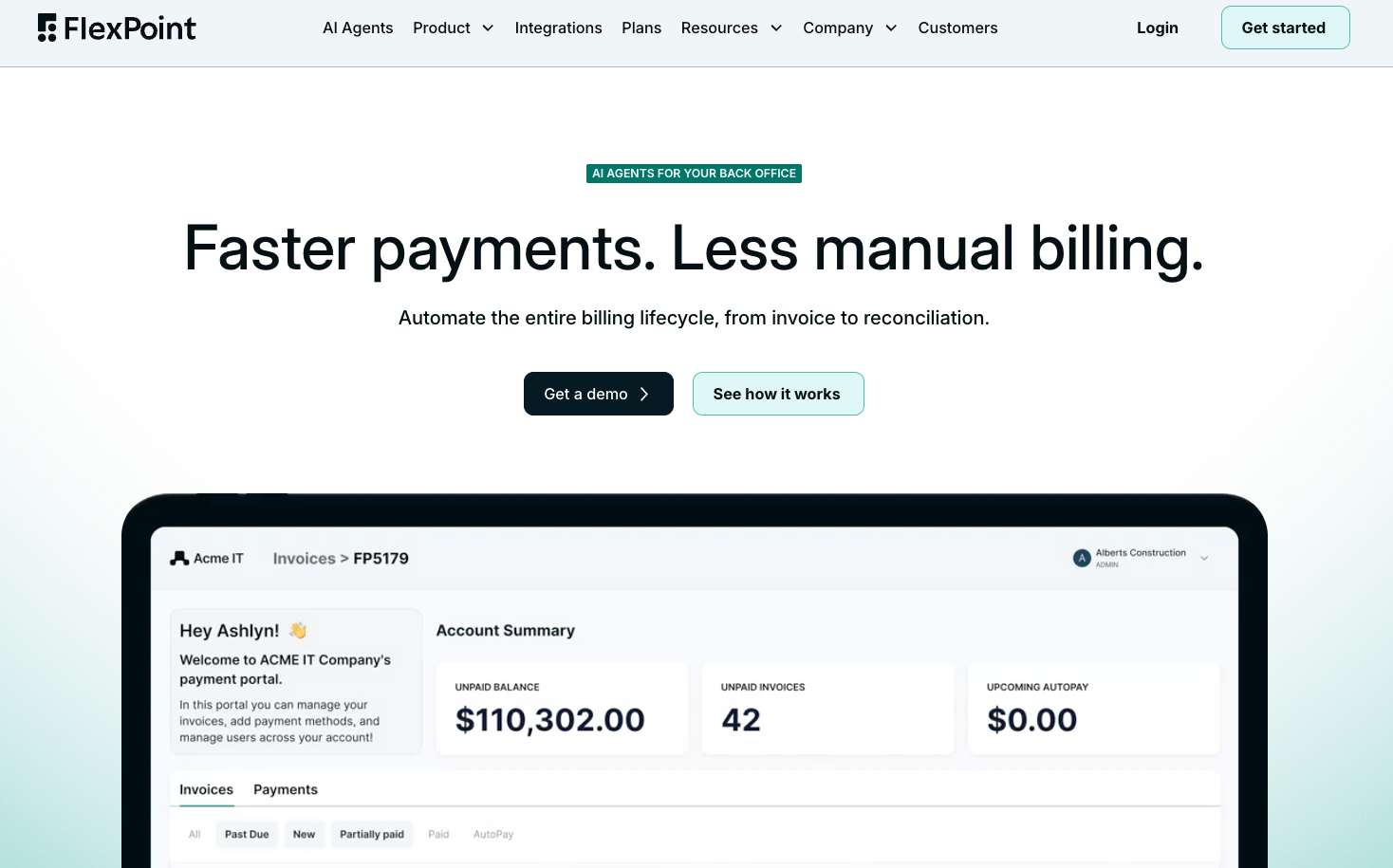
Verdict: purpose-built for MSPs, independently owned, and designed to automate the billing and AR cycle end to end.
FlexPoint is an all-in-one billing, payments, and accounts receivable platform built specifically for MSPs that addresses many of the shortcomings MSPs experience with older tools.
Many of its biggest differentiators are also included rather than treated as add-ons.
Notably, FlexPoint is independently owned and founder-led. For MSPs evaluating ConnectBooster following its acquisition by Kaseya, that provides an alternative that isn't owned or steered by a larger parent-company ecosystem.
FlexPoint features
FlexPoint handles the work surrounding a payment, not just the transaction itself. Invoices flow from an MSP's PSA and accounting system into FlexPoint, clients can pay through AutoPay or a branded portal, overdue balances can move through autonomous collections workflows, and payments and deposits can be reconciled back into the MSP's financial systems.
Its Same-Day ACH capability gives MSPs faster access to collected funds and is included across FlexPoint plans, with included volume varying by tier. There are also no ACH transaction limits, removing the need to work around per-transaction caps when collecting larger invoices.
Collections are smooth using various automation tools and the newly released AR Agents, which go beyond scheduled reminder emails. AR Agents can manage routine follow-up on overdue invoices and payment nudges autonomously (including AI voice calling) based on payment history and account type, helping finance teams spend less time manually monitoring aging invoices and deciding who needs another reminder.
FlexPoint also automates deposit reconciliation. Once payments are deposited, the platform matches deposits to their corresponding invoices across supported accounting systems.
Other capabilities include:
- A white-labeled client payment portal hosted on the MSP's own domain
- Robust AutoPay rules on global and customer levels
- Credit card surcharging where permitted
- AR reporting, aging, and payment visibility
- PCI compliance included
- FlexLine financing (up to 12 months) for eligible client purchases
FlexPoint integrations
- PSAs: ConnectWise PSA, Autotask, HaloPSA, and SuperOps
- Accounting: QuickBooks Online, QuickBooks Desktop, Sage, NetSuite, Microsoft Dynamics 365 Business Central, and Xero
- GL Connect: Synchronizes ConnectWise and QuickBooks Online to reduce duplicate entry and the need for a separate sync tool
- Quoting and other tools: ScalePad Quoter, QuoteWerks, ConnectWise CPQ, Rewst, DataGate, and an API for outside development
Pros of using FlexPoint
- End-to-end AR automation: Handles more of the workflow from invoice delivery and collections through payment and deposit reconciliation within one platform.
- Same-Day ACH included: Faster access to collected funds, with included Same-Day ACH volume varying by plan.
- Automated deposit reconciliation: Matches deposits back to their underlying payments, reducing manual reconciliation work.
- Autonomous AR Agents: Automates routine collections follow-up beyond scheduled payment reminders.
- No ACH transaction limits: Larger invoices aren't constrained by per-transaction ACH caps.
- Flexible client payments: FlexLine allows eligible clients up to 12 months to pay while the MSP receives funds upfront.
- MSP-specific experience: Native PSA integrations, a branded portal on the MSP's domain, and passwordless sign-in are designed specifically around MSP workflows.
- Independent and founder-owned: FlexPoint isn't owned by a PSA vendor or larger parent-company ecosystem.
- U.S.-based, in-house support: Support remains directly within the FlexPoint team
Taken together, these features allow FlexPoint to automate the billing and AR cycle from invoice delivery through collection, payment, and reconciliation rather than requiring the MSP to piece together separate tools for each stage.
Cons of using FlexPoint
- U.S. payment processing only: MSPs that need to process payments internationally will need another solution.
- Highly MSP-specific: Businesses with simple payment needs may not need FlexPoint's PSA integrations, AR automation, reconciliation, and financing capabilities.
FlexPoint pricing
FlexPoint uses annual plans with flexible terms and predictable pricing, with tiers designed around different levels of payment volume and functionality.
Rather than charging a percentage-based platform fee that grows alongside the amount an MSP collects, the plan structure makes the underlying software cost easier to anticipate as the business scales. Transaction processing rates still vary by payment type and plan.
ACH processing can be as low as $0.25 per transaction, depending on the plan, and Same-Day ACH allowances are included by tier.
That distinction is particularly important when comparing ConnectBooster alternatives. The sticker price of a billing platform doesn't tell you much if essential functionality later requires paid add-ons, higher tiers, or fees that increase alongside payment volume. MSPs should compare the total cost of getting the functionality they actually need, not simply the starting subscription price.
Compare FlexPoint vs. ConnectBooster
2. Alternative Payments
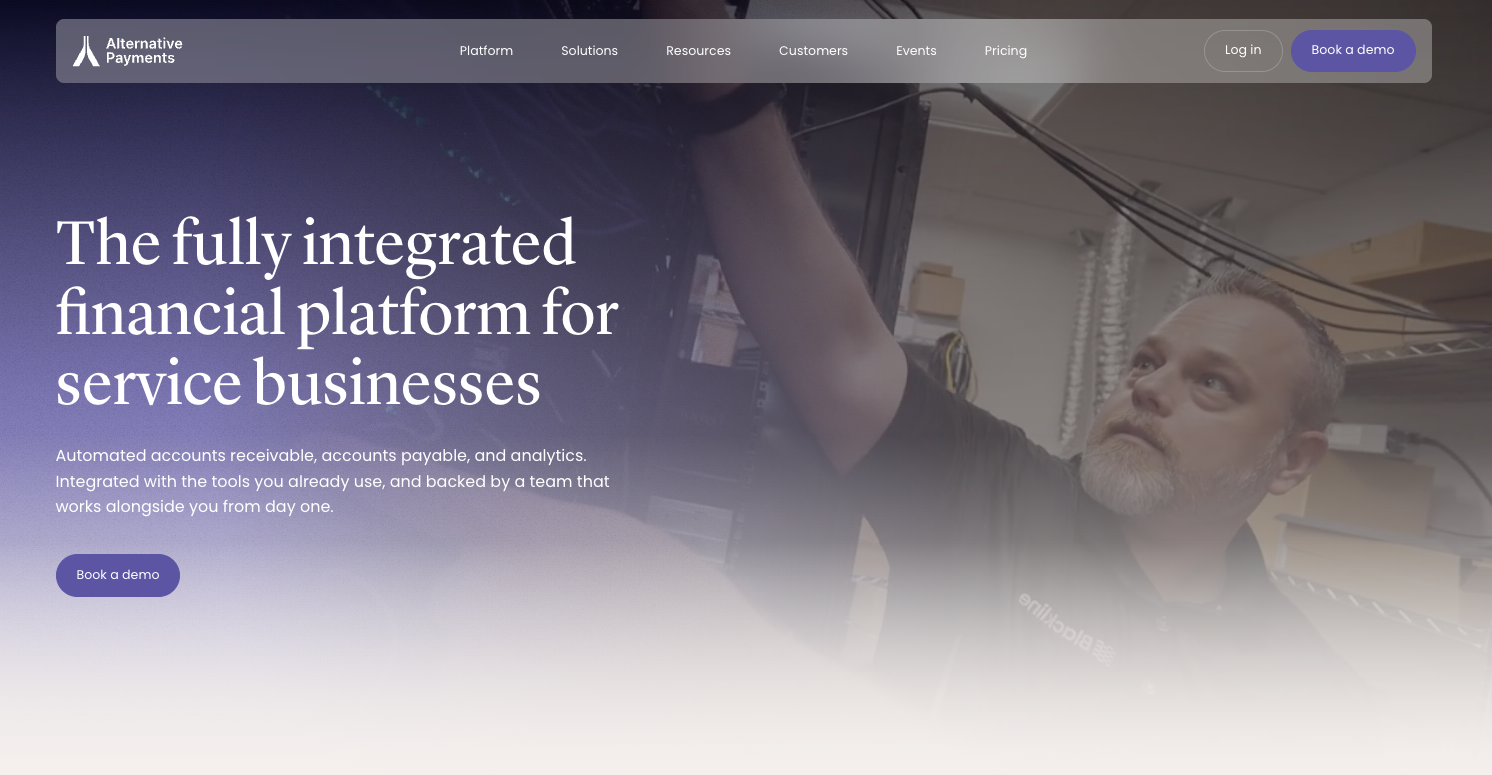
Verdict: a broader AR and payments platform with MSP integrations, but some functionality comes through paid add-ons.
Alternative Payments supports ACH and credit card payments, automated invoice delivery, AutoPay, customizable payment reminders, a white-label client portal, and reconciliation. Its Collections Assistant service can also step in on unresolved invoices, with the Alternative Payments team contacting clients by email and phone on the business's behalf.
Client financing is available for eligible purchases, with repayment terms up to 150 days. That's useful for clients that need more time on a larger invoice, although it provides a shorter financing window than FlexPoint's FlexLine, which extends to 12 months.
Alternative Payments also offers fast payouts, but they are separate from. Its current pricing page lists T+2 and T+1 payouts as plan add-ons rather than standard AR-plan features.
Alternative Payments also supports:
- Automated invoice delivery and payment reminders
- AutoPay rules
- ACH
- Credit and debit card payments
- White-label client payment portal
- Collections Assist
- Client financing up to 150 days
- Payment reconciliation
- Credit card surcharging
- Faster T+1 and T+2 payout options (at additional cost up to $200/month)
- Accounts payable and financial analytics products
Alternative payments integrations
- PSAs: ConnectWise, Autotask, HaloPSA, and SuperOps
- Accounting: QuickBooks Online, QuickBooks Desktop, Xero, Sage Intacct, NetSuite, FreshBooks, Zoho Books, and Microsoft Dynamics 365 Business Central
- Quoting: ConnectWise CPQ, ScalePad Quoter, and QuoteWerks
- Synchronization: Two-way integrations pull invoices into Alternative Payments and post payment information back to connected systems
- ConnectWise + QBO Sync: Alternative Payments offers a Sync Tool that automatically synchronizes invoices, customers, terms, and external payments between ConnectWise and QuickBooks Online. It is not included on any plans at this time, only as a paid add-on feature.
Pros of using Alternative Payments
- PSA coverage: integrations with ConnectWise, Autotask, HaloPSA, and SuperOps make it viable for a wide range of MSP technology stacks.
- Automated AR workflows: AutoPay, configurable reminders, and Collections Assist reduce the amount of routine collection work handled internally.
- Payment reconciliation: Payments can post back through its accounting and PSA integrations rather than requiring finance teams to manually update paid invoices.
- Client financing: Eligible clients can spread larger payments over terms of up to 150 days.
- Flat-rate payment model: Alternative Payments uses flat platform pricing rather than the typical percentage-based ACH and card processing model.
- Broader financial operations: Accounts Payable and Analytics are available alongside the AR platform for businesses looking to consolidate more financial workflows.
Cons of using Alternative Payments
- Faster payouts cost: T+1 and T+2 payout options are offered separately rather than included as standard with its AR plans.
- No Same-Day ACH equivalent: Alternative Payments currently describes its fastest add-on as T+1, with funds received one business day after processing for an extra fee.
- Shorter financing terms: Client financing extends to 150 days, compared with up to 12 months through FlexPoint's FlexLine.
- No AI Agents available: for forward-thinking MSPs focused on utilizing AI, there are no AI agents available within the platform at this time.
- Not MSP-exclusive: Alternative Payments serves MSPs alongside accounting firms, telecom companies, and other service businesses.
- Platform issues: Many MSPs report platform stability issues, support issues, and difficult UX.
Alternative Payments Pricing
Alternative Payments uses flat monthly pricing based on processing volume rather than charging a percentage-based platform fee.
Its current Accounts Receivable plans start at $199 per month for up to $50,000 in monthly processing volume and $499 per month for up to $100,000. Businesses requiring unlimited monthly processing receive custom pricing.
What isn't included:
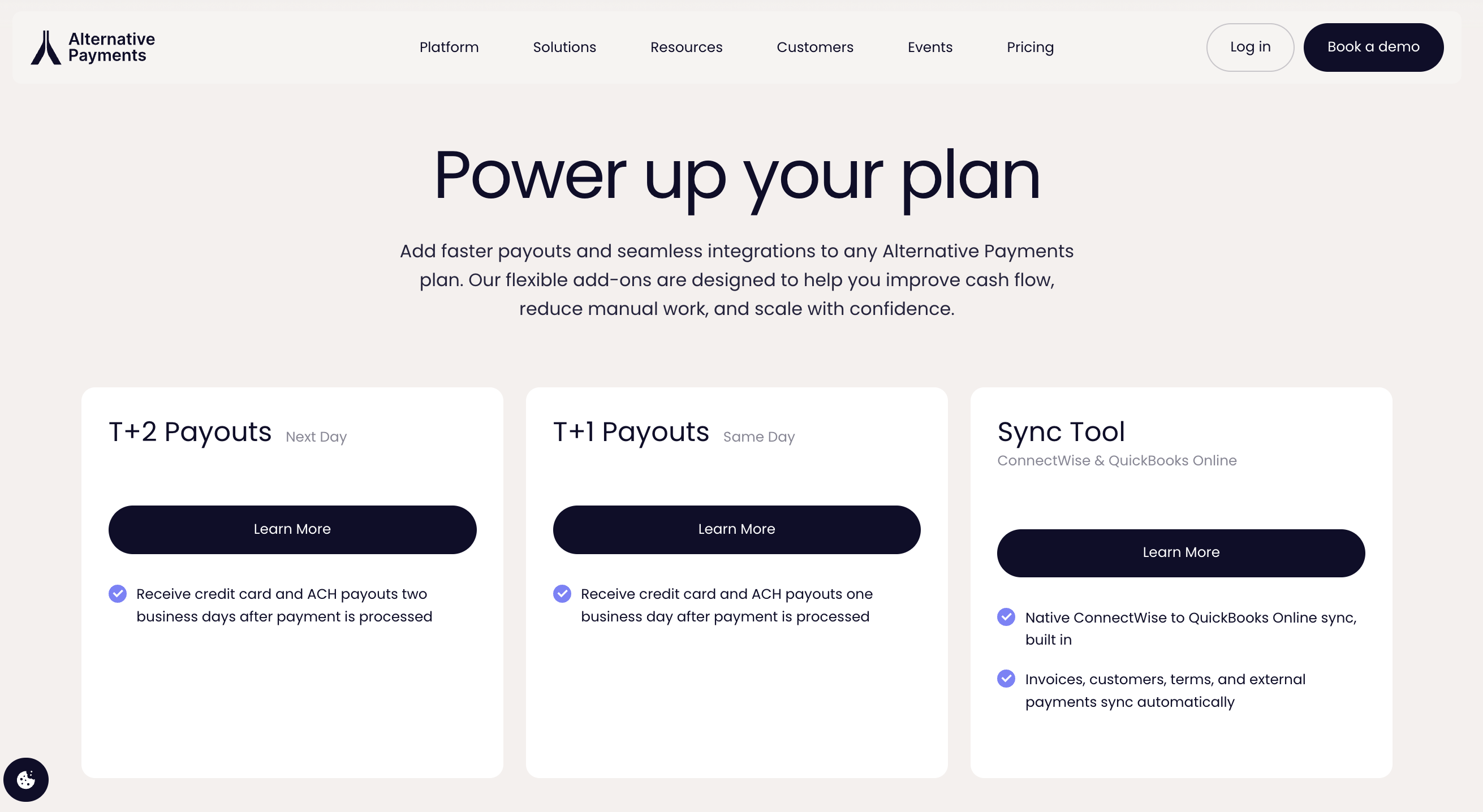
Some capabilities are priced separately. The current pricing page lists faster T+2 and T+1 payouts and its ConnectWise-to-QuickBooks Online Sync Tool under optional ways to “power up” an existing plan. Alternative Payments does not currently publish the price of those add-ons on the public pricing page.
3. QuickBooks Payments
Verdict: a strong accounting tool, but not built for MSP billing or AR automation specifically.
QuickBooks Payments is the most familiar option on this list for many MSPs because it sits directly inside the QuickBooks ecosystem.
Businesses can send payable invoices, accept ACH and cards, automate recurring payments, track invoice activity, and match eligible payments with their books without introducing a separate payment processor.
For an MSP with relatively simple billing requirements, that convenience can be a real advantage. The trade-off is that QuickBooks is fundamentally an accounting platform, so its payment and AR functionality isn't designed around PSA-driven MSP billing workflows.
QuickBooks Payments features
QuickBooks Payments supports ACH, credit and debit cards, digital wallets, payment links, recurring payments, and online invoice payments.
QuickBooks can also automatically match eligible payments to bank transactions.
QuickBooks has also expanded its collections capabilities, which is important to acknowledge in an updated comparison. Its newer Payments AI monitors payment patterns and can help businesses draft invoice reminders and identify inconsistent payment behavior.
QuickBooks Payments also supports:
- Payable online invoices
- ACH and card payments
- Recurring customer payments
- Automatic payment reminders
- Payment links
- Eligible automatic transaction matching
- Invoice tracking
- Buy now, pay later through Affirm
- Next-day deposits for eligible payments
- Optional Instant Deposits
QuickBooks does offer faster access to funds. Eligible QuickBooks Online payments can be sent through Instant Deposit in less than 30 minutes, subject to eligibility, limits, and additional fees.
QuickBooks payments integrations
- Accounting: Deepest integration is naturally within the QuickBooks ecosystem.
- Cross-platform reconciliation: Requires another tool or manual work to connect PSA, payment, and accounting workflows.
Pros of using QuickBooks Payments
- Familiar accounting environment: Particularly convenient for finance teams already working primarily inside QuickBooks.
- Payments and accounting in one ecosystem: Businesses can invoice, accept payments, track activity, and handle eligible transaction matching without adopting a separate payment processor.
- Broad payment options: Supports ACH, cards, digital wallets, payment links, and recurring payments.
- Multiple deposit speeds: Offers next-day deposits for eligible transactions and optional Instant Deposits.
- Access to the broader Intuit ecosystem: Useful for businesses prioritizing accounting simplicity over MSP-specific billing functionality.
Cons of using QuickBooks Payments
- Not built for MSP billing and AR: QuickBooks is primarily an accounting platform. Its payment and AR functionality isn't designed for the broader invoice-to-cash workflows MSPs manage.
- No direct PSA integrations: QuickBooks Payments doesn't directly integrate with ConnectWise, HaloPSA, Autotask, or SuperOps.
- Higher ACH costs at scale: QuickBooks charges approximately 1% per ACH transaction, so payment costs can grow substantially as an MSP's billing volume increases.
- No Same-Day ACH: MSPs that prioritize faster ACH funding don't get comparable included Same-Day ACH functionality through QuickBooks Payments.
- Limited client branding: QuickBooks' client-facing payment experience remains within the Intuit ecosystem rather than providing a fully white-labeled portal hosted on the MSP's own domain.
- More limited AR automation and reporting: QuickBooks offers invoicing, reminders, and other payment functionality, but doesn't provide the same depth of customizable AR automation, rules-based AutoPay, and reporting available from purpose-built MSP AR platforms.
QuickBooks payments pricing
QuickBooks Payments pricing varies by the QuickBooks product and payment method, so MSPs should verify rates against the specific subscription they're considering.
Intuit's current standard rates list 2.99% for cards and digital wallets paid through invoices, recurring payments, or payment requests; 1% for ACH bank payments; 2.5% for in-person payments; and 3.5% for keyed card transactions.
Eligible QuickBooks Desktop customers can receive next-day deposits, including ACH, while Instant Deposit carries an additional 1.75% fee on top of the standard transaction rate (although QuickBooks currently waives that fee when deposits are sent to a linked QuickBooks debit card).
4. BenjiPays
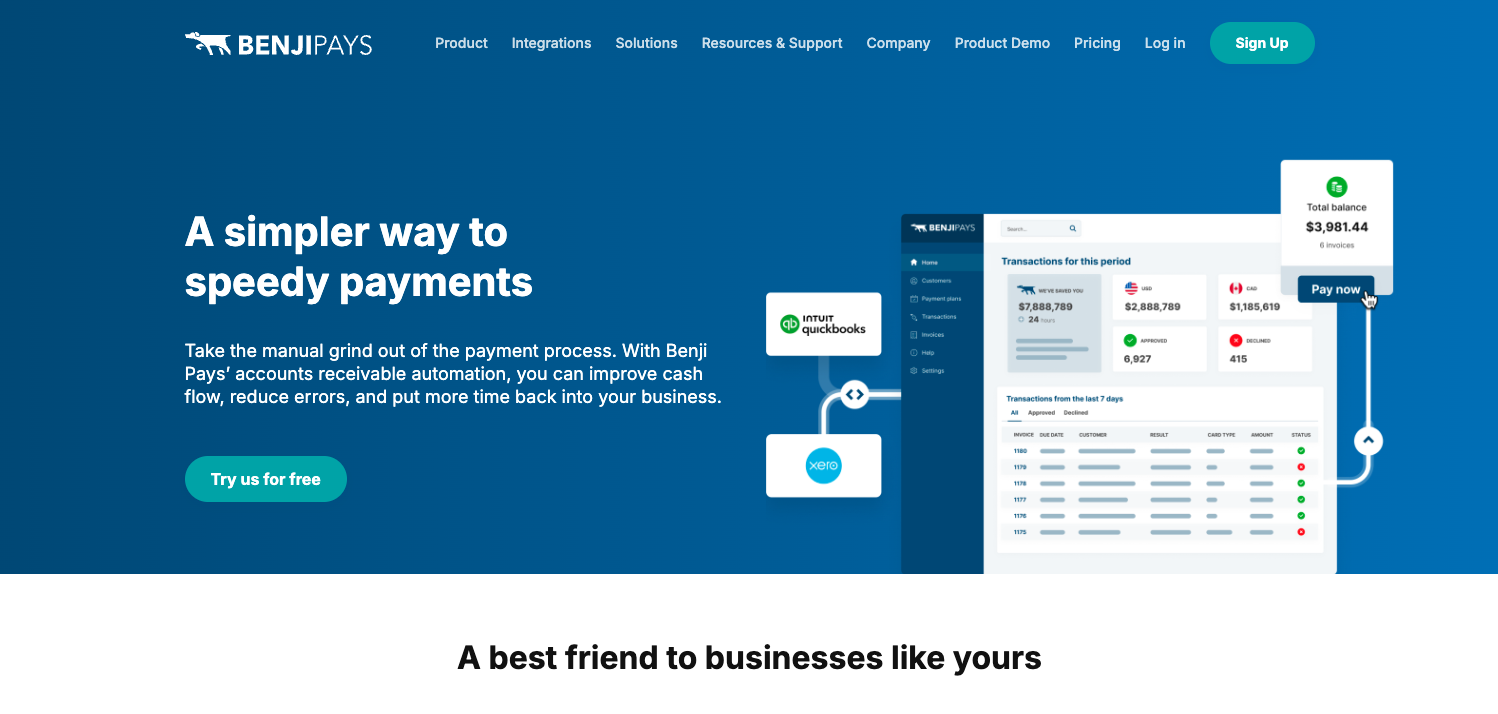
Verdict: a generalist payments tool that happens to serve MSPs, not built for MSP-specific workflows.
BenjiPays serves MSPs alongside businesses in other industries, including beverage producers, making it a more generalist platform.
But BenjiPays does have meaningful MSP functionality.
For example, it integrates several popular PSAs, supports automated collections, and gives businesses flexibility to retain supported existing payment gateways and merchant accounts. So compared to QuickBooks Payments, it could be far more suited to your MSP's specific needs.
For MSPs considering it as a ConnectBooster replacement, the bigger differences are how much functionality is included at each plan level and how the platform scales with transaction volume.
BenjiPays features
BenjiPays automates several routine AR tasks. Auto Processing can automatically collect authorized payments, while Invoice Rover handles automated dunning with configurable communications for new, upcoming, and overdue invoices. The platform also supports payment links, a self-service client portal, credit card surcharging, failed-payment retries, and installment plans.
Its ability to work with multiple spuported payment gateways is helpful, particularly for MSPs that already have a merchant relationship they want to retain.
BenjiPays offers installment plans, which split an invoice into multiple payments. That is different from an upfront-funding financing product such as FlexLine, where an eligible client pays over time while the MSP receives its funds upfront.
Other features include:
- Recurring and scheduled payments through Auto Processing
- Automated dunning through Invoice Rover
- Self-service client payment portal
- Credit card surcharging
- Automatic retries for failed payments
- Payment links for invoices and one-time payments
- Multi-currency payment support
- Custom payment pages and branding options
- Multiple payment gateway integrations
BenjiPays integrations
- PSAs: HaloPSA, ConnectWise, and Autotask.
- Accounting: QuickBooks Online, QuickBooks Desktop, and Xero.
- QuickBooks Desktop: Available beginning with Advanced, making the entry-level Standard plan less representative for MSPs that depend on QBD.
Pros of using BenjiPays
- Payment gateway flexibility: MSPs can retain supported existing gateways and merchant relationships rather than necessarily changing processors.
- Automated collections: Invoice Rover supports configurable communications for upcoming, new, and overdue invoices.
- Auto Processing: Authorized client payments can be collected automatically.
- Multi-currency support: BenjiPays can route payments through supported gateways based on currency, making it useful for businesses handling payments in multiple currencies.
- Flexible payment features: Includes surcharging, payment links, failed-payment retries, a self-service portal, and installment plans.
Cons of using BenjiPays
- More payment-focused than end-to-end AR: BenjiPays handles payments but lacks broader workflow automation MSPs may need, like automated deposit reconciliation and client onboarding forms.
- Key integrations require higher tiers: PSA integrations and QuickBooks Desktop support are limited to select plans rather than included across every tier.
- Transaction limits can add cost as volume grows: Plans can include allowances as low as 100 transactions per month, creating an additional consideration for MSPs with higher payment volume.
- No client financing: BenjiPays supports installment payments, but doesn't offer financing that lets eligible clients pay over time while the MSP receives its funds upfront. FlexPoint's competitive comparison specifically identifies financing as a missing capability.
- No Same-Day ACH: BenjiPays doesn't offer comparable Same-Day ACH functionality, which may matter for MSPs prioritizing faster access to collected funds.
- No in-house support: FlexPoint's competitive comparison identifies in-house support as another difference between the platforms; FlexPoint's support and engineering teams are U.S.-based and in-house.
BenjiPays pricing
BenjiPays uses tiered subscription pricing. When billed annually, Standard currently starts at $139 per month, Advanced at $219 per month, and Elite at $399 per month. Month-to-month pricing is $169, $259, and $499 respectively.
For MSPs, Advanced would be the standard plan because that's where native PSA integrations, QuickBooks Desktop, advanced SSO, and a custom domain become available.
Transaction volume also affects the total cost. Standard and Advanced include 100 approved transactions per month and charge $0.80 for each additional approved transaction, while Elite includes 400 and charges $0.50 for each additional transaction.
How FlexPoint outperforms ConnectBooster for modern MSPs
FlexPoint is a modern MSP accounts receivable platform that was built to overcome the very limitations that frustrate ConnectBooster users today.
Here are some ways FlexPoint outshines ConnectBooster in critical areas for modern MSPs:
Same-Day ACH
Both FlexPoint and ConnectBooster allow MSPs to collect payments through ACH. The difference is what happens next.
FlexPoint offers Same-Day ACH; ConnectBooster does not. For eligible transactions submitted within the applicable processing window, that means an MSP can receive funds the same business day rather than waiting through the standard ACH settlement period.
And FlexPoint includes a Same-Day ACH allowance across its plans rather than requiring MSPs to purchase another product simply to accelerate access to their own revenue.
The takeaway for ConnectBooster users: If ACH makes up a meaningful portion of your payment volume, switching to FlexPoint can shorten the gap between collecting a client payment and actually having that cash available to run your business.
Deep PSA & accounting integrations
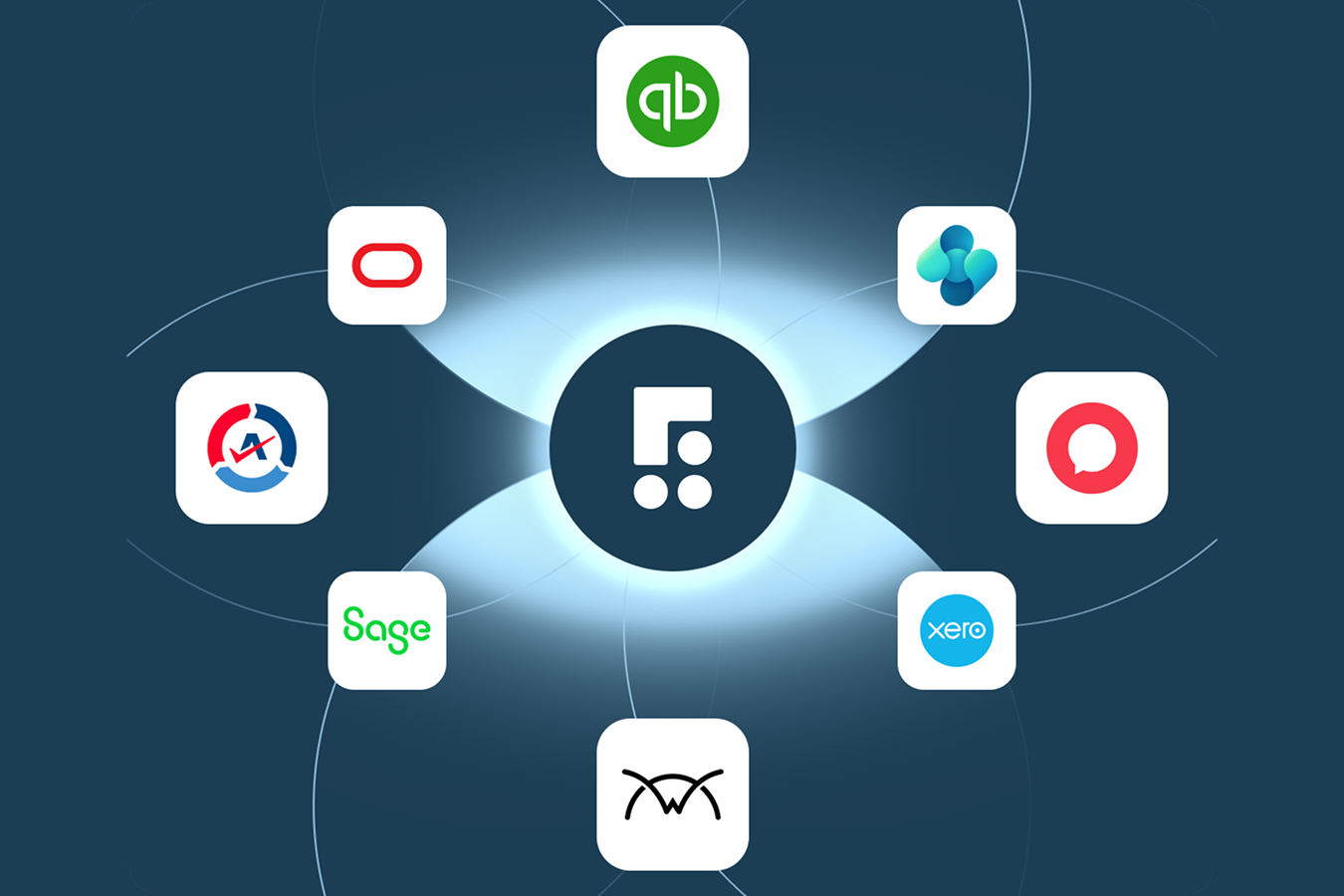
ConnectBooster integrates with core MSP platforms including ConnectWise and Autotask. FlexPoint expands that ecosystem to ConnectWise, Autotask, HaloPSA, and SuperOps, alongside QuickBooks Online, QuickBooks Desktop, Xero, Sage, NetSuite, Microsoft Dynamics 365 Business Central.
When a client makes a payment through FlexPoint’s portal, the transaction is instantly recorded across all connected systems. The invoice is marked as paid in the PSA, the deposit is logged in the accounting platform, and all records remain aligned, without the need for manual reconciliation or delayed updates.
FlexPoint combines payment processing with PSA/accounting synchronization, including GL Connect, so an MSP doesn't need to rely on a separate synchronization product or repeated manual entry to connect ConnectWise and QuickBooks Online.
For MSPs using a combination of newer and established platforms, FlexPoint’s broad integration support and real-time data flow provide a scalable foundation for managing billing and payment operations with accuracy and efficiency.
The time savings can become significant as billing volume grows. Fort Point IT reports saving 80 hours per month on billing tasks after moving to FlexPoint.
The takeaway for ConnectBooster users: If you're using (or moving to) newer tools like HaloPSA, or you're paying for additional software simply to keep your PSA and accounting system in sync, FlexPoint can consolidate more of that workflow into the billing platform itself.
Automated deposit reconciliation
With ConnectBooster, collecting the payment doesn't necessarily eliminate the work that comes afterward. Someone can still be left reconciling the deposits that arrive in the bank against the individual payments recorded in the accounting system.
FlexPoint automates deposit reconciliation.
It connects deposited funds back to their underlying payments so your finance team isn't staring at a batch deposit and working backward to determine which client transactions comprise it.
That distinction is important because, as you've already explained earlier in the article, payment reconciliation and deposit reconciliation aren't the same thing.
The takeaway for ConnectBooster users: FlexPoint carries the automation one step further, reducing the manual finance work required after it reaches your bank.
Predictable pricing
FlexPoint uses annual plans with predictable platform pricing rather than a percentage-based platform fee that automatically increases as the MSP collects more revenue. And capabilities including PCI compliance and Same-Day ACH allowances are already incorporated into FlexPoint's plans.
That makes the relevant comparison bigger than the starting monthly subscription.
MSPs should look at what it costs to recreate their complete AR workflow: platform fees, processing, integrations or synchronization products, faster funding, compliance costs, and the manual labor required to fill whatever gaps remain.
The takeaway for ConnectBooster users: Don't compare sticker prices. Compare what you're paying altogether to get the functionality your finance team actually uses and how that cost changes as you grow.
Autonomous AR Agents
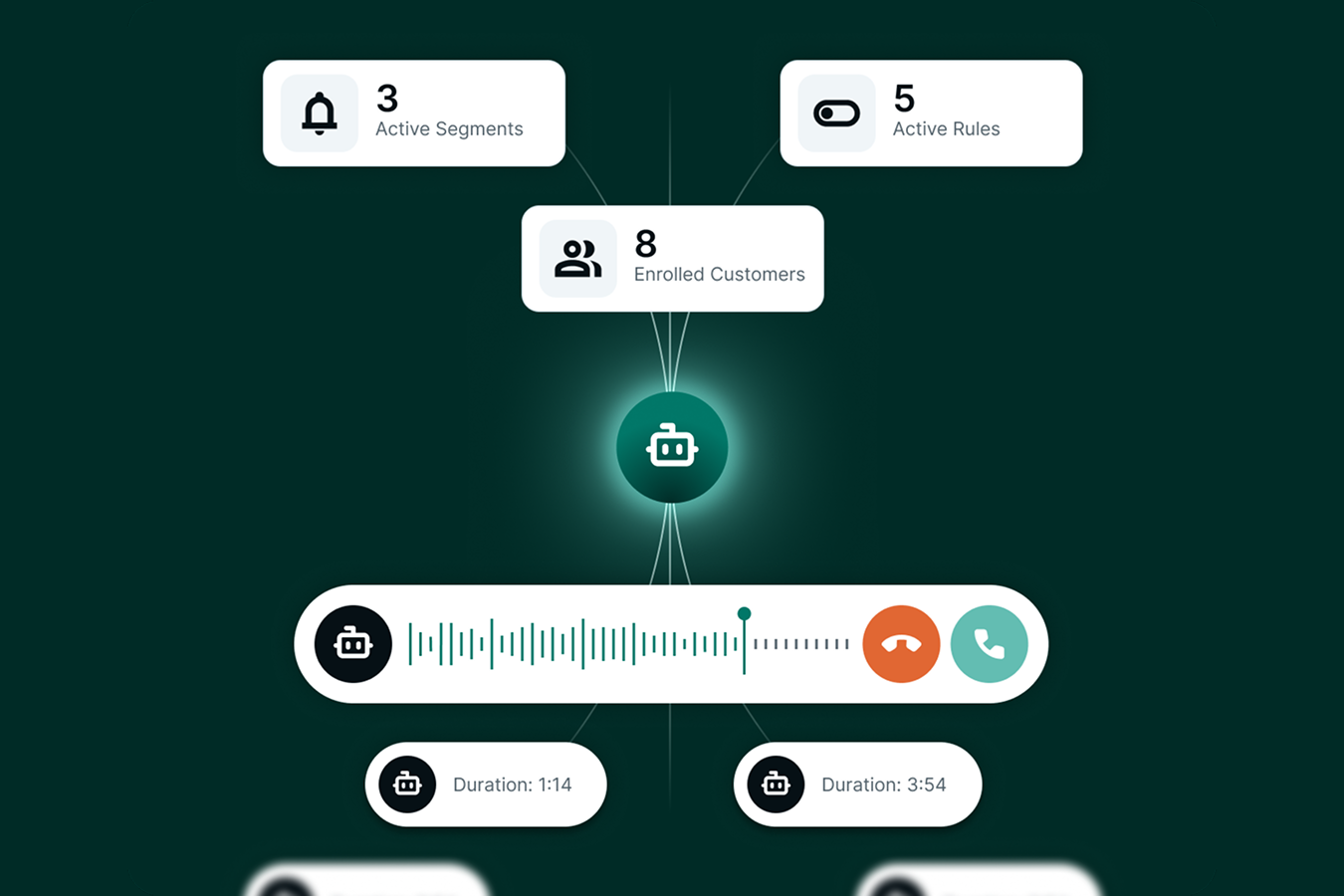
FlexPoint's AR Agents are designed to take the collections work behind those reminders off your team's plate.
Think about what someone on your team actually has to do to collect overdue invoices today. AR Agents can step in on jobs like:
- Checking aging reports to figure out who needs attention: Agents continuously monitor your accounts and overdue invoices for you.
- Writing and sending follow-up emails: Agents create personalized, multi-step outreach based on the client, invoice, and communication preferences you set.
- Deciding when to follow up again: Agents keep track of previous outreach and automatically determine the next appropriate action.
- Chasing clients who don't respond to email: Agents can place AI-powered collection calls based on thresholds you control, then log and summarize the conversation.
- Knowing when to stop chasing someone: Agents recognize responses and payments so outreach can pause when appropriate.
- Figuring out which accounts actually need a person: Agents escalate exceptions and create follow-up tasks for your team when human attention is needed.
- Keeping tabs on everything happening in collections: Your team can see Agent activity, upcoming actions, approvals, and account history from one Agent command center.
In other words, your team doesn't have to constantly figure out who owes you money, who you've already contacted, who needs another nudge, who needs a phone call, or who finally needs a human involved.
FlexPoint's AR Agents do the dirty work and bring your team in when there's actually a job for them to do.
The takeaway for ConnectBooster users: Your team can spend less time watching aging reports and repeatedly following up on routine overdue balances, and more time handling the accounts where a person needs to get involved.
Fully custom client portal
Both platforms offer a client payment portal. The difference is whose experience it feels like.
ConnectBooster's portal is hosted on ConnectBooster's domain. FlexPoint's white-labeled portal can live on your MSP's own domain, carrying your branding through the payment experience.
Within the portal, clients can view invoices, make payments, save multiple payment methods, and set up AutoPay, all within a consistent, secure environment that feels like a natural extension of your MSP’s business.
Interact with the portal here:
FlexPoint also automates client onboarding and supports passwordless access rather than requiring every client to go through another traditional account-creation process.
The takeaway for ConnectBooster users: You're not just swapping one payment portal for another, you're bringing more of the billing experience under your own brand while also removing friction from how clients get into it.
For MSPs moving away from ConnectBooster, the biggest FlexPoint advantage isn't any single feature. It's what you no longer have to piece together yourself. Faster ACH, PSA and accounting connectivity, collections, client payments, and deposit reconciliation can live within the same AR workflow. That means fewer add-ons, fewer manual handoffs, and fewer gaps for your team to manage as the MSP grows.
Once you have a shortlist, use the questions below to pressure-test what each platform actually includes before you sign.
Choose a ConnectBooster alternative that removes work as you grow
Switching billing platforms is disruptive enough that the replacement should solve more than today's immediate frustration.
For MSPs, that means looking past basic payment acceptance. Ask how quickly ACH funds become available, what happens when an invoice becomes overdue, whether deposits reconcile automatically, how deeply the platform connects with your PSA, and whether costs remain manageable as transaction volume grows.
ConnectBooster helped establish online billing and payment automation for MSPs, but the newer generation of platforms goes further.
For MSPs aiming to scale and streamline their financial operations, FlexPoint offers a clear path forward.
MSPs that have upgraded to FlexPoint often see tangible benefits. For example, after switching from a legacy billing tool, Circuit Saviors, a California-based MSP, saved 16+ hours per month in billing admin and increased cash flow by ~30% thanks to automated payments and autopay rules.
Upgrading from ConnectBooster is ultimately an opportunity to rethink how much of your billing and AR process should require manual work in the first place.
If you're considering making the switch, you can see how FlexPoint compares directly with ConnectBooster or watch an on-demand demo to get a closer look at the platform on your own time.
And when you're ready to see how FlexPoint could work with your specific billing stack, schedule a personalized demo with our team.




