


You’re likely using Sage Intacct because you outgrew entry-level accounting tools. You needed multi-entity visibility, cleaner reporting, and stronger financial control. Sage delivers on that.
Chances are good you're reading this because you feel you're now outgrowing Sage.
Something probably isn’t working as smoothly as it should. Not on the accounting side, but on the payment side. Because getting paid consistently and on time is a separate problem entirely than the one Sage Intacct was built to solve, and it’s where many MSPs start to feel friction.
It does everything an accounting system should do, but the actual process of getting paid, consistently and on time, lives outside of what Sage Intacct was built to do.
And while Sage Intacct does offer a level of AR, this guide explains exactly how payments work in Sage Intacct, what the gaps are, and how MSPs are best solving them today.
This focuses strictly on accounts receivable. Vendor payments and accounts payable are not covered here.
{{toc}}
The Gap Between Invoicing and Getting Paid in Sage Intacct
If Sage Intacct is the accounting system of record for your MSP, payment collection is the final mile of your revenue cycle. It is the stretch between "invoice sent" and "cash in account," and it is where a surprising amount of time and money gets lost.
Sage Intacct excels at recording financial reality: what you billed, what came in, how it maps to revenue, how it flows across entities.
But it was not designed for getting you paid or anything that goes with it: follow-up on overdue accounts, giving clients a convenient way to pay, handling recurring charges, managing surcharging.
These are AR operations tasks, and they require purpose-built tooling.
For MSPs, this matters more than it does standard SMBs. The typical managed services revenue model involves monthly recurring contracts billed on a fixed schedule, which means collections is not a one-time event but a constant, rolling operation.
According to industry research, over 80% of MSPs are not paid on time, with late payments averaging around 60 days to collect. That is two full months of delivered service before the revenue lands in your account, meaning that even when your accounting is operating well, you feel like you have no capital because of a poor AR workflow.
If you’re comparing payment workflows across platforms, we’ve also broken down how this works in HaloPSA and ConnectWise.
How Sage Intacct Handles Payment Collection (Core vs. Add-On)
Sage does offer a both core AR side and an added AR tool designed to manage receivables from invoice creation through payment posting. For MSPs evaluating how payments actually work, understanding what each does and does not do natively is the starting point for building the right payment stack.
What the Core Sage Intacct AR Module Includes (and Where It Stops)
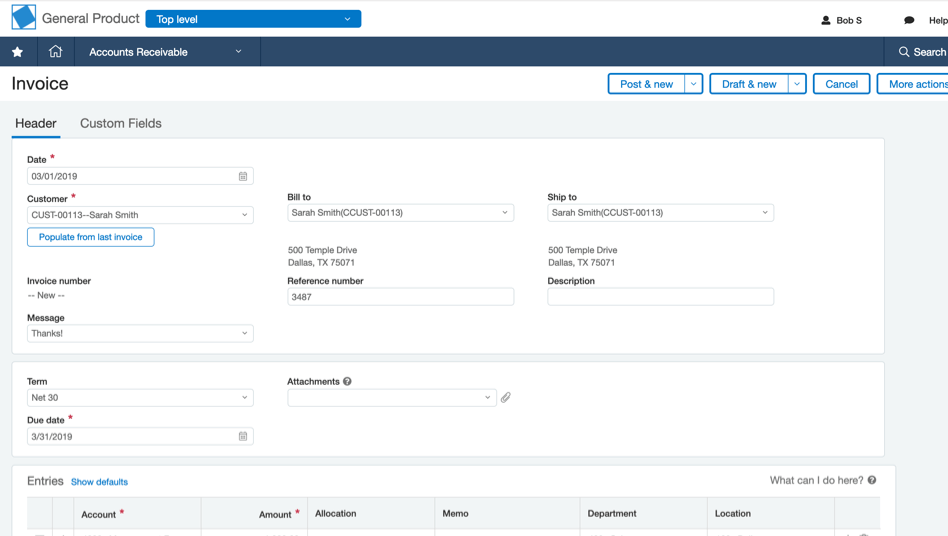
Sage Intacct’s Core Financial Module includes AR, which was built for financial tracking and reporting. It provides a solid foundation for managing receivables once invoices exist. Here is what it manages out of the box:
- Invoice generation and delivery. Recurring invoices can be created and sent directly from Sage Intacct with customizable templates.
- AR aging dashboards and reporting. Visibility into outstanding balances by customer, aging bucket, and entity.
- Cash application and reconciliation. Payments can be posted against invoices and automatically reflected in the general ledger.
Sage also offers additional modules that extend this foundation:
- Collections module for automated reminders and structured follow-up
- Cash Management for bank reconciliation and cash visibility
- Revenue Recognition for ASC 606 compliance and complex billing alignment
This is a strong accounting foundation. But it does not change how payments actually happen.
What it does not include:
- A built-in way for clients to pay invoices online
- A client-facing payment portal or “Pay Now” experience
- AutoPay or recurring payment enforcement
- Any control over how clients choose to pay
In practice, clients still receive a standard invoice and follow payment instructions manually. That might mean mailing a check, initiating a bank transfer, or even contacting your team to pay.
What Sage AR Automation Adds (and Where It Still Falls Short for MSPs)
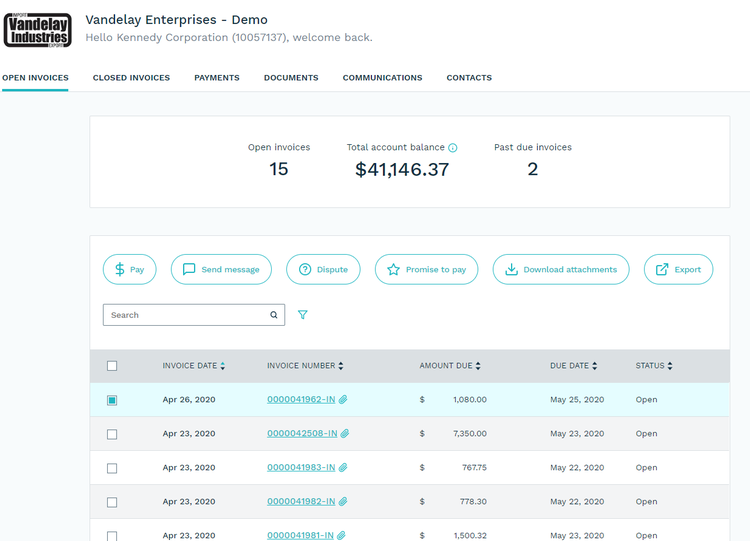
To address this gap, Sage offers a separate product, Sage AR Automation. This layer introduces payment workflows and a client-facing experience on top of accounting.
What Sage AR Automation adds:
- A client-facing portal where customers can view and pay invoices
- Support for ACH and credit card payments
- Basic automation around payment collection workflows
This closes part of the gap between invoice delivery and payment.
But even with Sage AR Automation in place, the workflow is still not built for how MSPs operate.
Where it still falls short for MSPs:
- No true PSA → payment → accounting workflow. Invoices originate in your PSA, but the payment layer is not deeply aligned with that system of record.
- Limited AutoPay control. Failure handling and expiration management are not as robust as MSP-specific tools.
- No built-in strategy for guiding payment behavior. There’s no strong mechanism to encourage ACH, reduce card usage, or optimize processing costs.
- No native surcharging or fee management layer. Passing or managing fees requires additional tooling or configuration.
- Payment workflows are generalized for B2B finance teams, not recurring MSP contracts. There’s no awareness of seat changes, contract adjustments, or PSA-driven billing logic.
How MSPs Should Approach Payment Collection with Sage
Sage Intacct as a platform was built for finance teams managing financial records. And Sage AR Automation extends that into payment collection, but it still operates as a general-purpose solution.
For MSPs, collecting payments is not just about recording transactions or enabling online payments. It requires a system that actively manages how invoices move from creation to cash, across your PSA, your clients, and your accounting system.
That layer does not exist natively in Sage Intacct, and even with Sage AR Automation, it is only partially addressed.
Choosing the Right Payment Layer for Sage Intacct
Once you move beyond Sage’s core AR and AR Automation capabilities, you’re choosing a payment layer that sits between your clients and your accounting system.
That decision matters more than the features on paper. It determines how payments are collected, how much of the process is automated, and how much time your team spends managing receivables. (And how happy your clients are!)
For MSPs, the alternative options fall into two categories:
API-based connectors (partially integrated): These connect Sage Intacct to external payment processors using middleware or custom configuration. While they can enable digital payments, they can introduce gaps in the workflow. Reconciliation may not be automatic, data can fall out of sync, and ongoing maintenance is common.
Fully integrated marketplace solutions: These are built to connect directly with Sage Intacct, allowing payments to post back to invoices and update the AR ledger without manual intervention. This reduces reconciliation work and creates a more consistent system of record.
It's important that the software you choose is both well-integrated with Sage to avoid manual reconciliation or missed information and that it is purpose-built for MSPs.
How FlexPoint Extends Sage Intacct for MSP Payment Workflows

For most MSPs, the question is not whether to use Sage Intacct. It’s what payment layer sits on top of it.
FlexPoint is an AR automation and payments platform built specifically for MSPs, and it integrates directly with Sage Intacct.
The Three-Layer Model
Most MSP financial operations rely on three systems:
- Your PSA (where billing originates)
- Your payment layer (where clients actually pay)
- Your accounting system (Sage Intacct)
In most setups, these systems are only partially connected.
FlexPoint sits between them and connects the full workflow.
Invoices flow from your PSA into FlexPoint. Clients pay through a branded experience. Payment data syncs back into Sage Intacct automatically.
This creates a closed-loop system without manual handoffs.
What the FlexPoint + Sage Intacct Integration Enables
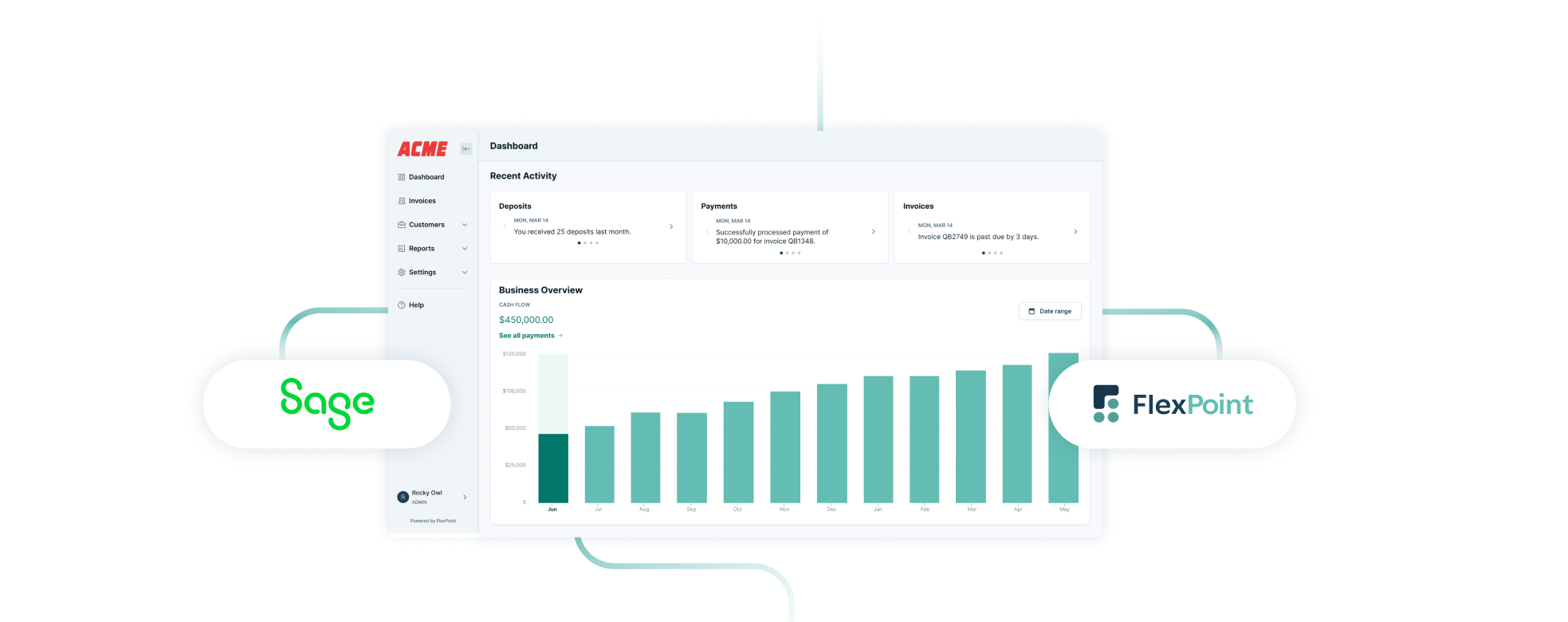
FlexPoint is designed to directly address the gaps discussed earlier.
- End-to-end workflow connection
Connects PSA → payment → Sage Intacct without manual reconciliation - Branded client payment experience
A white-labeled portal where clients can view invoices, manage payment methods, and pay without friction - ACH and card payments, including same-day options
Faster access to funds and more control over how clients pay - Configurable AutoPay
Set timing rules, manage expirations, and reduce failed payments proactively - Surcharging with built-in compliance
Automatically handles state-level requirements and fee pass-through - Automated collections workflows
Payment reminders, follow-ups, and enforcement without manual tracking - Real-time reconciliation into Sage Intacct
Payments post directly to invoices and update the ledger automatically - Live AR visibility
Real-time dashboards for aging, DSO, and cash flow - Optional client financing (FlexLine)
Allows clients to pay over time while the MSP receives payment upfront
Curious what your client would see? Discover the client portal below:
When the full AR workflow is connected, the impact is immediate:
- Faster payment cycles
- Higher AutoPay adoption
- Reduced administrative workload
- Improved cash flow visibility
Travis Woods, owner of Fort Point IT experienced 65% Reduction in Overdue payments and 80 Hours Saved Monthly.

These improvements are not driven by better accounting. They come from removing friction between invoice delivery and payment collection.
Learn more about the Sage + FlexPoint integration here.
What to Look For in a Sage Intacct Payment Solution
If you’re evaluating your options, focus on whether the solution actually closes the loop across your systems.
Key questions to ask:
- Does it connect your PSA and Sage Intacct, or only Sage?
- Does it automate reconciliation, or require manual steps?
- Is the client payment experience simple and intuitive?
- Does AutoPay work reliably, including retries and expirations?
- Can you guide payment behavior (ACH vs card) effectively?
- Does it handle compliance requirements like surcharging?
- Does it give you real-time visibility into AR performance?
If any of these are missing, you’re likely still dealing with partial solutions.
Final Takeaway: Completing the Sage Intacct Payment Stack
Sage Intacct is a powerful accounting system. It gives you visibility into what you’ve billed and what you’ve collected.
But it doesn’t fully manage how payments actually happen.
For MSPs, that gap shows up in real ways. Slower cash flow, more time spent chasing payments, and a billing experience that creates friction instead of removing it.
But when your PSA, payment workflow, and accounting system are fully connected and purpose-built for your business model, invoices move cleanly from creation to cash. Payments come in faster, reconciliation happens automatically, and your team spends less time managing AR.
Explore how FlexPoint integrates with Sage Intacct and see the full workflow in action and book a demo.



%20(1).jpg)



