How to Collect Payments in NetSuite: A Practical Guide for MSPs



NetSuite ERP is one of the most powerful financial platforms on the market.
The accounting works, the reporting is strong, and the general ledger scales. But invoices go out and the process gets manual fast.
You're toggling between your PSA and NetSuite, trying to figure out what's collected and what isn't, or chasing a client who never clicked the payment link.
If you've been running your MSP on it for any amount of time, you've probably hit the same wall most NetSuite users do: getting paid doesn't feel as clean as it should.
NetSuite was built to be an exceptional financial system of record.
But it was not built to handle the operational reality of how MSPs collect recurring revenue from dozens of clients every month.
And while NetSuite has added AR modules, payment features, and integration tools over the years to close that gap, the gap still exists for most MSPs.
This guide explains exactly where it is, why it matters, and what to do about it.
This guide covers accounts receivable only. Vendor payments and accounts payable are not included.
Curious about the top NetSuite Integrations for MSPs? Learn more here.
NetSuite ERP Was Built for Financial Management, Not Payment Collection
NetSuite is, at its core, an Enterprise Resource Planning system. It was designed to unify the financial backbone of a business: accounting, revenue recognition, reporting, general ledger management, and compliance.
What it was not purpose-built for is the operational work of collecting payments from clients. That's true even accounting for the multiple modules, integration tools, and native features NetSuite has added over time to address it.
MSPs don't operate like manufacturers or distributors, which are the kinds of businesses NetSuite was originally designed around.
An MSP's revenue model is layered: recurring managed services contracts, variable time-and-materials billing, project work, hardware resale, often mixed together on a single client invoice and pulled from a PSA like ConnectWise, Autotask, or HaloPSA. NetSuite doesn't handle that complexity natively with elegance.
The result is a predictable gap.
NetSuite is strong at tracking what's owed, but the actual mechanics of getting money from clients into a bank account, automatically, reliably, and without manual intervention, is where it tends to struggle.
This isn't a knock to NetSuite. It's just not what the platform was designed to solve. And the sooner MSPs understand that distinction, the sooner they can build the best stack for them.
{{toc}}
How NetSuite Handles Payments Natively
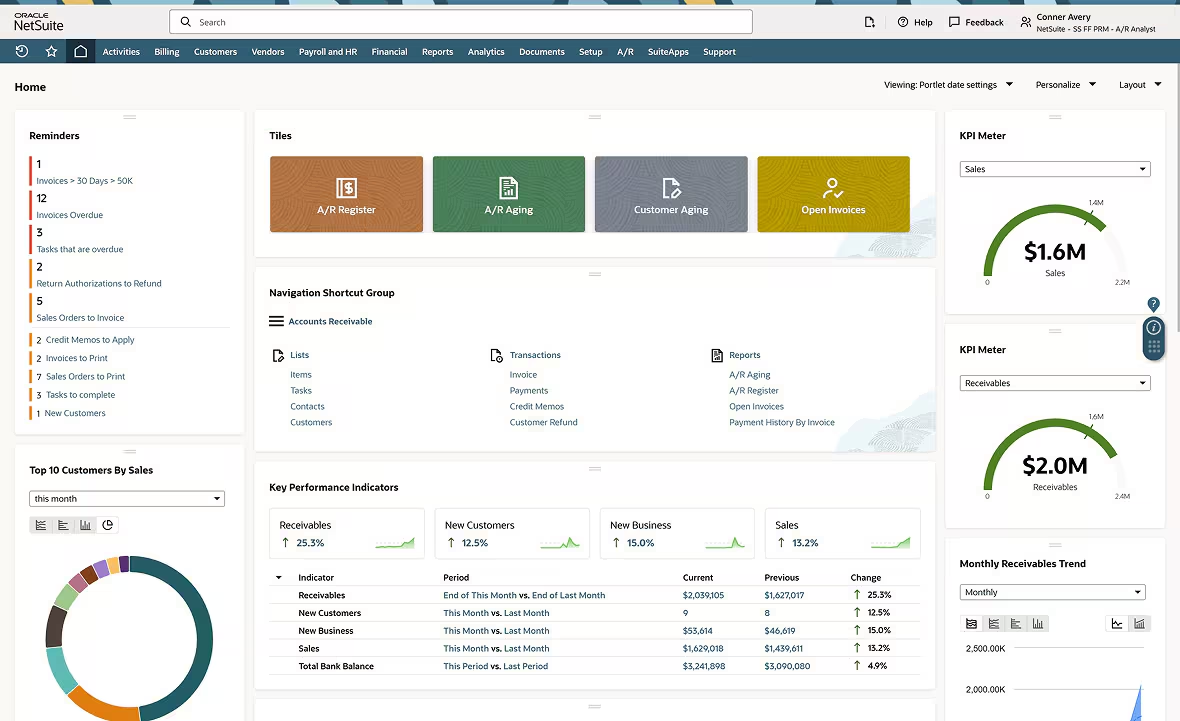
NetSuite does include built-in accounts receivable functionality, and used correctly, it covers meaningful ground.
In fact, here is what it manages out of the box:
- Automated invoicing. Sales orders convert automatically to invoices as orders are fulfilled. Invoices post directly to the general ledger and AR ledger with tax calculations applied. You can bill by mail, email, fax, or electronically, and customize invoice templates per client.
- Payment Management. NetSuite accepts payments via cash, credit card, check, bank transfer, EFT, and ACH. It can automatically match customer payments to open invoices or apply a single payment to multiple bills. You can track deposits against milestones, apply credits automatically, and manage refunds.
- AR Dashboard. Role-based dashboards give finance teams real-time visibility into outstanding balances, aging buckets, DSO, and collections activity. You can report unpaid balances by region, salesperson, or distributor, and track payment history to identify clients who routinely pay late.
NetSuite also offers additional features that extend this foundation:
- NetSuite Payment Link: includes a "Pay Now" option directly on electronic and printed invoices
- Invoice Grouping: consolidates multiple orders from the same client into a single invoice per billing period
- Consolidated Payments: lets a top-level parent pay on behalf of subcustomers across multiple subsidiaries or locations
- Dunning and Collections: automatically sends payment reminders before or after an invoice is due, with configurable escalation sequences
This is a strong foundation. But it does not change how payments actually happen.
In practice, clients still receive an invoice and follow payment instructions on their own. The Payment Link helps, but it still requires the client to take action invoice by invoice.
Where Native NetSuite AR Falls Short for MSPs
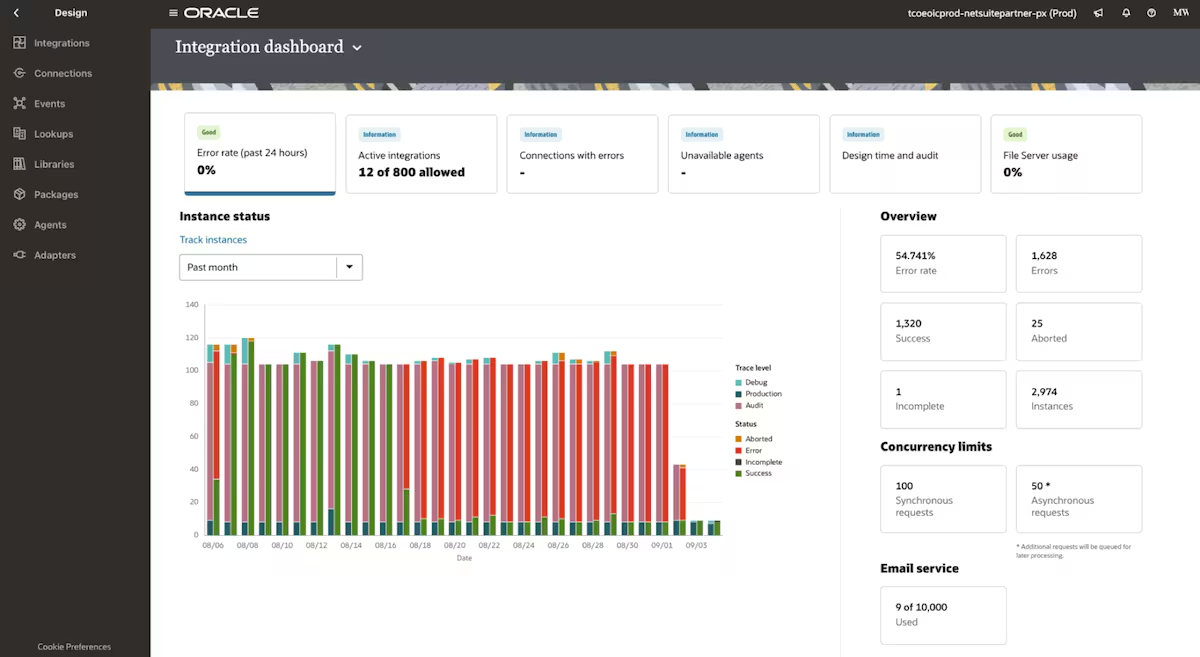
Because NetSuite wasn't designed for every business type, they've built a robust Integration Platform that allows you to connect the other tools your business runs on. Through it and third parties like Catalyst, you can bridge NetSuite to a PSA like ConnectWise, Autotask, or HaloPSA so that service activity flows into billing without someone manually carrying data between systems.
But the Integration Platform is a separate module with its own licensing cost, setup, and ongoing maintenance. It gets your systems talking, but it doesn't solve what happens after the invoice goes out.
And even with it in place, it can't account for:
- No MSP-specific billing logic. Recurring managed services, per-seat pricing, contract amendments mid-cycle, NetSuite's AR wasn't designed around these models. You can configure workarounds, but they require ongoing maintenance and often break when contracts change. For example, if a client adds five seats in month three of a quarterly contract, adjusting that mid-cycle in NetSuite typically means manual intervention rather than an automatic proration. For an MSP handling dozens of contracts at once, that adds up fast.
- The client experience is generic. NetSuite's payment portal is functional, but it isn't white-labeled or configurable for MSP clients. Your clients see a generic interface, not your brand, and receive generic emails that are easily spoofable. In an industry where client relationships are everything, and security is integral to operations, that's a missed opportunity.
- No AutoPay or recurring charge enforcement. NetSuite does not have a built-in mechanism to automatically charge a stored payment method on a recurring schedule. For an MSP with dozens of clients on monthly contracts, that's a significant gap. The Payment Link helps, but it still depends on the client taking action. A client who forgets to click is a client who pays late.
How MSPs Should Think About NetSuite AR
If you were hoping NetSuite would be the be-all, end-all for MSP billing, it's worth being honest that multiple tools are required to run an MSP end-to-end smoothly. You will almost always need additional tools, and you'll need to keep them connected. What you want to do is make sure you're using tools meant for MSPs, not overdoing it on integrations, or using poorly integrated tools.
For MSPs, collecting payments requires a system that actively manages how invoices move from creation to cash, across your PSA, your clients, and your accounting system.
For a smaller MSP with straightforward billing, native NetSuite AR may be workable, with the understanding that manual reconciliation and collections follow-up come with the territory. But for scaling MSPs with a variety of steadily growing client bases, these limitations around their accounts receivable snowball quickly.
Your Options for Extending NetSuite Payments
Because NetSuite was built as an open platform, it supports a broad ecosystem of integrations. And for payments, that's where most mature MSPs end up looking.
The options break into two primary categories:
- General-Purpose Payment Processors. Tools like Stripe or PayPal can connect to NetSuite via API or middleware. They handle payment processing competently, but they have no concept of MSP workflows, PSA data, or recurring managed services contracts. You're bolting a payment rail onto NetSuite and still handling all the logic yourself.
- Integrated and Purpose-Built MSP Payment Platforms. This is the most complete category, and the one that closes the full loop. These are solutions built specifically for the MSP billing model that integrate natively with both NetSuite and the PSA tools MSPs already use. The integration isn't middleware-dependent; it's a direct, maintained connection designed around MSP workflows.
This closes part of the gap between your accounting system and actual payment collection.
How FlexPoint Fills the Gaps Native NetSuite AR Can't
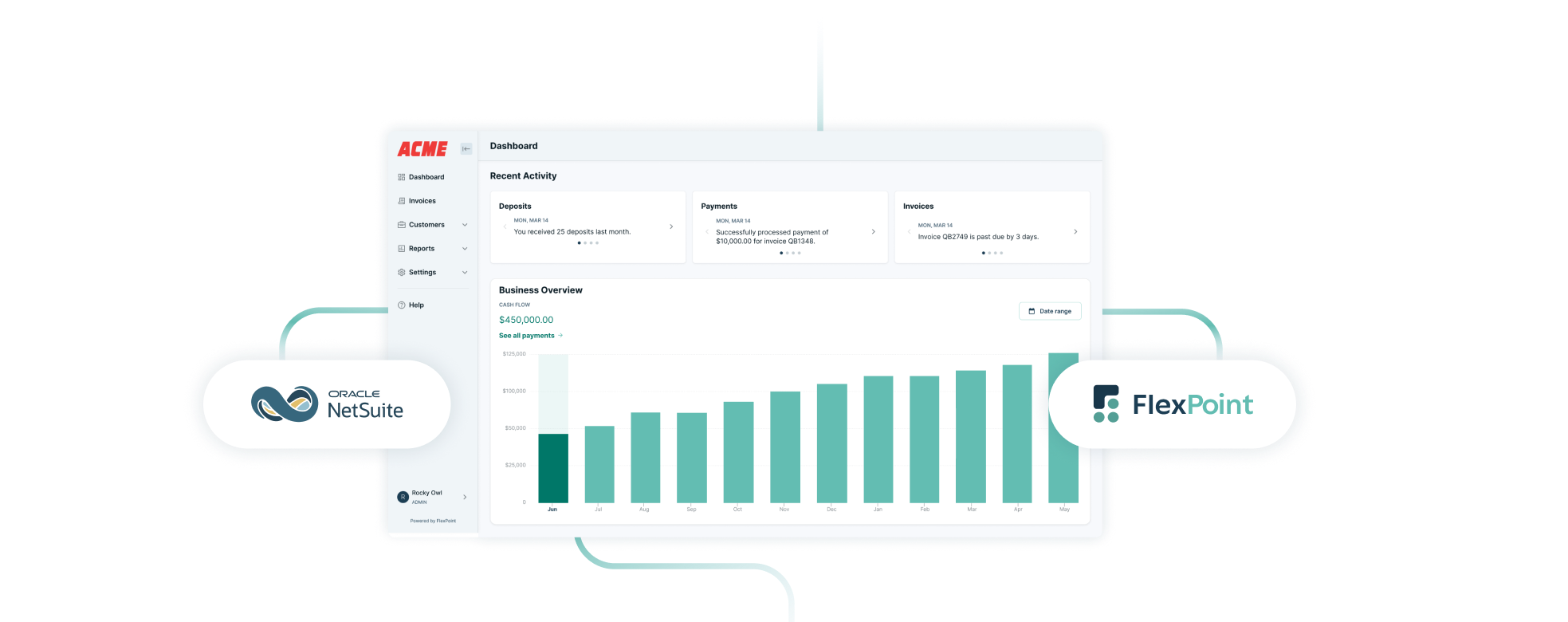
The question here is not whether to use NetSuite, but what payment layer to add on top of it.
FlexPoint was built specifically for MSPs, and it integrates directly with NetSuite.
Most MSP financial operations rely on three systems:
- Your PSA (where billing originates)
- Your payment layer (where clients actually pay)
- Your accounting system (NetSuite)
In most setups, these systems are only partially connected.
FlexPoint sits between them and connects the full workflow.
Invoices flow from your PSA into FlexPoint, clients pay through a branded experience, and payment data syncs back into NetSuite automatically.
This creates a closed-loop system without manual handoffs.
What the FlexPoint + NetSuite Integration Enables
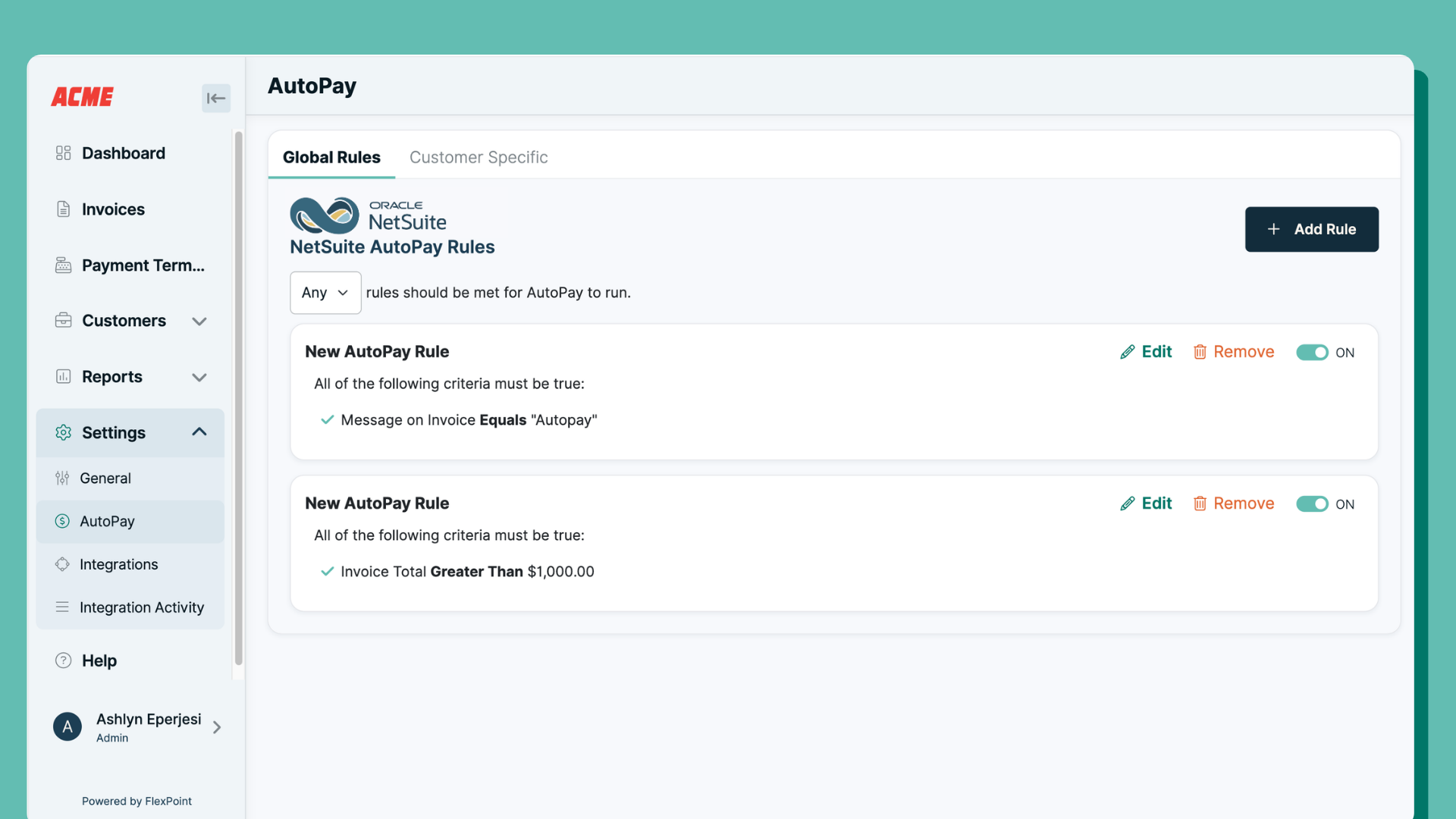
The FlexPoint + NetSuite integration is a direct, native connection, not a middleware layer you have to maintain.
FlexPoint is designed to address the gaps discussed earlier directly.
- PSA connection: FlexPoint integrates directly with ConnectWise, Autotask, HaloPSA, and SuperOps. The data flow from service activity to billing to payment collection is continuous and automated. You're not stitching together a PSA connector and a payment tool as separate projects. It's one workflow.
- Invoice sync in real time: Invoices created in NetSuite automatically appear in FlexPoint, ready for delivery, payment processing, and client communication. Payments can be initiated as soon as invoices are generated, with no manual export or lag.
- Configurable AutoPay: FlexPoint lets you configure AutoPay globally or with custom rules for individual clients. For an MSP managing dozens of clients across different contract types and billing cadences, that flexibility matters. And when a card expires or a payment fails, FlexPoint handles the retry logic instead of your billing team.
- Automated reconciliation: When a payment is collected, FlexPoint reconciles it back into NetSuite in real time. Deposits post automatically. Month-end reflects an accurate picture without a manual reconciliation process. No spreadsheet, no matching by hand, no end-of-month scramble.
- Centralized visibility across locations: If you run multiple offices or brands, every payment flows into NetSuite through FlexPoint automatically. Finance gets a single, accurate view across the full operation without chasing records or manually consolidating from multiple sources.
- FlexLine financing: Do your clients have a large project they want to get started? FlexLine is a financing option giving them the opportunity to say yes. They pay over time for projects $10,000+ and up to 12 months directly within the client portal, so they can break a large IT investment into manageable installments instead of stalling on the decision.
- Branded client payment experience: FlexPoint sends invoice emails and reminders using your own domain and messaging. There's also a fully white-labeled client portal where clients can view invoices, manage payment methods, and pay, all in an experience that reflects your business.
Curious what your client would see? Discover the client portal below.
When the full AR workflow is connected, the impact is immediate:
- Faster payment cycles
- Higher AutoPay adoption
- Reduced administrative workload
- Improved cash flow visibility
Pileus Technologies, an MSP using FlexPoint, processed payments 80% faster after implementation. John Douglass, President at Pileus, put it simply:
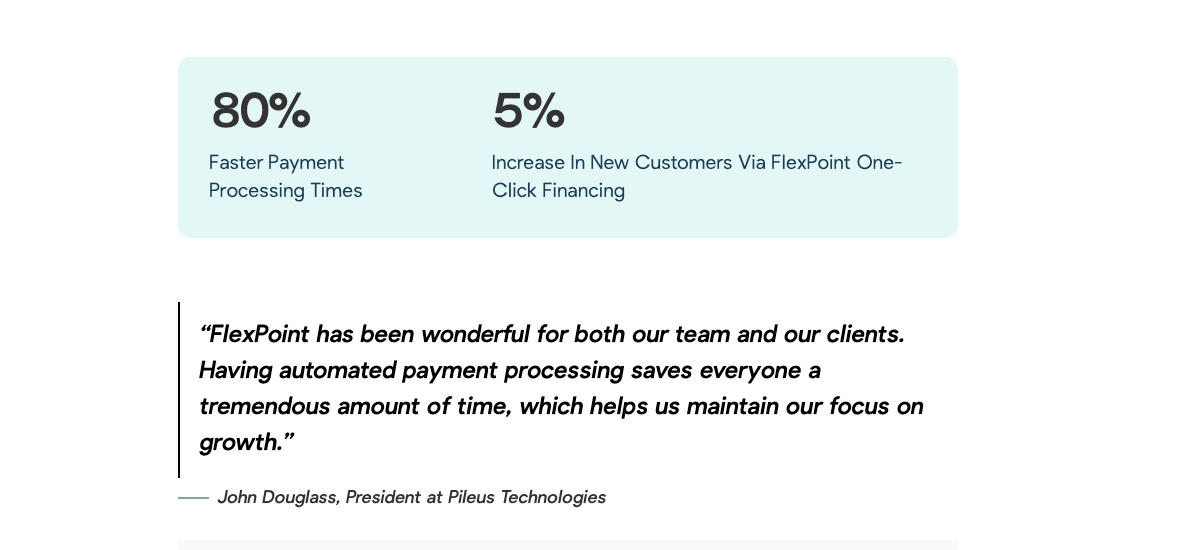
These improvements are not driven by better accounting. They come from removing friction between invoice delivery and payment collection.
Learn more about the FlexPoint + NetSuite integration here.
What to Look For in a NetSuite Payment Solution
If you're evaluating your options, focus on whether the solution actually closes the loop across your systems.
Key questions to ask:
- Does it connect your PSA and NetSuite, or only NetSuite?
- Does it automate reconciliation, or require manual steps?
- Is the client payment experience branded to your business, not a generic interface?
- Does AutoPay work reliably, including retries and expiration management?
- Can you configure AutoPay per client, not just globally?
- Does it handle compliance requirements like surcharging?
- Does it give you real-time visibility into AR performance across locations?
If any of these are missing, you're likely still dealing with partial solutions.
How to Choose the Right AR Solution
The right approach depends on where your MSP is today and where it's heading.
Here's a straightforward way to think about it:
Your clients pay reliably, but your back-end process is the problem. Payments come in, but matching them to the right invoices, syncing with your bank, and keeping NetSuite updated is eating your team's time every month. A payment platform with automated reconciliation and real-time sync back into NetSuite solves this without requiring a full workflow overhaul. You don't need the most robust solution, but you do need a new tool that closes the loop cleanly, whether that’s purpose-built or fully integrated, depends on your priorities.
Your quote-to-cash workflow needs a full overhaul. Late payments, missed clicks on payment links, expired cards that nobody caught, this is an AutoPay and collections workflow problem. The right solution here enforces recurring charges automatically, handles retries and expirations without manual intervention, and sends reminders on your behalf. Native NetSuite AR can't do this. A purpose-built payment like FlexPoint layer can.
Final Takeaway: Completing the NetSuite Payment Stack
NetSuite is a powerful financial system. If your MSP is running on it, that means you've grown into something that can handle real financial complexity across your business.
But a powerful financial system and an optimized payment collection workflow are two different things, and NetSuite only delivers on the first.
Native NetSuite AR gives you invoicing, dunning, payment links, and invoice grouping. And the Integration Platform can bridge your PSA and accounting data.
But if you want the full workflow, automated, MSP-aware, reconciled in real time, and actually reducing the time between invoice sent and cash in the bank, you need a tool built specifically for that.
That's what FlexPoint is. If you're already on NetSuite and payments still feel like a manual, disconnected process, FlexPoint is the missing piece.
Book a demo to see how it fits into your stack.



.png)