


.jpeg)
If you run an MSP, ConnectWise PSA and WisePay probably feel like old friends. They generate your recurring invoices, track services, and keep revenue organized inside the ConnectWise software ecosystem.
While ConnectWise does many things well, no one can be perfect at everything. That’s especially clear when it comes to getting paid through the ConnectWise world of tools.
Creating an invoice is the easy part. Getting paid cleanly, quickly, and without a mess in QuickBooks is where things usually fall apart.
That is where ConnectWise Payments, aka WisePay, supposedly enters the picture. And it is also where many MSPs start realizing they need something better.
Let’s walk through how billing and payments actually work in ConnectWise PSA today, what WisePay does well, where it struggles, and why MSPs are increasingly choosing a more modern, vendor-agnostic approach to billing, payments, and AR automation.
How ConnectWise Billing Works
The billing side of ConnectWise PSA is very good at one thing: turning your services into billable charges.
Inside ConnectWise PSA, billing pulls from:
- Managed services agreements
- Usage and overages
- Time and materials
- Products and projects
Once those rules are set up, ConnectWise generates invoices automatically on a schedule. This is why ConnectWise is such a strong system of record. It knows what you sold, how often to bill it, and how much to charge.
What it does not do is manage the entire life of that invoice after it is sent. That part is left to payments, collections, and accounting.
Invoicing in ConnectWise
After billing runs, ConnectWise PSA (and ConnectWise Asio) also handles the basic mechanics of sending invoices out the door.
You can:
- Batch invoices
- Email them to customers
- See basic invoice status
And that is mostly where it stops. ConnectWise Invoicing does not:
- Optimize how customers pay
- Automate follow-ups and past-due reminders
- Reduce DSO on its own
- Keep your accounting system perfectly in sync
So MSPs naturally look to the in-ecosystem WisePay (and Wise-Sync) to close the gap.
“ConnectWise Payments” Explained: Where WisePay Fits In
WisePay is the payment offering under ConnectWise. It is how ConnectWise enables MSPs to accept payments directly from invoices.
When you use WisePay:
- Customers can pay by credit card or ACH
- Payment links appear on ConnectWise invoices
- Autopay is available
- Payments post back to invoices inside ConnectWise
For many MSPs, WisePay is the first step toward modernizing payments. It is native, convenient, and lives inside the ConnectWise ecosystem.
WisePay also includes what used to be known as Wise-Sync, which handles syncing invoices and payments between ConnectWise and accounting systems like QuickBooks Online.
On paper, that sounds great.
In practice, this is usually where finance teams start sighing.
(BTW: Wise-Sync is one of the few ConnectWise PSA to QuickBooks online syncing tools, alongside Gozynta Mobius and FlexPoint GL Connect.)
Where WisePay Starts to Feel Limiting
WisePay does payment acceptance just fine. The problem is that accepting payments is not the same as running accounts receivable well.
So naturally, this is where MSPs hit friction.
It’s not vendor agnostic
WisePay keeps you tightly tied to either ConnectWise PSA or Autotask PSA. While these are the most popular PSAs, this leaves no flexibility for MSPs to migrate to other PSA solutions like Halo PSA or SuperOps.

AR automation is minimal
WisePay processes payments. It does not actively help you:
- Save hours by automatically reconciling deposits
- Get you paid 5x faster with Same-Day ACH
- Grow your business faster with flexible financing for your clients
- Gain visibility with real-time email tracking
Accounting sync adds complexity
Keeping ConnectWise, WisePay, and QuickBooks Online aligned often requires extra setup, extra subscriptions, and extra reconciliation work when things do not match perfectly.
This is usually the moment MSPs realize their PSA is doing its job, but their payments and AR stack is not.
Why MSPs Separate Billing from AR Execution
As MSPs grow, many take a smarter approach.
They keep ConnectWise PSA as the system of record for client agreements and invoices
And layer in a dedicated, vendor-agnostic platform to handle payments, AR automation, and client billing data sync
That is where FlexPoint comes in.
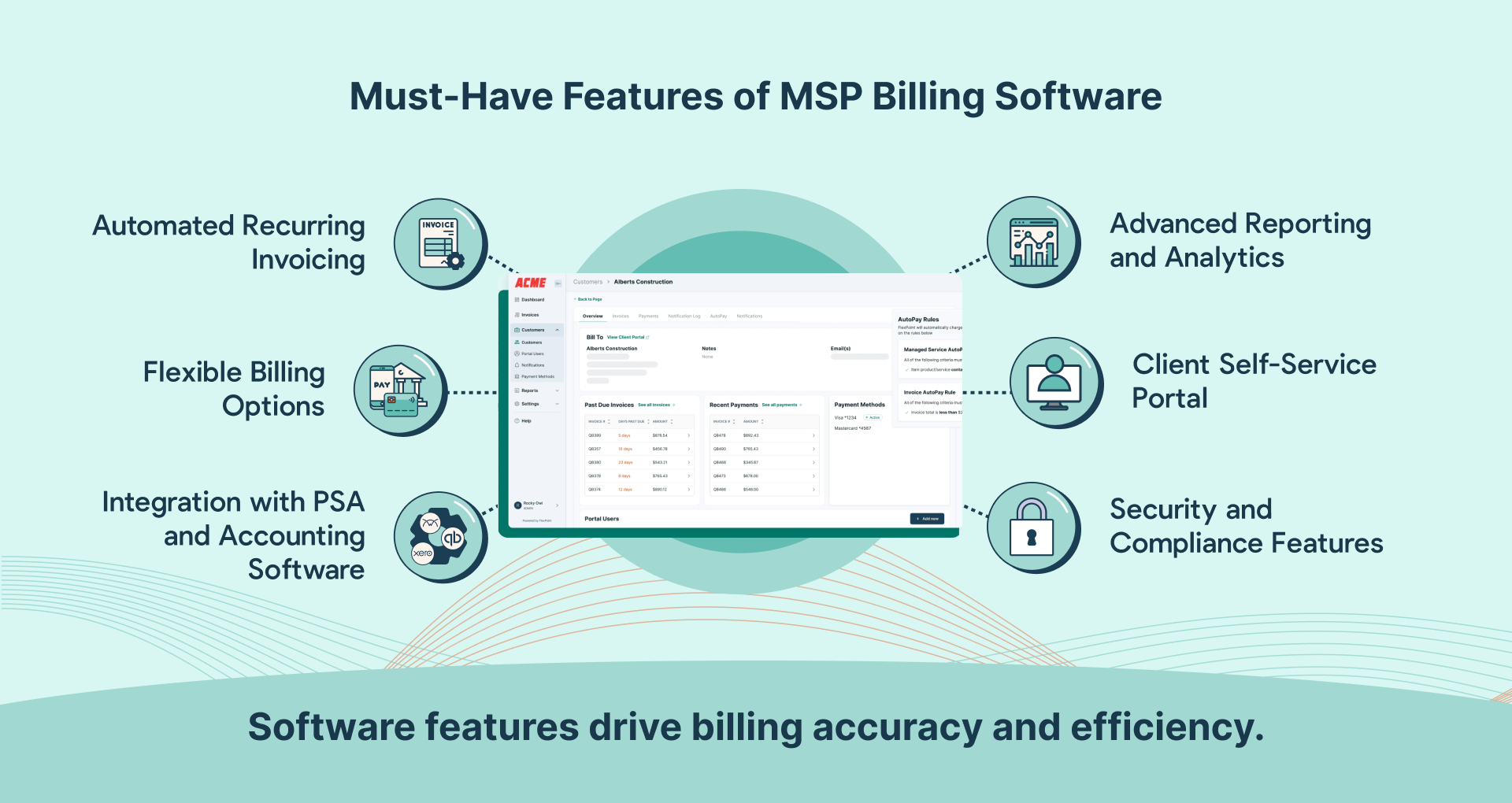
FlexPoint: Built for MSPs Who Want to Scale Faster
FlexPoint is not here to replace ConnectWise. We actually like ConnectWise. We just believe billing, payments, and accounting deserve tools that were built specifically for modern finance workflows.
How FlexPoint Works with ConnectWise PSA:
- ConnectWise PSA handles agreements and invoice generation
- FlexPoint automatically syncs invoices and sends payment reminders to clients
- Clients pay through a secure, branded FlexPoint portal
- Payments post accurately and on time
- Finance teams finally get visibility without spreadsheets
What FlexPoint Does Better Than WisePay
Let’s talk about the stuff that actually matters day to day.
Vendor-agnostic by design
FlexPoint is not tied to one PSA, one processor, or one ecosystem. That means flexibility today and options tomorrow.
Real AR automation
FlexPoint goes beyond “Pay Now” buttons with:
- Customizable, automated reminders, including robust past-due email sequences
- AutoPay that can be customized on global and client-levels
- Deposit reconciliation to save hours of manual work
A client experience people actually like
Customers get a branded portal where they can:
- View current and historical invoices
- Manage payment methods
- See payment history
- Pay via ACH, credit card, and flexible financing up to 12 months
Less confusion means fewer emails asking “Can you resend that invoice?”
Built-in ConnectWise and QuickBooks Online Sync
This is where FlexPoint really pulls ahead.
GL Connect is FlexPoint’s built-in accounting sync that connects ConnectWise PSA and QuickBooks Online directly. Included on Growth and Plus plans, you get a full data sync without the need for yet another tool.
GL Connect automatically syncs: Customers, Invoices, Payments, and Status updates.
See it in action, below.
When an invoice is created or closed in ConnectWise, QuickBooks Online stays aligned. When a payment is made, it reconciles cleanly. No duplicate records and mystery balances.
For finance teams, this is the difference between dreading month-end and actually closing the books on time.
Next Steps
ConnectWise Billing and Invoicing do exactly what they were built to do. WisePay makes it possible to accept payments natively.
But as MSPs mature, payments stop being a PSA feature and start being a finance strategy. You can only grow as fast as your funds hit your accounts.
By pairing ConnectWise with FlexPoint, MSPs get faster payments, cleaner books, and a billing workflow that finally works the way it should.
And yes, your finance team will thank you.
Ready to see it in action? Take a on-demand tour of FlexPoint today.




