


Most MSPs have the recurring revenue part figured out. Contracts are signed, services are running, clients are supported. The part that turns out to be harder than expected is actually just collecting the money.
If you're running your business on HaloPSA, you've probably felt this at some point. A client pays late so you spend an hour cross-referencing invoices in HaloPSA with records in QuickBooks. You realize you've absorbed $2,000 in card processing fees this month and you have no clean way to pass them on. Someone on your team is manually chasing overdue accounts every week because there's nothing automating that follow-up.
HaloPSA is an excellent PSA: it unifies ticketing, contracts, project management, asset tracking, and CRM into a single platform, and it does all of that well. But payments are a different problem and it's one that most PSAs, including Halo, weren't purpose-built to solve.
This guide is a complete look at your payment options as a HaloPSA user: what's built in, how to use it, where it starts to show its limits, and what MSPs growing past those limits are doing instead.
{{toc}}
Why Payments Are a Persistent Problem for MSPs
Before getting into HaloPSA specifics, it's worth naming something that most MSP owners already know intuitively but rarely see quantified.
MSPs operate on thin margins. The average MSP runs an 8–12% net profit margin, which means there isn't much room for inefficiency in the billing cycle. Despite that, 81% of managed service providers aren't paid on time, with late payments taking an average of 60 days to collect. Think about what that means practically: you've delivered a full month of service, absorbed all the associated costs, and you're waiting two months to see the revenue.
The billing process itself makes this worse in ways that aren't always obvious either. Manual invoice reconciliation, lack of payment method flexibility for clients, no automated collections follow-up, which aren't dramatic failures, just slow drags that snowball. According to U.S. Bank research, poor cash flow management is a factor in 82% of small business failures. The service delivery is there. The clients are there. But if the billing infrastructure isn't keeping up, the math stops working.
The good news is that this is a solvable problem once you can see the gaps clearly!
What HaloPSA's Native Payment Setup Actually Does
HaloPSA's payment capability is built on a native Stripe integration, configured directly from Configuration > Integrations > Stripe in the platform. Stripe is a widely trusted, enterprise-grade payment processor, so this is a meaningful foundation.
Once connected, the integration lets you do three core things:

1. Accept credit card payments on invoices. Both your internal team in the agent application and your clients through the self-service portal can see a "Pay" button on any outstanding invoice. A client gets their invoice, clicks the button, enters their card, and you get paid. Straightforward.
2. Set up recurring automatic payments per client. For clients on recurring contracts, you can configure HaloPSA to automatically charge a saved payment method when a new recurring invoice is created. This removes the need for a client to actively pay every month, which in theory reduces friction and speeds up collections.
3. Map Stripe customers to Halo clients. The integration lets you link a Stripe customer record to each Halo client, designate a default payment method, and configure where payment confirmation emails go. This keeps your Stripe and Halo records in sync at the client level.
For a smaller MSP with a tight, predictable client base that pays by credit card without issue, this setup genuinely works. It's a real integration with a real payment processor, and some MSPs run on it comfortably!
The challenge shows up when the billing environment gets more complicated. And for growing MSPs, it does.
Where HaloPSA's Stripe Integration Has Gaps
Think of HaloPSA's payment integration the way you'd think about a car's built-in navigation system. It works and will get you where you're going. But it's not Waze, it doesn't know about real-time traffic, construction detours, or the shortcut that saves you twenty minutes. At a certain point, the limitations affect how efficiently you operate.
Here's where HaloPSA's native payment setup runs into real constraints:
No Clean ACH Option
Stripe supports ACH bank transfers, but in HaloPSA's native Stripe integration ACH is not listed among the available payment methods. For MSPs billing large monthly retainers, this matters. Many business clients prefer ACH: it's a direct bank transfer, there's no card required, and it tends to feel more appropriate for B2B recurring payments. The processing fees are also lower, which is better for everyone.
Getting ACH working through HaloPSA's Stripe setup requires custom configuration and workarounds, directly in Stripe's developer settings outside of HaloPSA's interface. It's not impossible, but it's not designed for it either.
No Way to Pass on Card Processing Fees
Credit card processing fees range from 1.5% to 3.5% per transaction depending on the card type and processor. That sounds small until you do the math at scale.
An MSP processing $100,000 per month in card payments absorbs $1,500 to $3,500 in fees every month. Annually, that's $18,000 to $42,000 going to payment processors before you see any of it. Surcharging (passing some or all of those fees to the client) is a legal and common practice in most U.S. states, and it's how many businesses offset this cost. Feel free to input your numbers to our Credit Card Fee Calculator to see what you may be losing in the process.
HaloPSA has no native mechanism to apply surcharges. It's an openly requested feature in the community ideas forum that hasn't been resolved. Surcharging rules also vary state by state, which adds a compliance layer that Halo's setup doesn't address at all. If you want to understand which states allow surcharging and what the rules are, FlexPoint maintains a state-by-state surcharging map that's a useful reference.
Automatic Payment Fires Immediately
When a recurring invoice is created in HaloPSA, the platform charges the card on file right away. Clients don't see the invoice before the charge goes through.
For clients who just want to be billed and move on, this is fine. But for clients who want to review charges before they're processed (and there are plenty of them) this creates friction. Unexpected charges lead to disputes, and disputes erode trust. A configurable delay between invoice creation and payment collection is another standing feature request in the HaloPSA community that hasn't been addressed.
The Client Payment Experience Isn't Yours
When clients need to update a payment method, they're redirected to Stripe's customer portal.
This is a small thing on the surface, but it compounds with everything else. You've invested in your brand, your client relationships, and your reputation as a trusted technology partner so sending clients to a generic, unbranded Stripe page every time they need to manage payment information is a small but consistent friction point in that relationship. It signals to the client that payments are an afterthought (handled by a third party) rather than an integrated part of how you do business.
Minimal AR Visibility Inside HaloPSA
HaloPSA doesn't have built-in dashboards for accounts receivable aging, days sales outstanding (DSO), or cash flow trends. If you want to understand how much is overdue, which clients are consistently late, or what your collections trajectory looks like for the month, you're pulling data manually from HaloPSA and cross-referencing it with your accounting software.
According to PYMNTS research, manual payment processes require 67% more follow-up time and result in 30% longer DSO compared to automated systems. For an MSP finance team trying to close the month cleanly, this is a significant time sink.
Reconciliation Gaps with Your Accounting Platform
Users in the HaloPSA community have reported that partial payments processed through Xero or QuickBooks don't always reflect accurately back in HaloPSA. This is a known pain point and a source of real friction at month-end. The result is a reconciliation process that requires someone to manually match up records across systems, time that compounds across every billing cycle.
Taken together, these limitations paint a clear picture. The native setup handles simple billing, but it doesn't handle the complexity that comes with growing an MSP.
Your Options: What Else Integrates with HaloPSA for Payments
Because the native Stripe integration leaves meaningful gaps, several third-party platforms have built direct integrations with HaloPSA to fill them. Here's an honest overview of what's available.
FlexPoint is purpose-built end-to-end for the MSP billing lifecycle, not just payments, but the full AR operation. It's the most comprehensive of the available options and the only one built exclusively for MSPs, which shows in the depth of the HaloPSA integration, the breadth of features, and the caliber of support. More detail on this below.
Benji Pays integrates with HaloPSA and handles ACH, credit card, auto-pay, and surcharging with flat monthly pricing. The notable catch: it requires you to bring your own merchant account through a third-party processor, which adds a separate vendor relationship to manage on top of the platform itself.
Alternative Payments integrates with HaloPSA at the agreement level and offers a branded client portal, auto-pay, and automated reminders. It's straightforward to set up. The practical limitation is its sync: invoices created or changed inside Alternative Payments don't push back to HaloPSA, which means your PSA records can fall out of sync with what's actually been paid.
What FlexPoint's HaloPSA Integration Actually Looks Like
It's worth explaining this in some detail, because the value isn't obvious from a feature list alone.
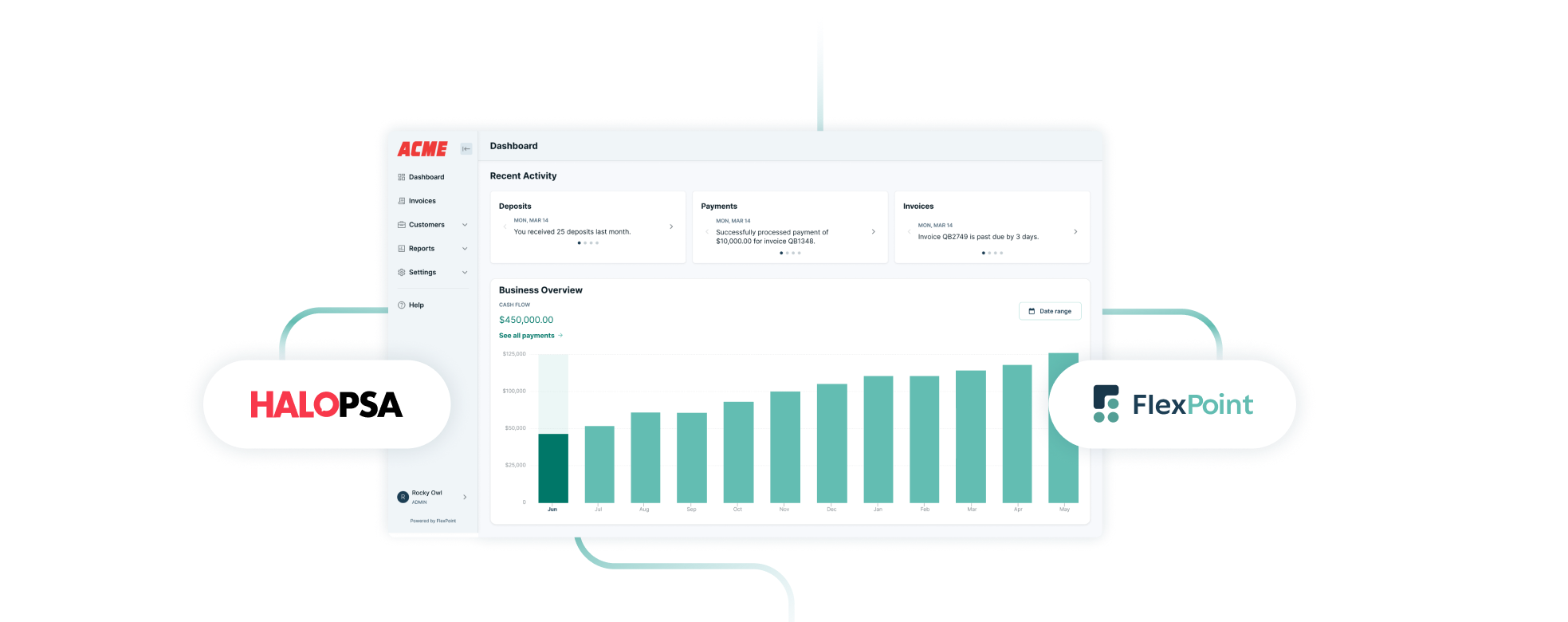
FlexPoint connects to HaloPSA via API, pulling client data and invoice information directly from the PSA. When a new invoice is generated in HaloPSA, it flows automatically into FlexPoint. Clients receive it through a branded payment portal (your logo, your colors, your domain) where they can review the invoice, choose their payment method, and pay. Payment status then syncs back to HaloPSA in real time, and the same data flows through to QuickBooks or Xero automatically.
The practical result is that the entire billing loop (from invoice creation in your PSA to payment confirmation in your accounting software) runs without anyone manually pushing data between systems. The two-way sync means both HaloPSA and your accounting platform reflect the payment the moment it happens.
Here's what that unlocks:
Multiple payment methods, cleanly presented. Credit cards, ACH, Same-Day ACH, and financing are all available in the client-facing portal. Clients choose what works for them. ACH isn't a workaround, it's a first-class option.
AutoPay that works for your clients, not just for you. FlexPoint's AutoPay is configurable per client, with timing controls. You can set a window between invoice creation and charge, so clients see the invoice before their card is billed. This eliminates the dispute friction that comes with HaloPSA's immediate-charge behavior.
Surcharging with compliance built in. FlexPoint's Customer Surcharge plan lets you pass credit card processing fees to clients, either the full fee or a shared portion. State-by-state compliance is built into the platform, so you don't have to track regulatory changes manually.
A branded client experience. From invoice delivery to payment confirmation, everything clients see is your brand. The portal is white-labeled and operates as a secure, professional extension of your business, not a third-party payment page. Take a tour of what your client would see below.
Automated collections and reminders. Rather than having someone on your team manually follow up on overdue invoices, FlexPoint sends automated payment reminders triggered by aging schedules you configure. You can add late fee enforcement on top of that. The follow-up happens without the manual work.
AR dashboards and real-time visibility. FlexPoint's financial dashboard gives you a live view of aging receivables, DSO, cash flow status, and payment trends, without opening a spreadsheet or cross-referencing two systems.
One-click client financing via FlexLine. Clients who need payment flexibility can finance their invoices in installments through FlexPoint. You get paid in full; they pay over time. This removes a common friction point in larger deals where budget timing creates payment delays.
The results MSPs report after making this shift are consistent. Across FlexPoint's customer base, AutoPay users report receivable periods reduced by 70%. One MSP, WJP Technology Consultants, saw a 30% increase in clients using AutoPay, 3x faster payment processing, and 15% in cost savings after switching.

This is what happens when billing infrastructure actually matches the way MSPs operate.
How to Know Which Setup Is Right for Your MSP
The honest answer depends on where your billing pain actually lives.
HaloPSA's native Stripe integration is the right tool if your client base is small and consistent, your clients reliably pay by credit card without prompting, and your billing volume is low enough that processing fees aren't meaningfully affecting your margins. If those things are true, the native setup is probably enough for where you are right now!
The calculation changes when complexity enters the picture. A few questions worth asking yourself:
Are you absorbing credit card processing fees that you'd rather not? At $50,000 per month in card volume, you're paying $750 to $1,750 every month to Stripe that your clients could be covering instead. Surcharging closes that gap.
Do you have clients who pay late regularly? Manual collections follow-up is one of the most common time sinks in MSP billing. Automated reminders tied to your aging schedule eliminate most of that work.
Is your month-end reconciliation taking longer than it should? If someone on your team is spending hours matching payments between HaloPSA and your accounting platform, that's billing infrastructure friction instead of a people problem.
Do your clients want ACH? For clients writing you checks for large retainers, ACH is a more natural B2B payment method. If you can't offer it cleanly, some of those clients will default to slower, more manual payment patterns.
Is your billing experience reflecting your brand? If clients are landing on a generic Stripe portal every time they manage their payment methods, that's a small but consistent gap between the professional relationship you're building and the payment experience they're having.
If you answered yes to even two or three of those, a dedicated AR platform is likely to pay for itself quickly in recovered fees, faster collections, and hours freed up from manual work.
The Bigger Picture
A PSA is built to help you deliver services and HaloPSA is genuinely exceptional at that. However, the billing functionality built into PSAs is there to cover the basics, not to run a full accounts receivable operation.
The MSPs with the healthiest cash flow and the lowest billing overhead have connected their PSA, their AR platform, and their accounting software into a single loop that runs with minimal intervention. Invoices go out on schedule, clients pay through a branded portal that feels like a natural extension of the service relationship, payments sync automatically to the accounting platform, overdue accounts get followed up automatically, and the finance team closes the month in hours, not days.
That's not a feature of any single tool. It's what happens when the right tools are connected in the right way.
If you're a HaloPSA user and any of this resonates, the next step is understanding specifically where your billing workflow breaks down and whether a purpose-built AR platform closes those gaps. The right setup pays for itself. The wrong setup just keeps costing you quietly.
If any of this sounds familiar, it's worth seeing what the billing cycle actually looks like when the right tools are connected. Book a demo with FlexPoint and we'll walk through your current setup, show you exactly where the gaps are, and let you decide if it's worth making a change.




