


Benji Pays has helped many managed service providers (MSPs) get started with online payments and basic accounting integration. The platform offers a branded payment portal and integrates with popular tools like QuickBooks and well-known PSA systems, providing MSPs with a convenient way to collect client payments.
However, as MSP firms scale up and client expectations rise, many outgrow Benji Pays’ feature set. They begin to encounter limitations in automation, customization, and integration depth that can hold back efficient operations.
MSP business owners and finance teams often find that manual work creeps back in as their billing becomes more complex. Tasks such as reconciling deposits, handling varied billing models, or chasing late payments are not fully automated with an entry-level solution like Benji Pays.
Meanwhile, clients expect a smoother, more flexible payment experience than what basic portals offer. As a result, forward-thinking MSPs begin to seek more capable platforms that can streamline billing from end to end.
In this article, we will discuss the practical limitations of Benji Pays that prompt MSPs to seek alternatives. We will compare the top MSP-focused billing solutions on the market and provide a framework for choosing the best-fit upgrade.
The goal is to help you find a smarter billing and payment platform: one that delivers deeper automation, seamless integrations, and a superior client payment experience for your growing MSP business.
{{toc}}
Why MSPs Seek Alternatives to Benji Pays
MSPs typically switch from Benji Pays because they require more advanced functionality as their businesses grow.
Several common pain points drive this decision:
1. Limited Workflow Automation:
Benji Pays can automate some payment collection tasks. However, it might lack the true end-to-end automation for recurring billing and accounts receivable that many MSPs seek.
For example, it does not fully automate deposit matching or send scheduled invoice reminders beyond basic email triggers.
MSPs still spend time on manual reconciliation and follow-ups, which becomes unsustainable at scale.
A more advanced billing system can automatically generate recurring invoices, charge saved payment methods, apply late fees, and reconcile payments with bank deposits without human intervention. This level of automation is crucial for reducing billing errors and saving staff time.
According to PYMNTS research, 62% of firms implementing AR automation experience measurable reductions in their DSO (days sales outstanding), resulting in faster collections and improved cash flow.
2. Integration Gaps:
Benji Pays offers integrations with QuickBooks, Xero, and major PSA software like HaloPSA, Autotask, and ConnectWise. However, these integrations may be one-directional or available only on higher-priced plans. The lack of bi-directional synchronization leads to data silos and unmatched data, resulting in increased manual work.
Many MSPs want a tighter real-time sync that connects tickets, time entries, agreements, invoices, and payments across systems. Without deep integration, staff end up exporting data or re-entering information between the PSA and accounting software. This extra work introduces errors and delays.
An ideal alternative would provide two-way or dual sync. This ensures that when a ticket closes in the PSA, an invoice is automatically created and marked as paid in both the PSA and the accounting software.
Such real-time integration prevents inconsistencies and eliminates duplicate data entry, ensuring accuracy and efficiency.
3. Basic Branding & Client Experience:
While Benji Pays does include a branded customer payment portal, MSPs might find the customization options limited. The portal may allow adding a logo and colors, but not much beyond that.
Many MSPs want a fully white-labeled experience where clients see their MSP’s branding at every touchpoint, from invoice emails to the URL of the payment site.
A more advanced platform can offer those capabilities, leading to a more professional and seamless client payment experience. This matters because research shows that a personalized client portal can help boost revenue by 10–15%, thanks to improved trust and clarity.
4. Scalability Constraints:
As MSPs expand their client base or service offerings, they often encounter needs that Benji Pays cannot address. For instance, an MSP adding project-based billing or usage-based charges may find that Benji’s structure is too rigid to handle complex contract terms.
Another limitation is the speed of funds access: as of September 2025, Benji Pays does not currently offer Same-Day ACH (same-day bank transfers), so ACH payments still take a few days to settle. Growing MSPs prefer the option of Same-Day ACH to improve cash flow, as it enables them to access funds three to five times faster than standard ACH.
Without these advanced capabilities, an MSP may feel held back once it reaches a certain size or complexity.
5. Reporting & Analytics Needs:
Basic reporting is available in Benji Pays, but MSP finance teams often need more detailed, real-time analytics than what it provides.
For example, Benji Pays can display transaction history and some aging. Still, it may lack comprehensive dashboards for metrics such as DSO (days sales outstanding), AR aging by client, collection rates, or revenue trends over time. MSPs that are scaling up want to closely monitor these indicators to inform strategic decisions.
If Benji’s standard reports do not provide drill-down insights or custom report building, it becomes another reason to seek an alternative.
More advanced billing platforms typically include robust reporting tools or the ability to export data to BI systems. Having those analytics readily available lets you spot issues (such as a client consistently paying late) and opportunities (like growth in a service category) that might be missed with limited reporting.
In short, MSPs move on from Benji Pays when they need a platform that can automate more of the billing cycle, integrate seamlessly with all their systems, offer greater flexibility, and deliver richer insights.
These pain points lead many to explore smarter, more scalable solutions that are specifically built to meet the evolving demands of an MSP business.
{{ebook-cta}}
5 Key Features to Look for in a Benji Pays Alternative
When evaluating alternatives to Benji Pays, MSPs should look for platforms that directly address the above pain points.
Here are the key features and capabilities to prioritize:
1. Advanced Billing Automation:
Select a solution that can automate the entire billing and payment workflow, rather than just individual components. This includes:
- Automated invoice generation for recurring services
- Scheduling of payment reminders
- Auto-charging of saved payment methods
- Automatic reconciliation of payments with invoices
True billing automation means that once you approve time or services in your PSA, everything happens with minimal human intervention. This includes everything from invoice creation to collecting payments to marking it as paid. Automation reduces manual tasks and ensures nothing falls through the cracks.
For example, if an MSP has 25 monthly retainer invoices, an automated system would generate and send all of them, charge clients on the due date (if using AutoPay), and reconcile deposits in the accounting system without staff involvement.
Such end-to-end automation can save significant time and virtually eliminate clerical errors. It also accelerates cash flow. Automated payment reminders and dunning emails encourage clients to pay on time, eliminating the need for your team to chase each late invoice individually.
2. Customizable Client Portals:
The client-facing experience is crucial. According to statistics from ColorLib, clients who rate the customer experience a 10/10 are six times more likely to repurchase.
Look for an alternative that offers a branded, user-friendly payment portal where your clients can log in to view invoices, make payments, and manage their payment methods. The portal should be fully white-labeled (with your logo, branding, and URL) to reinforce your brand.
It’s also beneficial to be able to customize elements like introductory text or help links to provide clients with guidance. A modern portal enhances client satisfaction by allowing easy payment and review of account history at any time.
Clients appreciate transparency, including the ability to view their outstanding balance and past payments in a single location. This reduces support inquiries and builds trust.
3. Scalability and Flexibility:
The platform should accommodate your MSP’s growth in terms of client volume and billing complexity. This means supporting a variety of billing models (fixed recurring, variable usage, one-off project fees) and being able to handle an increasing number of invoices and transactions without performance issues.
Scalability is important because it ensures you won’t need to switch systems again in a few years. It protects you from costly migrations and allows your billing operations to grow smoothly in tandem with your business.
Features like Same-Day ACH are a plus for scalability. They enable you to access funds faster when needed, which can be crucial as cash flow demands increase.
Additionally, if your MSP plans to introduce new offerings, such as hardware sales or financing options for large projects, the billing software should be flexible enough to handle those.
Scalability also involves support for multiple currencies or entities. This feature is essential if you expand geographically or operate various business units.
Essentially, the alternative you choose should not be a temporary fix but a solution that can serve you well into the future as you double or triple in size.
4. Robust Reporting and Analytics:
Ensure the alternative provides detailed, real-time reporting on all critical financial metrics. This includes:
- Accounts receivable aging reports (to identify which clients are past due)
- Collection effectiveness indicators (such as the percentage of invoices paid by the due date)
- Revenue breakdowns by service type
- Trends in client payment history
Seek a platform that offers visual dashboards that give at-a-glance views of cash flow, total monthly recurring revenue, and outstanding invoices. These analytics help MSP owners and financial officers make informed decisions. This might include identifying a client that might need to be off-boarded due to non-payment or simply forecasting revenue more accurately.
The alternative platform should turn your billing data into actionable insights, going beyond what a basic tool offers.
5. Flexible Payment Options:
Your clients likely have diverse preferences when it comes to paying invoices, so the ideal platform should accommodate multiple payment methods. At a minimum, it should support ACH bank transfers and credit/debit cards.
Many MSPs also appreciate features like credit card surcharging (passing on processing fees where legally permitted) or offering ACH discounts for clients who pay by bank transfer.
Some advanced platforms, such as FlexPoint, even enable client financing or installment plans (e.g., a “buy now, pay later” for B2B), which can help clients manage large project invoices while you get paid upfront.
Additionally, support for modern digital wallets or payment links can improve convenience. The key is to remove payment friction: if one client wants to pay via ACH and another by a corporate card, your billing system should handle both smoothly.
Offering auto-pay enrollment is another must-have. Letting clients opt into automatic monthly payments ensures that you receive payments on time and that clients don’t have to manually make a payment each cycle.
In summary, flexibility in payment options directly contributes to faster payments and higher client satisfaction.
As you compare Benji Pays alternatives, match these features to your MSP’s specific pain points and growth plans.
For instance, if manual reconciliation is your biggest issue, focus on automation and integration capabilities. If client experience is paramount, examine portal customizations and payment options closely.
The right solution will check most of these boxes and align with where you want your business to be in the coming years, not just solve the immediate limitations of Benji Pays.
Top Benji Pays Alternatives for MSP Billing
Below, we highlight five leading alternatives to Benji Pays, along with what makes each stand out. Each of these platforms offers unique features and benefits for MSP billing workflows. We distinguish their capabilities by features, integrations, pros, cons, and pricing to help you compare your options.
1. FlexPoint:
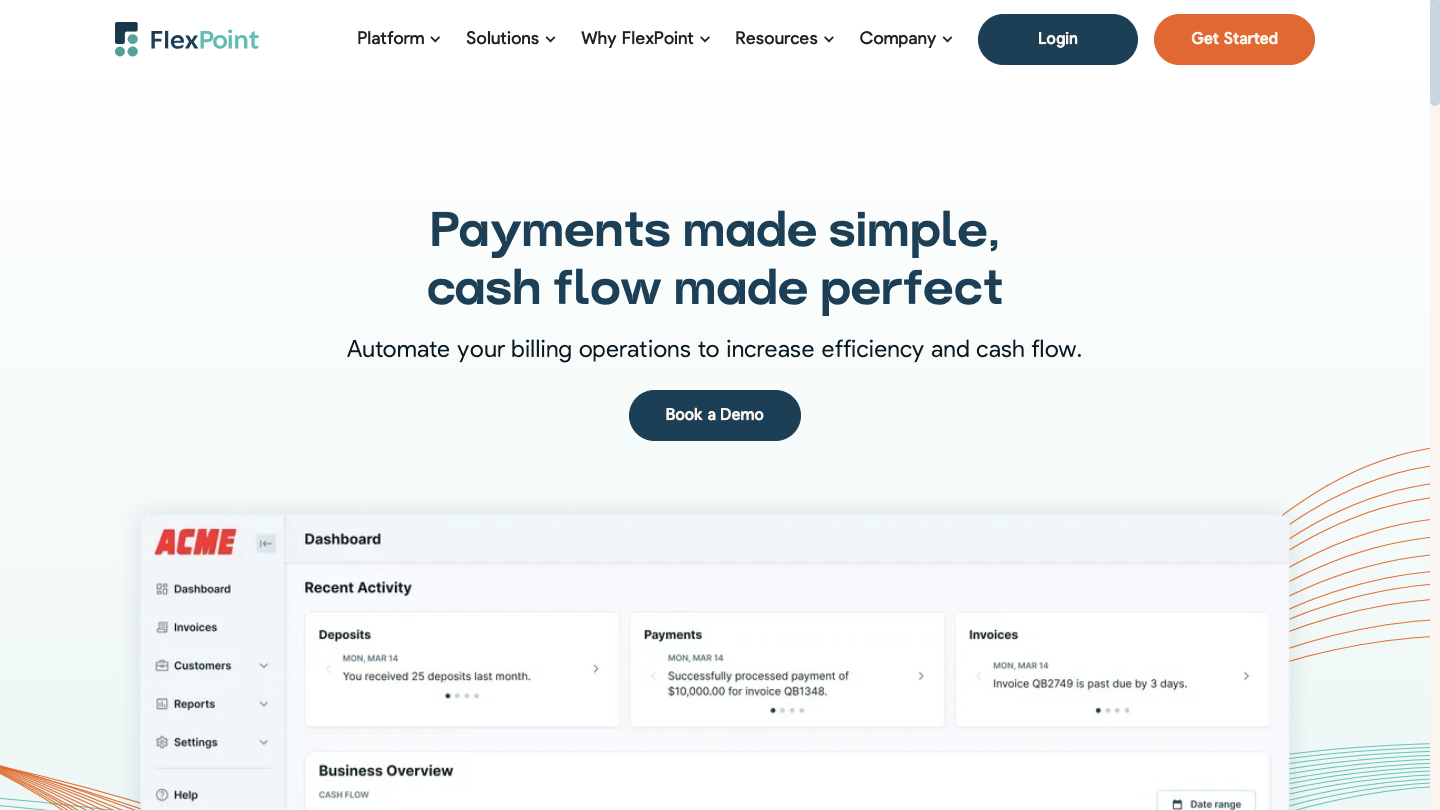
FlexPoint is an all-in-one billing, invoicing, and payment platform designed expressly for MSPs. The platform was created to address many of the shortcomings MSPs experienced with legacy billing tools.
FlexPoint emphasizes deep automation and integration, enabling MSPs to put their cash flow on autopilot with minimal manual intervention. It provides a modern, white-label client portal and advanced features. This includes Same-Day ACH and client financing, which aren’t found in legacy systems.
FlexPoint Features:
- Full billing cycle automation from PSA to accounting
- AutoPay for recurring service charges
- White-labeled client portal hosted on your domain
- Supports credit cards, ACH (including same-day ACH), and client financing/installment plans (FlexLine)
- Dashboards for A/R aging reports, DSO KPIs, and cash flow details
FlexPoint Integrations:
- Accounting Software: QuickBooks Online, QuickBooks Desktop, and Xero
- PSA Software ConnectWise PSA, Autotask, SuperOps, and HaloPSA
- MSP-specific Tools: Rewst, Quoter
Pros of Using FlexPoint:
- Made for MSP workflows and billing models
- Eradicates deposit reconciliation errors through full system sync across all connected platforms
- Branded client portal improves trust and payment speed
- Flexible payment options and financing features
- MSPs can choose to surcharge credit card transactions, subject to state-specific surcharging laws
- Transparent pricing with responsive MSP-focused support
Cons of Using FlexPoint:
- No international payment processing, only the USA at this time
FlexPoint Pricing:
- FlexPoint offers scalable subscription plans based on monthly processing volume
- ACH as low as $0.25
- Competitive credit card fees
- No long-term contracts or hidden fees
2. Chargify (Maxio)
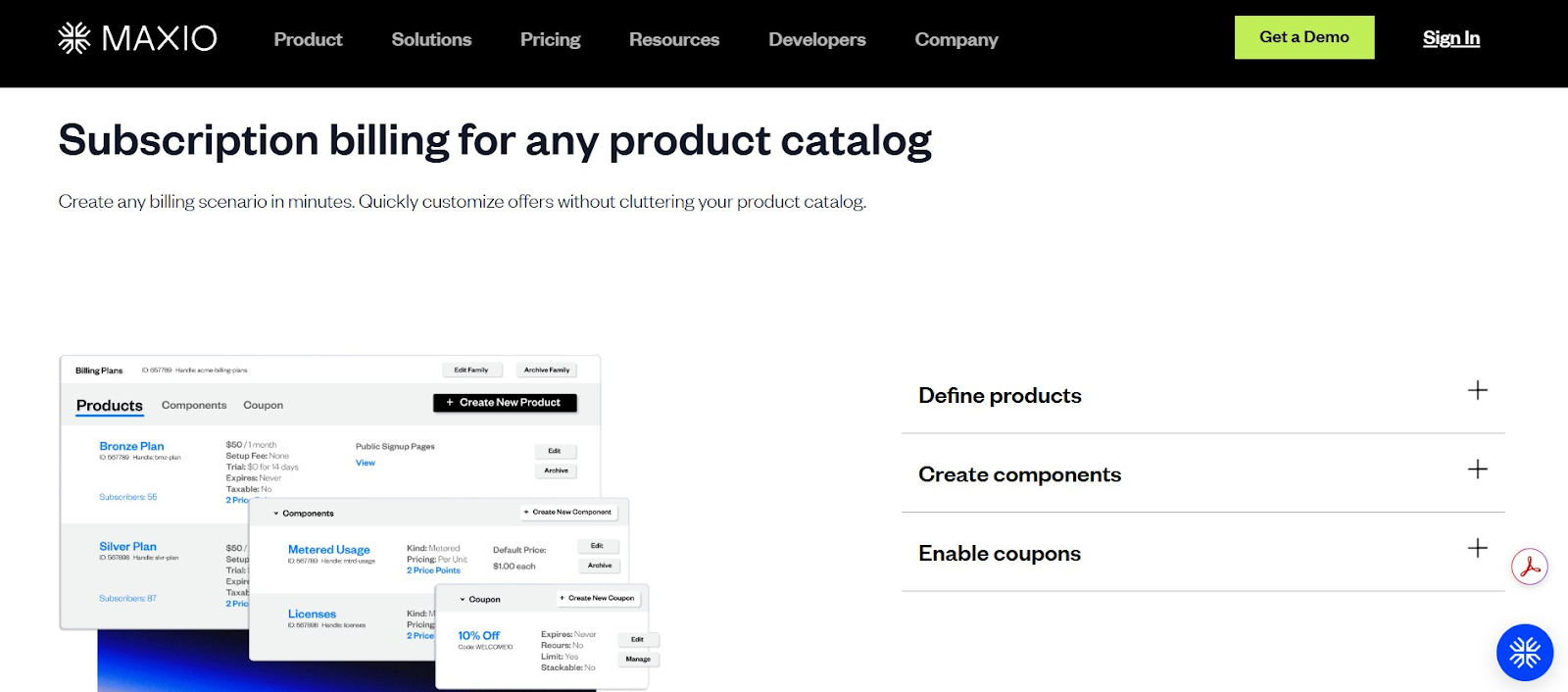
Maxio (previously known as Chargify) is a powerful subscription billing solution well-known in the SaaS industry. Many MSPs that offer ongoing service contracts or cloud subscriptions have considered Maxio for its robust recurring billing engine.
Maxio excels at handling complex pricing models, such as tiered plans, metered usage, and add-on services. These options could be beneficial if your MSP pricing is sophisticated. It also provides detailed revenue analytics geared toward subscription businesses.
However, MSPs need to assess Maxio’s integration with their PSA and workflows, as it was originally designed for software companies and may require additional configuration to fit MSP use cases.
Maxio Features:
- Consolidated invoicing across multiple services
- Proration and mid-cycle changes are handled automatically
- Built-in dunning tools for failed payments
- SaaS metrics dashboard for MRR (monthly recurring revenue), client churn, and LTV (customer lifetime value)
Maxio Integrations:
- Integrates with payment gateways like Stripe, PayPal Payflow, and Authorize.Net
- Syncs with QuickBooks, Xero, and Salesforce (via connectors)
Pros of Using Maxio:
- Detailed billing analytics and financial insights
- Consolidated invoicing simplifies billing for clients
Cons of Using Maxio:
- Not designed for ticket-based or hourly billing
- No native ConnectWise or Autotask integration
- It can be expensive for smaller MSPs
- Requires a separate payment gateway for processing
Maxio Pricing:
- Pricing starts at $599/month for up to $100k/month in billing
3. GoCardless

GoCardless is a payment platform specializing in bank debit (ACH) payments. It offers a streamlined method for collecting recurring payments directly from client bank accounts.
For MSPs, GoCardless can be attractive if a significant portion of your clients prefer ACH payments or if you operate in regions where direct debit is commonly used (such as the UK, EU, etc.). The platform essentially automates the pulling of funds on due dates, which can dramatically improve on-time payments for those willing to pay by bank transfer.
GoCardless is known for its simplicity and reliability in handling ACH, though it is narrower in scope compared to full billing systems. It may lack some MSP-specific features and is typically used in conjunction with your invoicing software (rather than replacing it entirely).
GoCardless Features:
- Recurring ACH and international direct debit support
- Smart retry logic (Success+) to enhance collection rates
- Email notifications for mandates, payment failures, and due dates
GoCardless Integrations:
- Integrates with QuickBooks, Xero, and Sage
Pros of Using GoCardless:
- Lower transaction costs than PayPal or credit card processors/payment gateways, since they primarily focus on ACH/debit-only transactions
- Supports international direct debit for global clients
Cons of Using GoCardless:
- No credit card payment support, ACH/debit only
- Lacks native PSA integrations (manual or API connection required)
- Client-facing tools are minimal, with limited branding options
- Slower funding times than card processors (2–5 business days)
- Transaction limits may apply for large invoices
GoCardless Pricing:
- Standard pricing begins at 0.5% + $0.05 per ACH transaction, capped at $5
- Advanced pricing starts at 0.75% + $0.05, capped at $6.25
- Pro pricing starts at 0.9% + $0.05, capped at $7
- International payments range from 1.5% to 1.9% + $0.05, depending on plan (no cap)
- Refunds cost $0.50, and chargebacks or failed payments are $5 each after 15 per month
- Custom pricing and add-ons (like branded statements and advanced API access) are available on request
4. Stax Payments (Fattmerchant)
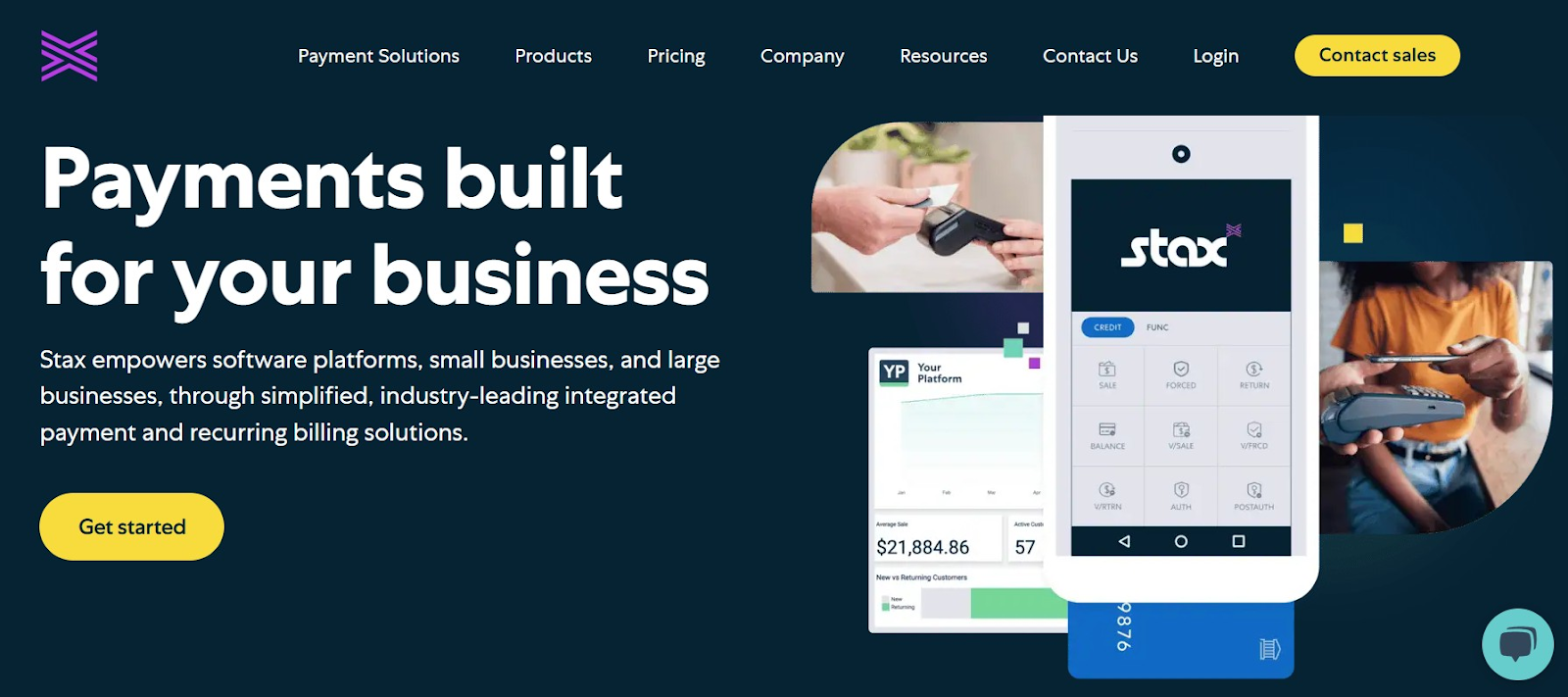
Stax Payments is an all-in-one payment solution that supports a variety of payment methods and includes tools for invoicing and recurring billing. Stax is built around a subscription pricing model for payment processing. Merchants pay a flat monthly fee and get direct-cost (interchange) rates on transactions. This can be very cost-effective for MSPs with decent volume.
Stax offers a centralized dashboard that allows you to manage credit card payments, ACH transactions, and point-of-sale transactions, if applicable. While not MSP-specific, it provides the core functionality needed to bill clients and collect payments, with the added advantage of potentially lower processing fees.
MSPs interested in a unified system for both billing and payment processing (especially those tired of percentage-based fees) may find Stax to be a smart alternative.
Stax Features:
- Invoicing and recurring billing support
- Branded client payment portal with card and ACH support
- Real-time dashboard for transaction tracking and reporting
Stax Integrations:
- Integrates with QuickBooks Online and QuickBooks Desktop
Pros of Using Stax:
- Lower processing costs for high-volume MSPs
- Supports surcharging and cash discount programs
Cons of Using Stax:
- No native ConnectWise or Autotask integration
- Monthly fee may not be cost-effective for low-volume MSPs
- Limited international payment support
- The feature set isn’t tailored to MSP-specific workflows
- Interchange-plus pricing requires getting comfortable with variable rates




