


QuickBooks Payments is a common starting point for many MSPs; it’s the built-in method for accepting client payments in QuickBooks. QuickBooks Online is incredibly popular for accounting (over 62% market share in small business accounting software), so it’s natural that MSPs try to make it work for billing & invoicing.
However, as an MSP grows, it often reaches a breaking point with QuickBooks Payments. While QuickBooks Payments works for basic transactions, it wasn’t designed to handle the complexity of MSP billing models.
This article is a guide for MSP owners and finance leaders who are dissatisfied with QuickBooks Payments’ limitations and seeking a better alternative.
We will explain where QuickBooks Payments falls short for MSPs, highlight why so many MSPs are switching to FlexPoint as a purpose-built billing solution, and walk through how to make a smooth transition.
{{toc}}
The Limitations of QuickBooks Payments for MSPs
QuickBooks Payments may work fine for a small business with simple invoices, but MSPs face unique billing challenges that expose its weaknesses.
Here are the most common frustrations MSPs have with relying on QuickBooks for payments:
Recurring Billing Gaps:
MSPs often bill clients on a recurring basis that changes month to month.
For example, charging per user, per device, or for projects. QuickBooks Payments supports basic recurring invoices, but not dynamic usage-based billing or mid-term contract adjustments. There’s no built-in way to automatically bill variable or metered services.
An MSP must manually update invoices or use spreadsheets for changes, which is both inefficient and prone to errors.
Higher Transaction Fees:
Using QuickBooks Payments means accepting Intuit’s payment processing fees on every transaction. Credit card payments incur a cost of approximately 2.99% of the amount, while ACH bank transfers incur a cost of 1%.
These percentage-based fees cut directly into an MSP’s already-thin margins.
For instance, $10,000 in client charges paid by card would incur roughly $299 in fees. Over the course of a year, that adds up to thousands of dollars in lost revenue.
Moreover, QuickBooks gives no easy way to recover these costs. The software does not support adding a surcharge to have clients cover the credit card processing fee, even though this practice is permitted in most U.S. states. The MSP ultimately covers the processing fees on every payment.
Limited MSP-specific Integrations:
A growing MSP typically uses a professional services automation (PSA) tool (such as ConnectWise PSA, SuperOps, HaloPSA, Autotask) alongside accounting software.
QuickBooks Online does integrate with these tools through connectors and marketplace apps. These integrations help move basic financial data between the systems, but they do not create a fully aligned billing workflow.
Most PSA-to-QBO connections sync limited fields. They often pass summary details rather than the full depth of billable hours, ticket line items, contract adjustments, or service bundles.
MSPs may view the invoice totals correctly, but the supporting details may not display the same way in QuickBooks. This creates gaps when reconciling or reviewing client history across systems.
MSPs may also find that these integrations need extra configuration, manual mapping, and ongoing adjustments.
When something changes in the PSA, such as a contract renewal or a rate update, QuickBooks may not update automatically. These small breaks in the flow lead to edits, re-entry, or manual verification before invoices can be finalized.
A robust billing tool like FlexPoint eliminates this friction with a direct connection that aligns PSA data, contract logic, and billing rules without the need for additional plugins.
Your invoices draw from the same source of truth every time, which provides a cleaner workflow and fewer manual touches between systems.
Slow Deposits and Reconciliation:
QuickBooks Payments can slow down your cash flow.
Credit card payments typically take 1–2 business days to settle, while ACH (bank transfers) take 2–5 business days, or even up to a week for first-time clients. These delays mean you’re waiting days longer to get money into your bank account than with faster payment solutions.
If you invoice on the 1st of the month, a client’s ACH payment may not be deposited into your account until the 7th or later. That lag is painful when you have your own bills, payroll, or expenses due.
QuickBooks also may batch deposits in ways that make reconciliation problematic, and if any payment is flagged for review or dispute, your funds can be held even longer.
In short, funds move slowly through QuickBooks Payments, which can strain an MSP’s cash flow.
Client Experience Limitations:
The payment experience QuickBooks offers to your clients is generic and not very user-friendly for MSP services. Clients receive an Intuit-branded email or link, and there’s no self-service portal where they can log in under your company’s brand to view invoices or manage payments.
You can’t provide a branded client payment portal in QuickBooks: receipts display the QuickBooks/Intuit logos by default and cannot be edited. There’s also limited support for automated features, such as client auto-pay enrollment or saving preferred payment methods.
This lack of a professional, branded payment portal makes the billing process feel less polished and convenient for your clients, potentially impacting their satisfaction.
The bottom line is that QuickBooks Payments wasn’t built with MSPs in mind. It’s a helpful add-on for basic payment collection; however, it lacks the automation, flexibility, and integration that growing MSPs require.
MSPs using QuickBooks Payments often find themselves doing a lot of manual work and incurring unnecessary costs because the platform can’t adapt to their business.
That’s why so many MSPs are now looking for a more scalable alternative.
6 Top Reasons MSPs Are Switching to FlexPoint for Billing
FlexPoint is a billing and payments platform designed specifically for MSPs, directly addressing the pain points above.
Here are the key benefits that drive MSPs to move from QuickBooks Payments to FlexPoint:
FlexPoint is Built for MSP Billing:
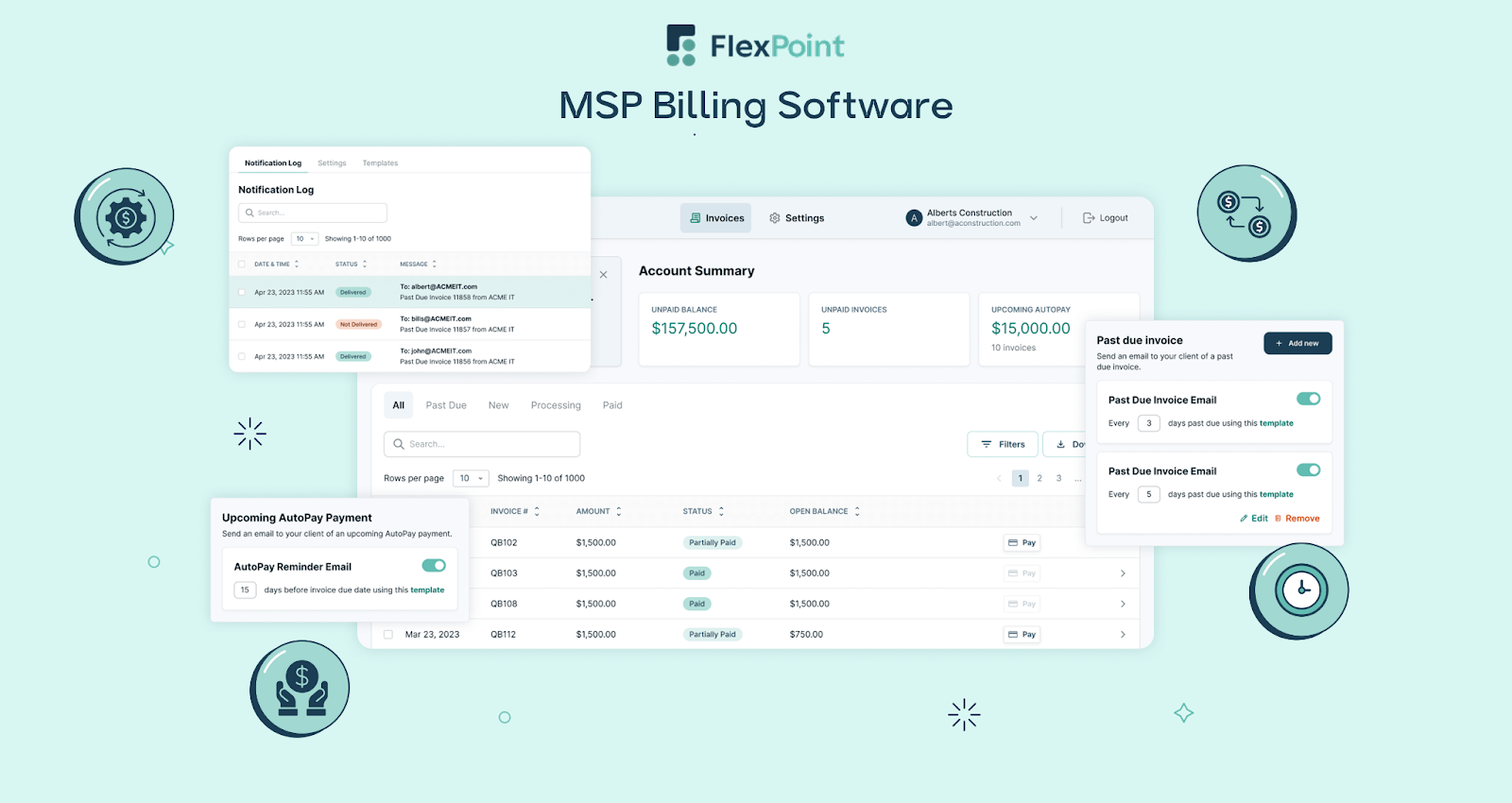
FlexPoint supports all the complex billing models that MSPs need. Whether you charge fixed recurring fees, usage-based amounts, tiered packages, or one-off project invoices, FlexPoint can handle it.
You can automate billing for monthly per-user or per-device charges, hourly support overages, and variable cloud usage, all through a single billing system.
This means no more workarounds or manual invoice edits when your services or contract terms change.
FlexPoint is designed to accommodate MSP pricing structures out of the box, so your billing process is always accurate and efficient.
Cost Savings On Payments:
One of the biggest wins with FlexPoint is the cost savings on payment fees. Instead of losing a percentage of every transaction, MSPs retain a larger share of their revenue.
ACH payments are charged at a flat rate (as low as $0.25 per transaction) with FlexPoint, versus the standard 1% fee QuickBooks charges.
For large client payments, paying just $0.25 per ACH is a considerable improvement over giving up 1%. Even credit card fees can be minimized, as FlexPoint enables credit card surcharging in a legally compliant manner.
This means that when clients choose to pay by card, the processing fee (e.g., 3%) can be passed on to them rather than absorbed by you. MSPs using FlexPoint have saved thousands of dollars annually by recouping card fees and utilizing low-cost ACH.
For example, Excellent Networks (an El Paso-based MSP) moved many clients from card to ACH payments through FlexPoint’s portal and saved over $10,000 annually in credit card fees.
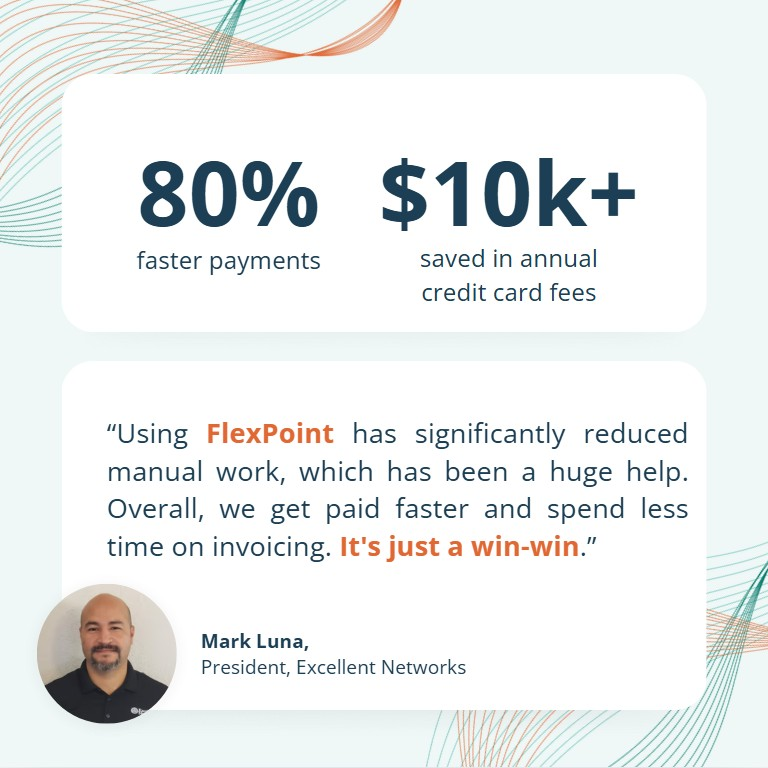
Simply put, FlexPoint stops excessive payment fees from consuming your profit margins.
Billing Automation That Works:
FlexPoint helps you get paid faster with far less manual effort. You can automate payment collections and reminders in ways that QuickBooks alone cannot.
For instance, you can set up AutoPay rules so that clients are automatically charged for recurring invoices without needing to click “Pay” each cycle. FlexPoint sends email reminders for upcoming due dates and past-due notices, and even tracks whether clients have opened invoice emails.
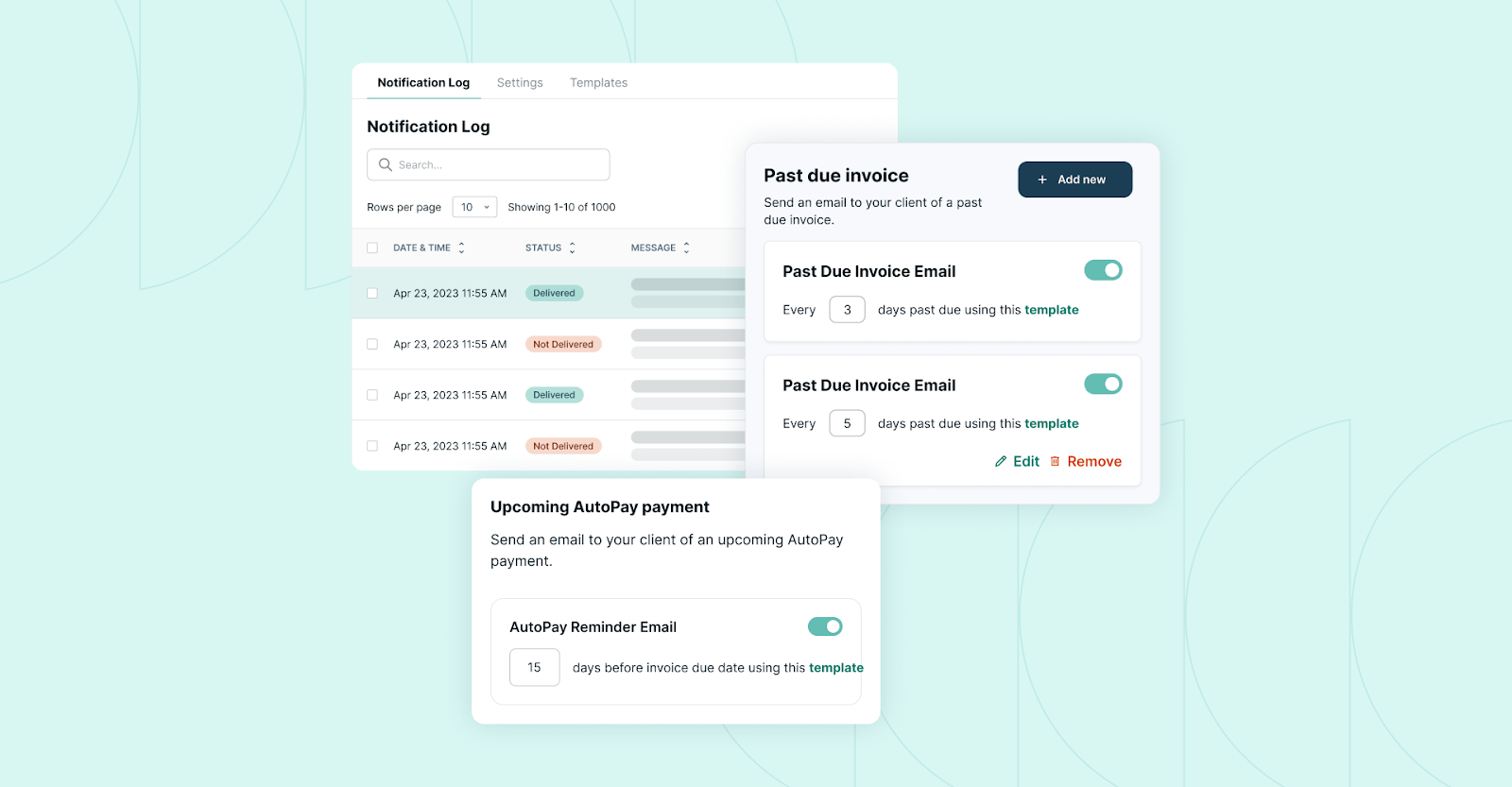
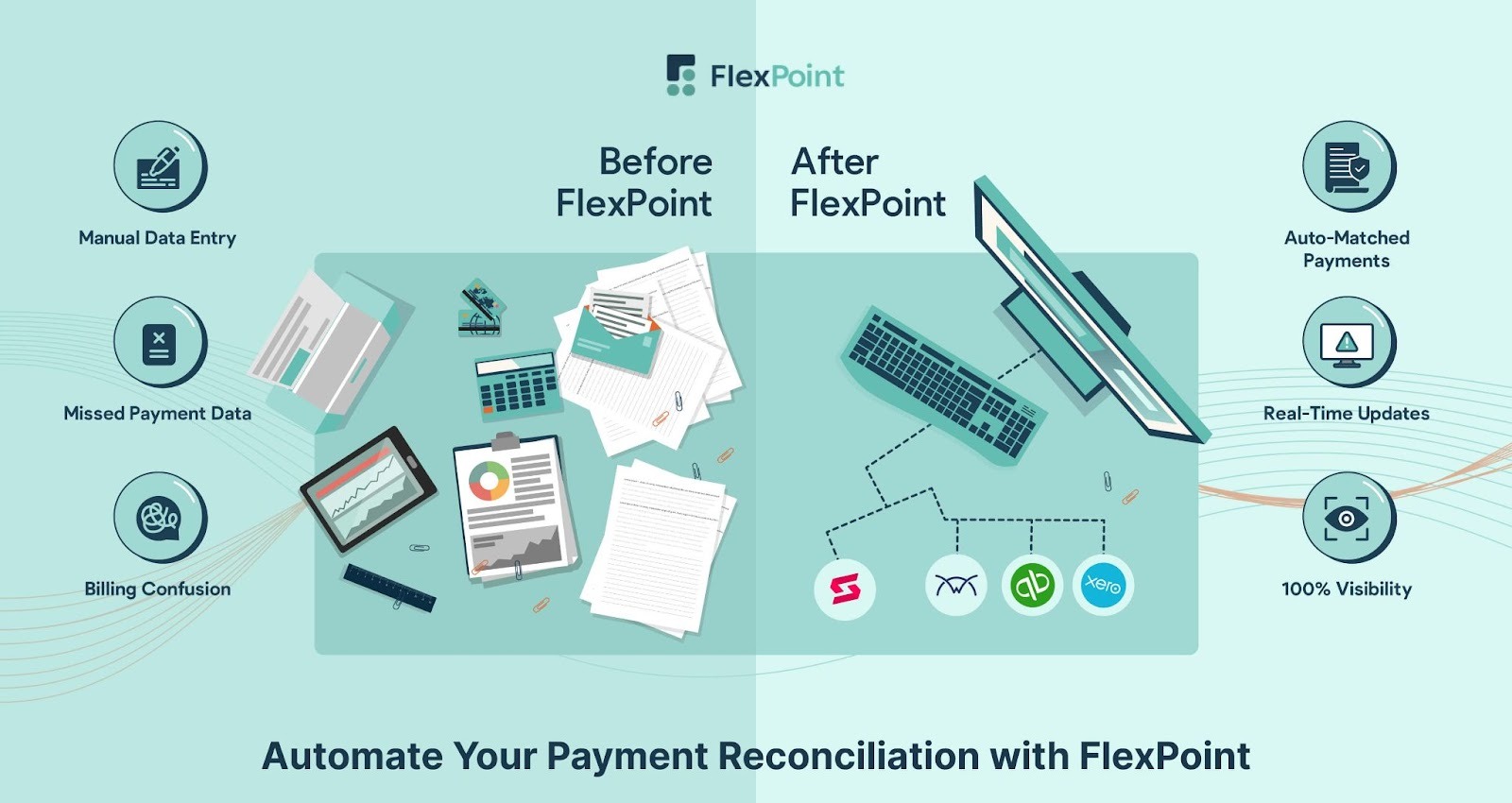
All of these automations reduce the need for your team to chase unpaid bills. The platform also automatically matches payments to invoices and updates your records in real time, eliminating tedious reconciliation tasks.
By offloading manual tasks to automation, MSPs significantly free up their staff’s time.
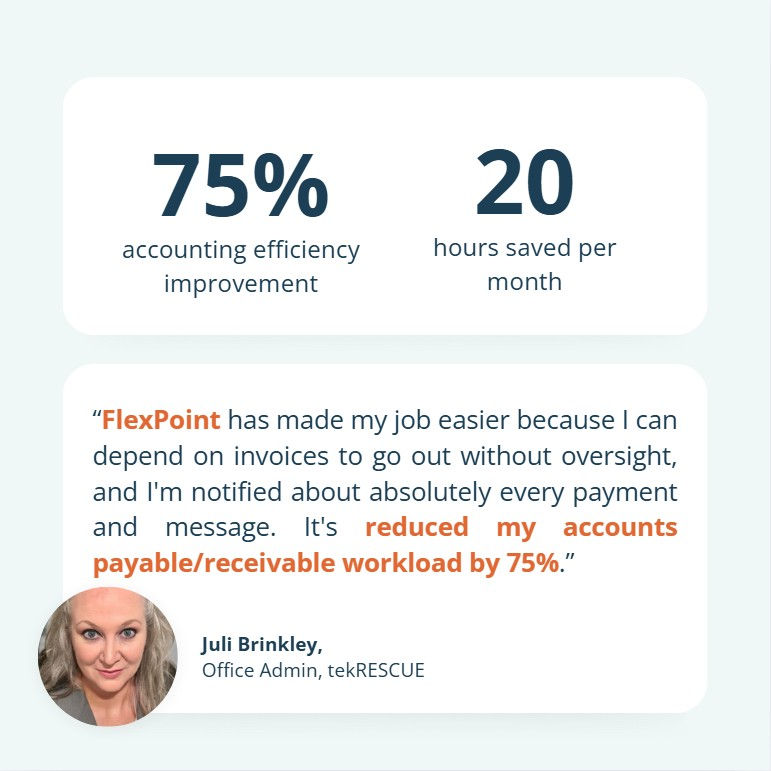
In fact, some MSPs have seen dramatic efficiency gains. For example, tekRESCUE (a Texas-based MSP) switched to FlexPoint and cut its billing admin workload by 75%, saving about 20 hours each month on invoicing and payment tasks.
That means fewer billing errors, fewer forgotten invoices, and more time for your team to focus on clients instead of paperwork.
Two-Way Integration with PSA and Accounting:
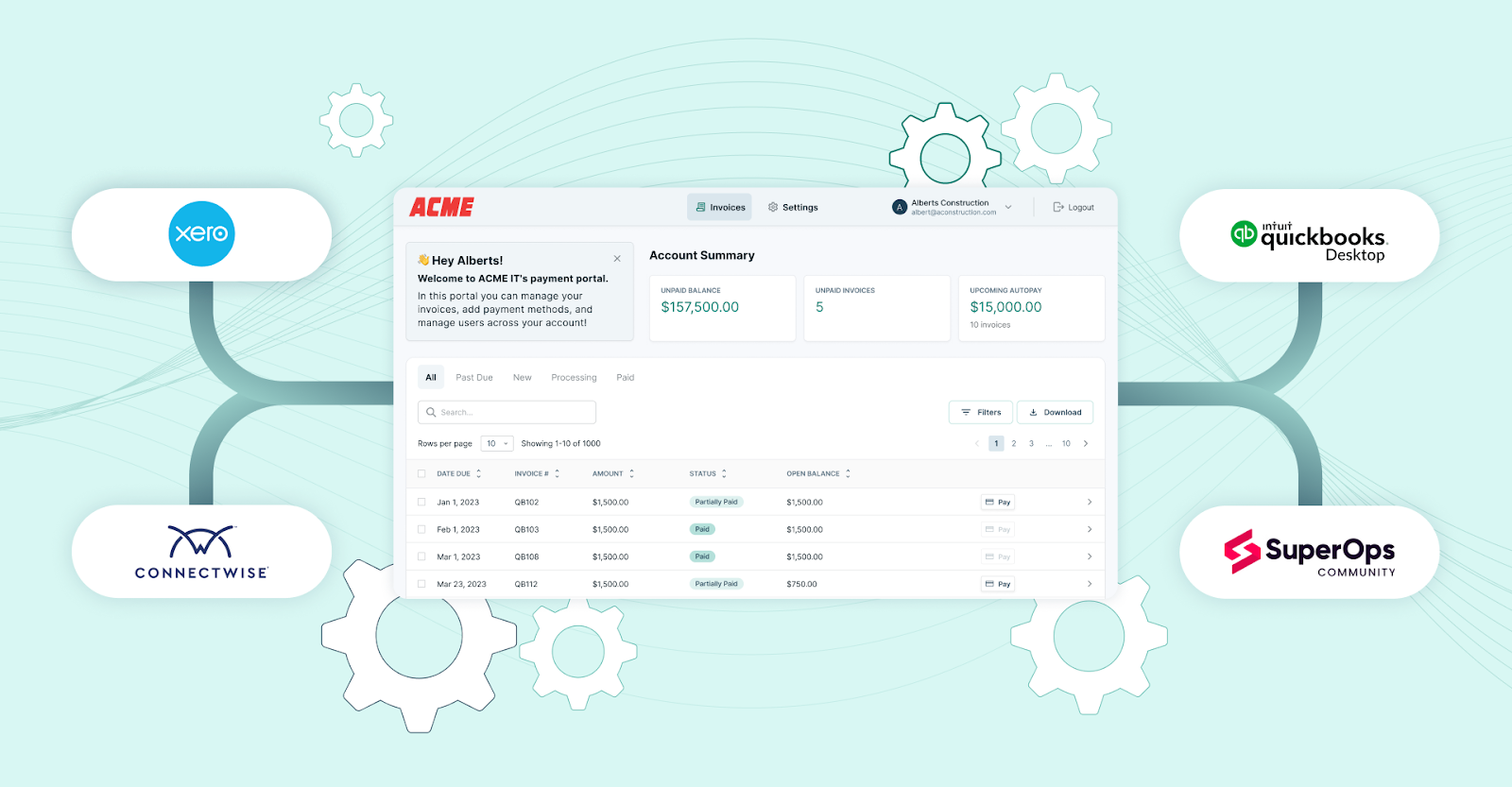
FlexPoint was designed to integrate seamlessly into an MSP’s existing software stack. The platform offers seamless two-way integrations with both your PSA tools and your accounting system (QuickBooks Online, QuickBooks Desktop, Xero, etc.). This bi-directional sync enhances billing accuracy and efficiency.
For example, FlexPoint can sync with ConnectWise PSA or Autotask to pull in billing data (such as time entries or ticket charges) and automatically create invoices, which then sync with QuickBooks.
When a client pays an invoice through FlexPoint, the payment is posted back to QuickBooks and recorded in the PSA, eliminating the need for manual input.
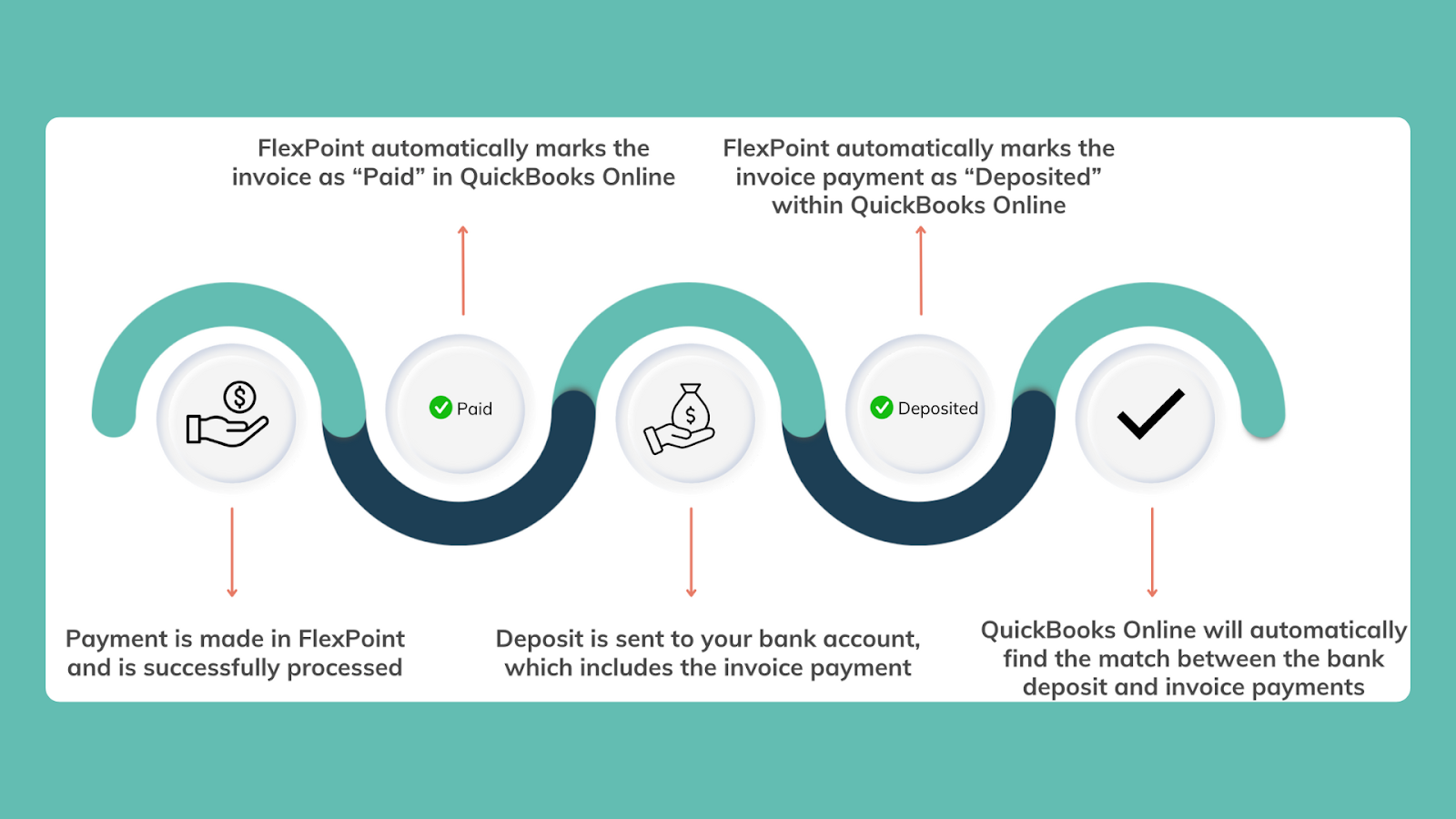
This integration ensures your service delivery, billing, and accounting are always in lockstep. There will be no duplicate data entry or discrepancies between systems; everything remains consistent.
You gain real-time visibility across platforms, and your financial reports always align with your service records.
Faster Payments and Improved Cash Flow:
FlexPoint’s infrastructure is optimized for quick payment processing.
For instance, the platform supports Same-Day ACH, meaning ACH transfers that would take nearly a week in QuickBooks can settle the same day in FlexPoint.
Credit card payments also settle quickly, and every payment is instantly reconciled in the system. Faster processing and automated reconciliation mean money in your account sooner, with less effort.
When your cash comes in faster, you can pay your vendors on time, meet payroll comfortably, and reinvest in growth without constantly worrying about late receivables.
Branded Client Portal:
FlexPoint lets you offer your clients a professional, self-service payment portal under your own brand. This is a significant upgrade to the client experience.
Through FlexPoint, your clients can log into a secure portal (on your domain) to view their invoices, save payment methods, and set up recurring AutoPay on their accounts.
The portal, emails, and receipts are all white-labeled with your company name, and there’s no FlexPoint or third-party branding visible to clients. This makes your MSP look more polished and trustworthy during billing.
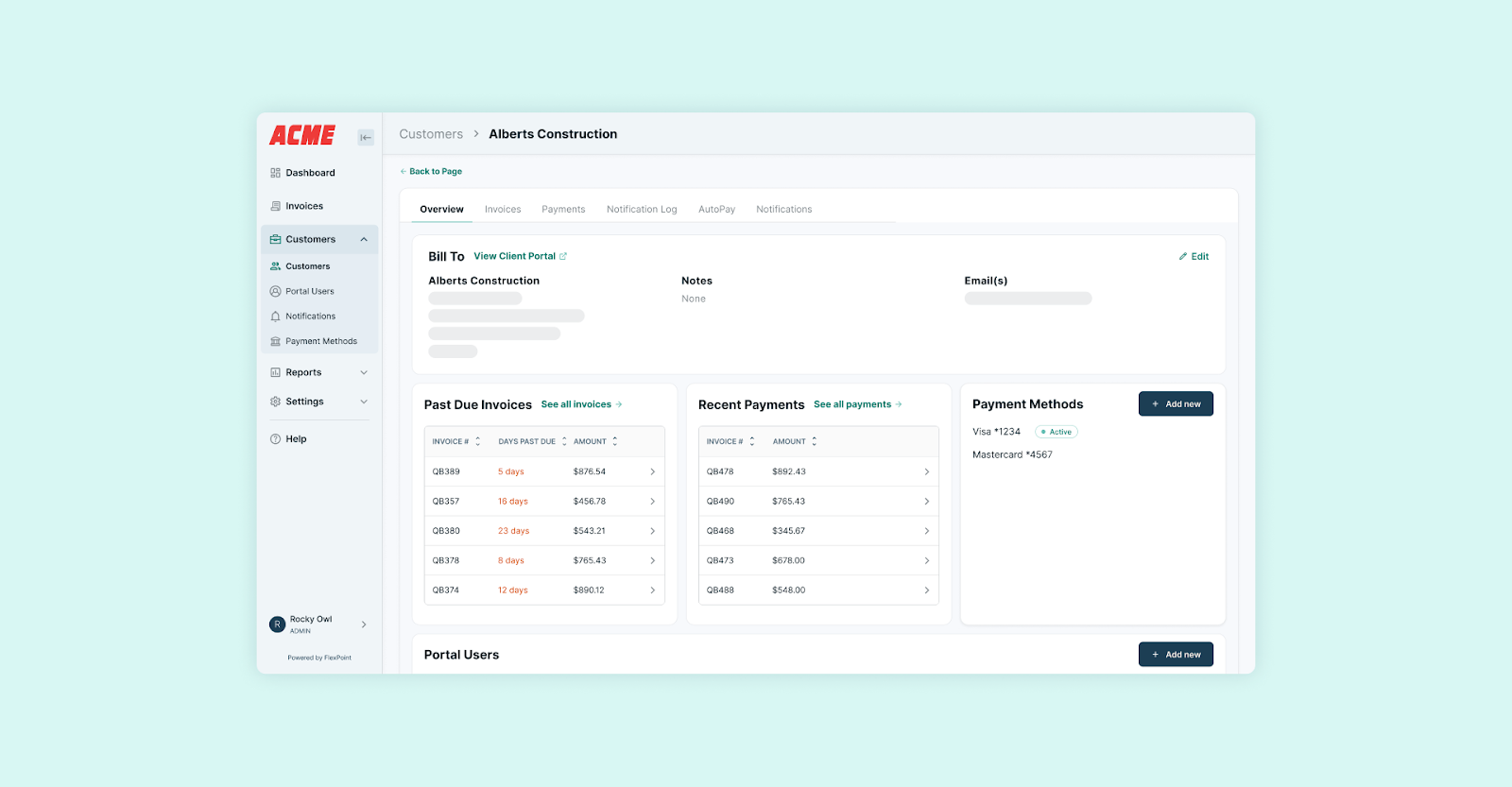
Clients appreciate the convenience too: they can update their credit card or bank info, see past payments, and know precisely what they’re being charged for.
Features such as automated email reminders and transparent fee display (e.g., showing any surcharges or discounts) keep clients informed.
In contrast, QuickBooks Payments offered no such client portal experience; with FlexPoint, you’re providing modern payment convenience that enhances client satisfaction.
A smooth billing process reflects well on your services, and it can set your MSP apart from competitors who still make clients deal with clunky payment methods.
In summary, FlexPoint solves the limitations that plague QuickBooks Payments.
The platform is built to handle MSP billing in all its complexity. FlexPoint saves you money on fees, automates your manual busywork, integrates with your existing tools, speeds up your cash flow, and delivers a better experience for you and your clients.
These are the reasons MSPs are making the switch: to operate more efficiently and profitably than they ever could with QuickBooks alone.
How to Seamlessly Transition from QuickBooks Payments to FlexPoint
Switching from QuickBooks Payments to FlexPoint may sound like a big step, but in practice, it’s straightforward and well-supported. FlexPoint’s team helps ensure the migration is low-risk and doesn’t disrupt your operations or cash flow.
Here’s a step-by-step look at how an MSP can confidently transition:
Step 1: Review Current Billing Workflows
Begin by evaluating your current approach to billing and payments. Map out your process in QuickBooks.
For example, generating recurring invoices, processing ACH vs. card payments, handling usage-based charges, and managing failed payments or refunds.
Identify the pain points in that process (e.g., manual invoice adjustments, high fees, delays in reconciliation).
List what features you need from FlexPoint as well. This could include support for usage-based billing, integration with your PSA, automated late fees, client AutoPay, and more.
Step 2: Onboarding with FlexPoint
When you decide to switch, FlexPoint provides white-glove onboarding and support to guide you through the process.
After you create a FlexPoint account, a dedicated onboarding specialist will work with you to configure the platform.
This typically includes reviewing your billing models and contracts, setting up your FlexPoint + QuickBooks Online integration, and enabling any PSA connections or custom features you need.
The FlexPoint team has done this for many MSPs, so they have a proven checklist to ensure nothing is missed. They’ll help you customize your client portal branding, configure automated emails, and enable features such as surcharging or AutoPay based on your preferences.
Step 3: Data Migration
A crucial part of the transition is migrating your existing data. Fortunately, you do not have to manually re-enter all your clients or invoices into FlexPoint.
FlexPoint will sync with QuickBooks and import the necessary client and invoice data for you.
During onboarding, you’ll connect FlexPoint to QuickBooks (Online or Desktop) via a secure integration. This link allows FlexPoint to import your client list, view open invoices, and access payment history.
The platform works in conjunction with QuickBooks as an extension. Your historical records remain in QuickBooks, and FlexPoint references them.
FlexPoint doesn’t transfer past records from your old system. Instead, the platform connects with your existing QuickBooks setup to support automated billing, collections, and reconciliation with little disruption, no matter which QuickBooks version you're using.
Similarly, if you integrate a PSA, FlexPoint will pull in contract or billing info from there as needed.
The result is no data loss and no tedious data entry to start using FlexPoint. Your clients, invoices, and balances will be in the system and ready to go.
Step 4: Training & Setup
Once FlexPoint is configured and synced with your data, you’ll go through a brief training period. FlexPoint’s interface is user-friendly. However, your billing team will still appreciate becoming familiar with the new workflow.
The FlexPoint onboarding team typically provides training sessions to show your staff how to:
- Send invoices through FlexPoint
- Enable AutoPay for clients
- View payment status, handle exceptions (such as failed payments or refunds)
- Use the dashboard reports
You may want to run a short pilot at this stage.
For example, process a few test transactions or have a couple of clients pay via the new FlexPoint portal to ensure everything is working as expected.
This phased approach enables your team to gain confidence with FlexPoint while QuickBooks Payments continues to process the majority of transactions in parallel.
Step 5: Go Live with FlexPoint
With training done, you’re ready to switch over entirely.
Some MSPs choose to go live in phases.
Start by routing all new invoices through FlexPoint, while allowing any older outstanding invoices to be completed in QuickBooks Payments. Or you could transition a subset of clients first.
For example, start with those who pay via ACH, then add credit card payers.
A phased rollout allows you to monitor the system in real-world usage and ensure that clients are adapting well.
There is no downtime required. You can keep QuickBooks Payments active until you’re comfortable, then turn it off once FlexPoint is handling everything.
FlexPoint’s team remains available during the go-live period to answer questions or troubleshoot any issues.
Because the integration keeps QuickBooks up to date, your accounting remains uninterrupted during the switch.
At the end of this process, you’ll have fully retired QuickBooks Payments and be running on FlexPoint for all billing and collections. The payoff is immediate: lower fees, reduced manual work, and a more efficient process for both your finance team and your clients.
Conclusion: Make the Switch from QuickBooks Payments to FlexPoint with Confidence
QuickBooks Payments may have been a helpful starting point, but MSPs might find it’s not a sustainable solution as their businesses grow. The fees, manual work, and limitations erode profitability and efficiency.
FlexPoint offers a better way forward.
The billing platform is purpose-built to handle MSP billing automation, two-way integrations, and cost-control measures that QuickBooks simply doesn’t offer.
By switching to FlexPoint, MSPs can unlock immediate benefits:
- Higher collection rates
- Faster payments
- Lower processing costs
- A streamlined client experience
Importantly, making the switch is not a daunting ordeal. As we’ve described, FlexPoint’s onboarding team ensures the transition is straightforward and fully supported. You don’t have to worry about data loss, downtime, or confused clients.
QuickBooks was built as an accounting tool for generic small businesses, whereas FlexPoint is a comprehensive billing platform built for MSPs.
If you’re ready to stop wrestling with QuickBooks Payments’ shortcomings, it’s time to consider joining the wave of MSPs moving to FlexPoint.
Ready to switch from QuickBooks Payments?
FlexPoint delivers the automation, savings, and client experience MSPs need.
Book your FlexPoint demo today.
Additional FAQs: Switching from QuickBooks Payments to FlexPoint
{{faq-section}}




