

QuickBooks Online is already the backbone of accounting and invoicing for most MSPs. Its integrated payment feature, QuickBooks Payments, is an easy way to manage client payments and cash flow.
Many MSPs start with QuickBooks Payments as an option because it's conveniently built into the QuickBooks ecosystem. The integration is seamless, and for small teams handling straightforward monthly invoices, it works well enough.
But as your client base grows and billing becomes more complex, you will notice the gaps. High payment processing fees eat into your MSP's margins. Manual workarounds lead to excessive workload and inaccuracies. The lack of automated payment reminders slows down payment collection and disrupts cash flow. These inefficiencies gradually drain your MSP's efficiency and profitability.
In this article, we’ll offer clarity on the advantages and limitations of QuickBooks Payments, helping you assess how well it fits your specific billing and payment workflows.
We’ll examine how the platform manages recurring client invoices, service-based billing, reconciliation, and transaction fees to support your MSP as the business expands. By the end, you'll know whether QuickBooks Payments is worth keeping or if it's time to choose a platform built to address the unique billing challenges MSPs face.
{{toc}}
Overview: What Is QuickBooks Payments and Who Is It For?
QuickBooks Payments is Intuit’s built-in payment processing feature, built directly into QuickBooks Online. MSPs can accept payments directly on invoices via credit cards, debit cards, ACH bank transfers, and payment links, all without leaving their accounting platform. For MSPs already using QuickBooks Online, it is an easy way to automate payment collections and reconcile transactions.
The platform handles basic payment workflows, allowing MSPs to send invoices with payment links conveniently, set up recurring billing for monthly service agreements, and sync payments directly with QuickBooks Online.
QuickBooks Payments works best for MSPs with straightforward billing models. If your business charges flat monthly fees for standard service packages, the platform handles this efficiently. It's also suitable for smaller teams that don't need extensive automation or complex billing rules. The direct QBO-QBP integration saves time on reconciliation, and the setup process is relatively simple for those already familiar with QuickBooks.
However, QuickBooks Payments lacks features that rapidly growing MSPs with a wide variety of clients need. As your MSP scales and billing becomes more complex, you'll hit the limitations and face inefficiencies that will require you to find a more specialized MSP-centric solution.
Top Benefits of QuickBooks Payments for MSPs
QuickBooks Payments enables MSPs already using QuickBooks Online to collect and reconcile client payments easily. It offers the following benefits for MSPs in the early stages of growth or managing straightforward billing models:
Seamless Integration with QBO:
QuickBooks Payments is built directly into QuickBooks Online, allowing invoices, payments, and bank deposits to sync automatically. It is helpful for small MSP teams as they do not need to manually import payment data from a third-party processor or reconcile deposits across multiple platforms.
Automatic reconciliations eliminate billing errors and save time on the month-end close. For MSPs already managing their books in QuickBooks, the end-to-end connection keeps billing, payments, and reporting in one place.
Easy Online Payment Collection:
QuickBooks Payments makes it simple for clients to pay their invoices. Each invoice includes a built-in payment link that allows clients to settle bills via credit or debit card, or ACH transfer, with just a few clicks. This convenience reduces payment friction, resulting in fewer instances of delayed collections.
For MSPs handling paper checks or manually tracking deposits, this built-in online payment option can significantly improve cash flow consistency.
Support for Recurring Payments:
The recurring billing feature of QuickBooks Payments makes it helpful for MSPs that operate on retainer or fixed monthly billing models. You can set up recurring invoice generation and payment schedules for clients with ongoing service agreements.
Once it's configured, the system will automatically create invoices and process payments according to your defined schedule.
This feature reduces manual work for your billing team and minimizes the risk of missed invoices, providing a predictable revenue flow. Instead of creating and sending the same invoices every month, the system automatically handles this process. It's a reliable option for MSPs with a stable client base where services and pricing remain consistent month to month.
Unlike many payment systems that require separate merchant accounts or technical integrations, if you are running a lean MSP with a handful of clients on flat monthly fees, QuickBooks Payments can handle your requirements without adding complexity or cost.
Common Drawbacks and Limitations to Consider About QuickBooks Payments
QuickBooks Payments offers convenience and simplicity, but it often struggles with the complex billing and payment needs of growing MSPs. While it suits small businesses with a few invoices each month, it quickly becomes costly and inefficient as your client base expands.
Here are some common drawbacks and limitations of QuickBooks Payments that MSPs should consider before relying on it as their payment platform:
Higher Transaction Fees:
QuickBooks Payments charges 2.99% per credit card transaction and 1% per ACH transaction. These percentages may seem manageable for MSPs with a small number of clients; however, as monthly recurring revenue increases, these costs add up quickly.
For MSPs handling high-volume client billing, transaction fees can eat directly into profit margins. A $100,000 monthly billing cycle could result in $2,990 or more in lost processing costs. Since MSP profit margins are often between 8 to 18%, that’s a meaningful portion of profitability going to transaction fees.
Unfortunately, QuickBooks Payments doesn’t offer volume-based discounts or lower interchange rates as your transaction volume grows, so there’s little room to drive down these costs.
No Built-in Compliant Surcharge Control:
Many US states permit MSPs to pass credit card processing fees to clients, helping them recover costs while maintaining transparent pricing.
However, QuickBooks Payments does not support compliant automatic surcharging or convenience fee programs, so MSPs are forced to absorb the entire processing fee burden, regardless of transaction size or type.
For MSPs with frequent recurring payments and a large number of invoices to process, manually adding a surcharge to invoices is time-consuming. Using workarounds to offset costs can lead to compliance issues. Without built-in surcharge control, MSPs lose the ability to protect their margins while staying within legal boundaries.
Slower Deposit Times:
QuickBooks Payments can delay access to funds, as ACH transfers often take 2 to 5 business days to clear, while credit card payments may take 1 to 3 business days. This lag can disrupt the MSP's ability to pay vendors, cover payroll, or reinvest in operations.
MSPs need steady inflows to manage project costs or software licensing renewals, and delays in payment reconciliation can create unnecessary financial pressure. QuickBooks Payments also offers an optional ‘Instant Deposit’ feature for up to 5 transactions per day, but it incurs an additional 1.75% fee on the total deposit amount.
Limited Billing Logic for MSPs:
MSP billing is not always one-size-fits-all. As you scale operations, your billing structure may vary, to include usage-based services, variable project work, hardware resale, and tiered pricing. QuickBooks Payments is built for fixed-amount invoices and does not support automated tiered pricing or custom contract logic.
MSPs using QuickBooks Payments have to rely on manual calculations, spreadsheets, or disconnected tools to manage variable client charges. Over time, it increases administrative overhead and also introduces errors in billing accuracy. As you onboard more clients, your finance team will spend more time on billing and less on financial strategy.
Minimal Collections Automation:
QuickBooks Payments does not fully automate payment collection, as it lacks dunning workflows, automated follow-ups for overdue invoices, and AutoPay options that allow clients to authorize recurring automatic payments on invoices. MSPs must handle late payments manually by sending reminders, tracking due dates, and reconciling them individually.
MSPs already operate on thin margins, and delayed payments resulting from missed reminders and follow-ups impact cash flow predictability. As your client list grows, these manual processes can lead to delays in receivables and wasted administrative time.
Alternatively, MSP-specific billing automation platforms, such as FlexPoint, send automated reminders, AutoPay options, and dunning workflows to ensure timely and accurate payments from clients.
Limited Support for Chargeback Disputes:
QuickBooks Payments provides limited support for handling chargebacks and disputes. When a client disputes a charge, the communication and resolution process from Intuit’s support team is slow.
Disputed payments mean immediate financial loss for your MSP, and resolution can drag on for weeks or months, while you may still be servicing the non-paying client.
QuickBooks Payments doesn't offer proactive tools to prevent chargebacks or streamline the resolution process. The lack of a clear escalation path or real-time status tracking can leave MSPs waiting weeks for outcomes, tying up both revenue and time. If disputes become frequent, the lack of support and slow response times can lead to significant revenue loss and frustration for your finance team.
Lack of Professional Client Experience:
One major downside of QuickBooks Payments is the lack of control over branding. Instead of showcasing your company’s logo, colors, or messaging, clients see QuickBooks’ branding throughout the payment process. This can make your client interactions less professional, undermining your efforts to build a strong brand.
For scaling MSPs, establishing client trust and brand identity is crucial for building lasting relationships. A consistent brand presence, from onboarding to invoicing, establishes your MSP's reliability and professionalism.
With QuickBooks Payments, you can’t customize your payment pages, apply your logo, or use your own color scheme, creating a fragmented brand experience. Over time, it dilutes your brand and makes it harder for you to stand out amidst the competition.
FlexPoint vs. QuickBooks Payments: Addressing the Gaps
QuickBooks Payments offers a convenient entry-level billing solution for MSPs; however, its limitations in cost control, billing flexibility, and automation become apparent as the number of clients and the complexity of billing increase.
FlexPoint is a purpose-built enhancement for QuickBooks Online that eliminates manual work, reduces processing costs, and automates the entire billing cycle.
Here is how FlexPoint closes the gaps left by QuickBooks Payments and gives MSPs greater control and scalability:
Lower Costs and Fee Recovery:
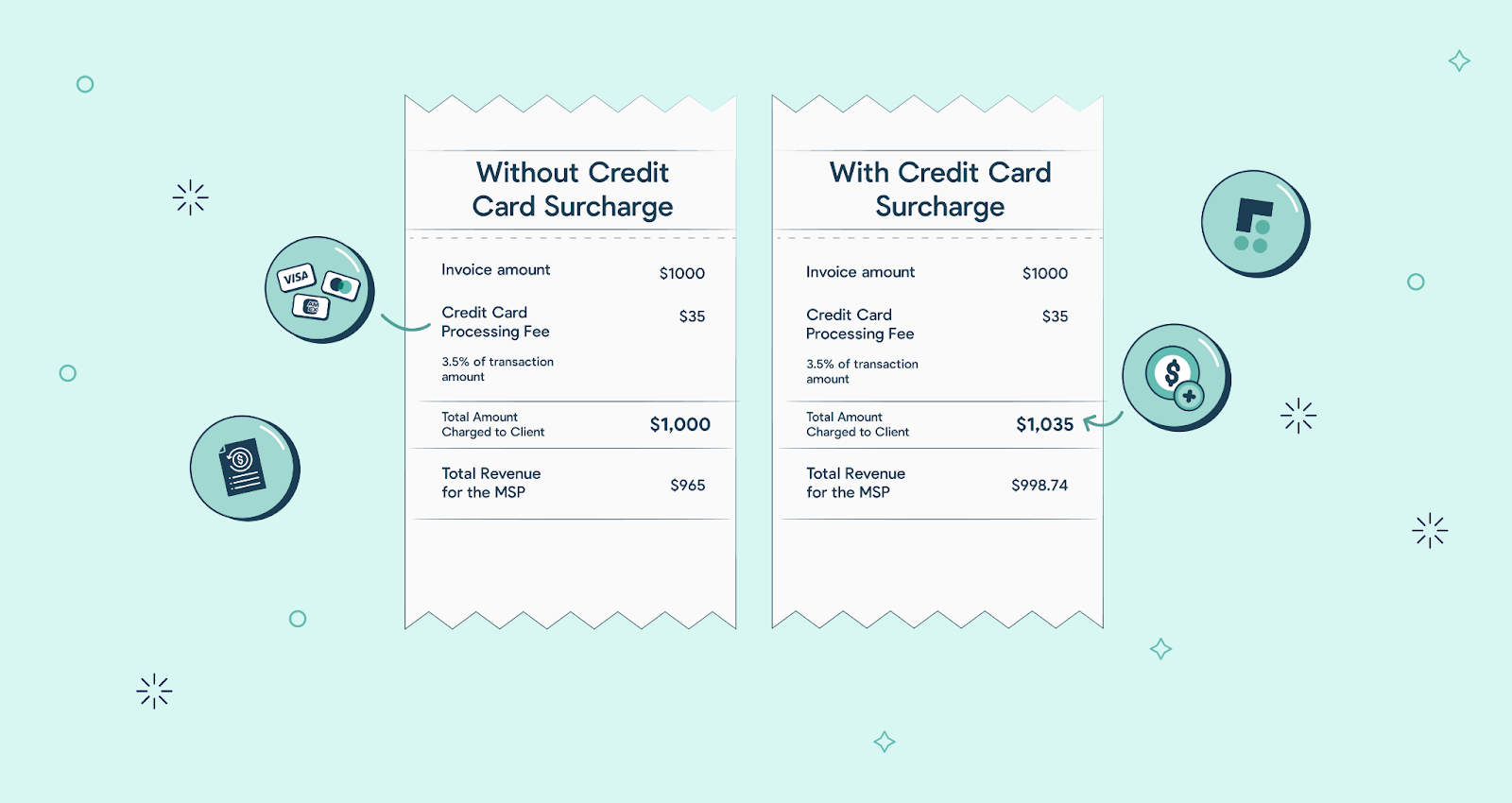
FlexPoint enables MSPs to collect payments and pass on credit card fees to clients in a legally compliant manner. Unlike QuickBooks Payments, which requires MSPs to absorb processing costs, FlexPoint’s built-in surcharge management system helps you stay compliant with card network and state regulations while protecting your profit margins.
For example, an MSP billing $150,000 per year could save $4,000 to $5,000 simply by recovering credit card fees. These dollars add straight to your profit, without increasing prices for clients.
FlexPoint also offers flat-rate ACH pricing, making bank transfers a cost-effective option for recurring payments. MSPs that receive a large volume of credit card payments can negotiate better interchange rates and lower credit card processing fees than standard rates, thereby reducing transaction costs. It prevents payment friction and improves the client experience.
Built for Complex MSP Billing:
MSP invoices are complex, and you may charge the same client for usage-based services, software licenses, hardware procurement, and ad-hoc work on the same invoice. QuickBooks Payments isn't designed to handle that level of complexity, but FlexPoint supports tiered pricing, pass-through expenses, bundled service models, and metered usage billing. You can easily set custom payment rules for each client, automate calculations, and eliminate the need for manual adjustments or external spreadsheets.
For example, if you bill clients based on active users or device counts, FlexPoint automatically syncs usage data from your PSA tool, calculates the correct amount, and creates a ready-to-send invoice. This ensures billing accuracy while freeing your team from repetitive administrative work. With FlexPoint, MSPs can scale their client base without increasing their finance workload.
Advanced Collections Automation:
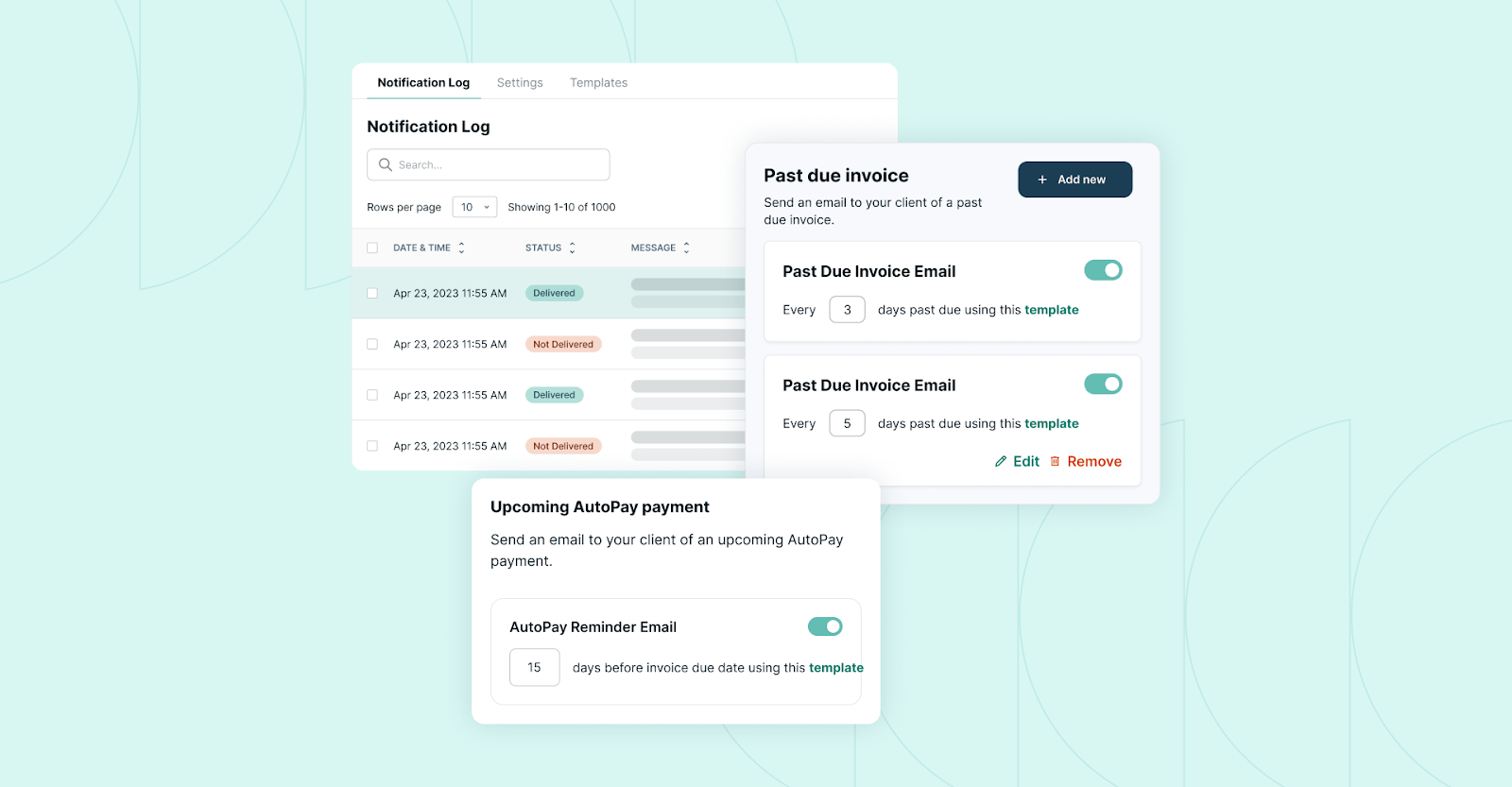
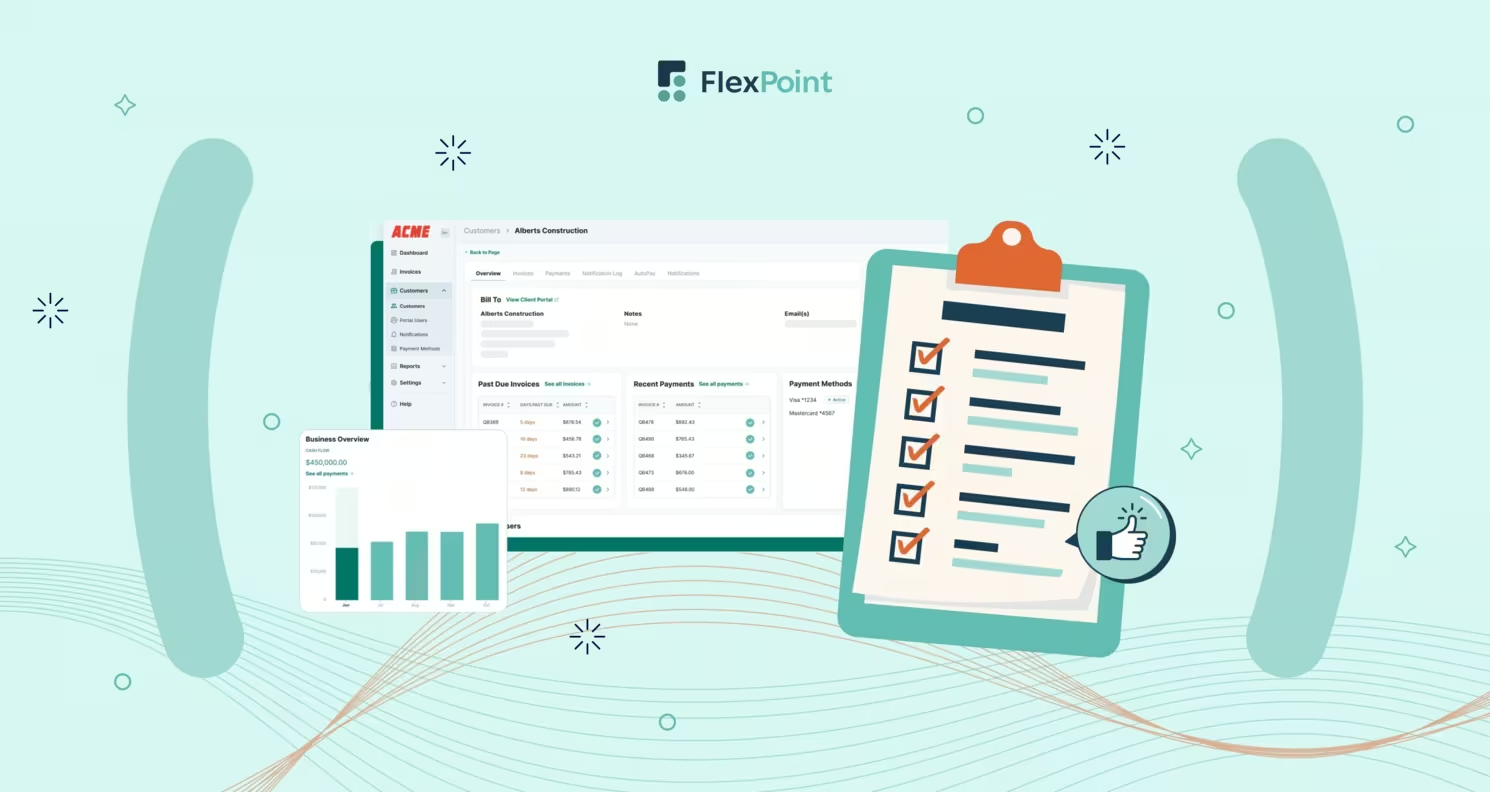
QuickBooks Payments lacks automation of payment collections. FlexPoint provides email tracking, automated reminders, and follow-ups on pending payments to ensure a smooth cash flow with minimal manual effort. You can see when clients open invoices, track pending payments on the client dashboard, and set up escalating reminder sequences to automatically notify clients of upcoming payments.
Branded Client Portal
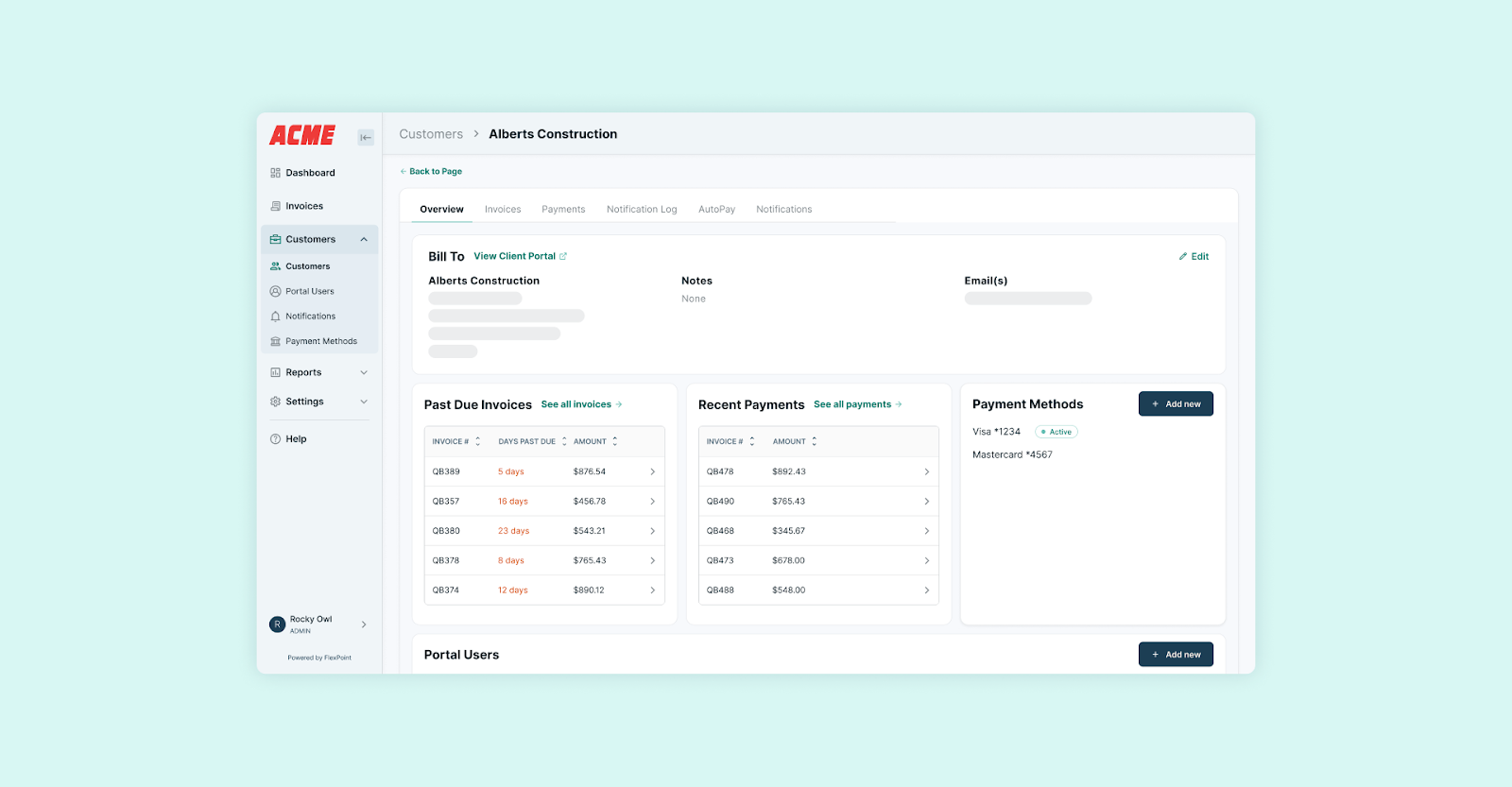
Additionally, FlexPoint offers a branded self-service payment portal, where clients can view invoices, make payments, manage payment methods, and enable AutoPay for recurring invoices. This eliminates the need for back-and-forth emails, providing clients with a seamless payment experience. For MSPs, automating payment collections results in faster collections, improved cash-flow predictability, and fewer hours spent chasing overdue invoices.
Instant Deposit Reconciliation:
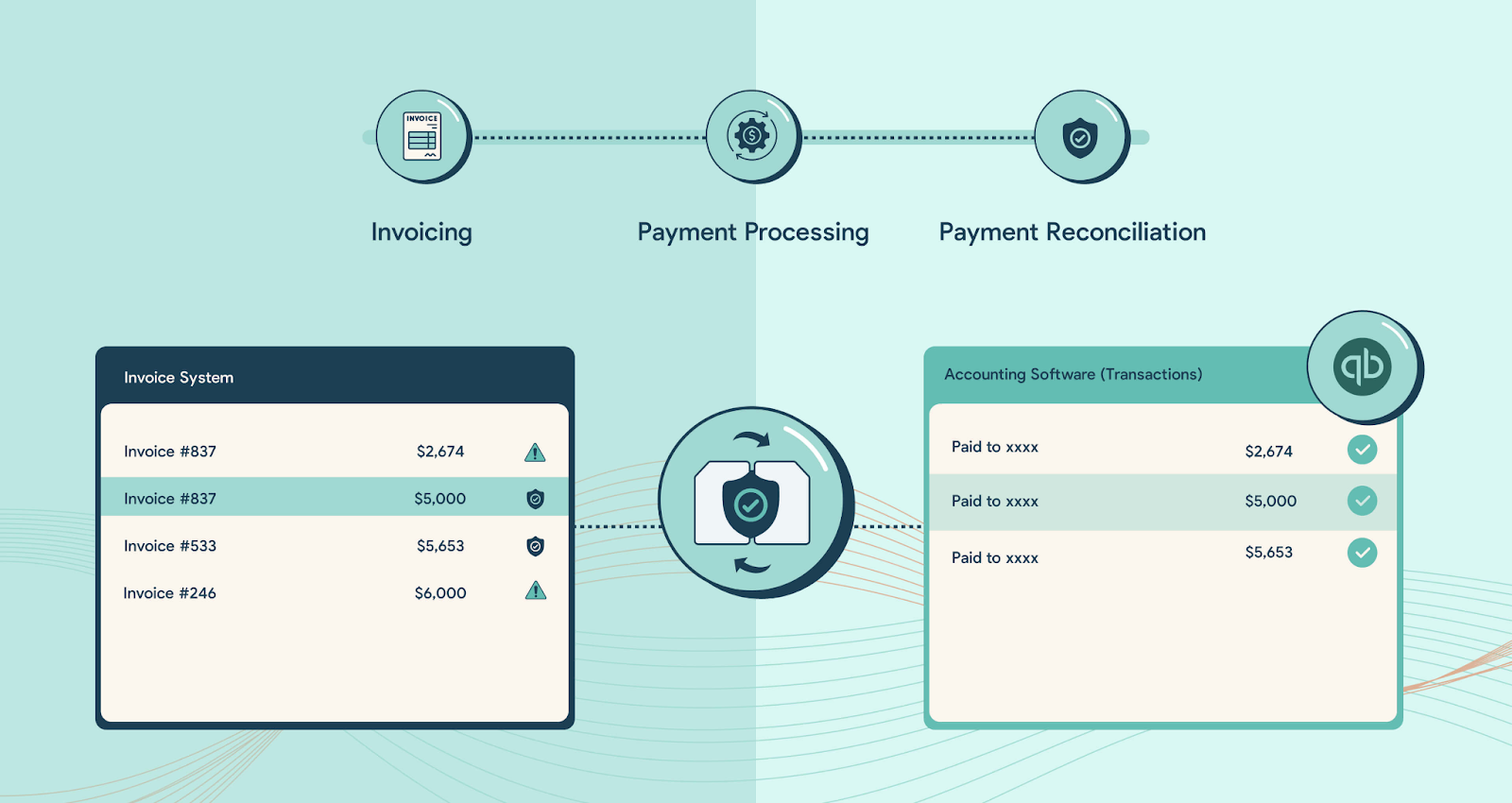
FlexPoint offers instant deposit reconciliation and two-way syncing wih accounting and PSA systems. All transactions, including late payments, automatically sync with QuickBooks Online, ensuring that your general ledger, bank deposits, and client invoices are always in sync.
Automated reconciliation eliminates the need for cross-checking transaction reports and manually updating payment records.
For MSP finance teams handling numerous clients and transactions monthly, FlexPoint saves a significant amount of time and provides real-time payment visibility. The transparency ensures you always know which clients have paid, which transactions are pending, and which require follow-up. It eliminates the uncertainty caused by delayed or mismatched deposits.
Native PSA Integration:
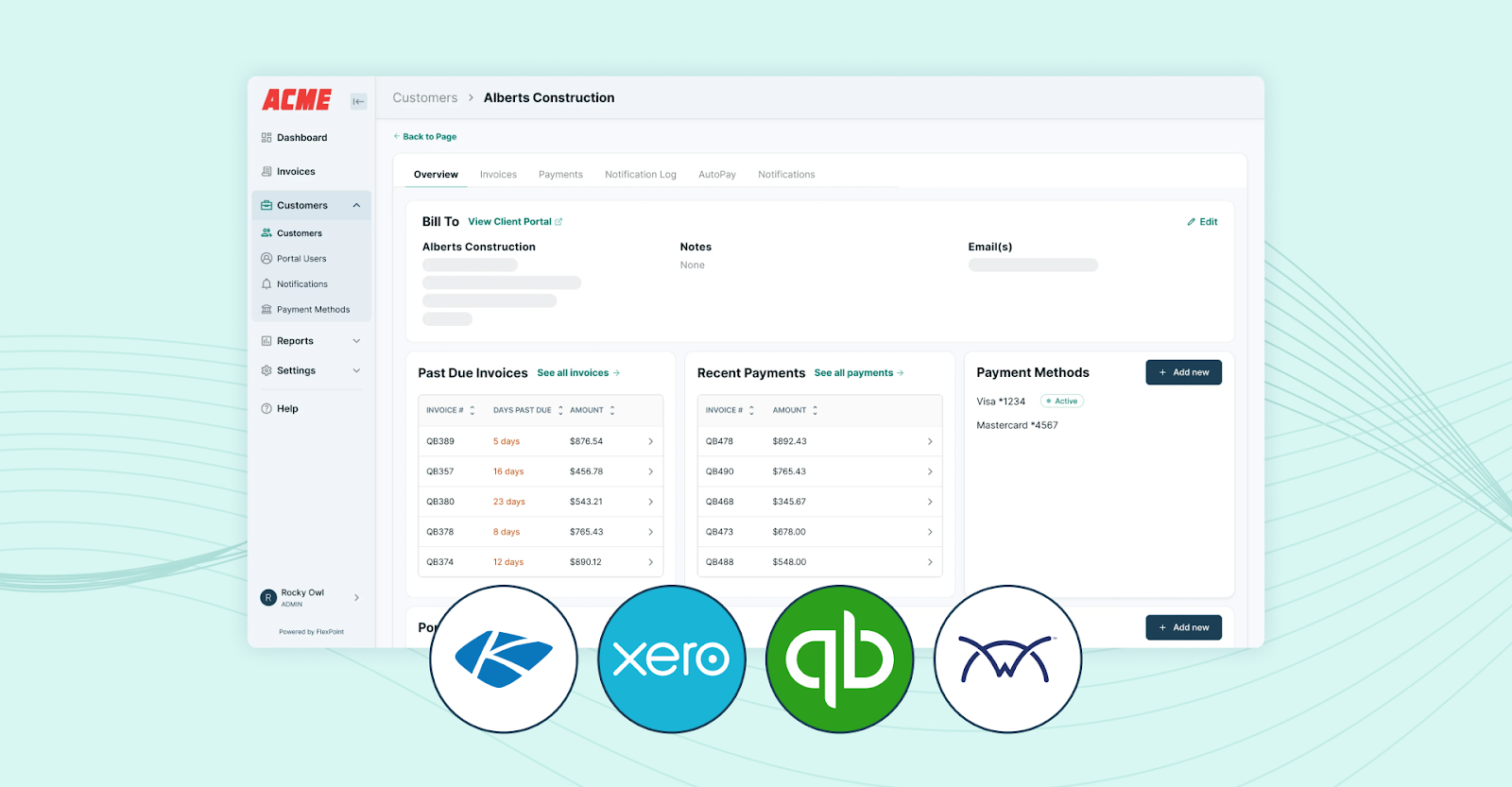
MSPs rely on PSA (Professional Services Automation) tools, such as ConnectWise PSA, Autotask, SuperOps, or HaloPSA, to manage tickets, track time, and deliver services. FlexPoint connects natively with PSA platforms for service delivery data and QuickBooks Online for accounting information. It ensures data consistency across your operational and financial systems.
Two-way integration solves the “double data entry” problem that MSPs face. Invoices are created automatically by synchronizing data from your PSA with FlexPoint, eliminating the need for manual intervention.
Real-time payment updates between your PSA and QuickBooks ensure accuracy, saving hours each billing cycle. MSPs gain a clearer view of their financial performance by directly connecting service data, such as billable hours or usage, with accounting data.
Branded Client Payment Portal:
QuickBooks Payments utilizes standardized, QuickBooks-branded payment pages, whereas FlexPoint provides MSPs with complete control over their branding and client experience. You can customize the client payment portal to reinforce your brand at every client touchpoint.
Clients can securely log in, view past invoices, save payment methods to enable Autopay for recurring charges, and raise concerns through the portal. The personalized client portal boosts professionalism while building client trust and satisfaction. It leads to a more seamless payment process, fewer client inquiries, and a modern experience that showcases your MSP’s reliability and attention to detail.
Conclusion: Is QuickBooks Payments Right for Your MSP?
QuickBooks Payments can be a convenient first step for MSPs to collect payments. It integrates with QuickBooks Online and QuickBooks Desktop, covering the basics of invoicing and reconciliation. Small or early-stage MSPs with simple billing needs find it easy to set up and simple to use.
As your MSP scales, if you continue using QuickBooks Payments, you will incur more manual work, lose profits due to high fees, and experience operational inefficiencies. Its limitations, including inflexible payment collection workflows, a lack of credit card surcharge automation, and a lack of MSP-specific billing customizations, create bottlenecks and erode your profit margins.
FlexPoint complements QuickBooks Online with end-to-end payment collection automation, compliant surcharge recovery, and seamless integration with PSA and accounting software. It gives you granular control over billing, payment collection, follow-ups, handling surcharges, and accounts receivable reconciliation. All transactions are transparent and compliant, helping protect your profits and build client trust.
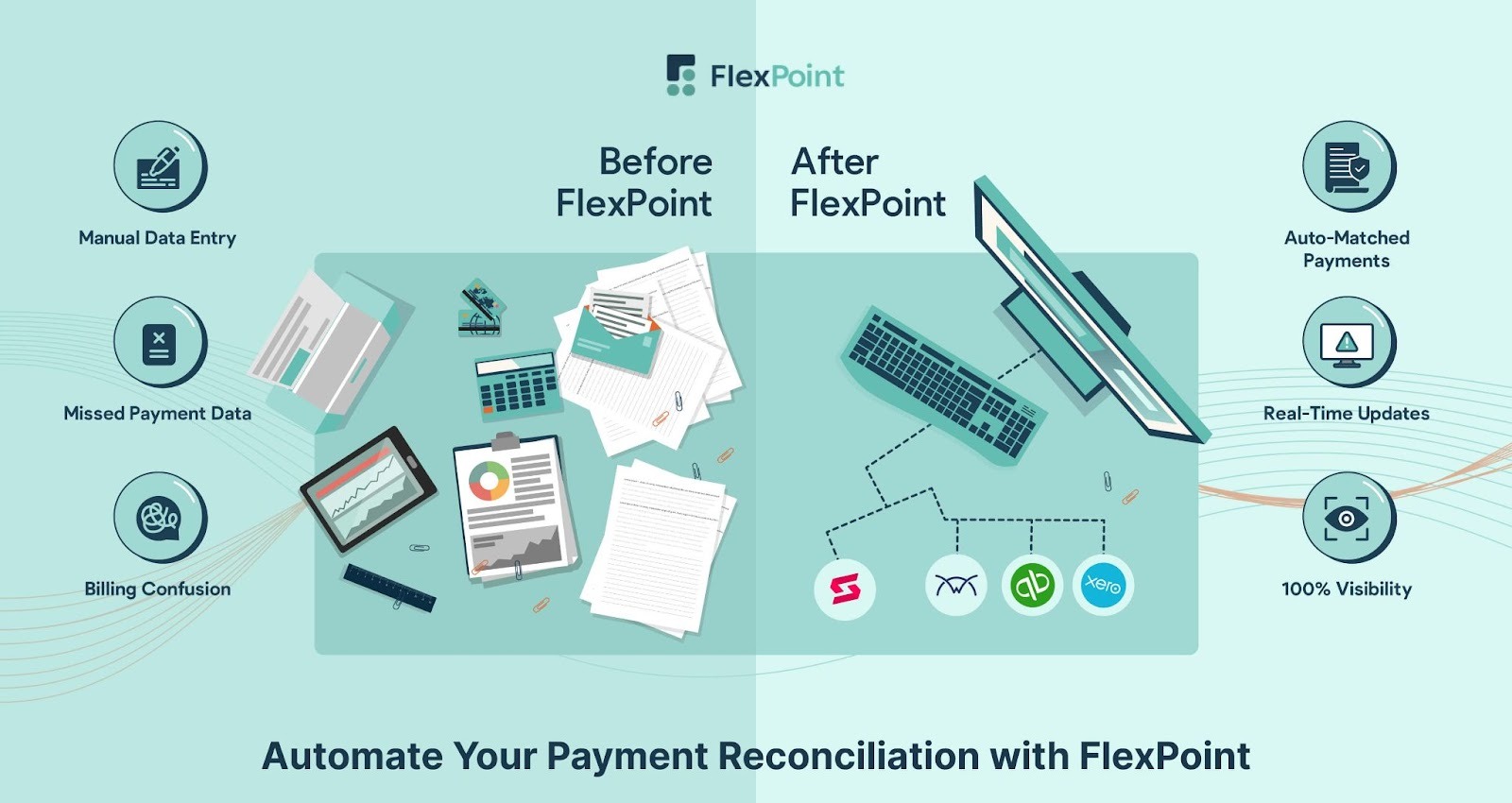
FlexPoint solves the problems MSPs face with QuickBooks Payments. It helps you:
- Recover credit card processing fees through surcharging (full or partial) instead of absorbing them.
- Collect payments seamlessly through a branded client portal (including an AutoPay option) instead of manually chasing payments.
- Offer MSPs a flexible financing option that allows their clients to pay via installment plans for larger project fees.
- Handle complex billing scenarios with client-specific flexible payment options and custom billing cycles.
- Reconcile deposits instantly instead of spending hours at month-end matching transactions.
- Automate MSP billing workflows end-to-end by integrating with PSA and QuickBooks Online.
With FlexPoint, you can eliminate manual work and reduce operational inefficiencies, saving time, lowering costs, and increasing profits.
TAZ Networks, a Michigan-based MSP, saw these benefits firsthand.
Before FlexPoint, their accountant, Gaby Patterson, spent days each month chasing down past-due invoices and manually entering data from QuickBooks. Clients had nowhere to log in and check their balances, so billing questions were frequent, and overdue statements piled up.
Once they implemented FlexPoint’s branded client portal with AutoPay, that changed quickly. Clients could review invoices themselves, securely store payment information, and process payments automatically.
The result? A 4x reduction in AR aging and a 30% decrease in invoicing time.

Want more control over fees, billing, and reconciliation?
See how FlexPoint works. Schedule a demo today.
Additional FAQs: QuickBooks Payments Pros and Cons
{{faq-section}}