

The payment platform that works for an MSP at one stage of growth may not be the one it needs at the next.
Alternative Payments gives MSPs a way to collect online payments, automate parts of the billing process, and connect with the PSA and accounting tools they already use. For many MSPs, that can be a meaningful step away from manual collections and toward digital billing.
But as an MSP grows, its billing requirements tend to grow with it.
Funding speed, integration depth, deposit reconciliation, collections workflows, client financing, and overall cost all become more important as payment volume and operational complexity deepen.
In this article, we explore why many MSPs are seeking alternatives to Alternative Payments and compare the top replacement options.
Our goal is to help you identify a billing solution that meets your billing needs at scale.
What are the best Alternative Payments alternatives for MSPs?
Leading Alternative Payments alternatives for MSPs include FlexPoint, ConnectBooster, WisePay, BenjiPays, and QuickBooks Payments. FlexPoint offers the strongest long-term fit for growing MSPs, with Same-Day ACH, AR Agents, automated deposit reconciliation, native PSA integrations, extended client financing, and full ConnectWise–QuickBooks Online synchronization through GL Connect.
We evaluated these options based on MSP specialization, integrations, accounting synchronization, funding speed, AR automation, deposit reconciliation, client financing, client experience, and pricing structure. Product information was verified against vendor documentation as of August 2026.
Why MSPs seek alternatives to Alternative Payments
While Alternative Payments may cover basic AR functions, MSPs may begin comparing alternatives when the work surrounding each payment remains manual or when the workflow they actually need is behind a paid upgrade.
Manual deposit reconciliation
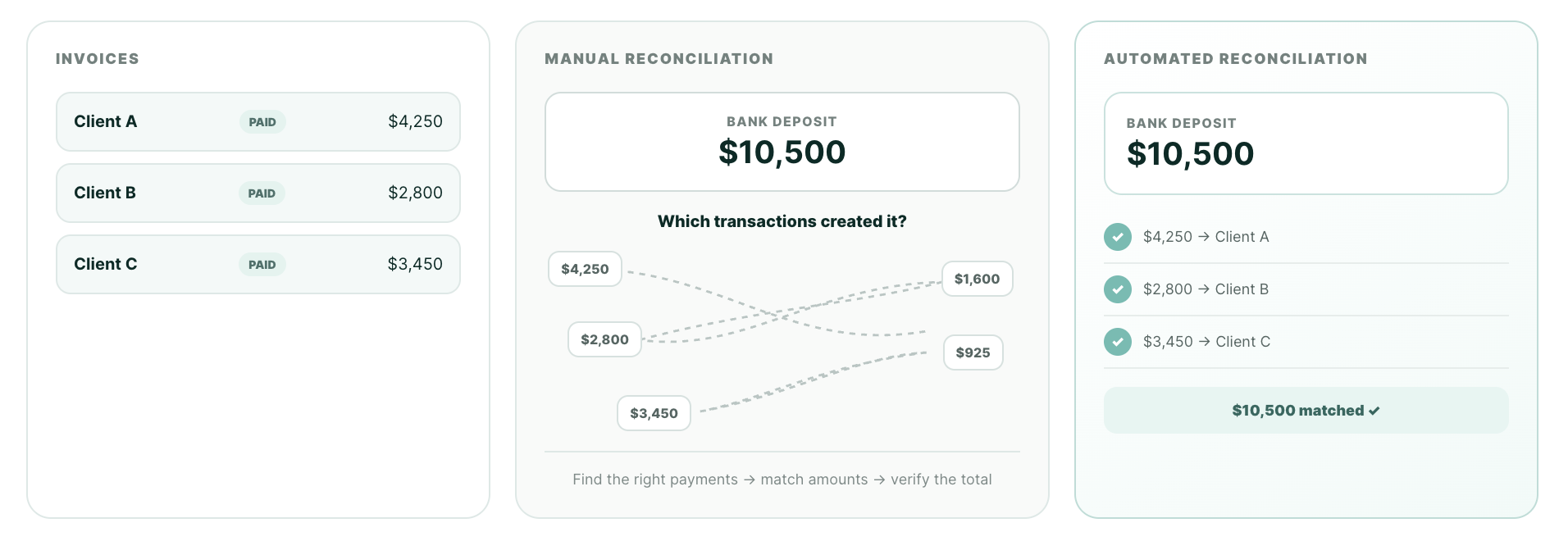
Alternative Payments requires manual deposit reconciliation.
It does mark an invoice as paid, but it does not automatically match the final bank deposit to the payments included in it.
That matters because one deposit may combine several client payments. Someone on your team still has to figure out which transactions make up that total and confirm that everything matches. As your MSP processes more payments, that manual work will quickly pile up, especially at the end of the month.
Faster funding costs extra
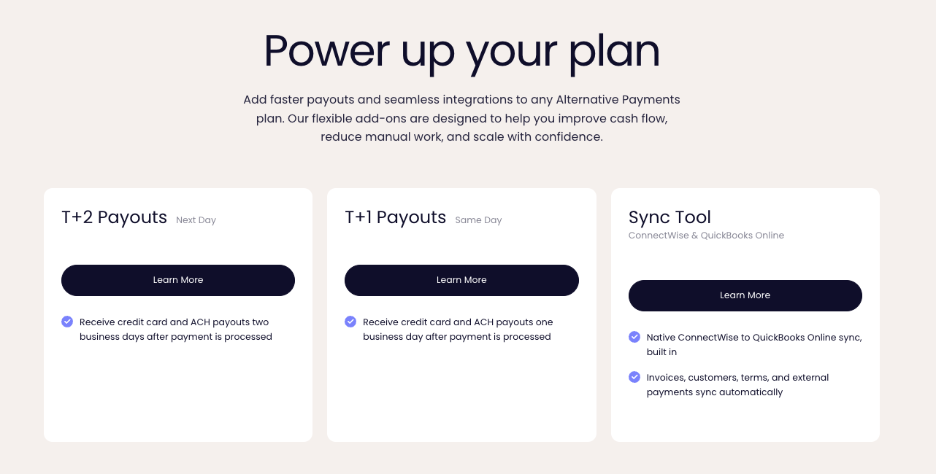
Alternative Payments does not include Same-Day ACH. Its faster payout option does provide next-day funding, but it can cost up to $200 per month extra.
Funding speed matters because collecting a payment and having usable cash are not the same thing. MSPs often front the cost of hardware, software, and project work, so several extra days in settlement can affect what the business has available to spend. That pressure is widespread: according to the Federal Reserve’s 2025 Small Business Credit Survey, 51% of small businesses cited uneven cash flow as a financial challenge.
When comparing alternatives, look at both the funding timeline and what you must pay to access it.
Full ConnectWise and QBO sync costs extra
For MSPs using both ConnectWise and QuickBooks Online, Alternative Payments offers a sync tool that syncs invoices, customers, terminals, and external payments between ConnectWise and QBO.
For MSPs looking to replace Wise-Sync or Mobius, it’s important to note the full sync feature is not included in the standard Alternative Payments platform price. MSPs must pay extra for it, which defeats the purpose of ripping and replacing Mobius or Wise-Sync in the first place.
Generalist rather than MSP-specific
Alternative Payments supports MSPs, but it is not built exclusively for them. The company also serves marketing agencies, staffing firms, wastewater businesses, and other industries.
That does not make the platform unusable for MSPs. It does mean MSP billing is one of several workflows competing for product-development attention. But as an MSP grows, the depth of the integrations and tools built specifically for the problems it faces can matter more than a general ability to send invoices and accept payments.
Scalability and long-term fit
A scalable billing platform should support greater payment volume and operational complexity without creating more manual work. That includes the work required to reconcile deposits, maintain accurate data across systems, manage overdue invoices, and serve clients with larger purchasing needs.
Reporting depth and paid add-ons also affect long-term fit.
If the functionality an MSP needs later requires another product, another fee, or another manual process, the platform may become harder to operate even if it can technically continue processing payments.
Financing is one part of that equation. Alternative Payments does offer financing, but it is limited to up to 150 days. For growing MSPs, that may not be sufficient for managing projects with expanding scopes.
Key features to look for in an Alternative Payments alternative
Replacing a billing platform takes work. The next platform should meaningfully improve the operation rather than recreate the same limitations in a different interface.
1. Purpose-built MSP functionality
Prioritize a platform designed around MSP billing, payments, integrations, and client management.
A platform’s target market shapes which PSAs it supports, how it handles recurring managed-services agreements, which workflows it develops, and what its support team understands without a lengthy explanation.
Evaluate how closely the platform's workflows, integrations, and support model align with MSP operations.
2. Integration depth (not just integration count)
An integration logo only tells you that two platforms connect.
It does not tell you what information moves between them or what your team must still update manually.
Look for integrations that keep invoices, payment statuses, and other billing records aligned across your PSA, payment platform, and accounting software. The more complete that flow is, the less duplicate entry and cleanup your team will have to handle.
3. Automated deposit reconciliation
Marking an invoice as paid is only part of the process. Your team still needs to confirm which client payments make up each deposit that reaches your bank account.
Look for a platform that automatically connects every deposit to the payments and invoices behind it. This reduces manual matching, prevents errors, and makes month-end reconciliation much easier.
4. Faster funding included
Check how long ACH payments take to reach your bank account and whether faster funding costs extra.
For MSPs that pay vendors or purchase equipment before clients reimburse them, settlement speed directly affects cash flow.
Look for Same-Day ACH that is included in the plan rather than sold as another monthly add-on.
5. End-to-end collections automation
Whatever your next platform, it likely supports some form of automated email reminders. But your team still needs to monitor overdue accounts and decide what happens next.
When looking at alternatives, look for offered tools that take more of that work off your plate. Prioritize platforms that are actively developing smarter collections tools. Your cash flow will improve but so will your client relationships.
6. Extended client financing
Evaluate not only whether financing exists, but also how useful the available term is for the invoices your MSP sends.
Look for a platform that gives clients enough time to pay for major hardware purchases or projects while your MSP receives the full amount upfront. Longer financing terms can reduce sticker shock for clients, protect your cash flow, and help your team close larger opportunities without becoming the lender.
Longer financing can serve as both a payment option and a sales tool as the MSP moves into larger opportunities.
Top Alternative Payments alternatives for MSP billing
The five platforms below vary considerably in scope. Some primarily make it easier to accept payments, while others automate more of the billing and AR lifecycle.
The right choice depends on why your MSP is leaving Alternative Payments in the first place.
1. FlexPoint
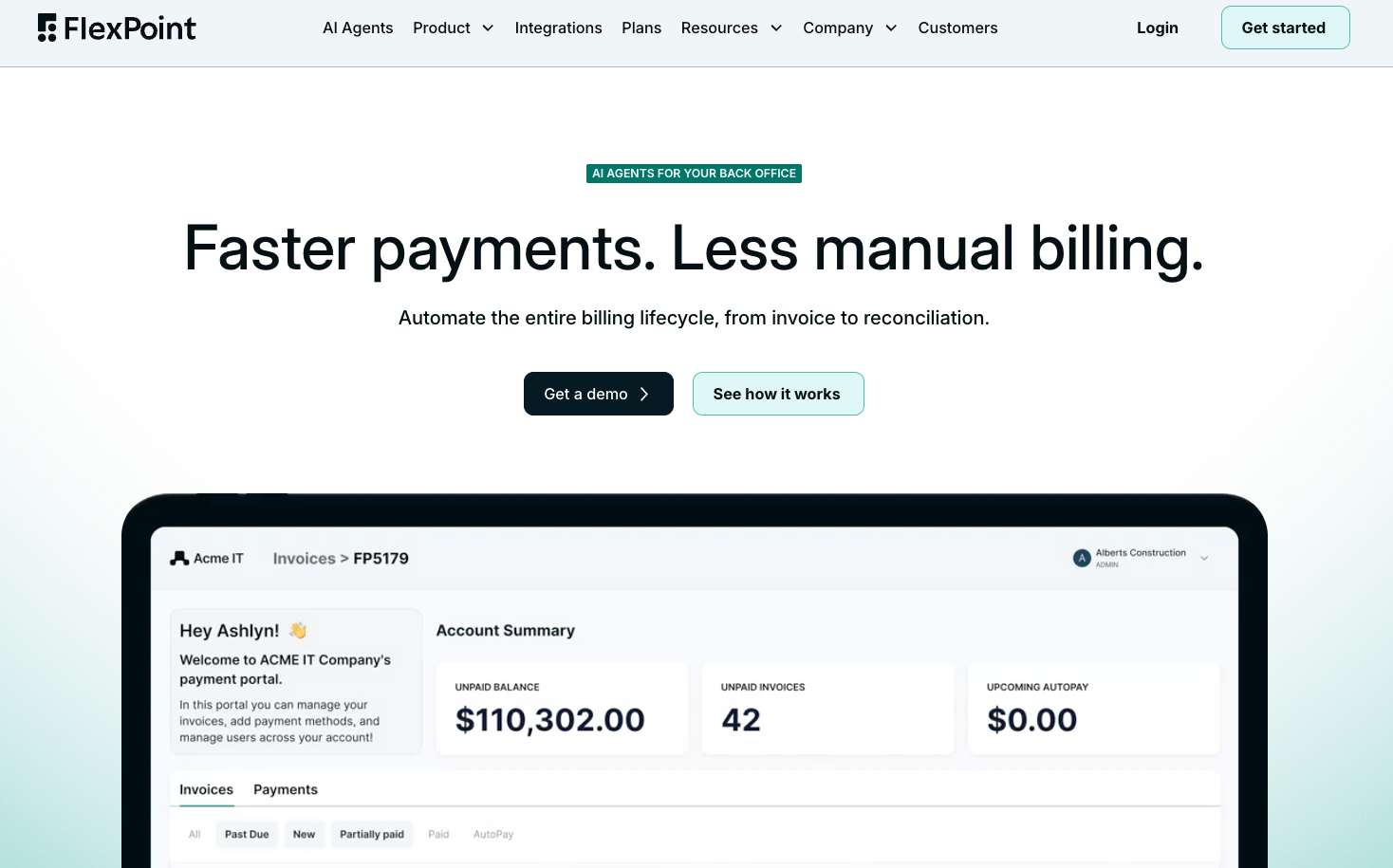
Verdict: Purpose-built for MSPs and designed to automate billing and AR end-to-end, with important functionality included rather than sold through separate products or add-ons.
FlexPoint features
- Same-Day ACH included across plans
- AR Agents for autonomous collections follow-up
- Automated deposit reconciliation
- AutoPay and flexible payment rules
- GL Connect for full ConnectWise & QBO sync
- No ACH transaction limits
- PCI compliance included
- Branded client portal hosted on the MSP’s domain
- No-cost client migrations
- FlexLine financing for eligible clients up to 12 months
- Detailed payment, deposit, and AR reporting
FlexPoint integrations
- PSAs: ConnectWise, Autotask, HaloPSA, and SuperOps
- Accounting: QuickBooks Online, QuickBooks Desktop, Xero, Sage Intacct, NetSuite, and Microsoft Dynamics 365 Business Central
- ConnectWise + QuickBooks Online: GL Connect provides full sync capabilities, replacing Wise-Sync and Mobius Lite. Included on Growth + Plus plans at no extra cost.
- Additional MSP tools: Rewst, ScalePad Quoter, QuoteWerks, ConnectWise CPQ, DataGate, and Cloud Radial
FlexPoint pros
- Built exclusively around MSP billing and client workflows
- Same-Day ACH included on all plans
- Automated deposit reconciliation
- Suite of AI agents for late payment collection and sync diagnostics
- Native HaloPSA integration
- Full ConnectWise PSA + QBO sync included on select plans
- Keeps the payment experience on the MSP’s domain
- U.S.-based, in-house support
- Independent and founder-owned
FlexPoint cons
- U.S. payment processing only
- MSP-specific functionality may be more than a business with very basic payment needs requires
FlexPoint pricing
FlexPoint offers annual plans with flexible, predictable pricing based on payment volume and functionality. Processing rates vary by plan but Same-Day ACH allowances, PCI compliance, and email tracking are included rather than sold as separate products.
Compared with Alternative Payments, FlexPoint’s strongest advantages are included Same-Day ACH, automated deposit reconciliation, longer client financing, and full ConnectWise and QuickBooks Online syncing of customers, products, invoices, payments, and tax names.
2. ConnectBooster
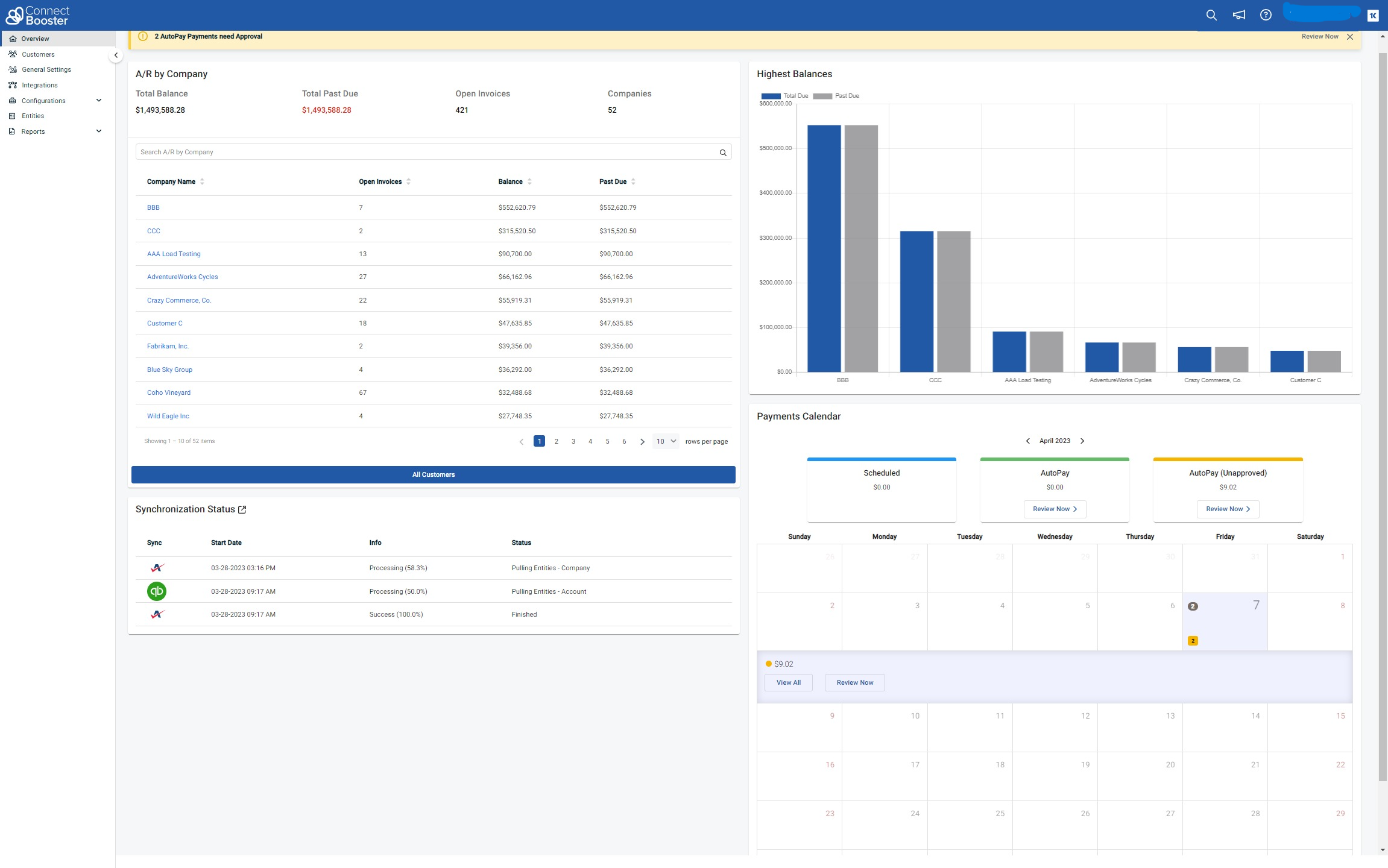
Verdict: A longstanding MSP-specific billing option with established PSA integrations, but with legacy limitations around reconciliation, funding, contracts, and additional-cost functionality.
ConnectBooster has served the MSP market for years and is more MSP specialized than Alternative Payments. It supports online payments, AutoPay, invoice reminders, and integrations with established MSP systems.
However, an MSP leaving Alternative Payments for better funding, reconciliation, and automation may encounter some of the same operational gaps.
ConnectBooster features
- Credit card and ACH payment collection
- AutoPay and saved payment methods
- Client payment portal
- Invoice delivery and reminder emails
- Basic billing and transaction reporting
ConnectBooster integrations
- PSAs: ConnectWise and Autotask
- Accounting: QuickBooks, Microsoft Dynamics Business Central, Xero, Sage Intacct
ConnectBooster pros
- Built for MSP billing rather than a broad range of industries
- Familiar option within the MSP market
- Established ConnectWise and Autotask integrations
- Supports recurring payments and payment automation
ConnectBooster cons
- No included Same-Day ACH
- Manual deposit reconciliation
- ACH transaction limits can be as low as $10,000
- PCI compliance and email tracking may cost extra
- Client registration and password setup require manual effort
- Portal is hosted on ConnectBooster’s domain
- Contracts can extend up to three years
- Usage-based pricing can increase the platform cost as payment volume grows
- No HaloPSA integration
- Owned by Kaseya
ConnectBooster pricing
ConnectBooster does not publish straightforward current pricing. A $349 monthly SaaS fee has been publicly referenced, while some customers may receive the platform through Kaseya 365 Ops.
Gateway, payment-processing, usage-based, and miscellaneous fees may still apply, and legacy agreements can look substantially different, with some Redditors even mentioning a total cost of $1,000/mo.
Learn more about what ConnectBooster may cost you.
3. WisePay
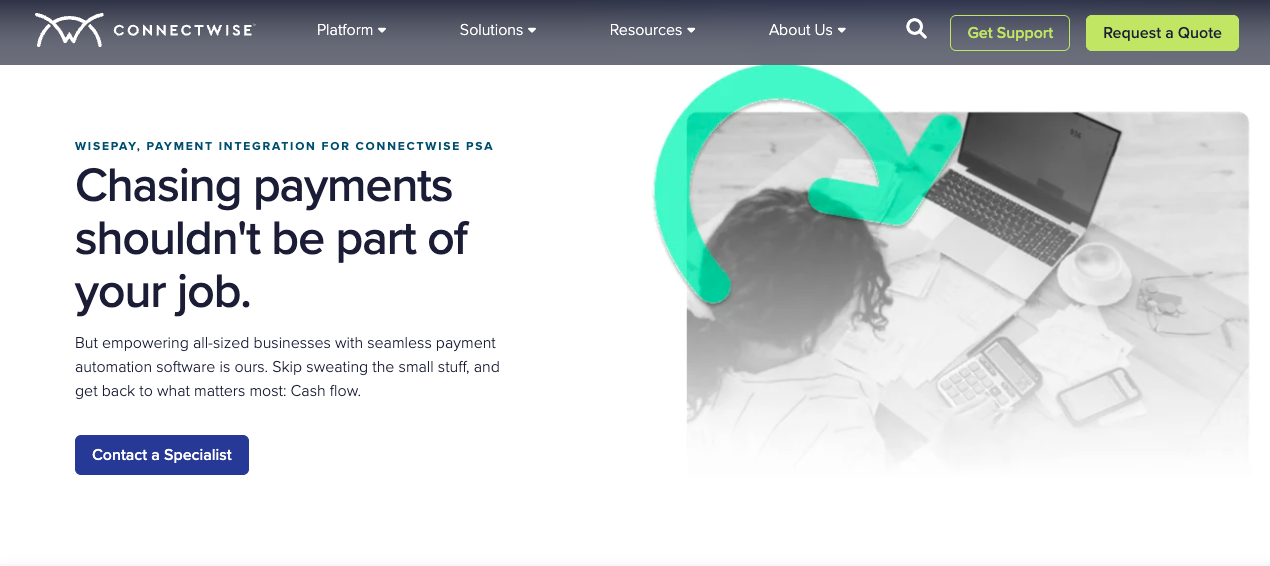
Verdict: A familiar payment option for ConnectWise-centered MSPs, but MSPs seeking greater automation, faster funding, or a consolidated billing workflow should examine what remains manual and what requires separate functionality.
WisePay supports online card and ACH payments and is closely associated with Wise-Sync, which historically synchronized PSA and accounting data. The company now describes WisePay as part of a consolidated invoice-lifecycle offering, but MSPs should confirm exactly which capabilities and costs are included in a current quote.
WisePay features
- Credit card and ACH payment collection
- AutoPay
- Client payment portal
- Payments with or without an invoice
- Batch payment across multiple invoices
- Payment reporting and invoice-lifecycle automation
WisePay integrations
- PSAs: ConnectWise and Autotask
- Accounting: QuickBooks Online and Xero
WisePay pros
- Familiar option for MSPs already invested in ConnectWise
- Supports common card, ACH, and AutoPay workflows
- Established PSA and accounting synchronization history through Wise-Sync
- Can automate portions of the invoice lifecycle
WisePay cons
- No Same-Day ACH
- No autonomous AR Agents
- Manual deposit reconciliation
- No advanced email tracking
- ConnectWise and QBO sync (Wise-Sync) often costs extra, dependent on invoice sync amounts
- Limited AutoPay rules
- Limited client portal functionality that uses ConnectWise domain
- Client account creation and password registration require manual work
- Onboarding and merchant underwriting involve several lengthy steps
- Owned by ConnectWise, making it less vendor-independent
WisePay pricing
WisePay does not publish straightforward pricing. MSPs should confirm the combined price of payments, synchronization, onboarding, merchant processing, and any required add-ons rather than evaluating only one component.
An MSP leaving Alternative Payments for Same-Day ACH, autonomous collections, automated deposit reconciliation, or a more consolidated ConnectWise–QuickBooks Online workflow may find that it does not address the full reason for switching.
4. BenjiPays
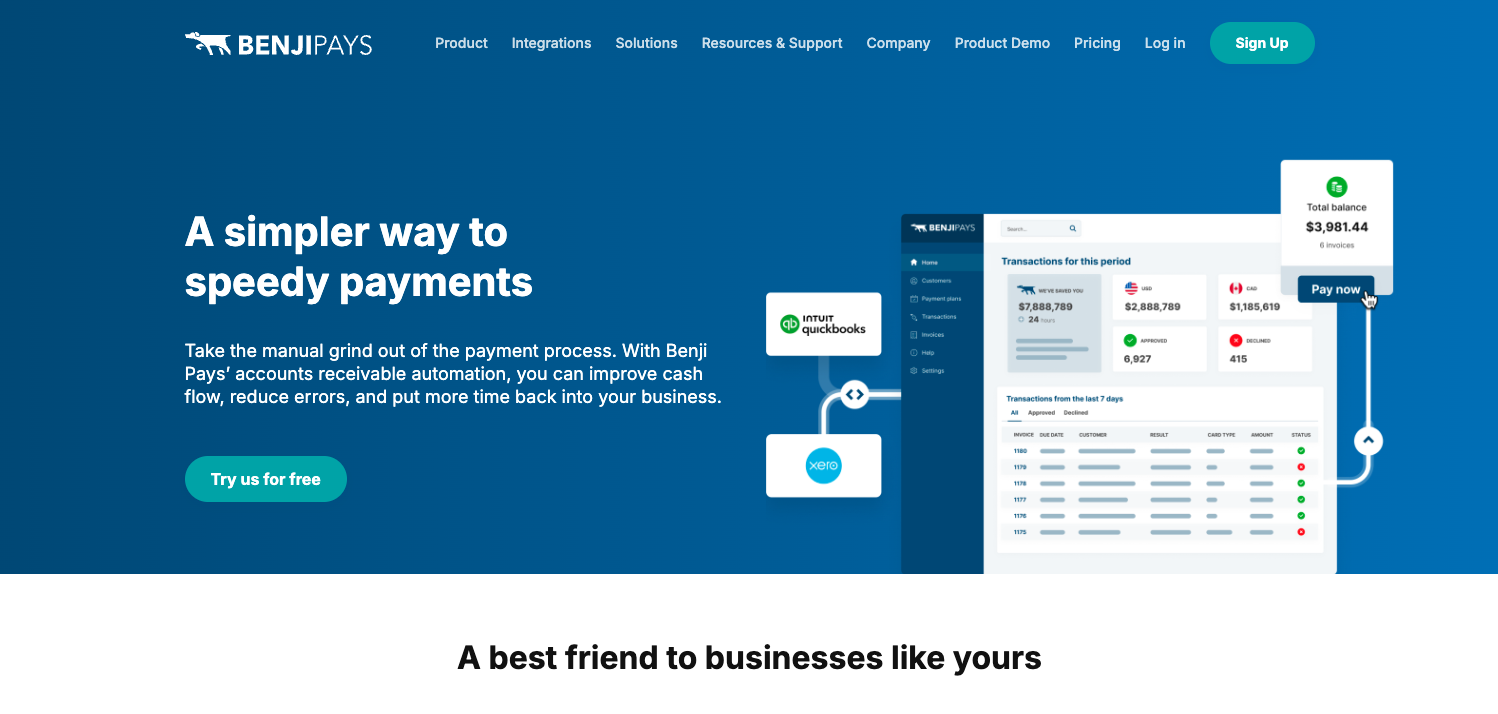
Verdict: A flexible general-purpose payments and AR platform with MSP integrations, although important functionality and transaction capacity depend on the selected plan.
BenjiPays supports Auto Processing, automated dunning through Invoice Rover, payment links, surcharging, installment plans, and multiple gateways. Its ability to retain an existing merchant account or gateway can be useful for a business that wants more flexibility around payment processing.
BenjiPays features
- Auto Processing
- Invoice Rover automated dunning
- Self-service customer portal
- Payment links
- Credit card surcharging
- Installment plans
- Support for existing merchant accounts and gateways
BenjiPays integrations
- QuickBooks Online and Xero support
- QuickBooks Desktop on applicable plans
- PSAs: HaloPSA, Autotask, and ConnectWise on the Advanced plan
- Custom domains and advanced SSO on higher tiers
BenjiPays pros
- Transparent published plan pricing
- No contracts
- Automated invoice reminders and payment processing
- Flexibility to retain existing card data and gateways
- MSP integrations available
- Supports surcharging and installment plans
BenjiPays cons
- Generalist rather than MSP-exclusive
- PSA integrations and QuickBooks Desktop support require a higher plan
- Standard and Advanced plans include only 100 approved transactions per month before overage fees apply
- No Same-Day ACH
- No comparable upfront client-financing option
- No automated deposit reconciliation
- Custom domain begins on a higher tier
- Support level varies by plan
BenjiPays pricing
BenjiPays publishes four plans. Standard starts at $139 per month when billed annually or $169 monthly and includes 100 approved transactions. Advanced starts at $219/mo. if billed annually or $259 monthly and adds MSP integrations, a custom domain, and QuickBooks Desktop support. Elite begins at $399mo./ billed annually or $499 monthly and includes 400 approved transactions. Enterprise pricing is custom.
For MSPs, Standard will not be sufficient as many central billing functions (like PSA integrations) are left to the Advanced plan and above.
BenjiPays’ biggest distinction is flexibility around merchant processors. The bigger question is whether moving from one general-purpose AR platform to another solves the reason your MSP is switching.
5. QuickBooks Payments
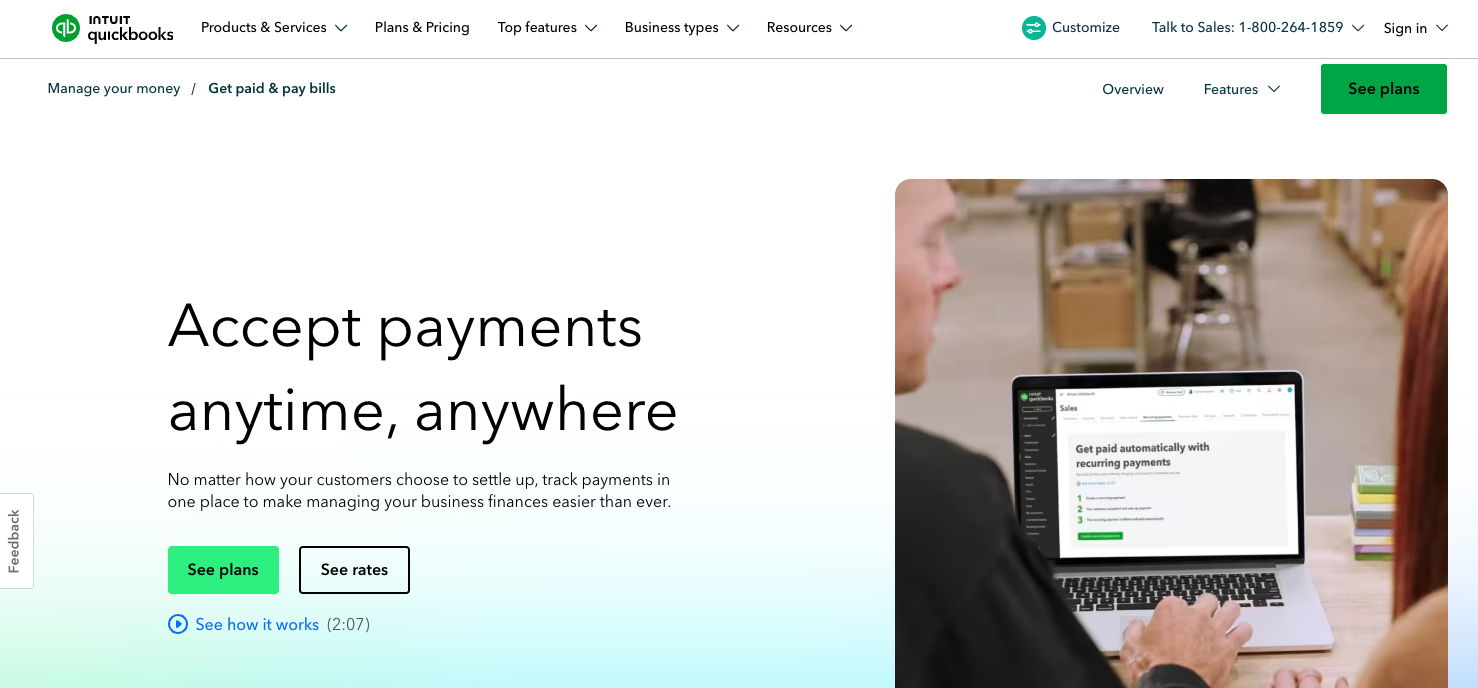
Verdict: Convenient for MSPs already centered on QuickBooks accounting, but fundamentally an accounting and payment solution rather than an end-to-end MSP AR platform.
QuickBooks Payments allows businesses to accept cards and ACH payments within the accounting system they may already use.
QuickBooks Payments features
- Credit card and ACH payments
- Recurring payments
- Payment links
- Invoicing and payment tracking within QuickBooks
- Buy now, pay later options through Affirm
QuickBooks Payments integrations
- Native to the QuickBooks accounting ecosystem
- MSPs will need another product to connect PSA-driven billing workflows
QuickBooks Payments pros
- Convenient for businesses already operating primarily in QuickBooks
- Straightforward pay-as-you-go pricing
- Supports common card, ACH, recurring-payment, and payment-link needs
- May be sufficient if Alternative Payments provides more AR software than the MSP actually needs
QuickBooks Payments cons
- Not purpose-built for MSPs
- No PSA integrations
- No autonomous AR Agents
- No MSP-specific automated deposit reconciliation workflow
- Generic Intuit payment experience rather than a portal on the MSP’s domain
- More limited AR reporting and automation than a dedicated MSP platform
QuickBooks Payments pricing
QuickBooks currently publishes rates of approximately 2.99% for cards and digital wallets, 1% for ACH bank payments, and 3.5% for manually keyed-in cards. Rates and available discounts can vary by QuickBooks product and account, so MSPs should confirm the pricing that applies to their setup.
If Alternative Payments feels like more AR software than your MSP needs, QuickBooks Payments may be enough. If you are leaving because you need deeper automation, PSA connectivity, or more control over the complete billing lifecycle, it is unlikely to solve the underlying problem.
The long-term advantage of switching to FlexPoint
Moving billing platforms requires time and planning, so the replacement should address the reason your MSP is switching in the first place.
For MSPs comparing Alternative Payments with FlexPoint, the biggest difference goes way beyond payment processing. FlexPoint also combines Same-Day ACH, automated deposit reconciliation, collections automation, client financing, and MSP-specific integrations within one platform (no unexpected add-ons). For ConnectWise and QuickBooks Online users, GL Connect can also replace an entirely separate synchronization product.
Evaluate each alternative based on the complete workflow your team needs today and the additional tools that you will require as your MSP scales.
Compare FlexPoint and Alternative Payments, or schedule a demo to see how the complete workflow fits your MSP.