

If you're comparing billing and payment software for your MSP, there's a good chance you've come across both ConnectBooster and Alternative Payments.
ConnectBooster has been part of the MSP software landscape for years and is now owned by Kaseya. Alternative Payments is a newer provider offering payment and accounts receivable functionality for MSPs.
On the surface, there's plenty of overlap. Both let MSPs accept client payments, set up AutoPay, and automate parts of the billing workflow.
But once you get into how they handle pricing, ACH, reconciliation, integrations, and client onboarding, the differences become more noticeable.
So, what does each platform actually offer? And more importantly, what should you be looking at when comparing them?
Here's how ConnectBooster and Alternative Payments stack up.
What is the difference between ConnectBooster and Alternative Payments?
ConnectBooster and Alternative Payments are both payment platforms used by MSPs, but they differ in pricing, ACH funding, AutoPay, integrations, reconciliation, client experience and automation.
The right fit depends on your payment volume, existing tech stack, automation requirements and how much of the billing and payment workflow you want the platform to handle.
ConnectBooster vs. Alternative Payments at a glance
How does ConnectBooster and Alternative Payments pricing compare?
Both platforms have costs (aside from the SaaS subscription) that can vary depending on payment volume, processing, and the additional functionality an MSP needs.
ConnectBooster pricing
ConnectBooster uses a usage-based pricing model, and the total cost often includes the SaaS subscription, payment processing, gateway fees, usage fees, and miscellaneous charges. ConnectBooster's own billing documentation confirms that software, gateway, credit card processing, and ACH processing can be billed separately.
Credit card pricing isn't universal. Public MSP discussions have referenced 2.99% + $0.30 per transaction, while interchange-plus pricing has also been reported. In addition to the processing rate, a card transaction may include a separate BNG gateway fee.
ConnectBooster contracts of up to three years are also commonly reported, although contract length and pricing can vary by agreement.
Other costs can apply as well. PCI compliance and email tracking can carry additional costs, and billing can involve multiple invoices or charges from different vendors.
That makes it important to look at the entire ConnectBooster arrangement rather than comparing the SaaS fee alone.
See our full breakdown of ConnectBooster pricing, rates and fees
Alternative Payments pricing
Alternative Payments uses monthly subscription tiers based on processing volume.
Each plan includes a set amount of monthly processing. Going beyond that allowance costs an additional $250 for every $50,000 in processing volume.
Card processing is 2.9% + $0.30 for Visa and Mastercard and 3.5% + $0.30 for American Express.
Standard ACH payments are free and come with a basic three-day payout. Faster next-day and two-day payouts are available for an additional monthly cost, which can reach $200+ per month depending on the subscription tier.
Other capabilities can also come at an additional cost, including full synchronization between ConnectWise and QuickBooks Online.
ConnectBooster vs. Alternative Payments for ACH payments
If a significant share of your clients pay by ACH, don't stop at asking what an ACH transaction costs.
Transaction size, monthly processing volume, and how quickly you need access to the money can all change the equation.
ConnectBooster ACH
ConnectBooster does not offer Same-Day ACH, and transaction limits have been reported as low as $10,000.
ACH pricing can also vary by payment-processing arrangement. Publicly discussed ConnectBooster pricing includes $1.50 + 0.35% per ACH transaction, capped at $15, although actual rates and limits depend on the MSP's agreement.
That transaction limit is worth paying attention to if your MSP regularly sends larger invoices. A $15,000 or $25,000 invoice is a very different use case from a $1,500 monthly bill.
Alternative Payments ACH
Alternative Payments also does not offer Same-Day ACH, but overall takes a different approach than ConnectBooster. Standard ACH payments are free and come with a basic three-day payout, while next-day and two-day payouts cost extra.
With Alternative Payments, monthly processing volume is capped according to your subscription tier. If you exceed that allowance, additional processing is available for $250 per $50,000 in volume.
So while an individual larger ACH payment may not run into the same type of transaction ceiling, higher overall payment volume can still increase what you pay for the platform.
How do AutoPay and payment automation compare?
Both platforms automate bits and pieces of the payment process, but the most important thing to consider are the gaps.
When looking at both, investigate what still happens manually around those payments.
ConnectBooster automation
ConnectBooster supports AutoPay, saved payment methods, invoicing, and automated payment reminders.
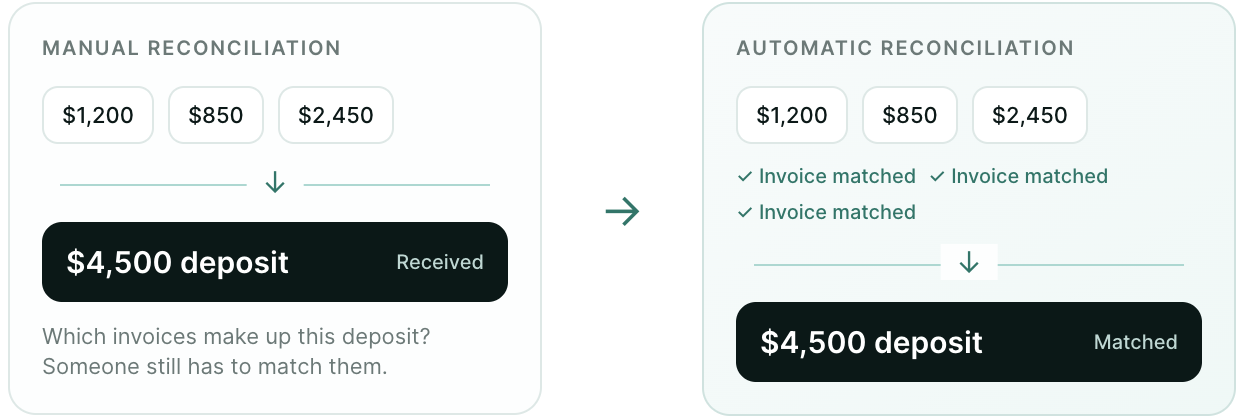
However, deposit reconciliation remains manual, meaning the work isn't necessarily finished when a payment is processed.
Email tracking is also an additional-cost capability with ConnectBooster. That matters for MSPs trying to understand whether a client received or engaged with payment communication without adding another cost to the workflow.
Alternative Payments automation
Alternative Payments offers basic AR automation, but there are limitations around several parts of the workflow.
AutoPay runs once per day and failed payments don't automatically revert to unpaid in the platform. Deposit reconciliation is also still manual.
Communication automation has limitations as well. Alternative Payments offers fewer notification types, with limitations around notification automation.
For both platforms, it's worth looking beyond whether a feature called “automation” exists. The more useful question is how much still needs to be manually dealt with even with the automation turned on.
ConnectBooster vs. Alternative Payments integrations
Your billing platform doesn't operate alone. It has to pass accurate information between your PSA, accounting software and payment workflow.
ConnectBooster integrations
ConnectBooster integrates with several PSA and accounting platforms commonly used by MSPs.
Its documented integrations include ConnectWise PSA, Autotask, Kaseya BMS, QuickBooks Online, Xero, Sage Intacct, Microsoft Dynamics GP, and Microsoft Dynamics 365 Business Central, among others. ConnectBooster's documentation also notes that available functionality can vary by integration and the connected platform's API support.
For MSPs evaluating ConnectBooster, the important question isn't simply whether it has integrations. It's whether it supports the specific PSA and accounting combination you use today, and the systems you may want to use later.
One notable gap for MSPs evaluating other PSA options is HaloPSA, which is not currently listed among ConnectBooster's documented PSA integrations.
Does ConnectBooster integrate with HaloPSA?
Alternative Payments integrations
Alternative Payments lists among its PSA integrations: ConnectWise, Autotask, HaloPSA, and SuperOps.
On the accounting side, Alternative Payments lists integrations with QuickBooks Online, QuickBooks Desktop, Xero, Sage Intacct, FreshBooks, Zoho Books, and Microsoft Dynamics 365 Business Central, among others.
However, not every type of synchronization is necessarily included in the base subscription. Alternative Payments' pricing page lists its ConnectWise + QuickBooks Online Sync Tool as an add-on, which automatically synchronizes invoices, customers, terms, and external payments between the two systems.
So for either platform, don't stop at checking whether your PSA and accounting software appear on an integrations page. Look at what actually syncs, whether the integration carries an additional cost, and how much visibility your team gets when something doesn't sync correctly.
Which offers a better client payment experience?
The software may live in your MSP's tech stack, but your clients interact with it too.
That's why onboarding, AutoPay, payment communication and the portal itself belong in the comparison.
ConnectBooster client experience
ConnectBooster requires manual effort to create passwords and register client accounts.
Its payment portal is also hosted on ConnectBooster's domain, rather than allowing the payment experience to live on the MSP's own domain.
For an MSP managing dozens or hundreds of client relationships, those details affect both the amount of administrative work involved in onboarding and how cohesive the payment experience feels to the client.
Alternative Payments client experience
Alternative Payments also relies on manual customer onboarding workflows.
Its AutoPay rules are more rigid, with an all-or-nothing approach, and its notification functionality has limitations around available notification types and automation.
Those may seem like relatively small details when you're comparing software on a feature sheet. But they're much more noticeable when your finance team is managing the workflow every day or a client is trying to figure out what they need to do.
How does FlexPoint compare with ConnectBooster and Alternative Payments?
ConnectBooster and Alternative Payments aren't the only options MSPs will encounter when comparing billing and payment platforms.
FlexPoint is an independent, founder-owned platform built specifically for MSPs, with billing, payments and AR functionality designed to work together rather than stopping at payment processing.
It’s most notable differences from the above options?
Same-Day ACH is included across FlexPoint plans, and payments and deposits are reconciled automatically. FlexPoint also improves client account creation with passwordless access and onboarding sequences, reducing the manual work involved in getting clients into the payment workflow.
For MSPs using ConnectWise and QuickBooks Online, full synchronization through GL Connect is included on Growth and Plus plans. FlexPoint provides an integration log with an audit trail and visibility into sync failures, so finance teams have more information when something doesn't move correctly between systems.
AutoPay can be configured by invoice type and at the customer level, while communication and email tracking are built into the broader workflow.
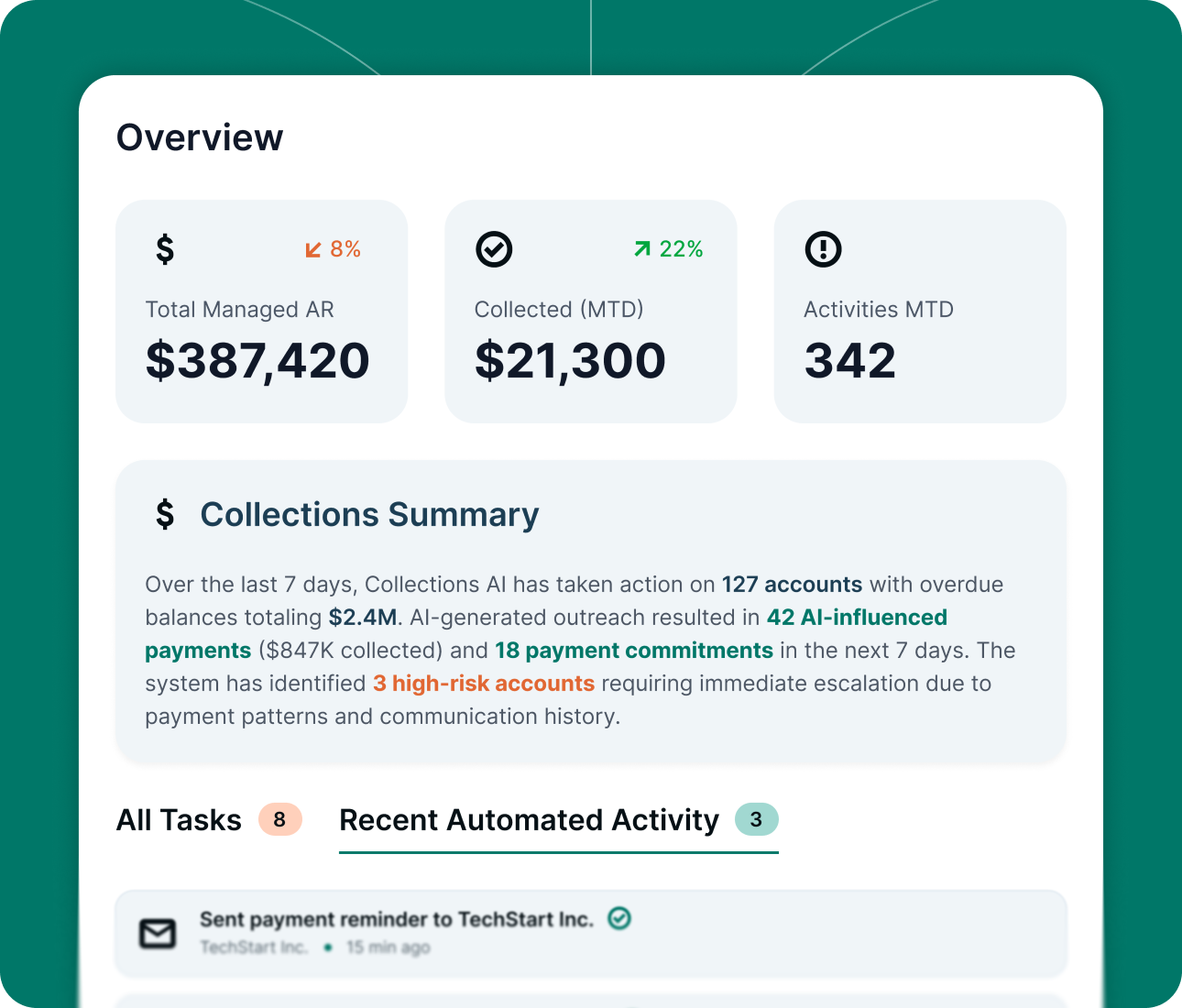
FlexPoint's AR Agents handle past-due follow-up and account monitoring, helping MSPs keep recurring AR work moving without relying on someone to manually monitor every account. They’re essentially another employee without adding headcount.
For clients that need more flexibility, FlexLine provides financing for eligible invoices for up to 12 months. And when an MSP needs help, FlexPoint's support is handled by an in-house U.S.-based team.
The difference is how much of the workflow the platform handles after an invoice is sent. Payment processing matters, but so do reconciliation, client onboarding, financial visibility and the recurring work required to keep AR moving.
If you’re comparing ConnectBooster, Alternative Payments, and FlexPoint, consider what happens across the entire billing and AR workflow and what you need to happen as you scale scale, as well as what your team still has to handle manually.
The right payment platform shouldn’t just help you get paid. It should make the work around getting paid easier, too.
If you want more fully-fledged comparisons across all features, see how FlexPoint compares with your current billing and payment platform with our blogs below.
Or get in touch to know exactly what running FlexPoint would look like for your MSP.