

.png)
Switching payment platforms is not something you want to figure out the week your ConnectBooster contract ends.
There are contracts to review, payment methods to account for, integrations to reconnect, AutoPay rules to configure and clients who need to know where their next payment is going.
But this also isn’t the same kind of project as replacing your PSA or ripping out the system your entire MSP runs on.
A smooth ConnectBooster switch is mostly about knowing what you rely on today, choosing the right replacement, and giving yourself enough time to move the pieces over in the right order.
Here’s how to approach it.
Quick answer: Switching from ConnectBooster starts with reviewing your current contract and payment setup, comparing replacement platforms, choosing a transition date, and preparing your team and clients for the change. Before cancelling ConnectBooster, confirm how stored payment methods, client accounts, AutoPay, integrations, and historical billing data will be handled by your replacement provider.
1. Review your ConnectBooster contract and current setup
Start with your ConnectBooster Order and confirm when your current service term ends.
ConnectBooster is governed by its ConnectBooster Terms of Use as well as the Kaseya Master Agreement. Your individual Order establishes the length of your committed service term.
Under Kaseya’s current Master Agreement, subscriptions with a committed service term automatically renew for another term of equal length unless they are cancelled or opted out of automatic renewal at least 30 days before the end of the current term.
That makes your renewal date one of the first things to check. Missing the window could mean committing to another term.
Cancelling early can also carry a significant cost.
Kaseya’s Master Agreement states that terminating a subscription during a committed service term for a reason other than an uncured material breach can make 100% of the remaining fees through the end of the term immediately due.
Your ConnectBooster subscription is only one piece of the picture, though.
ConnectBooster works with third-party payment processors, which have their own terms, fees, and requirements. ConnectBooster’s own terms make clear that those processor agreements sit alongside the Kaseya agreement, so review both before choosing a cancellation date.
This is also the time to ask about data and payment-method migration costs. ConnectBooster specifically notes that third-party costs may apply when stored payment details are transferred between providers.
Before you start comparing alternatives, get a clear picture of what you actually need to replace:
- Stored credit card and ACH payment methods
- AutoPay configurations
- Scheduled payments
- PSA and accounting integrations
- Client accounts and payment portal access
- Historical billing and payment information
- ConnectBooster and payment-processing costs
That gives you a much better starting point than simply asking, “What can replace ConnectBooster?”
2. Compare ConnectBooster alternatives
Once you understand your current setup, get clear on why you want to leave it.
For many MSPs, the issue isn't simply accepting payments. It’s all the work surrounding those payments.
ConnectBooster relies on usage-based pricing and separate payment-processing relationships, while reconciliation can still leave finance teams matching payments and deposits manually. Client onboarding also requires account and password registration, and ConnectBooster doesn't offer Same-Day ACH.
Those pain points give you a much more useful framework for evaluating the next platform.
When comparing ConnectBooster alternatives, focus on four things:
How much manual finance work does it remove?
Look beyond payment acceptance. Can the platform automatically reconcile deposits, keep payment information synchronized across your systems, and handle recurring AR work?
How quickly and flexibly can you get paid?
Compare ACH funding speeds and transaction limits, particularly if your MSP regularly handles large invoices.
How well does it fit your tech stack?
Consider the PSA and accounting systems you use today, but also where you might go next. You don't want your billing platform dictating your future PSA decisions.
What will clients actually experience?
Look at onboarding, account access, portal branding, AutoPay, payment options, and what clients will need to do during the migration.
Switching platforms is already a project.
Ideally, you come out of it with fewer limitations rather than recreating the same workflow somewhere else.
See how FlexPoint compares with ConnectBooster.
3. Plan your ConnectBooster transition
Once you’ve chosen a replacement, work backward from your target transition date.
Leave enough time for implementation, integrations, payment migration, internal testing, and client communication before shutting ConnectBooster down.
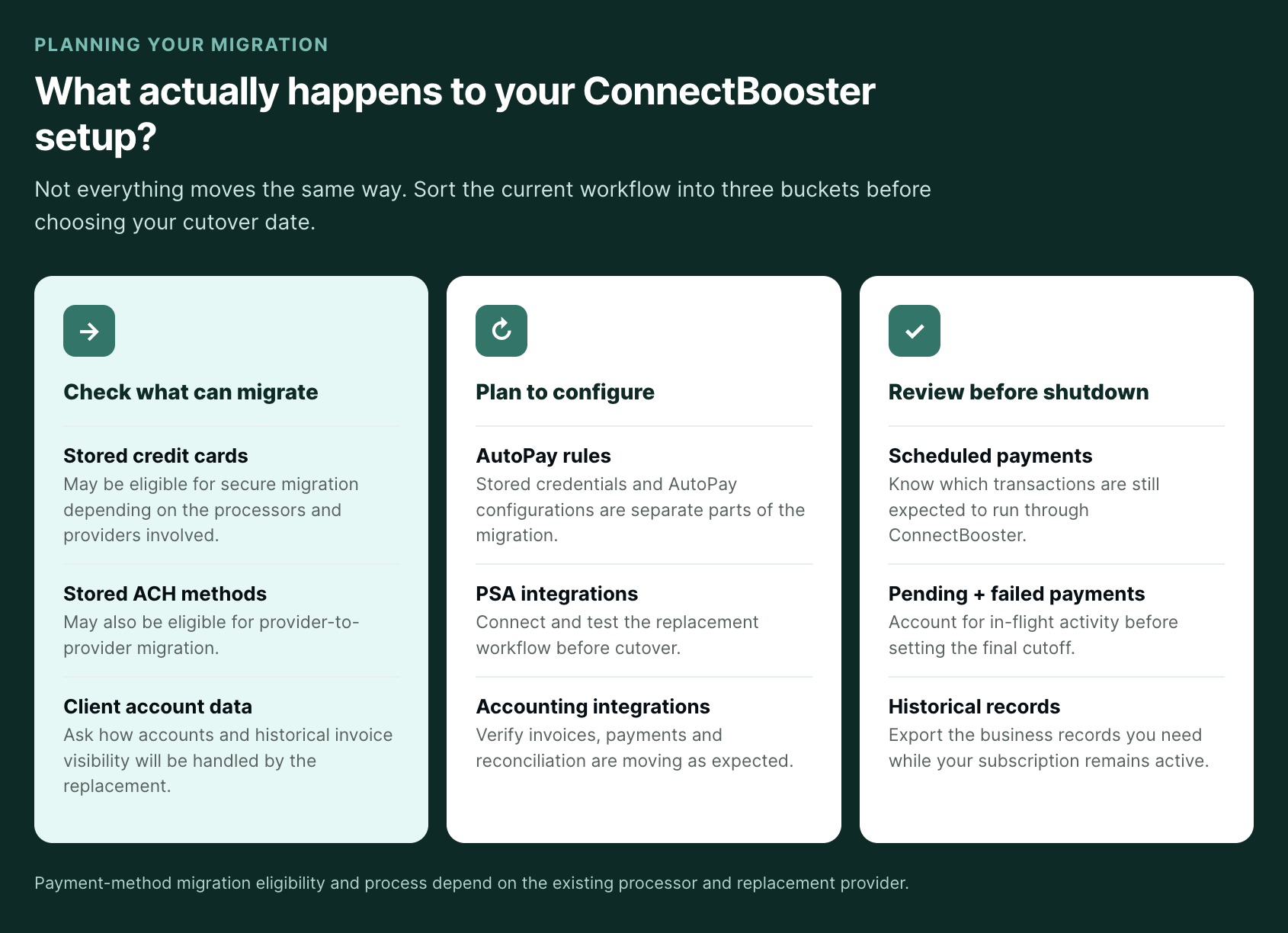
One of the biggest questions is what happens to the payment methods your clients already have on file.
ConnectBooster does not itself store the underlying PCI or PAN card and banking information, and those complete payment credentials aren't available for you to simply download from the portal. Instead, they are handled by the third-party payment processor.
When moving between payment providers, Kaseya says it will use “commercially reasonable efforts” upon request to help facilitate a transfer. However, its terms do not guarantee that a transfer will be available and note that third-party transfer costs may apply.
Ask your replacement provider early:
- Can our existing credit card and ACH payment methods be migrated?
- Which processor will handle the transfer?
- Is there a migration fee from either side?
- How long will the transfer take?
- What will clients need to do if a payment method can't be migrated?
- What happens to existing client accounts and historical invoices?
That last question is easy to overlook.
Migrating payment credentials is one part of the transition, but you also want to know whether clients will have to create entirely new accounts and what billing history they’ll see once they log in.
With FlexPoint, client information can be imported through connected systems rather than requiring every client to start over with manual account registration.
For ConnectWise users specifically, FlexPoint imports historical and new invoices, including detailed line items, so historical invoice information remains available within the new workflow.
Can I migrate ConnectBooster payment methods to my new billing platform?
It depends what you mean.
Secure migration depends on the existing payment processor, your replacement provider, and the eligibility of the stored payment methods.
FlexPoint supports migration of eligible stored credit card and ACH payment methods from existing processors. When those methods can be transferred successfully, clients don't need to re-enter their payment information.
AutoPay is a little different.
Your AutoPay rules may need to be configured again in the new platform, but that also gives you an opportunity to revisit the way you're using AutoPay in the first place.
Instead of just rebuilding every existing rule one-for-one, look at which additional recurring clients could reasonably move to AutoPay and whether your replacement gives you more flexibility over how those rules are configured.
Scheduled, pending, and failed payments should also be accounted for so nothing gets missed or duplicated during cutover. And whenever possible, configure and test your PSA and accounting integrations before turning off the old workflow.
The important part is figuring all of this out before setting your final ConnectBooster cancellation date.
4. Prepare your internal team for the switch
You don't need to turn a ConnectBooster migration into a six-month IT transformation project.
Unlike replacing a PSA, you're not retraining your entire MSP on the system it uses to manage tickets, contracts, projects, and service delivery.
The group involved can usually be much smaller.
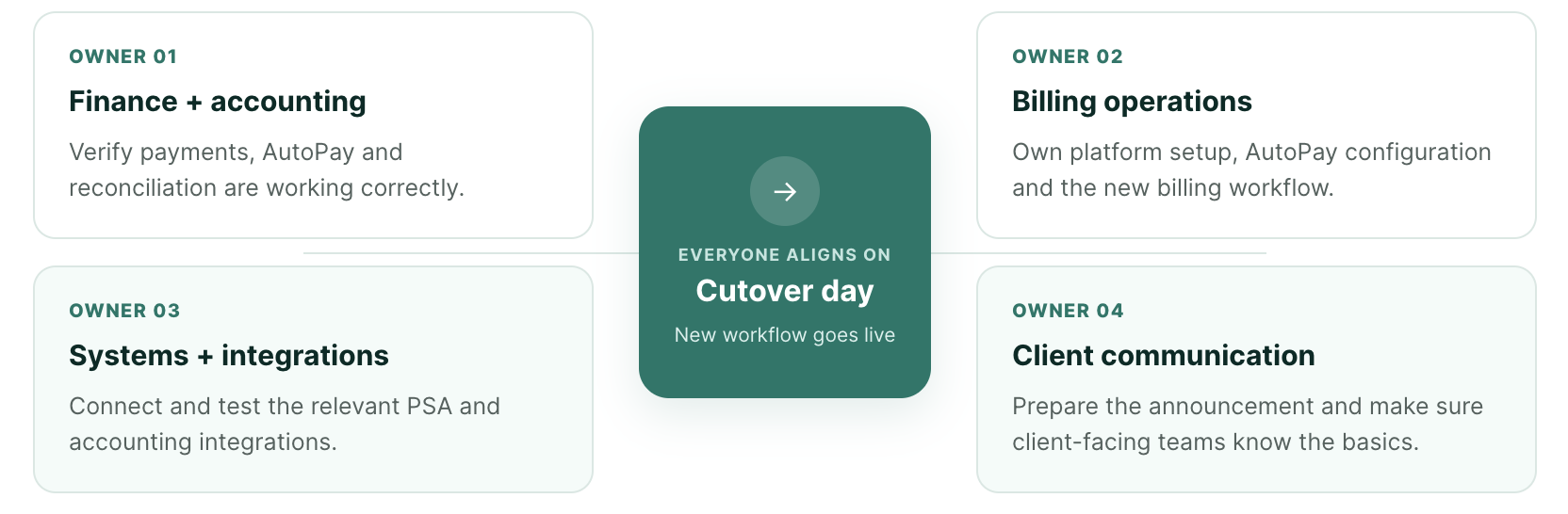
Bring in whoever owns finance/accounting, billing operations, your relevant integrations, and client communication. Everyone should know the cutover date and what they own.
That may mean assigning responsibility for:
- Platform setup
- PSA and accounting integrations
- AutoPay configuration
- Client communication
- Billing questions during the transition
Client-facing employees don't need to understand every technical detail. They just need to be able to answer the questions clients are likely to ask: Where do I pay now? Do I need a new login? Is my AutoPay still active? Do I need to enter my card or bank information again?
Then test the new experience internally before sending clients there.
5. Use the switch to improve your client payment experience
For your MSP, switching payment platforms means some behind-the-scenes setup.
For your clients, it should be a pretty small change.
Ideally, their experience is simply: your MSP has a new, easier way to pay.
That makes the migration a good opportunity to improve some of the client-facing limitations you may have accepted with ConnectBooster.
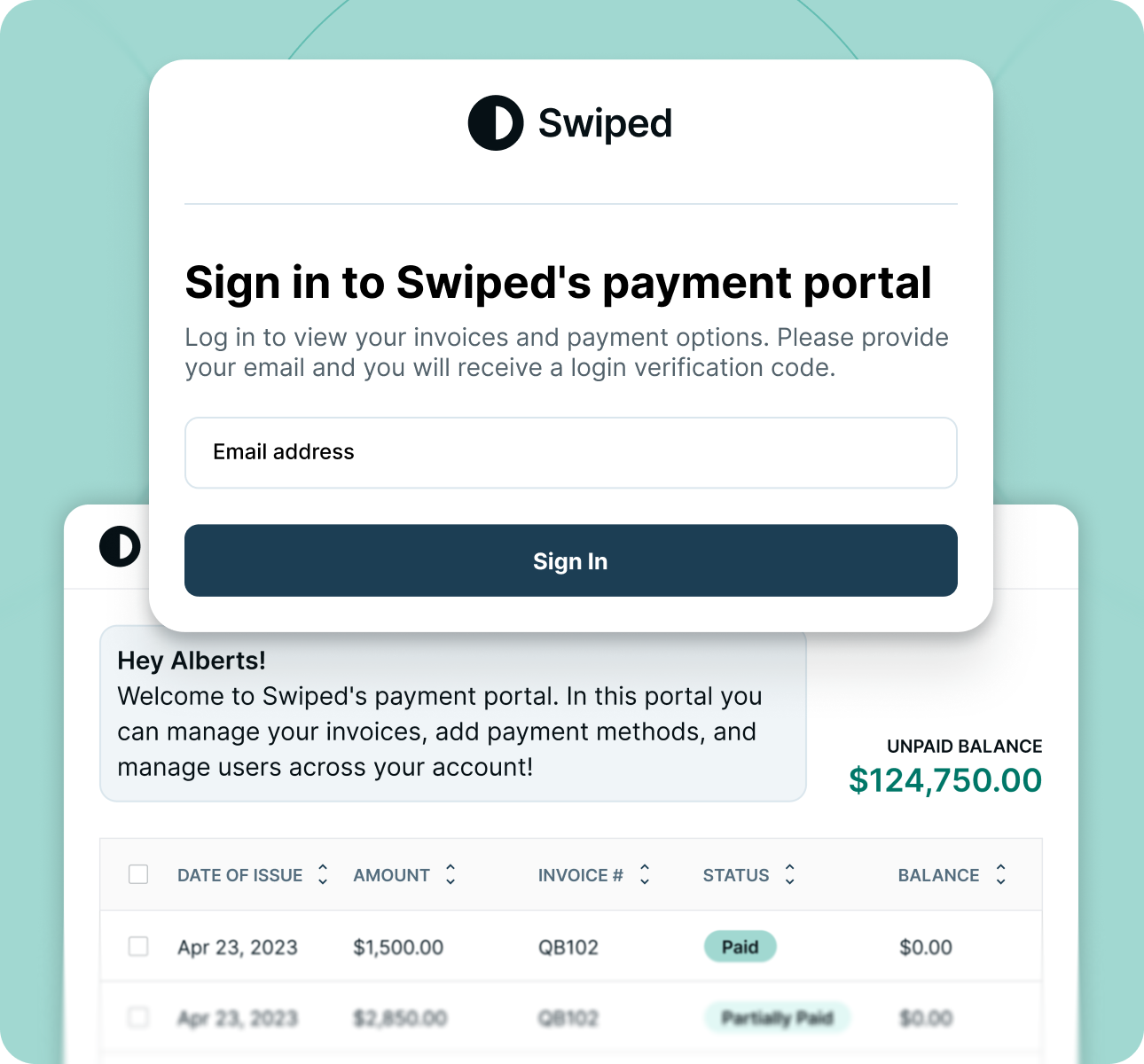
For example, ConnectBooster's client portal lives on the ConnectBooster domain and requires clients to register accounts and passwords. FlexPoint instead supports a branded payment experience on the MSP's domain with passwordless access.
That means yyour new portal can look and feel like part of your own business.
Give clients advance notice and keep the message simple:
- When the new payment experience goes live
- Where they'll pay
- Whether their existing payment method is moving with them
- Whether anything changes with AutoPay
- Whether they need to take any action
If a client doesn't need to do anything, say that too. There's no reason to make a simple change sound like a major migration on their end.
And because payment-related emails naturally deserve more scrutiny, make communications clearly recognizable as coming from your MSP. Use your normal branding and give clients a familiar contact if they have questions.
Our guide to announcing a payment system change to clients without losing trust goes deeper into the communication side.
6. Make the switch and verify the new workflow
When your transition date arrives, the new platform becomes the primary place for billing and payments.
Account for any remaining scheduled or pending ConnectBooster transactions that still need to clear, then keep an eye on the first payments through the replacement.
Confirm that:
- Clients can access the new payment experience
- AutoPay works as expected
- Payments sync correctly across connected systems
- Deposits reconcile properly
- Client and invoice data appear as expected
Once the new workflow is operating correctly, complete the applicable cancellation requirements for ConnectBooster and any payment-processing agreements you're ending.
There’s one more thing worth doing before your ConnectBooster access disappears: export the records you may want later.
ConnectBooster’s terms say customers can access and export reports during an active, paid subscription, including payment transaction histories, invoice-related reports, and log data. Its documentation also confirms that its Transaction Report and All Invoices Report can be downloaded as CSV files.
That's worth doing before termination because Kaseya's Master Agreement states that, once a subscription ends, Kaseya may permanently delete related content or disable access to it.
See ConnectBooster's report documentation
Switching from ConnectBooster to FlexPoint
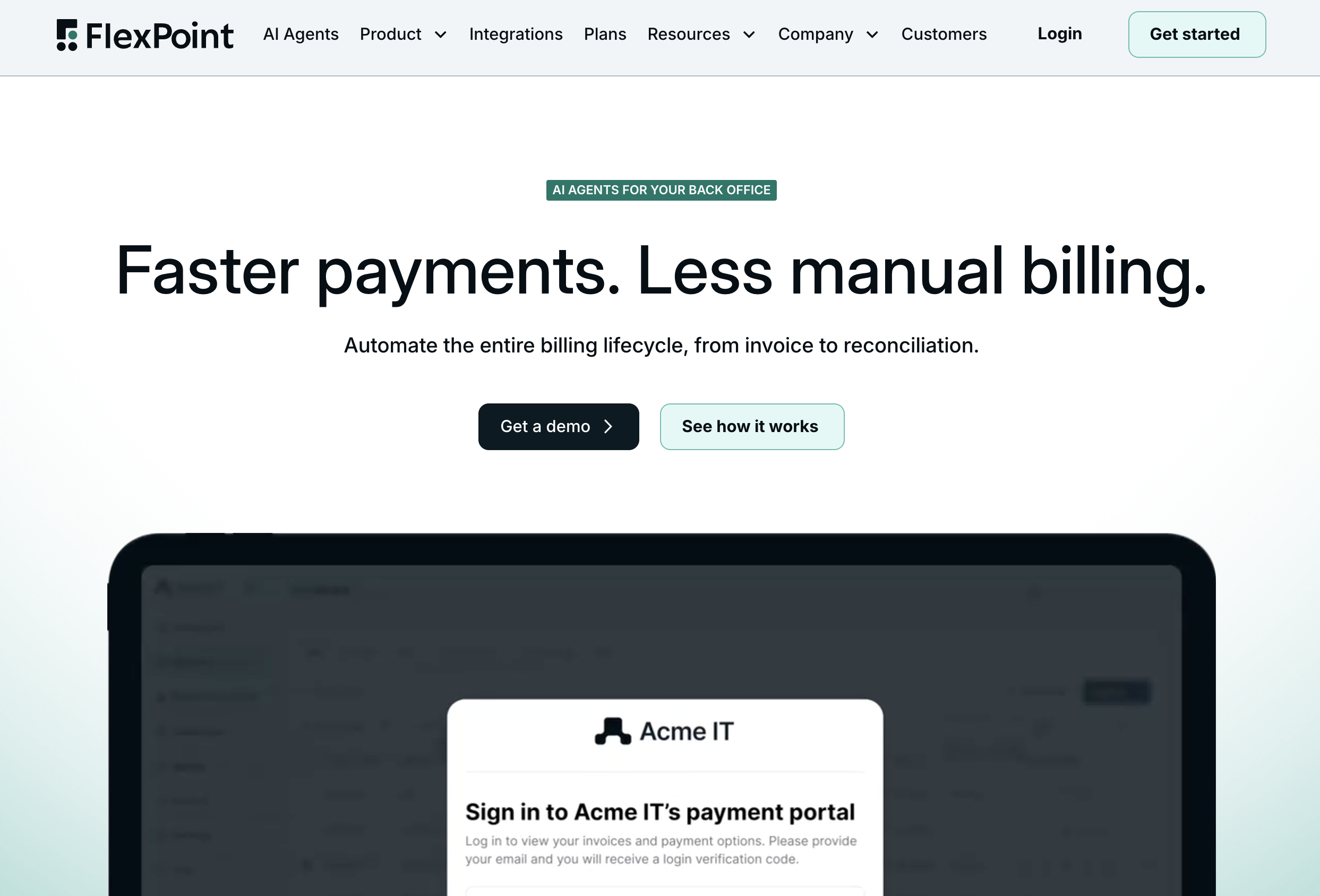
If you're making a change, it's important to make sure it's the right one. After all, if you're having problems with ConnectBooster, you don't want to just recreate them with a different looking platform.
The switch is the best opportunity to remove some of the manual work and limitations that made you start looking in the first place.
FlexPoint gives MSPs one platform for more of the billing, payments, and AR workflow, including:
- Secure payment-method migration: Eligible stored credit card and ACH payment methods can be securely migrated from an existing processor, reducing the number of clients who need to re-enter payment information.
- Client and invoice continuity: Connected systems can bring client information and historical invoices into FlexPoint, helping avoid a blank-slate experience after migration.
- PSA integrations: FlexPoint supports ConnectWise, Autotask, HaloPSA, and SuperOps.
- Automated deposit reconciliation: FlexPoint ties bank deposits back to the individual payments behind them and reconciles payment information across connected systems.
- Same-Day ACH: Same-Day ACH allowances are included across FlexPoint plans.
- Branded client payment experience: Clients get a payment experience branded to your MSP rather than ConnectBooster.
- Automated client onboarding: Client accounts can be created without requiring every client to go through traditional account and password registration.
- AI Agents for Accounts Receivable: FlexPoint's AR Agents handle past-due follow-up and account monitoring, keeping recurring AR work moving without requiring someone on your team to manually monitor every account.
- U.S.-based support: FlexPoint's in-house team helps MSPs through implementation and migration.
Switching from ConnectBooster doesn't need to become another massive MSP software migration. With the contract timing sorted out and the right replacement lined up, much of the work happens behind the scenes.
The goal is to come out the other side with less manual reconciliation, an easier client payment experience, faster access to funds, and less recurring AR work for your team.
Planning a move from ConnectBooster? Talk to FlexPoint about your transition.