

.png)
Short answer: No. WisePay does not currently offer a direct integration with HaloPSA.
So if you’re considering moving from ConnectWise PSA to HaloPSA, that creates a second decision you may not have been expecting: what happens to your billing and payment workflow?
WisePay is ConnectWise’s payment automation product and is positioned specifically as a payment integration for ConnectWise PSA. So while your PSA data may be headed to HaloPSA, your existing WisePay workflow can’t simply make the move with it.
HaloPSA supports a growing ecosystem of payment and billing integrations, ranging from simple payment processors to mature platforms that handle accounts receivable end-to-end.
The important part is understanding how deeply each option integrates with HaloPSA and how much of your existing billing workflow it can actually replace.
This guide covers the leading options and what MSPs should consider before choosing one.
Why doesn't WisePay integrate with HaloPSA?
WisePay is part of the ConnectWise product ecosystem and ConnectWise currently markets it specifically as a payment integration for ConnectWise PSA. Currently, the PSA solutions WisePay integrates with are ConnectWise and Autotask. For MSPs considering the move to other PSAs besides these two, integration options are limited.
Changing your PSA affects much more than ticketing. Your PSA can sit at the center of client records, contracts, invoices, and other operational data. If your billing platform depends on that PSA connection, changing one system can force you to reconsider the other.
For an MSP moving to HaloPSA, continuing to use a disconnected billing workflow could mean manually transferring information between systems or introducing additional software to bridge the gap.
Instead, you can use a billing or payment platform that already integrates with HaloPSA.
The question then becomes: How much of your WisePay workflow do you need the new platform to replace?
If you only need to accept payments, the answer may be relatively simple.
But if you also want AutoPay, an AR teammate, PSA and accounting synchronization, deposit reconciliation, financing, and a branded client payment experience, integration depth becomes much more important.
Native HaloPSA integrations for billing and accounts receivable
HaloPSA supports several payment and billing options. They don't all perform the same job, however.
1. FlexPoint
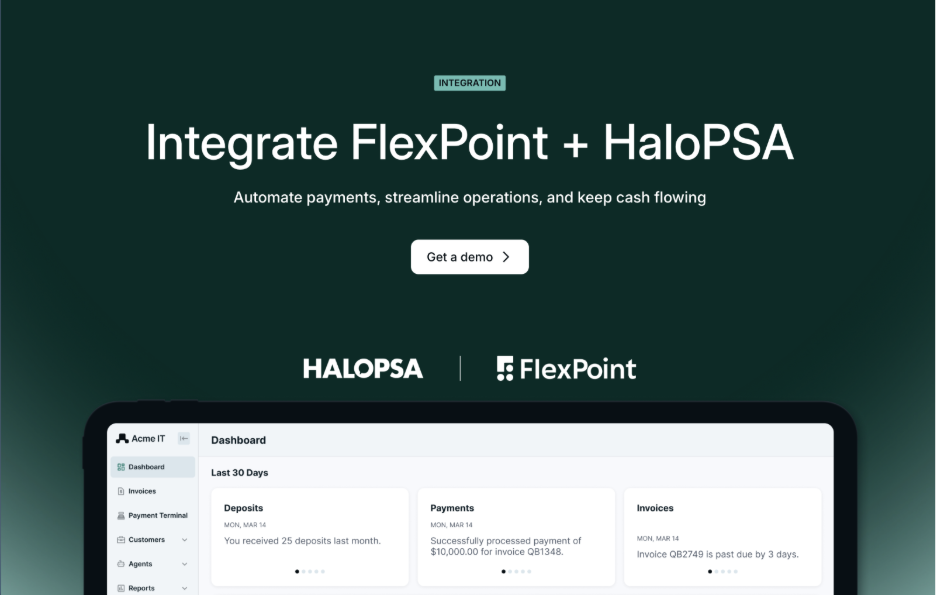
FlexPoint integrates natively with HaloPSA through its API and is purpose-built for MSP billing, payments, and accounts receivable.
The connection allows FlexPoint to import client information and HaloPSA invoices, manage portal users, apply AutoPay criteria based on agreements or contracts, and add FlexPoint payment links to the HaloPSA client portal.
The payment workflow then extends beyond the PSA itself.
Invoices and payment information flow between HaloPSA and FlexPoint, clients can pay by ACH, credit card, or financing, and payments are processed and reconciled through FlexPoint. Payment status is reflected back in the connected systems so the MSP doesn't have to manually maintain the same transaction across multiple platforms.
For MSPs replacing WisePay, relevant capabilities include:
- Automated deposit reconciliation: FlexPoint matches deposits to their underlying payments and invoices instead of leaving reconciliation as a separate manual step.
- PSA flexibility: In addition to HaloPSA, FlexPoint supports ConnectWise, Autotask, and SuperOps, allowing an MSP's billing platform to remain independent of a single PSA ecosystem.
- PSA + accounting synchronization: FlexPoint can connect PSA and accounting systems as part of the same financial workflow. Payment and invoice information stays synchronized across connected systems.
- AR Agents: FlexPoint's AR Agents monitor accounts and handle late-payment follow-up automatically, reducing the recurring AR work that would otherwise fall on the MSP's team.
- Flexible client payments: Clients can pay through ACH, credit card, or financing, with AutoPay also supported.
- Branded payment experience: Payments can be made through a white-label client portal designed to feel like an extension of the MSP's own brand.
For MSPs replacing WisePay, that means FlexPoint can replace more than the place where a HaloPSA invoice gets paid. It can also handle more of the AR work surrounding that payment.
See how FlexPoint + HaloPSA work together
2. GoCardless

GoCardless also integrates directly with HaloPSA.
Halo describes the integration as allowing businesses to import customers, assign custom fields, and synchronize payment statuses between the platforms.
GoCardless is primarily a payments platform centered on bank payments rather than an MSP-specific billing and AR platform. Its broader product focuses on collecting one-off and recurring bank payments and connecting those payments with other business applications.
For an MSP, that means the distinction is less about whether GoCardless can connect to HaloPSA (it can) and more about how much of the surrounding WisePay/AR workflow you need the replacement platform to handle.
If bank payment collection is the primary requirement, GoCardless may cover it. MSPs looking for broader collections automation, multi-method payments, financing, PSA/accounting synchronization, and automated deposit reconciliation should compare those requirements separately.
3. Stripe

Stripe is another payment option supported within HaloPSA.
HaloPSA includes Stripe within its billing and accounts integration documentation, and the integration allows businesses to use Stripe for payment processing directly within the HaloPSA environment.
That makes Stripe useful when the primary requirement is straightforward payment processing.
But Stripe and an MSP-specific AR platform solve different problems. Payment processing answers how a client pays an invoice. A broader billing and AR platform may also handle what happens before and after that payment: collections, client communications, PSA/accounting synchronization, reconciliation, and financing.
MSPs moving away from WisePay should therefore determine whether they need a replacement payment processor or a replacement for more of the billing and AR workflow.
Other HaloPSA payment and AR integrations
Alternative Payments and BenjiPays also offer documented HaloPSA integrations.
The important distinction is what each integration synchronizes and how much of the billing workflow it covers.
Alternative Payments

Alternative Payments provides a HaloPSA integration through the HaloPSA API.
Its documentation shows that customers, payments, invoice details, line items, and other records can synchronize between the systems, with real-time synchronization available for several items under supported HaloPSA versions. Payments made through Alternative Payments can also sync back to HaloPSA.
There are limitations to understand.
For example, Alternative Payments documents that invoices created inside Alternative Payments do not sync back to HaloPSA, nor do customers created inside Alternative Payments. Changes made to unpaid invoices inside Alternative Payments also do not sync back to HaloPSA, although changes originating in HaloPSA can sync into Alternative Payments.
That makes integration direction and depth important considerations. Don't stop at asking whether the two products integrate; determine which system remains the source of truth and which records can actually travel in each direction.
Alternative Payments is also a broader B2B accounts receivable platform rather than an MSP-exclusive product. MSPs comparing it with FlexPoint should evaluate payout speeds, reconciliation, financing, integration depth, and any separately priced functionality based on their specific workflow.
BenjiPays

BenjiPays also supports HaloPSA-related payment workflows.
BenjiPays markets its MSP product as providing integrated payment links, automated invoice-driven payment processing, and posting into accounting systems alongside HaloPSA. Its documentation also provides HaloPSA-specific configuration for invoice PDFs and payment links.
For example, BenjiPays can use a HaloPSA invoice number to retrieve the corresponding invoice PDF, and its payment links can be incorporated into HaloPSA workflows.
As with Alternative Payments, MSPs should evaluate the specific depth of the integration rather than treating the existence of a HaloPSA logo as the entire answer.
Compare which records synchronize automatically, where payment data is ultimately recorded, whether reconciliation is automated, which payment methods are supported, and what work remains for the MSP's finance team after the client pays.
Why integration depth matters for HaloPSA AR integrations

“Integrates with HaloPSA” can mean very different things depending on the platform.
One integration may provide a payment link on a HaloPSA invoice. Another may import invoice data and update the invoice when a payment occurs. A deeper AR integration can extend the workflow further by synchronizing payment information across the PSA and accounting system, automating reconciliation, managing AutoPay, and keeping client records aligned.
That's why MSPs should evaluate what the integration actually does, not simply whether one exists.
Consider the complete workflow:
HaloPSA invoice → client receives invoice → client pays → payment is processed → HaloPSA is updated → accounting records are updated → bank deposit arrives → deposit is reconciled
Then ask where human intervention is still required.
Does someone need to update a second system after the payment? Match the bank deposit manually? Fix records when data doesn't sync in both directions? The deeper the integration, the fewer places there are for billing and accounting data to drift apart.
Those details matter more than the labels “native” or “non-native.”
A shallow integration can still leave someone responsible for checking multiple systems, updating records, matching payments, or reconciling deposits. A deeper integration reduces the number of points where data can diverge and the amount of billing administration the MSP has to perform manually.
For an MSP migrating from ConnectWise PSA to HaloPSA, this is also an opportunity to reconsider the billing workflow rather than simply recreate it.
If you're already undertaking the work of migrating your PSA, choose the payment and AR platform based on the stack you're building next, not the limitations of the stack you're leaving behind.
Explore the FlexPoint + HaloPSA integration