


Is QuickBooks Payments actually free for MSPs? Many managed service providers (MSPs) assume that because QuickBooks Payments has no monthly fee to enable, it must be a zero-cost solution. In reality, while there’s no upfront or subscription cost to turn on QuickBooks’ payment processing, Intuit makes money by charging transaction fees on every payment you collect.
These “hidden” fees can quietly erode an MSP’s profit margins.
In this article, we will cover the real costs behind the “free” claims of QuickBooks Payments. Understanding the fee structure is essential before relying on the software for your billing operations.
We’ll also demonstrate how those costs impact MSP profitability over time and introduce FlexPoint. This MSP-specific platform offers a more transparent and scalable cost structure tailored to the needs of MSPs.
Ultimately, you will see why QuickBooks Payments isn’t truly free and how FlexPoint’s integration with QuickBooks Online can provide a more transparent, cost-effective alternative for MSP billing.
{{toc}}
Is QuickBooks Payments Free? Breaking Down the Claim
At first glance, QuickBooks Payments appears to be a no-cost solution. There’s no monthly fee and no charge to turn it on, which makes it easy to assume there’s nothing to worry about.
However, once you start processing payments, the real story becomes clearer.
Transaction fees show up on every payment you receive. Over time, they chip away at your revenue.
The following section will unpack the common assumptions behind the “free” label.
You will see how fees are embedded in QuickBooks Payments, why they’re often overlooked, and what limitations MSPs face when trying to manage these costs.
Free to Enable, But Not Free to Use:
The misconception starts because QuickBooks Payments is free to activate. There’s no setup charge or monthly subscription fee to keep the service, which leads many to believe the tool has no cost.
However, “free” ends as soon as you process your first payment. QuickBooks charges a fee for each credit card charge or bank transfer, so you only pay when you use it, but you pay every single time.
The platform monetizes through per-transaction fees, not a monthly bill. In turn, this means the costs are hidden in each payment rather than being charged upfront.
Hidden Transaction Fees Add Up:
It’s easy to overlook the fees because they’re deducted from client payments behind the scenes. You might not notice the charges daily, especially if QuickBooks simply deposits the net amount to your bank account.
Over weeks and months, though, those processing fees accumulate and can significantly impact your revenue.
For example, an MSP that processes $10,000 in client payments via QuickBooks could lose roughly $300 of that to fees each month.
Without careful tracking, QuickBooks Payments can feel free until you realize hundreds or thousands of dollars have been skimmed off your collections over time.
“No-Fee” Marketing Is Misleading:
QuickBooks advertises that it costs nothing to sign up and has no monthly maintenance fee, both of which are true. However, that doesn’t mean using it is without cost.
The “free” label refers only to the absence of monthly subscription charges, not to the processing of payments themselves.
In essence, Intuit shifts the cost to transaction fees, which some MSPs may not initially anticipate. This misunderstanding can lead to budgeting issues when those fees start eating into project profits.
No Option to Recover Processing Costs:
Another reason people assume QuickBooks Payments is free is that QuickBooks doesn’t provide a straightforward way to pass fees onto clients.
Many U.S. states permit businesses to add a surcharge to credit card payments to offset processing costs; however, QuickBooks Payments does not have a built-in feature for this purpose.
MSPs using QuickBooks have to absorb the credit card fees themselves.
In practice, this means that if you charge a client $1,000 on a credit card, you might net only around $970 after fees, and QuickBooks won’t let you automatically charge the client the extra $30.
The platform’s limitations force you to treat those fees as a cost of doing business, further feeding the illusion that QuickBooks Payments is “free” (while your margins suffer).
What Fees Do MSPs Actually Pay With QuickBooks Payments?
Although MSPs don’t pay a monthly fee to maintain the service, they will encounter a range of per-transaction charges with QuickBooks Payments.
Here’s a breakdown of what you can expect:
Credit Card Fees:
Whenever a client pays an invoice by credit or debit card, QuickBooks charges a percentage of the transaction amount.
The standard rate is approximately 2.99% for online invoice payments, and it can increase to 3.5% for manually keyed-in card payments (e.g., when entering card information by hand).
This means that for a $200 client invoice paid by card, approximately $5.80 to $7.00 will be deducted as processing fees.
There’s also usually a small fixed fee (around $0.25) per card transaction, which in most cases is negligible next to the percentage cut.
Over dozens of invoices, however, these card fees add up quickly and represent the primary cost of “using” QuickBooks Payments.
ACH Transfer Fees:
If clients pay via bank transfer (ACH), the fee is lower than for cards, but it’s not zero. QuickBooks typically charges about 1% of the transaction amount for ACH payments.
For accounts created before September 6, 2023, this fee is capped at $15 per transaction (up from $10).
That means a $5,000 ACH payment would only cost $15 instead of $50, and a $20,000 payment would still be limited to the same $15 maximum.
However, accounts opened after September 6, 2023, no longer have any cap. Those newer users pay the full 1% on each ACH transaction, which can make large transfers more expensive.
For instance, a $20,000 ACH payment would now cost $200 in fees under the uncapped structure.
Even with ACH rates cheaper than card rates, the lack of a cap on newer accounts can make high-value invoices quickly costly.
It’s a reminder that while ACH is often marketed as a low-fee option, it’s not truly free, especially for newer QuickBooks users.
No Volume Discounts:
QuickBooks Payments uses fixed rates for all users, which means you don’t get automatic volume discounts as your business grows.
An MSP processing $500,000 a year in client payments pays the same percentage fees as one processing $5,000. There are no built-in pricing tiers or bulk discounts in the standard QuickBooks Payments plan.
The lack of volume-based pricing means your total fees scale linearly with your revenue: as you invoice more clients, QuickBooks takes a proportionally larger cut, with no break for your success.
No Fee Recovery Mechanism:
As mentioned earlier, QuickBooks Payments does not have a built-in feature to add surcharges or convenience fees to client invoices to cover processing costs.
Many payment processors or specialized billing platforms for MSPs allow you to decide whether to charge clients extra for card payments (where permitted) or offer a discount for ACH to encourage lower-cost methods.
QuickBooks provides no such flexibility. MSPs must cover the 2.99–3.5% card fees on each transaction. This directly reduces the amount of money you actually receive for your services.
Essentially, every invoice paid by credit card is a few percent less profitable, and there’s nothing within QuickBooks you can do to recoup that.
This is a hidden cost of using QuickBooks Payments, one that often surprises MSP owners who only discover later that they’ve paid hundreds of dollars in fees they couldn’t pass on.
Slower Deposit Times
QuickBooks Payments offers different timelines for receiving funds, depending on the payment method and whether you opt into instant deposits.
Standard credit card payments typically take 1–2 business days, while ACH transfers can take 2–5 business days to settle into your account. These standard delays can create cash flow challenges, especially when waiting on larger payments.
If you invoice clients on the 1st and they pay immediately by ACH, those funds might not show up until the 5th or later.
To speed things up, QuickBooks Payments offers Instant Deposit, which lets eligible users receive funds in their linked debit card account in under 30 minutes. You can use it up to five times per day, with a daily cap of $125,000.
However, this service charges a 1.75% fee on the deposit amount, in addition to the standard payment processing fees. The fee is waived only if you use a QuickBooks Checking debit card.
For MSPs, this means you can get paid faster, but you’ll pay extra to do so unless you use QuickBooks’ own checking product.
While speed can be helpful in emergencies, relying on Instant Deposit regularly increases your effective processing costs, further reducing your margins over time.
Chargebacks and Dispute Costs:
If a client disputes a charge or issues a chargeback on a credit card payment, QuickBooks Payments provides limited support and may incur extra costs.
There’s typically a chargeback fee (often around $25, similar to other processors) if a dispute is filed, and resolving the issue will take time and effort.
QuickBooks users have reported that Intuit’s response to disputes and chargebacks can be slow, and you don’t get much visibility into the process.
During a dispute, the amount in question may be withheld from your account, which can impact your cash flow. For MSPs handling high-value invoices, even a single chargeback can be a significant hit.
While disputes aren’t necessarily an everyday fee, they are a potential cost of using QuickBooks Payments that MSPs should be aware of, both in terms of money (fees, lost revenue if you lose a dispute) and administrative hassle.
How These Costs Impact MSP Billing and Profitability
Processing fees and payment limitations might seem like minor line items. However, for an MSP business, they can have profound impacts on the bottom line.
Here are some of the key ways QuickBooks Payments’ costs and constraints affect MSPs in day-to-day operations:
Reduced Profit Margins:
Every 2-3% fee on an invoice cuts directly into your profit on that service.
MSPs often operate on moderate margins, and losing a few percentage points to payment processing can be detrimental to their profitability.
For example, a 10% profit margin could drop to about 7.25% after a 2.75% card fee. That’s a substantial shrinkage.
Over the course of a year, thousands of dollars that could have been profit or reinvested in the MSP instead go to Intuit’s fees.
If you’re not building those costs into your pricing, you may find your services are far less profitable than anticipated once QuickBooks takes its cut.
Unpredictable Reconciliation:
The delayed deposit times for payments (especially ACH) make it harder to predict when cash will hit your account. This can complicate the management of payroll or vendor payments.
Additionally, reconciling your accounts becomes tricky when payments are constantly “in transit.” Your finance team might spend extra time matching deposits to invoices, especially if multiple client payments are batched into one bank deposit.
Manual reconciliation and tracking, which involves identifying which payments have cleared versus which are still pending, adds administrative overhead.
QuickBooks’ slow funding and limited reconciliation tools can cost your MSP time, time that could be spent on more strategic tasks or serving clients more effectively.
No Flexibility in Pricing:
Currently, QuickBooks Payments only allows users to pass ACH fees to clients, but not credit card fees. Because you can’t recover fees or easily incentivize cheaper payment methods in QuickBooks, you have little flexibility in how you handle pricing for clients.
This means you either have to raise your service prices across the board to cover average processing fees or accept the margin hit. You lose the agility to adjust pricing on a per-client or per-method basis.
In competitive situations, not being able to offer a client a break for paying via bank transfer (for example) could hamper your sales strategy.
Overall, QuickBooks’ one-size-fits-all fee handling forces MSPs to bake in extra costs or absorb them, neither of which is ideal for flexibility or client transparency.
Scaling Costs with Growth:
As your MSP adds more clients and monthly recurring revenue, the absolute dollars lost to fees grow proportionally.
With no volume discounts or rate reductions, an MSP processing $100,000 a month will pay 10 times as much in fees as one processing $10,000, simply put.
Your billing costs scale linearly with revenue, which can feel like running on a treadmill: the more you bill, the more you pay to the processor. This makes it challenging to improve your profit margins, even as you achieve economies of scale in other areas of the business.
In effect, QuickBooks Payments penalizes growth to some extent, since your reward for higher sales is a higher fee expense in equal measure. High-volume MSPs may start to see those monthly fee totals and question if there’s a better way.
No Control Over Fee Structure:
Using QuickBooks, MSPs have little control over how fees are handled.
You can’t choose who pays the fee, you can’t set different rules for different clients, and you can’t change the deposit speed by paying more.
You are entirely at the mercy of QuickBooks’ payment system rules. This lack of control can be frustrating; if an issue arises (like a dispute or a sudden account hold), you have limited recourse.
If you wish to implement a new billing policy (for example, passing on credit card fees to clients or requiring ACH for large invoices), QuickBooks won’t accommodate it on its own.
Restrictions like these mean the billing process can’t be optimized or customized to your MSP’s needs when using QuickBooks Payments alone.
In summary, the costs and limitations of QuickBooks Payments tend to squeeze MSPs from both sides: you lose money directly through fees (shrinking margins) and indirectly through time spent and opportunities missed (chasing payments, adjusting for cash delays, and the inability to implement cost-saving billing strategies).
These challenges only grow as an MSP scales beyond a handful of clients or invoices. It’s often at that point that MSP owners start seeking alternatives that can reduce fee spend and streamline their billing workflow.
Why FlexPoint Offers a More Transparent, Cost-Effective Alternative
For MSPs seeking greater control over payment costs and automation, FlexPoint offers an attractive alternative to QuickBooks Payments alone.
FlexPoint is a billing and payments platform designed specifically for MSPs, addressing many of the pain points discussed above.
Here’s how FlexPoint offers a clearer, more cost-effective model:
Flat-Rate ACH Fees:
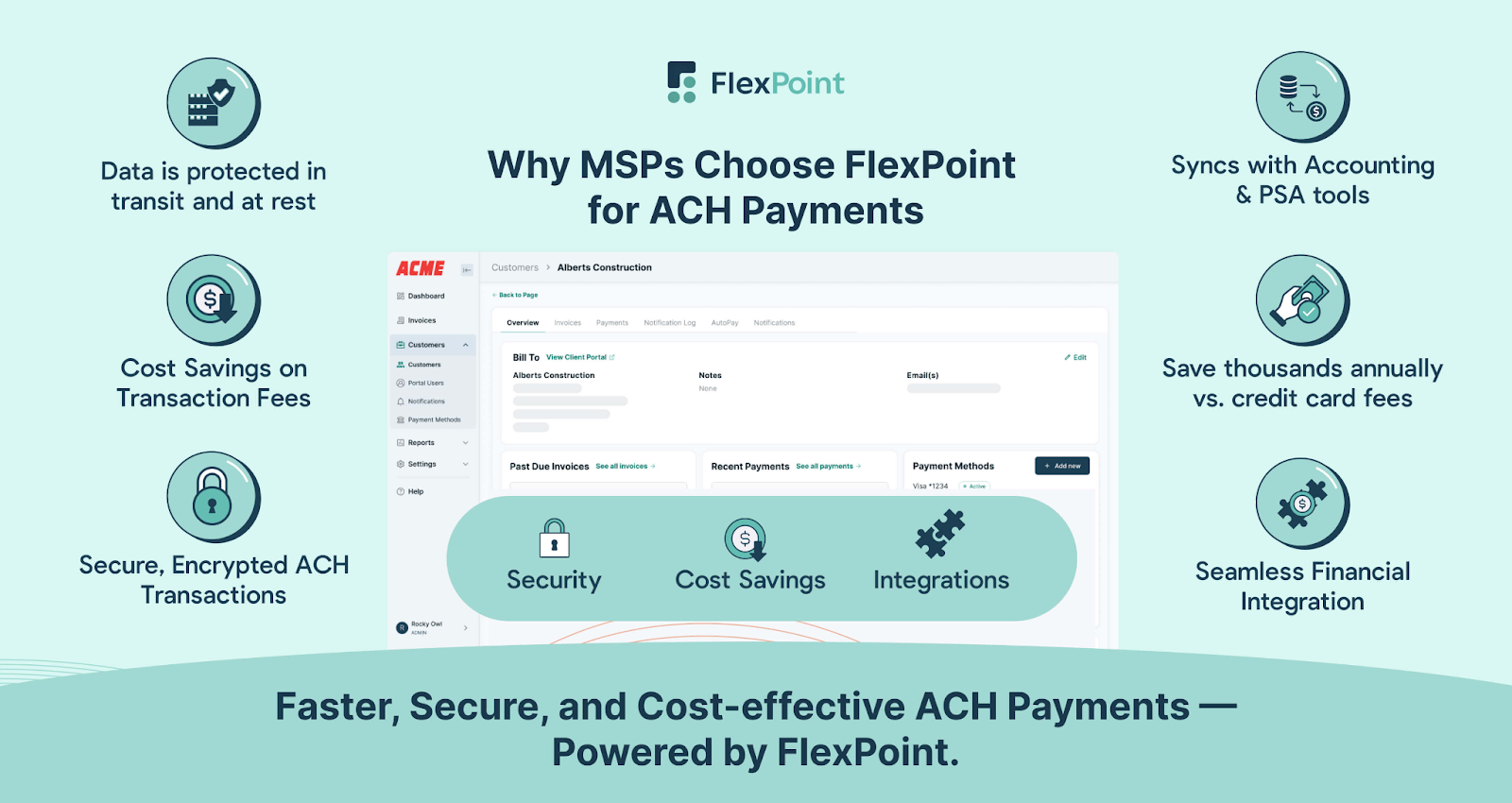
FlexPoint charges a flat fee for ACH transactions rather than a percentage cut. For example, ACH payments can cost as little as $0.25 per transaction with FlexPoint.
Whether a client pays $500 or $50,000 via bank transfer, you pay the same low flat fee, making your transaction costs predictable and much lower than QuickBooks’ 1% fee in most cases.
This transparent pricing protects your margins as you grow: a huge invoice won’t suddenly incur a big processing charge. It’s easy to budget for and removes the “tax” on larger payments.
Credit Card Fee Recovery:
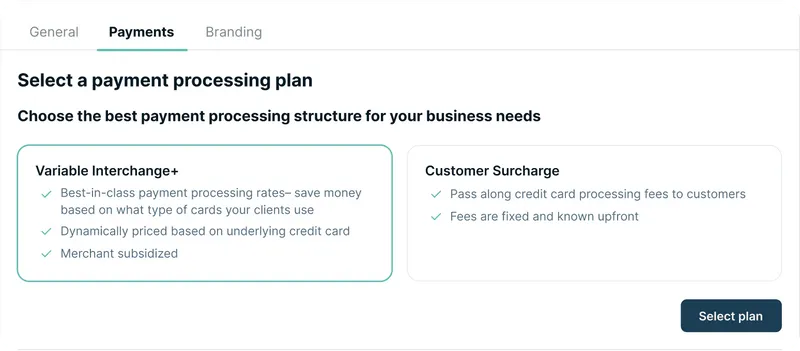
One of FlexPoint’s most MSP-friendly features is the ability to pass credit card fees to clients legally and transparently: FlexPoint supports compliant credit card surcharging. This means that when a client chooses to pay by card, the standard processing fee (e.g., 3%) can be added to their bill.
Your client is made aware of this surcharge at payment time (in a way that meets all card network and state law requirements), and your MSP recovers the fee instead of losing it.
This feature alone can save your MSP thousands of dollars a year in waived processing fees.
FlexPoint ensures you receive the full invoiced amount, even with credit card payments, protecting your profit on each transaction.
Clients can still pay via ACH or other methods to avoid the card surcharge, thereby further encouraging the use of fee-free methods.
Built-In Payment Controls:
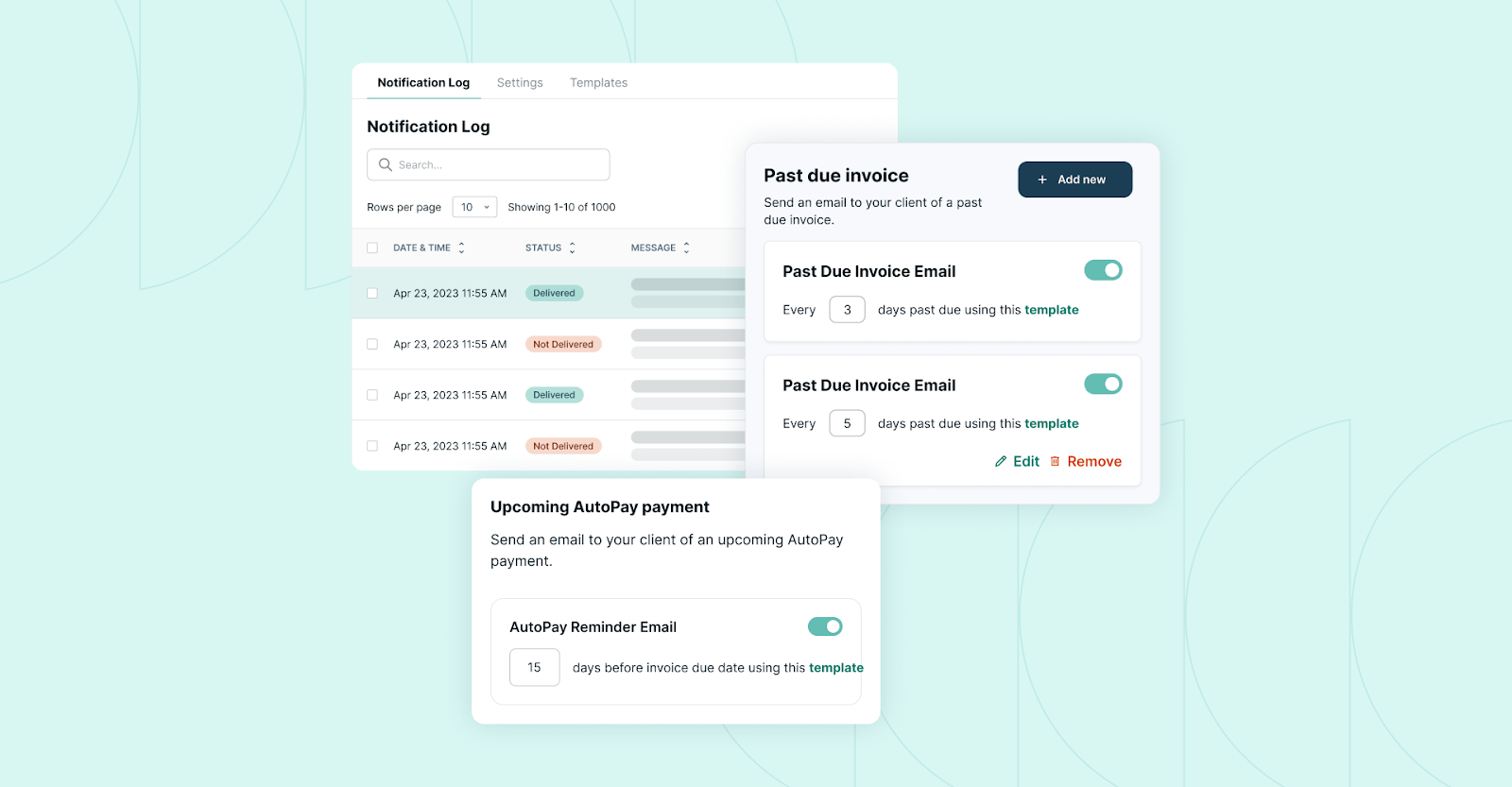
FlexPoint gives MSPs far more flexibility in how clients can pay and how you manage payments. The platform supports payment plans, partial payments, and customized payment terms out of the box.
If you want to allow a client to pay an invoice in four installments, or let them make a partial upfront payment and schedule the rest, you can do that easily with FlexPoint.
You can also set up things like automatic recurring payments (AutoPay) for managed services contracts, which QuickBooks alone doesn’t handle as smoothly.
Importantly, there are no extra or hidden fees for using these advanced features: FlexPoint doesn’t penalize you for offering clients more convenience.
This flexibility means you can structure billing however makes sense for your business and clients (while still collecting every penny owed and recovering fees).
Full Billing Automation:
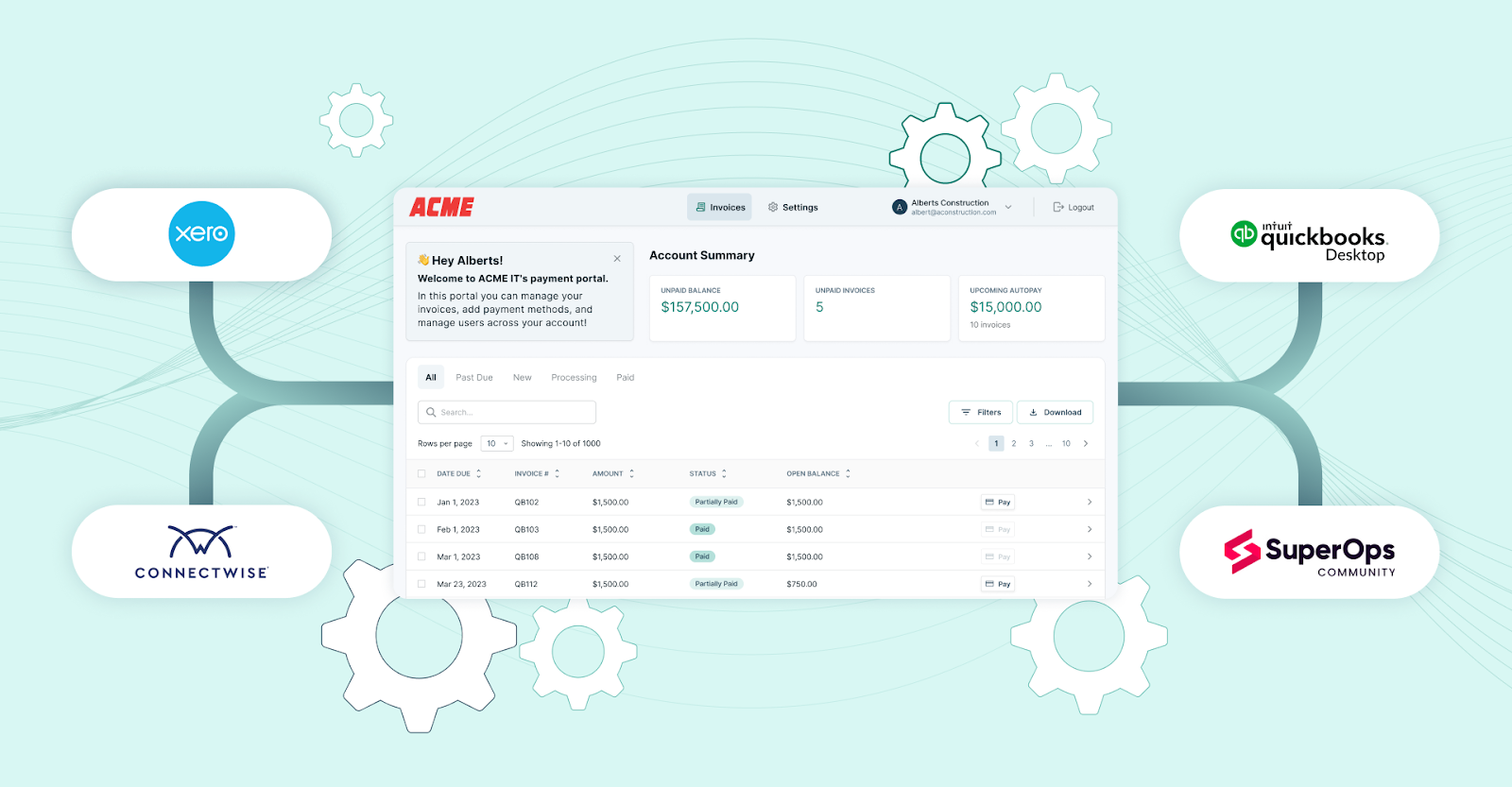
Unlike the basic integration between QuickBooks Payments and QuickBooks Online, FlexPoint provides end-to-end automation of the billing cycle.
The platform syncs with both your PSA (Professional Services Automation) tool (such as ConnectWise PSA, Autotask, SuperOps, HaloPSA) and accounting software (such as QuickBooks Online, QuickBooks Desktop, Xero), so invoices, reminders, payments, and reconciliations all occur seamlessly.
When you send an invoice through FlexPoint, clients receive a branded payment link. Once they pay, the payment is automatically applied to the invoice in QuickBooks, marked as paid, and the deposit is logged, with no manual intervention required. Cash flow updates in real time.
FlexPoint essentially layers on top of QuickBooks to fill its automation gaps, such as:
- Sending payment reminder emails
- Retrying failed payments
- Correctly batching deposits
- Syncing all data between your systems
The result is significantly less admin time for your team and fewer errors. You get paid faster and spend less effort on payment operations, which is a cost-saving measure often overlooked when considering “free vs. fees.”
Branded Client Portal:
With FlexPoint, your clients pay you through a white-labeled portal that carries your MSP’s branding, not an Intuit-branded page.
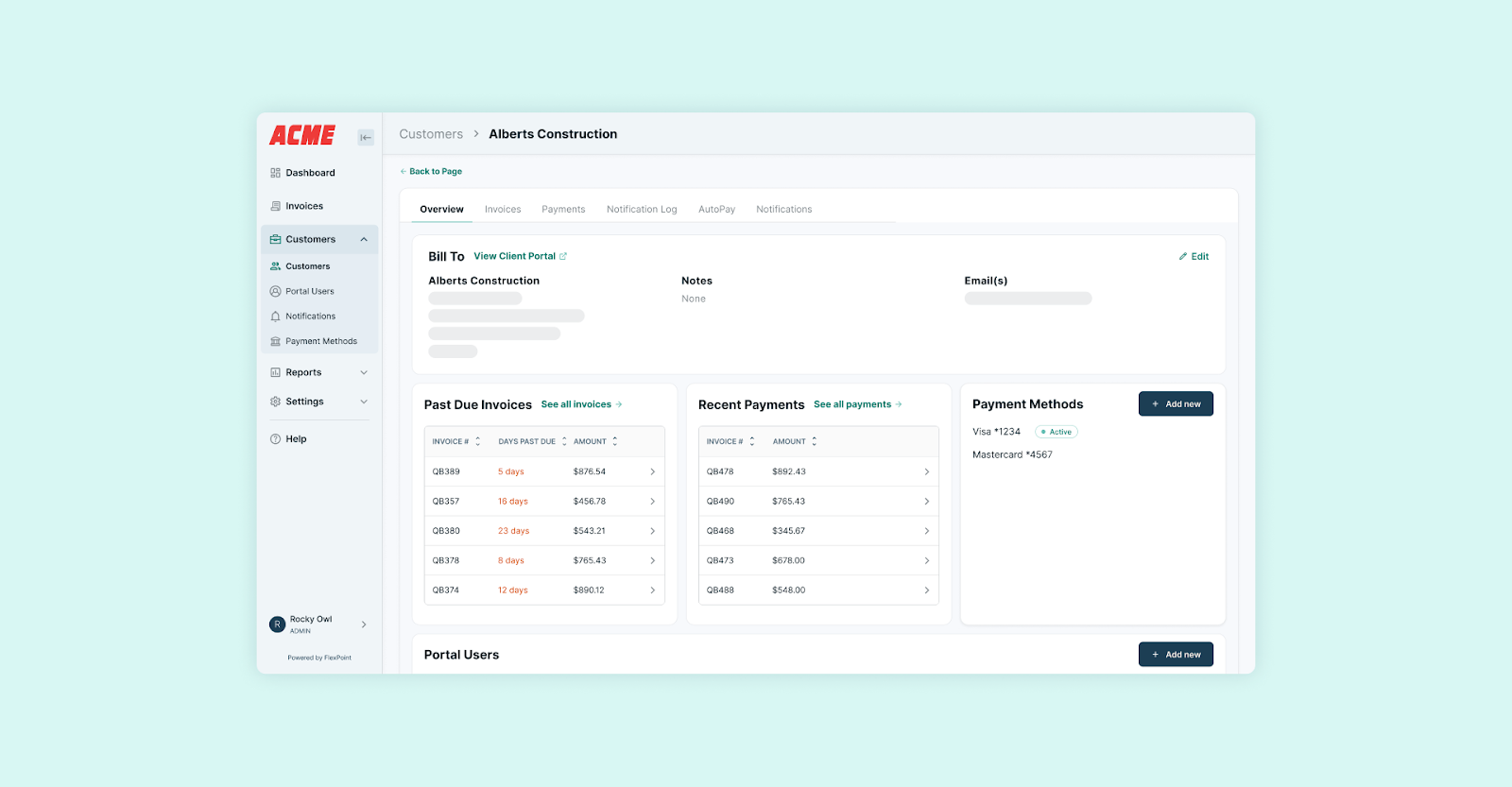
Every invoice, payment page, and receipt can feature your logo, your colors, and even your domain name. This creates a more professional and trustworthy experience for your clients compared to the generic QuickBooks “Pay Now” links.
While the branding itself doesn’t save money, it does strengthen your customer experience and can lead to faster payments (clients feel secure and see the MSP’s name, not a third-party they might not recognize).
Moreover, the portal allows clients to perform self-service actions, such as saving a payment method on file, enrolling in autopay, or viewing past invoices. This reduces the time your team spends answering billing questions.
The improved client experience and self-service options mean fewer payment delays and less back-and-forth, which indirectly benefits your cash flow.
In short, FlexPoint is designed to provide MSPs with cost clarity, billing flexibility, and automation at scale, which QuickBooks Payments cannot match.
You gain control over your payment processing costs (including flat ACH and recovered card fees) and increase efficiency through automation and integrations.
Many MSPs utilize FlexPoint alongside QuickBooks Online, where QuickBooks remains the system of record for accounting, while FlexPoint handles the heavy lifting of payments and billing workflows.
The end result is lower effective payment costs, more predictable cash flow, and a streamlined billing process that supports your growth rather than taxing it.
Conclusion: Understand the Real Cost of QuickBooks Payments Before You Commit
QuickBooks Payments is not truly free, and it’s critical for MSPs to understand that before committing to it as their billing solution. The absence of a monthly fee is appealing, but hidden transaction fees can significantly reduce your revenue over time.
For a growing MSP, those 2.99% credit card fees and 1% ACH fees mean lower profit on every service you deliver, often unnoticed until they substantially add up. Additionally, operational drawbacks (such as slow deposits and limited flexibility) incur costs in terms of efficiency and client satisfaction.
Before you decide on any payment platform, always look beyond the “no upfront cost” marketing.
Evaluate the total cost of using it, including fees, time spent, and limitations imposed on your business. In the case of QuickBooks Payments, that evaluation often reveals that “free” can be pretty expensive in the long run for MSPs.
The good news is, you aren’t stuck with that model.
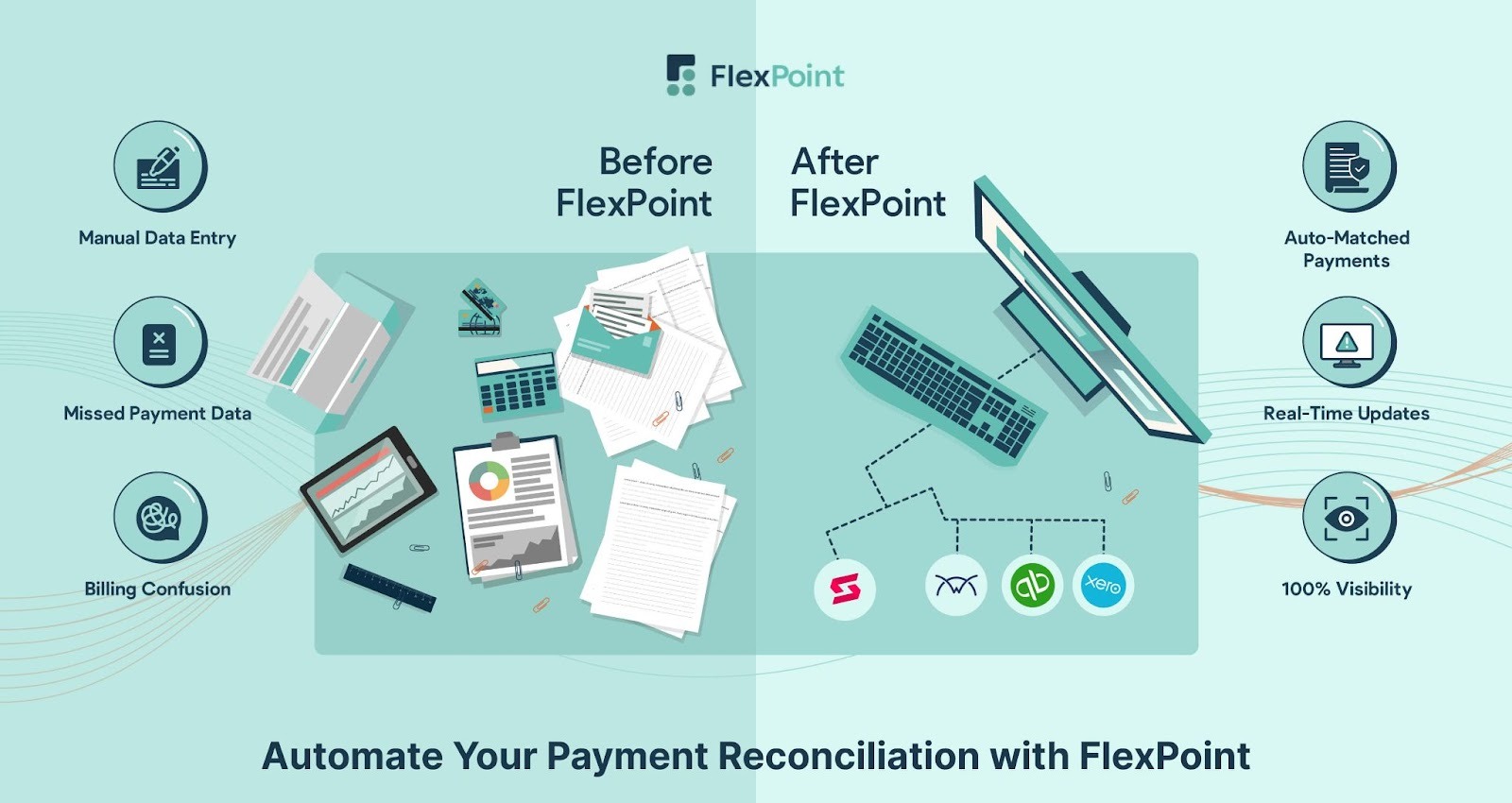
FlexPoint offers MSPs a way to keep using QuickBooks for accounting while addressing the cost and automation challenges posed by QuickBooks Payments.
With transparent flat fees, cost recovery, and automation designed for MSP workflows, FlexPoint enables you to retain more of your revenue and save time as you scale.
Looking for a smarter billing solution with lower costs and more control?
FlexPoint + QuickBooks Online gives MSPs complete visibility and automation across every transaction.
Book a demo to see FlexPoint in action.
Additional FAQs: Is QuickBooks Payments Free for MSPs?
{{faq-section}}




