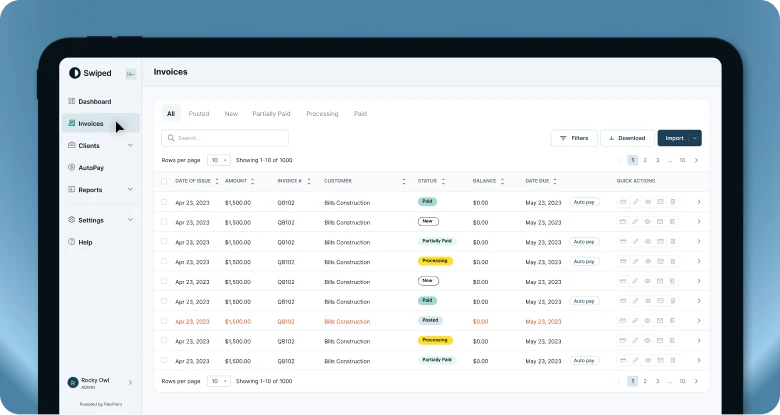



WisePay has long given MSPs a way to collect client payments and connect payment activity with their existing systems. But for many growing MSPs, they’re discovering it isn’t enough.
MSPs may also need to reconcile deposits, keep PSA and accounting data synchronized, follow up on overdue invoices, manage client payment access, and maintain accurate records across multiple systems.
If you've outgrown WisePay (or you're evaluating it against newer options) there are several alternatives built to handle more of the billing and accounts receivable process.
What are the best WisePay alternatives for MSPs?
Leading WisePay alternatives for MSPs include FlexPoint, Alternative Payments, QuickBooks Payments, and BenjiPays. The right choice depends on whether your MSP primarily needs payment processing or wants to automate more of the billing and accounts receivable workflow.
We evaluated these options based on MSP specialization, integrations, accounting synchronization, funding speed, AR automation, deposit reconciliation, client financing, client experience, and pricing structure. Product information was verified against vendor documentation as of August 2026.
Why do MSPs look for WisePay alternatives?
WisePay supports payment collection within the ConnectWise ecosystem, but there are several areas MSPs may want to evaluate as their billing operations grow.
WisePay’s slow, complex onboarding
WisePay uses a multi-step onboarding process and merchant application before an MSP can begin processing payments.
If you're comparing platforms, consider how much work stands between choosing one and actually collecting payments: merchant approval, configuration, integrations, client migration, and onboarding.
WisePay’s manual deposit reconciliation
Recording a client payment doesn't finish the accounting process. The eventual bank deposit still needs to be matched to the payments and invoices it represents, and WisePay requires manual deposit reconciliation. That can leave finance teams matching deposits and investigating discrepancies after the payment itself has already been recorded.
WisePay + Wise-Sync complexity
MSPs using ConnectWise and QuickBooks Online may also rely on Wise-Sync to synchronize data between their systems.
That means evaluating WisePay may involve considering multiple products across the payment-to-accounting workflow rather than WisePay alone.
Limited end-to-end AR automation
Scheduled reminders can automate individual collections tasks, but someone still has to monitor overdue accounts, determine what happens after a client doesn't respond, follow up, and decide when an account needs personal attention.
Collections technology has moved beyond scheduled reminders. Newer AR tools can take a more active role—like an additional teammate without adding headcount—from monitoring accounts and conducting outreach to creating follow-up tasks and escalating exceptions.
MSPs evaluating WisePay alternatives should consider how much manual collections work a platform alleviates.
WisePay’s poor client experience and UI
Client account setup, access to historical invoices and payments, and branding all affect how much administrative work sits with the MSP. And WisePay requires manual client registration and offers more limited historical access within its portal.
WisePay’s vendor ecosystem limitations
WisePay is owned by ConnectWise and does not currently offer a documented HaloPSA integration.
For an MSP considering HaloPSA (or simply wanting the freedom to change its PSA later) that limitation matters. A PSA change shouldn't come with an unexpected billing-platform migration if it can be avoided.
What should MSPs look for in a WisePay alternative?
A replacement should solve the problems that caused you to look beyond WisePay in the first place. For MSPs, that means looking past a basic list of payment methods and asking how the platform fits into the complete AR workflow.
1. One platform for the full AR cycle
Determine how many products you'll need to manage payments, accounts receivable, and synchronization between your PSA and accounting system. Look at the depth of each integration, too. An integration logo tells you very little about whether invoices, customers, payments, and accounting data actually move where you need them to go.
2. Fully automated deposit reconciliation
Ask what happens after the payment is processed. Ideally, the resulting deposit is reconciled to its underlying payments and invoices automatically. Otherwise, your finance team is still matching deposits, identifying transactions, and investigating discrepancies manually.
3. A better client payment experience
Consider whether clients can see current and historical invoices, access the portal securely without another password to remember, and interact with a payment experience carrying your MSP's brand. Also look at how much work it takes to migrate and onboard clients in the first place.
4. Freedom from a single vendor ecosystem
Your billing platform should fit the technology stack you plan to use, not dictate it. Look at support for ConnectWise, Autotask, HaloPSA, SuperOps, and your accounting system. If you change PSAs two years from now, will your billing platform come with you?
5. Accounts Receivable automation that goes beyond reminders
Think through the actual jobs your team performs when an invoice goes overdue: monitoring the account, deciding who needs attention, sending follow-ups, contacting unresponsive clients, creating tasks, tracking previous outreach, and deciding when a human needs to intervene.
The useful question is simple: How much of that collections workload does the platform actually remove from your team?
The best WisePay alternative is the one that removes the most work from your billing and AR process without creating new complexity somewhere else.
On-demand FlexPoint platform tour.
Top WisePay alternatives for MSP billing
1. FlexPoint
Verdict: Best overall WisePay alternative for MSPs that want to replace both payment collection and more of the surrounding billing and AR workload.
FlexPoint is purpose-built for MSPs and combines payments, AR automation, reconciliation, and PSA/accounting synchronization within one platform. That means replacing more than payment processing, including work that may otherwise sit with Wise-Sync or the MSP's finance team.
FlexPoint features
- Same-Day ACH included across all plans
- AR Agents for autonomous follow-up
- Automated deposit reconciliation
- GL Connect for full ConnectWise & QBO sync
- No ACH transaction limits
- PCI compliance included
- AutoPay and flexible payment rules
- Branded client portal hosted on the MSP’s domain
- No-cost client migrations
- FlexLine financing up to 12 months
- Detailed payment, deposit, and AR reporting
FlexPoint integrations
- PSAs: ConnectWise, Autotask, HaloPSA, and SuperOps
- Accounting: QuickBooks Online, QuickBooks Desktop, Xero, Sage Intacct, NetSuite, and Microsoft Dynamics 365 Business Central
- Additional MSP tools: Rewst, ScalePad Quoter, QuoteWerks, ConnectWise CPQ, DataGate, and CloudRadial
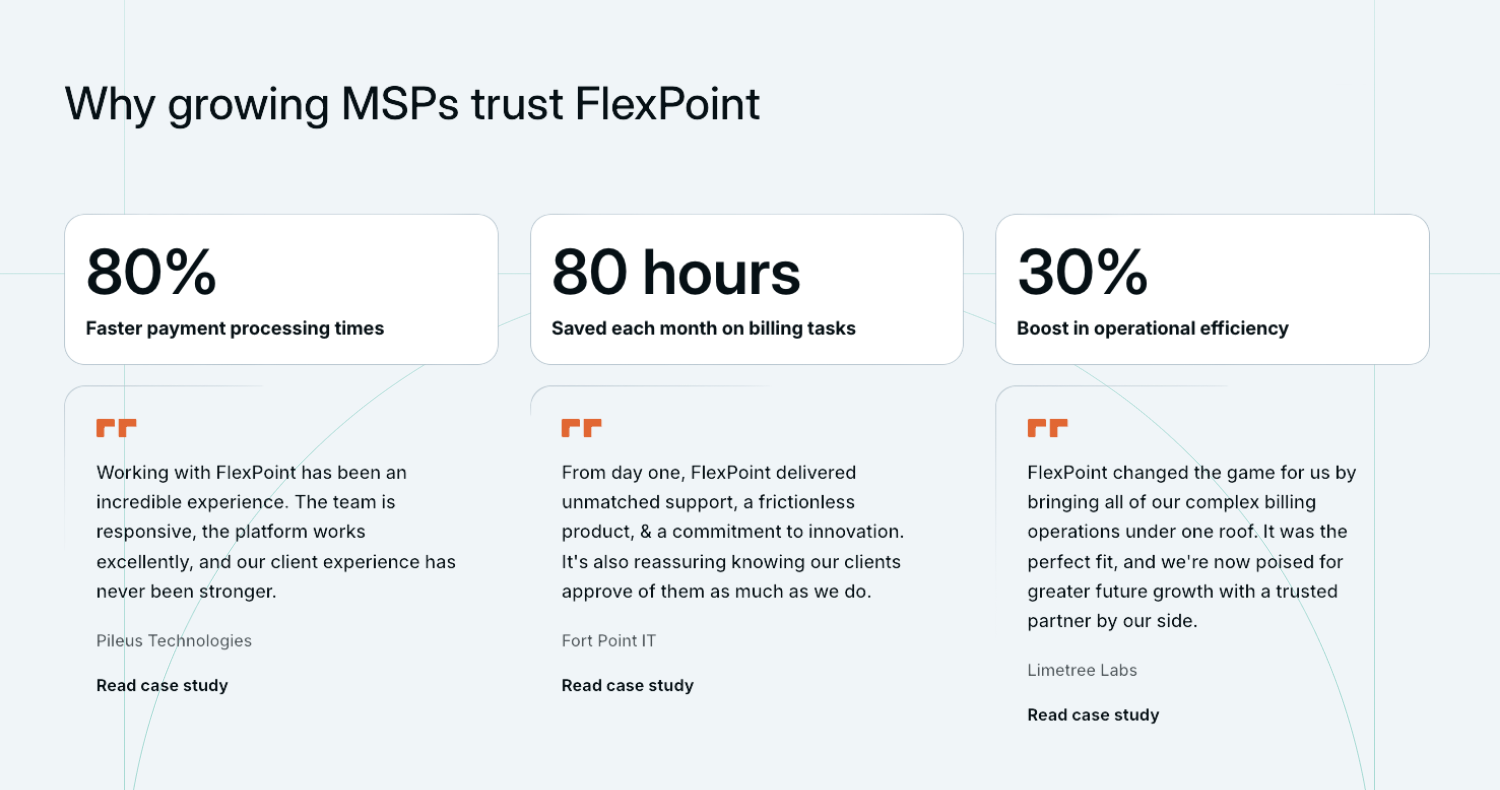
FlexPoint pros
- Purpose-built around MSP billing and client workflows
- Same-Day ACH included across plans
- Automated deposit reconciliation
- AR Agents for collections work
- Native HaloPSA integration
- Full ConnectWise PSA + QuickBooks Online synchronization included on applicable plans
- Payment experience remains on the MSP's domain
- U.S.-based, in-house support
- Independent and founder-owned
FlexPoint cons
- U.S. payment processing only
- MSP-specific functionality may be more than a business with very basic payment requirements needs
FlexPoint pricing
FlexPoint offers annual plans with predictable pricing based on payment volume and functionality. Processing rates vary by plan, while functionality such as Same-Day ACH allowances and PCI compliance is included rather than purchased separately.
For WisePay users: The biggest difference is what your team no longer has to manage: separate synchronization tooling, manual deposit reconciliation, and more of the follow-up work surrounding each payment.
Compare FlexPoint vs. WisePay.
2. Alternative Payments

Verdict: A capable B2B AR platform with broader functionality than a basic payment processor, but designed across multiple industries rather than exclusively around MSP workflows.
Alternative Payments provides billing, payment, and AR functionality alongside integrations with major MSP PSAs and accounting platforms. But several capabilities and costs depend on the selected subscription and additional functionality.
Alternative Payments features
- ACH and credit card payments supported
- AutoPay
- Invoice delivery
- Payment reminders
- Client payment portal
- Collections functionality
- Client financing
- Multiple payout-speed options
Alternative Payments integrations
- PSAs: ConnectWise, Autotask, HaloPSA, and SuperOps
- Accounting: QuickBooks Online, QuickBooks Desktop, Xero, Sage Intacct, NetSuite, FreshBooks, Zoho Books, and Microsoft Dynamics 365 Business Central
Alternative Payments pros
- Broader AR functionality than a basic payment processor
- $0 standard ACH transaction fees
- Automated payment reminders and collections functionality
- Client financing available
- Faster payout options available
Alternative Payments cons
- Generalist rather than MSP-exclusive
- Faster payout speeds increase the subscription price
- No Same-Day ACH
- Full ConnectWise + QuickBooks Online synchronization costs extra
- Manual deposit reconciliation
- Financing limited to 150 days
- Limited reporting capabilities
Alternative Payments pricing
Alternative Payments starts at $199 per month for businesses processing up to $50,000 monthly with standard three-day payouts. Pricing increases with processing volume and payout speed, reaching $699 per month for businesses processing up to $100,000 that select next-day payouts. Pricing above $100,000 in monthly volume is custom, while credit card processing and certain functionality are additional costs.
For WisePay users: Alternative Payments expands beyond basic payment collection, but an MSP leaving WisePay specifically to eliminate manual reconciliation, gain Same-Day ACH, or consolidate more of its MSP billing workflow should consider which of those problems Alternative Payments actually resolves.
3. QuickBooks Payments

Verdict: Convenient for MSPs already centered on QuickBooks, but primarily an accounting and payment solution rather than an MSP-specific billing and AR platform.
QuickBooks Payments lets businesses accept payments directly within the QuickBooks ecosystem. For an MSP primarily looking for straightforward payment acceptance, that simplicity can be appealing.
QuickBooks Payments features
- Credit card payments
- ACH bank payments
- Recurring payments
- Payment links
- Invoicing and payment tracking within QuickBooks
- Buy now, pay later options through Affirm
QuickBooks Payments integrations
- Accounting: Native to the QuickBooks accounting ecosystem
QuickBooks Payments pros
- Convenient for MSPs already operating primarily in QuickBooks
- Straightforward payment functionality
- Supports common card, ACH, recurring-payment, and payment-link workflows
- May be sufficient for MSPs that don't need a broader AR platform
QuickBooks Payments cons
- Not purpose-built for MSPs
- No direct PSA integrations
- No AR Agents
- No end-to-end PSA + accounting workflow
- No MSP-specific automated deposit reconciliation workflow
- Generic Intuit payment experience rather than an MSP-branded portal
- More limited AR automation and reporting than a dedicated MSP platform
QuickBooks Payments pricing
QuickBooks publishes transaction-based payment pricing rather than the same type of MSP billing-platform subscription model used by some alternatives. Rates vary by payment method and QuickBooks product, so MSPs should verify the rates applicable to their account.
For WisePay users: QuickBooks Payments is most relevant if your MSP wants to simplify down to payment collection within its accounting software. If you're replacing WisePay because you want more automation, deeper PSA connectivity, automated reconciliation, or more advanced collections capabilities, moving to QuickBooks Payments goes in the opposite direction.
4. BenjiPays
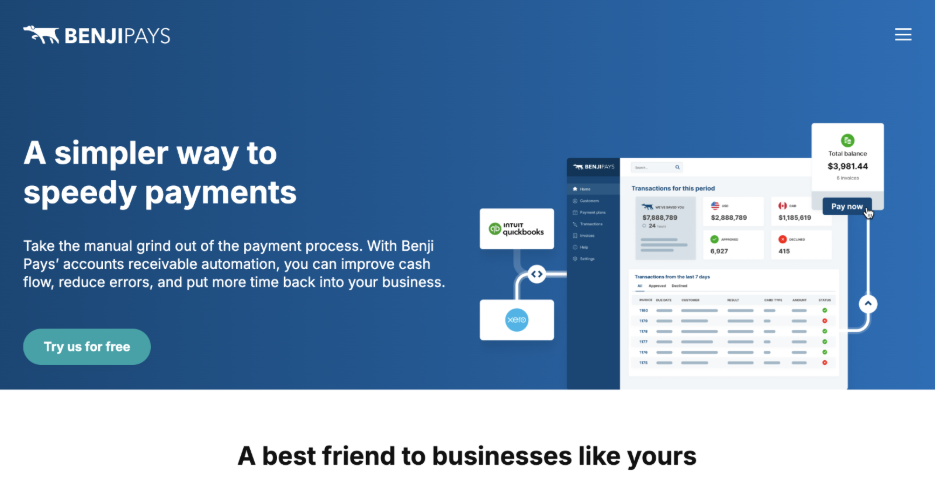
Verdict: A flexible general-purpose payments and AR platform with MSP integrations, although important functionality and transaction capacity depend on the selected plan.
BenjiPays provides payment and AR functionality across multiple industries. Its support for MSP integrations makes it a more relevant WisePay alternative than a basic payment processor, particularly for businesses that value flexibility around their existing merchant account or gateway.
BenjiPays features
- Auto Processing
- Invoice Rover automated dunning
- Self-service customer portal
- Payment links
- Credit card surcharging
- Installment plans
- Support for existing merchant accounts and gateways
BenjiPays integrations
- PSAs: HaloPSA, Autotask, and ConnectWise on the Advanced plan
- Accounting: QuickBooks Online and Xero (QuickBooks Desktop on applicable plans)
BenjiPays pros
- Transparent published plan pricing
- No contracts
- Automated invoice reminders and payment processing
- Flexibility to retain existing card data and gateways
- MSP integrations available
- Supports surcharging and installment plans
BenjiPays cons
- Generalist rather than MSP-exclusive
- PSA integrations require a higher-tier plan
- QuickBooks Desktop support is plan-dependent
- Standard and Advanced plans have transaction allowances
- No Same-Day ACH
- No automated deposit reconciliation
- No FlexLine-style client financing
- No AR Agents
- Support level varies by plan
BenjiPays pricing
BenjiPays publishes tiered subscription pricing. Its Standard plan starts at $139 per month when billed annually or $169 month-to-month, while the Advanced plan (which adds MSP integrations, a custom domain, and QuickBooks Desktop support) starts at $219 per month annually or $259 monthly.
Standard and Advanced include 100 approved transactions per month, while Elite includes 400. Additional approved transactions are charged separately.
For WisePay users: BenjiPays notably adds HaloPSA support, which WisePay lacks. But MSPs leaving WisePay because they want to automate substantially more of the work around reconciliation and collections should weigh that integration flexibility against the manual work that would still remain.
What does FlexPoint do differently from WisePay?
A feature comparison can tell you what two platforms technically offer. The more useful question for an MSP already using WisePay is: What would actually change if we switched?
The short answer: quite a bit.
When a client pays through WisePay, someone may still need to reconcile the eventual deposit. With FlexPoint, deposits can be automatically matched back to the payments and invoices they represent. Your finance team spends less time deciphering deposits and getting the books to agree.
The difference starts before a client pays, too.
Scheduled reminders are useful until the third reminder goes unanswered and someone has to figure out what to do next. FlexPoint's AR Agents can monitor overdue accounts, conduct routine outreach, call clients, create follow-up tasks, and escalate situations that actually need a person. The aging report stops being quite so needy.
Your billing platform also becomes less dependent on your PSA choice. WisePay doesn't integrate with HaloPSA. FlexPoint supports ConnectWise, Autotask, HaloPSA, and SuperOps, giving MSPs more room to change their stack later without automatically taking on another billing migration.
Cash can become available sooner, too. FlexPoint's Same-Day ACH allowances give MSPs faster access to eligible ACH funds, which can matter when you're paying vendors, buying hardware, or making payroll.
The client side gets simpler as well. FlexPoint combines a branded portal on the MSP's domain with branded communications, invoice and payment history, and streamlined client onboarding. Clients stay inside an experience that looks and feels like your MSP, rather than being handed off to a third-party billing portal.
And behind all of this, there are fewer pieces to manage.
FlexPoint brings payments, AR automation, reconciliation, and applicable PSA/accounting synchronization into the same broader platform instead of requiring separate products and handoffs to carry a payment all the way through accounting.
The practical result is straightforward: switching from WisePay to FlexPoint can leave your team with less work surrounding every payment.
Ready to move from WisePay?
Choosing a WisePay alternative comes down to what you want the switch to accomplish.
If manual reconciliation is the problem, look for automated reconciliation. If Wise-Sync adds another system to manage, look at how deeply a replacement connects your PSA and accounting software. If collections still require someone to watch the aging report and chase clients, look at how much of that work the platform can take over. And if you're considering HaloPSA, make sure your billing platform can come with you.
Once you've chosen a replacement, there's a more practical question: How do you actually get off WisePay without disrupting billing or collections?
Our guide to migrating off of WisePay walks through the process of moving your clients, payment information, and billing workflows so you can plan the transition before making the switch.
Still comparing? Watch the FlexPoint on-demand platform tour to see how payments, synchronization, reconciliation, and collections work together.