


Every MSP has a front office and a back office, even if nobody calls them that.
The front office is the visible part: service delivery, client relationships, sales, technical work. This is what most MSPs were built around and where most of the attention goes.
The back office is everything else, including but not limited to: invoicing, chasing overdue payments, reconciling deposits, answering questions, updating records, etc.
For most MSPs, the back office still runs mostly on manual work.
Not because anyone chose that necessarily, but because it was always just manageable enough that upgrading back-office tooling never felt urgent.
Back office AI is changing that calculation.
This guide covers what back office AI is, how it is different from standard automation, where it applies inside an MSP operation, and how to think about adopting it without overcomplicating your existing workflows.
What Is Back Office AI?
Back office AI is software that uses artificial intelligence to run the behind-the-scenes operational work that keeps a business running.
For MSPs, that means billing, accounts receivable, collections, reconciliation, administrative workflows, and the routine operational communications that currently require a person's time even though they rarely require a person's judgment.
The distinction between the back office and the front office is useful here. Front office work is predominantly client-facing: delivering services, managing relationships, responding to technical issues, selling while the back office work is operational (and repetitive).
Both matter, but they have different problems, and they benefit from different kinds of AI.
The Back Office Problem Most MSPs Live With
Most MSPs would describe their back office as functional. And most of the time, it is. Invoices go out. Payments eventually arrive. The books get closed each month.
The problem is what functional actually costs.
Chasing a late payment is not complicated. Usually it looks like sending a reminder, following up when it goes unanswered, making a call when email stops working, logging the interaction, and then repeating the whole process next month for the same account.
None of that necessarily requires expertise. But it does require time and attention, and in most MSPs, that time comes from whoever has bandwidth, which is usually the owner, the bookkeeper, or the office manager.
Owners absorb the most visible part of this cost typically.
An hour spent on collections calls is an hour not spent on something that actually grows the business.
According to QuickBooks research, small business owners spend an average of 14 hours per week on administrative work, including invoicing, payment follow-up, and bookkeeping tasks.
But the quieter cost is on the bookkeepers and office managers who end up spending significant portions of their week on collections follow-up and routine billing questions that were never really their job to begin with.
They just do it because nobody else does.
The reason this persists is not that MSPs are disorganized. It is that manual collections feel controllable. You know what happened because you did it yourself. There is no software to configure or integration to maintain. It is just part of running the business.
Until the business scales to the point where it is not.
The longer an invoice remains unpaid, the lower the likelihood of collecting it in full, which is why consistent follow-up has such an outsized impact on cash flow.
Back Office Automation vs Back Office AI for MSPs
These two things are often used interchangeably, but they are different in a way that matters.
How Back Office Automation Works
Back office automation handles repetitive tasks by executing predefined rules. When an invoice hits Day 7 past due, a reminder email goes out. When a client enrolls in AutoPay, their card is charged on the 1st. When a payment clears, the deposit reconciles against the open invoice.
The wins here are real and significant, especially for MSPs that rely primarily on one person's memory.
But automation has a ceiling because rules fire regardless of context.
A client who called yesterday and said payment is coming Thursday gets the same Day 7 reminder as a client who has been ignoring emails for three weeks. A client with a dispute gets the same escalating tone as a client who simply forgot to pay. Every situation that falls outside the standard sequence creates a task that lands back in a human inbox.
For MSPs with simple, predictable AR workflows, automation is often enough.
For MSPs where the client base and the complexity have grown, the exception volume grows with them and the manual work shifts rather than disappears.
How Back Office AI Goes Further
Back office AI reads context and decides rather than just executing a fixed step.
Automation asks: is this condition true? If yes, do this.
AI asks: given what I know about this account, this client's payment history, and where we are in the collections process, what is the right thing to do?

Deloitte reports that organizations are increasingly adopting AI for operational workflows that require judgment and prioritization rather than simple task execution, reflecting a broader shift from automation toward decision-support systems.
The same overdue invoice that triggers a standard reminder for one account might trigger a softer follow-up for a long-term client with a clean history and a harder escalation for a newer client showing a pattern of delay.
An AI agent makes that distinction without requiring a human to manage each case individually.
It also handles the routine questions that currently route to human inboxes (like a client emailing to ask what an invoice covers, or whether a payment posted, or how to update their payment method).
These questions are easy to answer and shouldn't require a person to answer them.
The category shift is from automating tasks to delegating outcomes.
Automation handles the step. AI handles the situation.
Agentic AI: The Engine Behind Back Office AI
Agentic AI is the term for software that takes action toward a goal rather than just executing a single step when triggered.
A standard automation workflow executes steps in sequence.
An agentic AI system pursues an outcome. It assesses the situation, decides what to do, acts, checks whether it worked, and determines the next step.
For back office work, this matters because most back office tasks are repetitive but full of small judgment calls.
Rules-based automation cannot make those calls. Agentic AI can.
This is what AI software for simplifying repetitive back-office tasks actually looks like in practice. Not a robot that blindly executes instructions, but a system that understands what you are trying to accomplish and takes the actions most likely to get you there.
Where Back Office AI Applies in an MSP
Back office AI can apply across several operational areas.
For most MSPs, accounts receivable and collections is the highest-impact starting point, and the one where the gap between what is possible and what is currently happening is widest.
Accounts receivable and collections is where earned revenue most commonly gets stuck. Invoices go out. Some clients pay immediately. Others need a reminder. Others need multiple reminders. Multiple need a phone call.
Managing all of that consistently across a growing client base is where manual processes first start to crack and where AI creates the clearest, most measurable return.
We mentioned how agentic AI pursues an outcome. In accounts receivable, that outcome is getting you paid.
Beyond AR, back office AI is beginning to show up in:
- Invoice generation and anomaly detection, catching billing errors before they go out
- Deposit reconciliation and payment matching, reducing month-end manual work
- Client communication routing, handling routine billing questions without involving staff
- Reporting and cash flow visibility, surfacing AR trends and payment risk in real time rather than at month-end
For most MSPs, starting with AR and collections is the right call.
It is the function where the manual hours are highest, the revenue impact is most direct, and the ROI of getting it right is easiest to measure.
Meet AR Agents: Back Office AI for MSP Accounts Receivable
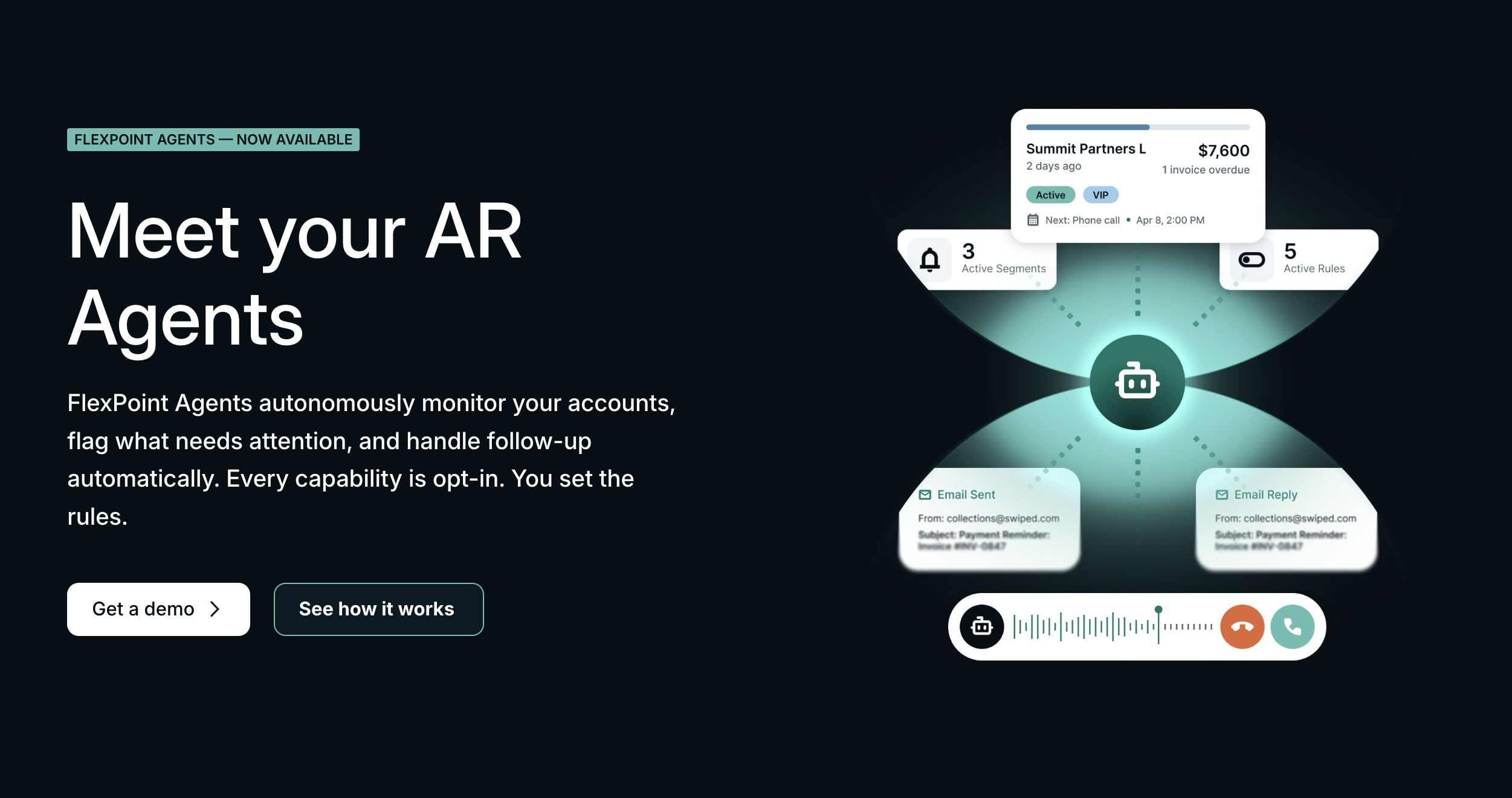
FlexPoint AR Agents are back office AI applied specifically to accounts receivable for MSPs.
They handle the repetitive and exhausting work that currently lives on someone's plate: chasing late payments, placing voice follow-up calls to overdue accounts, adapting outreach based on each client's payment history, managing escalation sequences, answering routine billing questions, and logging every interaction.
The outcomes are direct. DSO comes down. Write-offs that were accumulating from accounts that slipped through manual follow-up get recovered.
And the time that was being spent on collections by owners, bookkeepers, and office managers goes back to those people for work that actually requires them.
AR Agents are not trying to remove humans from the process, they can be ran autonomously or in a copilot setting for one. For two, disputes, payment plan conversations, service limitation decisions, and relationship-sensitive situations will always still involve your back-office experts.
How to Evaluate Back Office AI for Your MSP
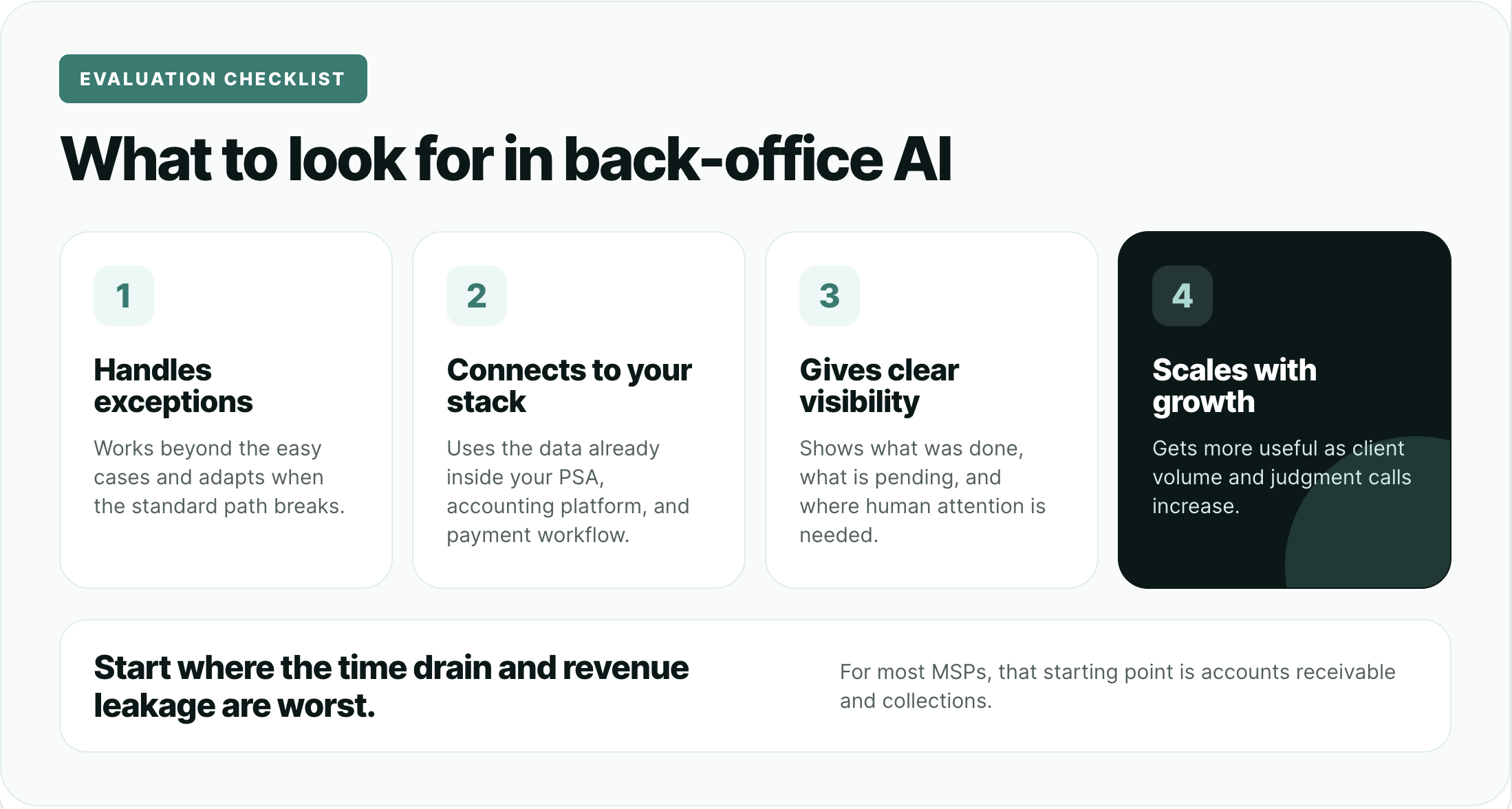
The right starting point for back office AI is wherever the time drain and revenue leakage are worst.
For most MSPs, that is AR and collections. For others, it might be reconciliation or billing administration. Start where the problem is biggest, not where the technology is most interesting.
When evaluating any back office AI tool, a few things are worth looking for specifically:
1. Does it handle exceptions, not just the standard path? A tool that works perfectly on the easy cases and breaks on everything else creates a new management burden. Look for systems that can assess situations and adapt rather than just execute a sequence until something does not fit. (Before adopting new AI tools, test them until the point of breaking. Pretend to be an aggressive or confused client, interrupt the agent, etc... test it how it might meet its worst use case, not its best.)
2. Does it integrate with your existing stack? Back office AI is only useful if it connects to where your data actually lives. For MSPs, that means your PSA and your accounting platform. A tool that requires manual data exports to function is not really solving the problem of lost time.
3. Does it give you visibility? You should be able to see, at any moment, which accounts are being worked, what actions have been taken, what the current status is, and which situations need human attention. Black-box automation that you cannot inspect creates new anxiety rather than removing old anxiety.
4. Does it scale with your client base? The tool should get more valuable as you grow, not more complicated. If the manual management overhead of the tool itself grows proportionally with your client count, it is not solving the scale problem.
On the question of when automation is genuinely enough: if your AR is relatively simple, your client base is under 20 to 25 active accounts, and your follow-up process is already consistent, rules-based automation may be sufficient for now.
Back office AI earns its place when the volume of judgment calls in your collections process outpaces what a rule-based system can handle cleanly.
The Next Evolution of MSP Collections
As management thinker Peter Drucker famously said, "There is nothing quite so useless as doing with great efficiency something that should not be done at all."
Yes, the follow-ups, reminders, and calls still need to happen.
What may need to change is who is doing the work.
Often, collections is treated as a "singular" process, but it is really two different jobs.
One is operational: sending reminders, tracking invoices, documenting activity, following up consistently, and making sure nothing slips through the cracks.
The other is human: resolving disputes, answering questions, navigating the conversations that require judgment, and having that long chat about the client's friend's cousin's wedding in three months.
The problem is that most teams spend too much time on the first so they have less capacity for the second.
Back office agentic AI is meant to increase the back-office worker's capacity for the meaningful human work by handling the repetitive work that surrounds them.
FAQs
What is the difference between back office automation and back office AI?
Back office automation follows predefined rules: send a reminder on Day 7, charge AutoPay on the 1st. It is consistent but cannot adapt to context. Back office AI assesses each situation and decides what action is appropriate based on account history, client behavior, and current status. Same trigger, different response.
What back-office tasks can AI handle for an MSP?
AI can handle accounts receivable follow-up, payment reminders, escalation sequencing, AI voice collections calls, routine billing questions from clients, deposit reconciliation, invoice anomaly detection, and documentation of every interaction. Tasks that require judgment but not expertise are where back office AI creates the most value.
Is back office AI safe for financial and billing work?
Yes, when the system is built with appropriate oversight. Good back office AI keeps humans in the loop for sensitive decisions: disputes, payment plans, service limitation, and anything that requires relationship management. The AI handles routine work. The exceptions surface to people. Every action is logged automatically for documentation and audit purposes.
Where should an MSP start with back office AI?
Start with accounts receivable. It is where the manual hours are highest, the revenue impact is most direct, and the results are easiest to measure. Once AR is running with AI support, other back office functions like reconciliation and billing administration are natural next steps.



.png)



