Some managed service providers (MSPs) often rely on QuickBooks Payments for client billing, assuming its recurring invoicing features will cover their needs. However, as an MSP’s recurring revenue grows, the limitations of QuickBooks may become evident.
Basic recurring invoices might work initially, yet they lack the dynamic billing and automation features that MSPs require for complex service contracts.
Core tasks, such as proration, usage-based charges, and synchronized billing with PSA (Professional Services Automation) tools, often end up being manual.
In this article, we will evaluate how QuickBooks handles recurring payments, where it falls short for MSP-specific workflows, and why a purpose-built solution such as FlexPoint fills those critical gaps for automated recurring billing.
{{toc}}
How QuickBooks Payments Handles Recurring Payments
QuickBooks Payments supports basic recurring billing. For example, you can create a recurring invoice template on a schedule (e.g., monthly or quarterly) for fixed services.
QuickBooks Online lets you set up recurring invoices that automatically email clients at each interval.
Clients can also save a credit card or bank account and consent to automated payments, letting QuickBooks automatically charge them for each recurring invoice.
In practice, once a client agrees and their payment method is on file, QuickBooks will process the payment on schedule and mark the invoice paid in the system.
This provides a baseline level of automation: invoices go out, and payments can be collected without manual intervention in simple cases.
However, QuickBooks' automation is limited in some cases.
The recurring invoice amounts are static: the system will repeat the same line items each cycle unless you manually change the template. There is no native support for usage-based adjustments or tiered pricing in a recurring template.
For example, if an MSP bills a client for variable services (like per-user or per-device fees that change monthly), QuickBooks won’t pull that data automatically. You would need to update the invoice amounts by hand before each send.
QuickBooks also lacks awareness of some contract terms.
For example, it doesn’t automatically handle mid-term changes, such as a new service added mid-month or a one-time onboarding fee, unless entered manually.
The recurring schedule will generate invoices on time. However, any extra workflow, such as sending a customized reminder, adding a late fee, or adjusting for a partial period, still requires human effort or add-on tools.
QuickBooks does streamline payment collection for simple recurring charges.
With saved payment methods and AutoPay, clients can be billed automatically without re-entering their card each time.
This is convenient for fixed subscription-style services. The platform will email a receipt after each successful auto charge.
Additionally, payments collected via QuickBooks Payments are automatically recorded and matched to the invoice, simplifying basic reconciliation in QuickBooks Online.
For a small MSP with only fixed monthly plans, these features ensure recurring invoices go out, and payments come in on schedule.
In summary, QuickBooks covers recurring invoicing in the narrow sense by sending the same invoice repeatedly and charging it to a stored payment method. However, it stops short of handling more complex recurring billing scenarios common in the MSP world.
Where QuickBooks Payments Falls Short for MSP Recurring Billing
Many MSPs find that QuickBooks Payments’ recurring billing features aren’t sufficient as their business scales.
Here are the major limitations MSPs encounter when trying to manage real-world recurring IT service billing in QuickBooks:
No Usage-Based Billing Automation:
QuickBooks Payments cannot automatically pull in usage or overage data from your MSP tools. If you bill clients for things like hourly support beyond a contract or metered cloud services, you must calculate those amounts externally and manually update the invoice.
There’s no direct QuickBooks Payments mechanism to fetch usage records from a PSA or monitoring tool and include them on a recurring invoice.
This makes it hard to bill accurately for variable services without resorting to spreadsheets and manual calculations each period.
Lack of Direct PSA Sync:
QuickBooks Payments doesn’t natively integrate with MSP PSA software such as ConnectWise PSA, Autotask, HaloPSA, and SuperOps. This means service ticket data, device counts, or contract changes in your PSA won’t automatically flow into QuickBooks invoices.
Although you can integrate with these tools, doing so requires MSPs to either re-enter data or use a third-party sync tool, both of which have their own limitations.
The result is more points of failure: if the connector breaks or the mappings are off, invoices can be incorrect or delayed.
Without a direct integration, keeping billing in sync with services delivered becomes a time-consuming manual task.
No Support for Contract Adjustments:
When clients add or remove services mid-term, QuickBooks Payments doesn’t handle those changes gracefully: there’s no built-in proration calculation for mid-cycle upgrades/downgrades.
An MSP would have to manually edit the recurring invoice template or create separate pro-rated invoices.
In QuickBooks, even a small change (such as adjusting a contract rate or adding a line item) effectively stops the old recurring schedule and starts a new one.
If you use Autopay in QB, changing a recurring invoice can cancel the client’s Autopay enrollment, requiring the client to re-enroll on the next invoice.
This lack of flexibility turns routine contract updates into potential billing challenges.
No Automated Billing Logic for Tiered or Dynamic Pricing:
MSPs often offer tiered pricing (e.g., volume discounts after a certain number of users) or pass-through charges (e.g., software licenses billed at cost plus margin). QuickBooks’ recurring invoices don’t apply conditional logic.
You can’t set a template to automatically charge different rates based on usage thresholds or to dynamically include third-party costs.
Everything must be preset or manually adjusted, increasing the risk of errors or missed revenue when things change.
Separate from Collections Workflow:
QuickBooks Online will send out invoices, but it doesn’t actively manage the payment collection process beyond that. If a client’s payment fails or an invoice goes past due, QuickBooks Online has only basic reminder functionalities.
There’s no integrated collections workflow with escalating email reminders, tracking of which clients opened the invoice email, or automated follow-ups beyond maybe a single reminder email.
MSP finance teams have to manually monitor aging invoices, resend emails, and call clients (or rely on another system) because QuickBooks doesn’t provide a robust accounts receivable automation for recurring invoices.
No Credit Card Fee Recovery:
When clients pay by credit card, QuickBooks Payments charges them the processing fee (about 2.99% per transaction).
MSPs must either absorb the fees as a cost of doing business or attempt a workaround, such as adding a line-item fee to invoices (which is manual and can be awkward).
Many MSPs operate on tight margins, so not being able to easily pass on card fees can hit their bottom line or discourage clients from using card-based Autopay.
Limited Scalability and Admin Overhead:
As an MSP grows to dozens of recurring clients, managing each QuickBooks Payments recurring invoice becomes labor-intensive.
There are no advanced bulk-edit or templating features to update multiple invoices at once with a new rate or tax, for example, except in QuickBooks Online Advanced. With QuickBooks Online Advanced, you can edit up to 150 invoices at once.
For other software solutions, without specialized MSP billing capabilities, finance teams resort to workarounds that don’t scale. The risk of mistakes, such as forgetting to update a rate increase on one client’s schedule, rises.
QuickBooks was built for simple small-business billing, and its recurring invoice tool isn’t designed to handle the complexity of MSP billing operations.
These gaps lead to extra admin work, higher error rates, and frustration as an MSP’s client base and services grow.
What MSPs Really Need from a Recurring Billing Solution
Given these limitations, what should an MSP-focused recurring billing system provide?
Modern MSPs delivering ongoing IT services need a platform that offers more than just a recurring invoice: they require one that automates the entire billing cycle.
Must-have capabilities include:
Automated Invoicing from PSA Data:
The billing system should integrate with the MSP’s PSA or service desk tools to pull in real-time data for invoicing.
If an MSP’s service engineers log time or add billable items in systems such as ConnectWise PSA or Autotask, those entries should flow directly into the next invoice.
This ensures invoices always reflect the services actually delivered, without duplicate data entry or missed billable work. The invoice generation should be triggered by the data.
For example, if a client has 120 endpoints this month instead of 100, the invoice automatically reflects 20 extra units at the agreed rate.
Dynamic Billing Support (Usage, Tiers, Pass-Through Costs):
A proper recurring billing solution for MSPs must handle dynamic charges. This means supporting usage-based billing (charging per user/device/ticket), tiered pricing levels, and pass-through expenses (like third-party software licenses or cloud fees) on a recurring invoice.
The system should automatically calculate prorated fees for mid-cycle additions, volume discounts, and vendor-cost markups.
MSPs shouldn’t have to manually adjust invoices for every usage change; the platform should apply predefined rules and formulas to ensure each invoice is accurate and up to date.
Integrated Collections and Reminders:
Optimized recurring billing must also ensure that invoices get paid, not just created.
MSPs need their billing system to include accounts receivable automation, including:
- Sending reminder emails for upcoming due dates
- Notifying clients of expiring payment methods
- Following up on overdue payments with a sequence of communications
An ideal solution would track when clients view an invoice and send timely reminders or late notices without the MSP having to intervene.
By building these collection workflows into the recurring billing cycle, MSPs can maintain steady cash flow and reduce the time spent chasing payments.
Self-Service Client Portal:
Providing clients with a branded payment portal is increasingly valuable.
Rather than just emailing static PDF invoices, MSPs can offer a portal where clients can log in to view all their current and past invoices, make secure payments, and manage their payment methods and subscription options.
A good recurring billing platform gives clients 24/7 access to their billing information and the ability to enable features like AutoPay themselves.
This not only improves the client experience but also takes administrative burden off the MSP (since clients can update their on-file credit card or download invoices without contacting support).
Credit Card Fee Recovery Management:
To protect margins, MSPs may choose to pass on credit card processing fees to clients where legally permissible.
A suitable billing system should offer an option to automatically add a processing fee or percentage for card transactions (and conversely, possibly provide a discount for ACH payments). This needs to be handled in compliance with the relevant regulations.
While not all MSPs will implement surcharging, the platform should at least make it feasible to recover those costs without a manual workaround, something not possible in QuickBooks alone.
Even if surcharges aren’t used, transparency about fees and, perhaps, routing clients toward cost-effective payment methods (like ACH) can be valuable.
Accurate Sync and Reconciliation:
Finally, the system that handles recurring billing for the MSP should sync with accounting software (such as QuickBooks or Xero) to keep financial records up to date.
Payments received should automatically reconcile against invoices in QuickBooks without manual data entry. If an invoice is adjusted or a credit is issued, those updates should reflect in both systems.
Essentially, the MSP needs a unified loop from service delivery to invoice to payment to accounting. This eliminates billing errors caused by inconsistent records and saves bookkeepers' time.
When evaluating a billing solution, MSPs should ensure it can serve as a bridge between their PSA and accounting tools, keeping everything in lockstep.
MSPs require a recurring billing solution that goes beyond sending the same invoice each month.
It should automate invoice adaptation based on what was serviced, handle end-to-end payment collection, and maintain financial accuracy. These capabilities let an MSP scale its recurring revenue without scaling administrative workload in equal measure.
How FlexPoint Powers True Recurring Billing Automation for MSPs
With FlexPoint, MSPs get end-to-end recurring billing automation that connects their operational systems with their financial systems:
Full PSA and QuickBooks Integration:
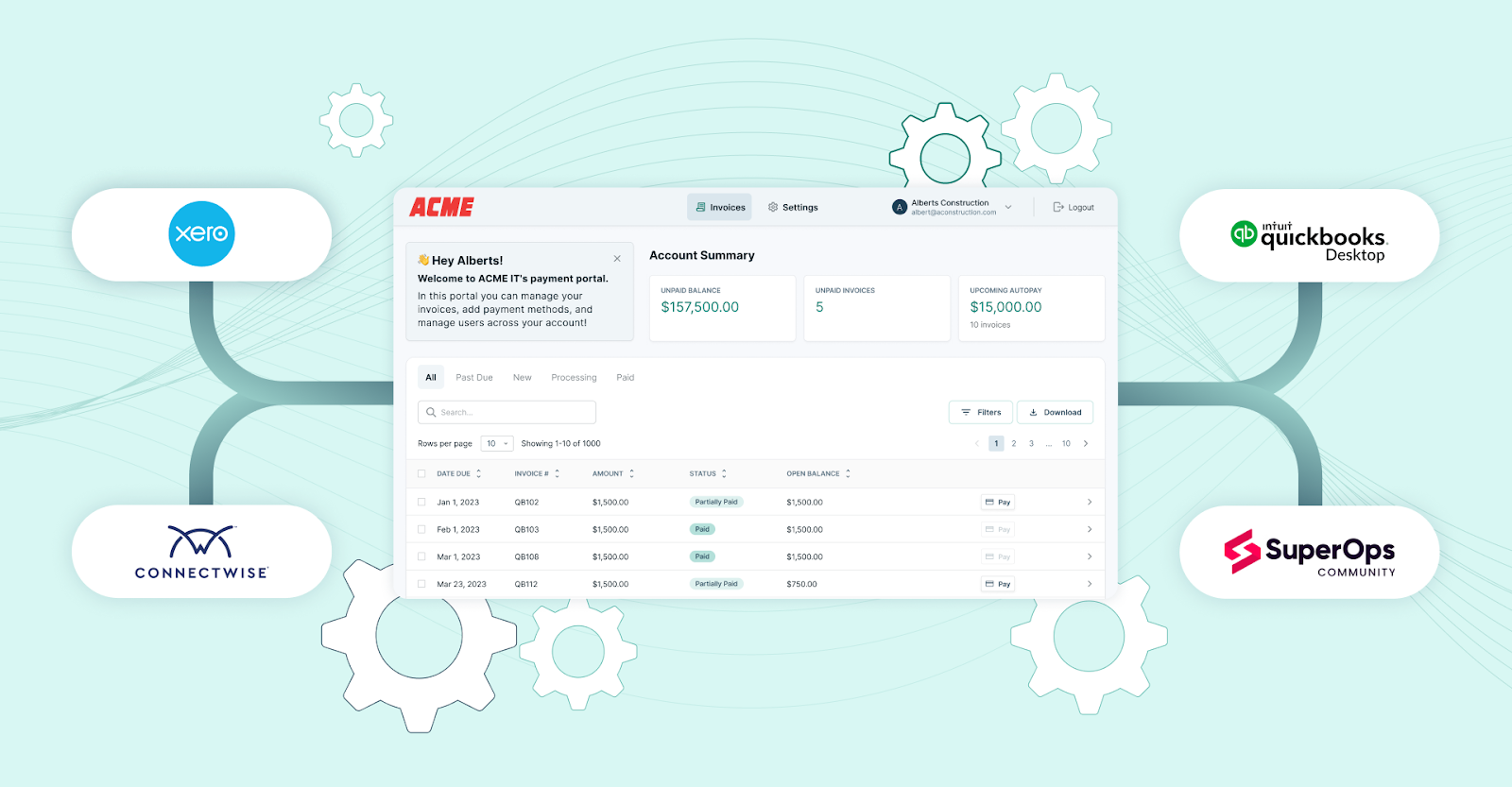
FlexPoint connects directly with popular MSP tools (such as ConnectWise PSA, Autotask, HaloPSA, and others) and QuickBooks Online (as well as QuickBooks Desktop).
This dual integration creates a live, two-way sync between your service operations, billing, and accounting systems.
From the PSA side, FlexPoint pulls in real-time data, including contracts, ticket charges, time entries, and recurring services. As soon as work is completed or billable time is logged in your PSA, that data becomes available in FlexPoint for invoice generation.
There’s no need to export, copy, or manually enter service details into a billing tool.
Once an invoice is sent and a client makes a payment, FlexPoint pushes that payment data back into QuickBooks, where it’s automatically applied to the corresponding invoice.
This sync ensures your accounting records are always accurate and up to date without requiring duplicate entries or manual reconciliation.
The result is a fully unified billing workflow: service delivery tracked in your PSA, invoicing and collections handled in FlexPoint, and financial records maintained in QuickBooks.
It saves time, reduces the chance of errors, and keeps your billing cycle running smoothly from start to finish.
Dynamic Recurring Invoicing:
In FlexPoint, recurring invoices aren’t static templates; they are dynamic. The platform can automatically update invoice line items based on changes from the PSA or other usage inputs.
For example, if a client’s user count increases, FlexPoint will reflect the new quantity and price on the next invoice without anyone having to edit it.
The platform supports complex billing arrangements, such as tiered pricing, one-time charges, and prorations for mid-cycle changes.
This ensures that invoices are always accurate to the services delivered and contract terms in effect, no matter how they fluctuate.
MSPs can set up rules and let FlexPoint handle the calculations each period.
Branded Client Portal with Autopay:
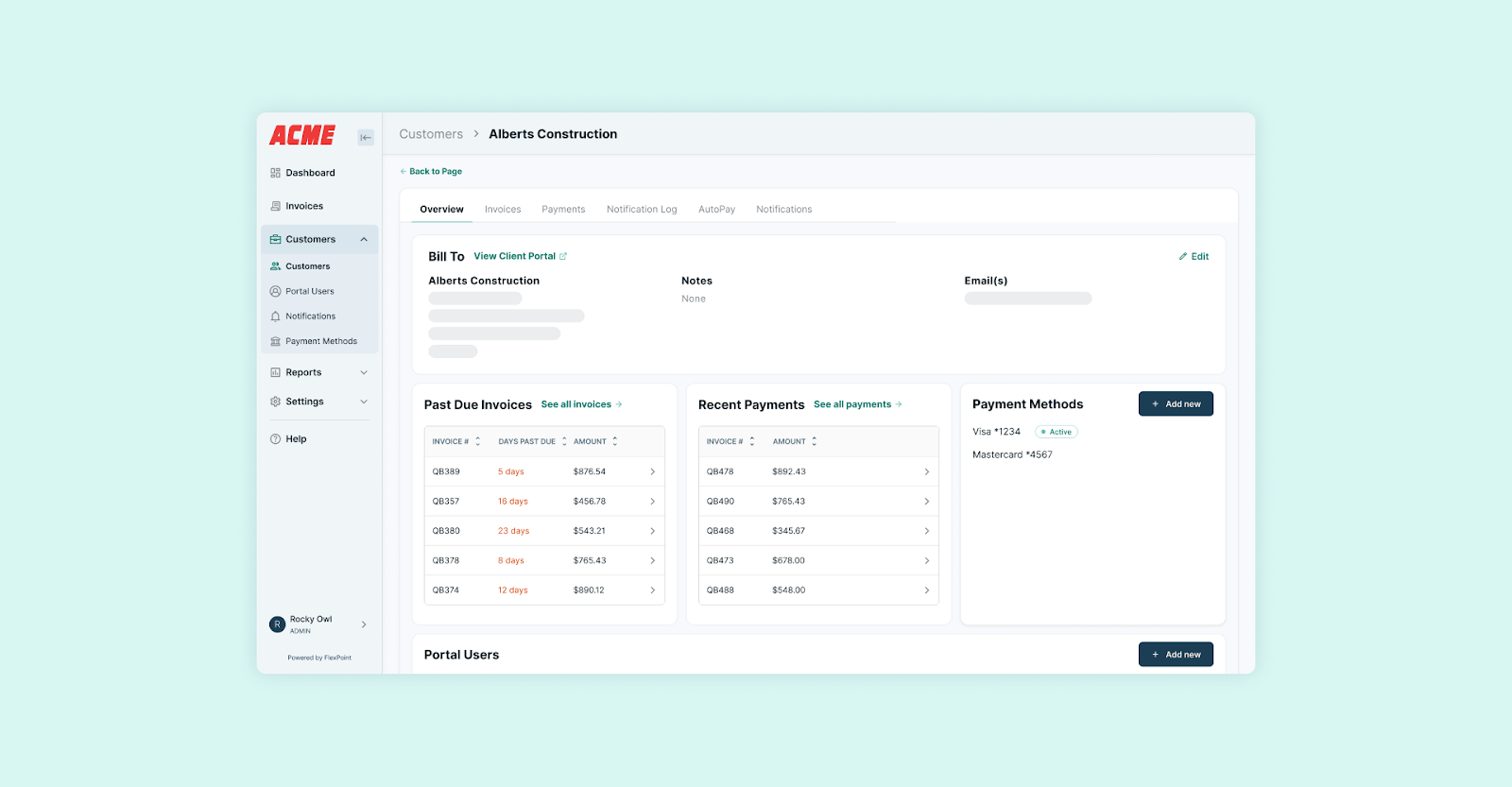
FlexPoint provides a secure, white-labeled client payment portal for MSPs. Your clients can log in to your branded portal (with your company’s look and feel) to view invoices, save or update their payment methods, and enable AutoPay for recurring charges.
This means clients are automatically charged through FlexPoint if they opt in, similar to QuickBooks Autopay, but in a more client-friendly interface.
The portal improves trust because invoices and emails come from the MSP’s domain (not an Intuit address).
Clients have self-service access, which reduces billing inquiries and speeds up collections (many will choose the convenience of Autopay through the portal).
Automated Email Tracking and Follow-Ups:
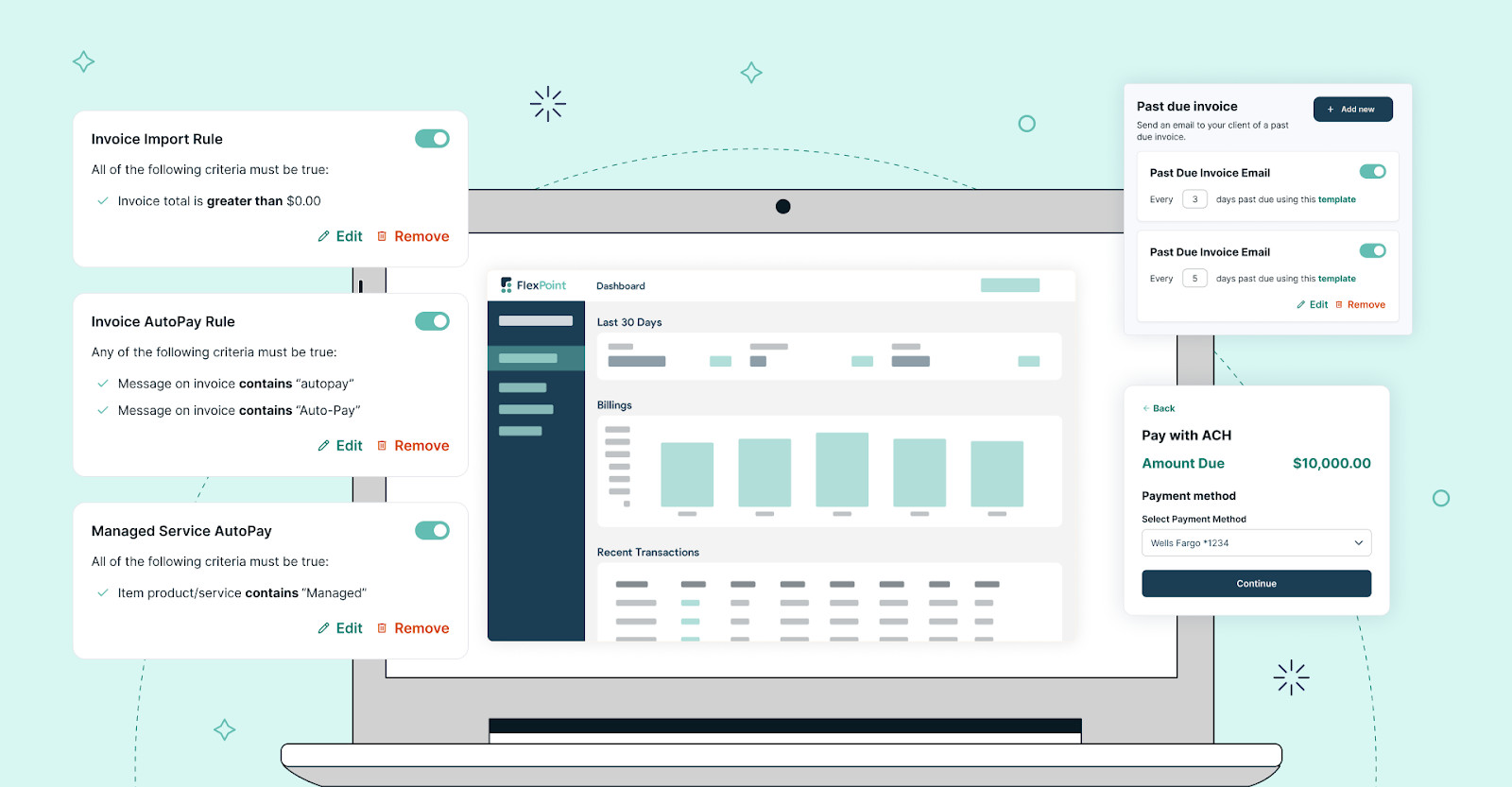
FlexPoint has built-in accounts receivable automation. The platform tracks when invoices are delivered and opened by the client.
If a payment is pending, the system can send polite reminder emails on a schedule.
For example, a reminder a few days before the due date, and another immediately after the due date if unpaid.
For overdue invoices, the platform can escalate by sending additional emails or notifications, as configured.
The MSP’s team doesn’t have to manually send these; FlexPoint handles it, and even notifies the team of delinquent accounts.
This integrated collections workflow means nothing falls through the cracks, and MSPs get paid faster without dedicating staff time to chasing payments.
Built-In Credit Card Fee Recovery and Options:
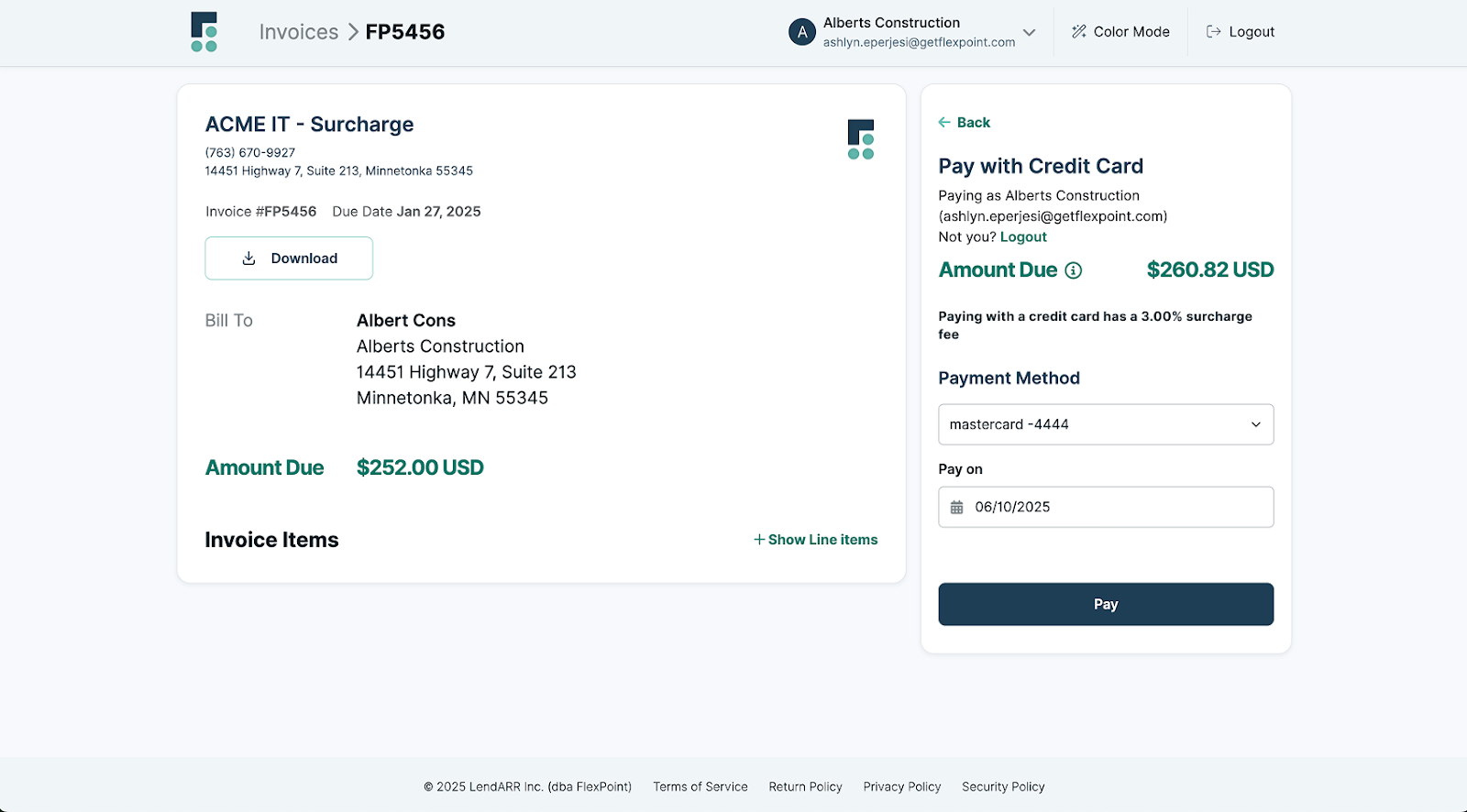
FlexPoint enables MSPs to implement credit card surcharge features in compliance with applicable regulations (where allowed).
If enabled, the platform will automatically calculate the appropriate fee and apply it to clients who choose to pay by credit card, thereby recovering processing costs for the MSP.
FlexPoint manages this seamlessly at checkout, something not possible in vanilla QuickBooks.
Even beyond surcharging, FlexPoint’s transaction fees for ACH are much lower than QuickBooks’ ($0.25 per ACH in FlexPoint vs 1% in QuickBooks), immediately saving money on each recurring payment.
Auto-Reconciliation in Accounting:

Every payment that comes through FlexPoint is automatically applied to the respective invoice and synced into QuickBooks.
For MSPs, this means no duplicate bookkeeping work. If a client pays multiple invoices in one go, FlexPoint will still correctly reconcile them in QuickBooks and even handle deposit batching.
This tight integration eliminates the common pain of having to mark invoices as paid in both the payment system and QuickBooks.
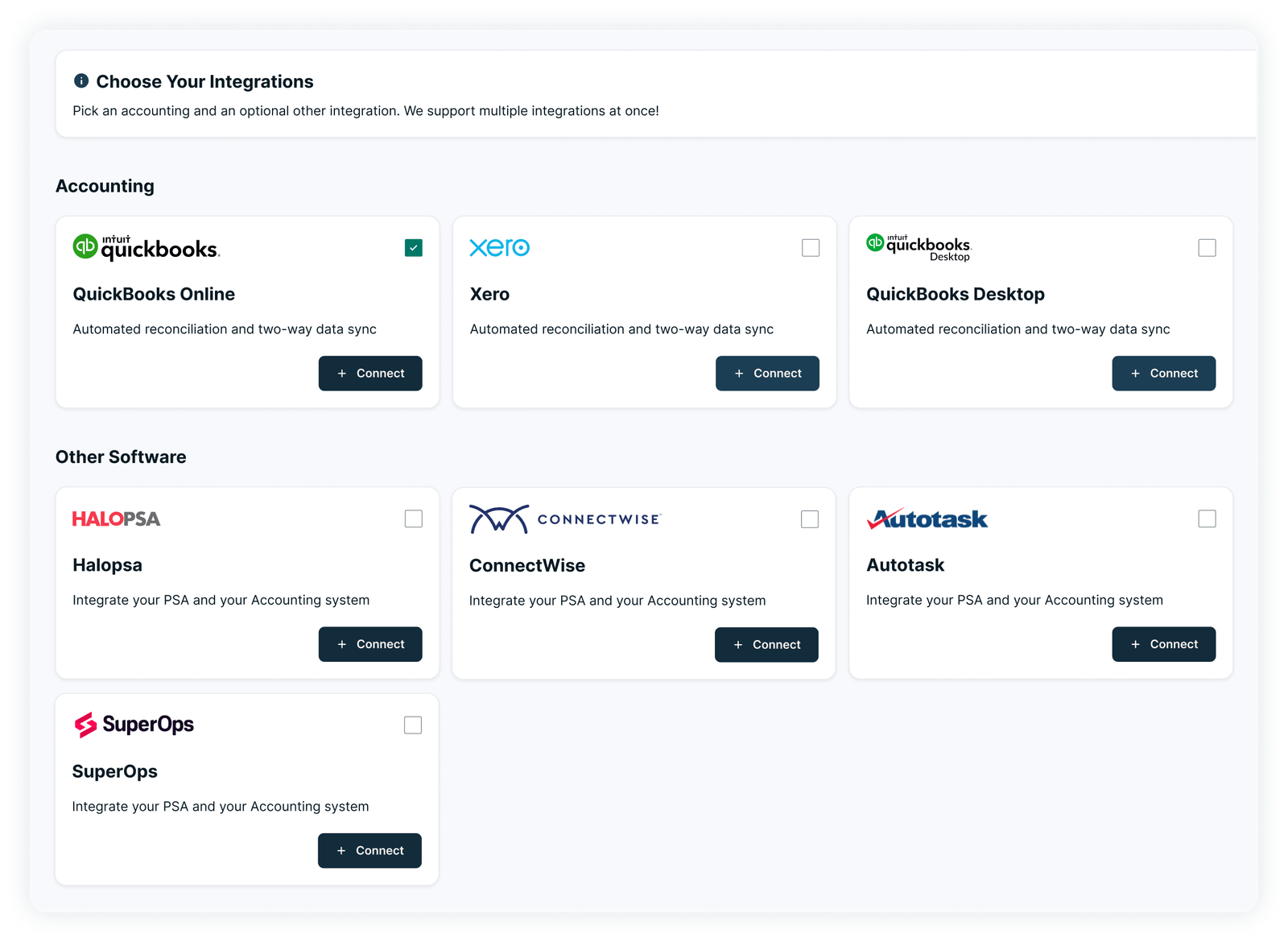
FlexPoint delivers the automation and flexibility that MSPs require for recurring billing.
It was designed to cover end-to-end billing scenarios, from pulling in service data and automating invoice creation to offering clients a modern payment experience to handling all back-end accounting updates.
By using FlexPoint alongside QuickBooks, MSPs can continue to leverage QuickBooks for general ledger and reporting, while FlexPoint handles the heavy lifting of recurring invoicing and payments.
The result is far less time spent managing invoices, fewer billing errors, and a scalable process that grows with the MSP’s business.
Conclusion: Don’t Let QuickBooks Hold Back Your Recurring Revenue
QuickBooks Online is an excellent accounting tool for many purposes. However, its recurring billing capabilities are basic and not tailored to the intricacies of an MSP’s business.
Relying on QuickBooks alone for recurring revenue can mean a lot of manual work: updating contracts by hand, chasing clients for payments, and piecing together data from multiple systems.
These inefficiencies create payment friction that can ultimately slow down your cash flow and constrain your growth. MSPs shouldn’t have to limit their service offerings or delay billing updates due to software limitations.
The good news is that you don’t need to abandon QuickBooks to overcome these challenges.
FlexPoint is a specialized solution that integrates with QuickBooks (QBO and QBD) to provide the missing functionality.
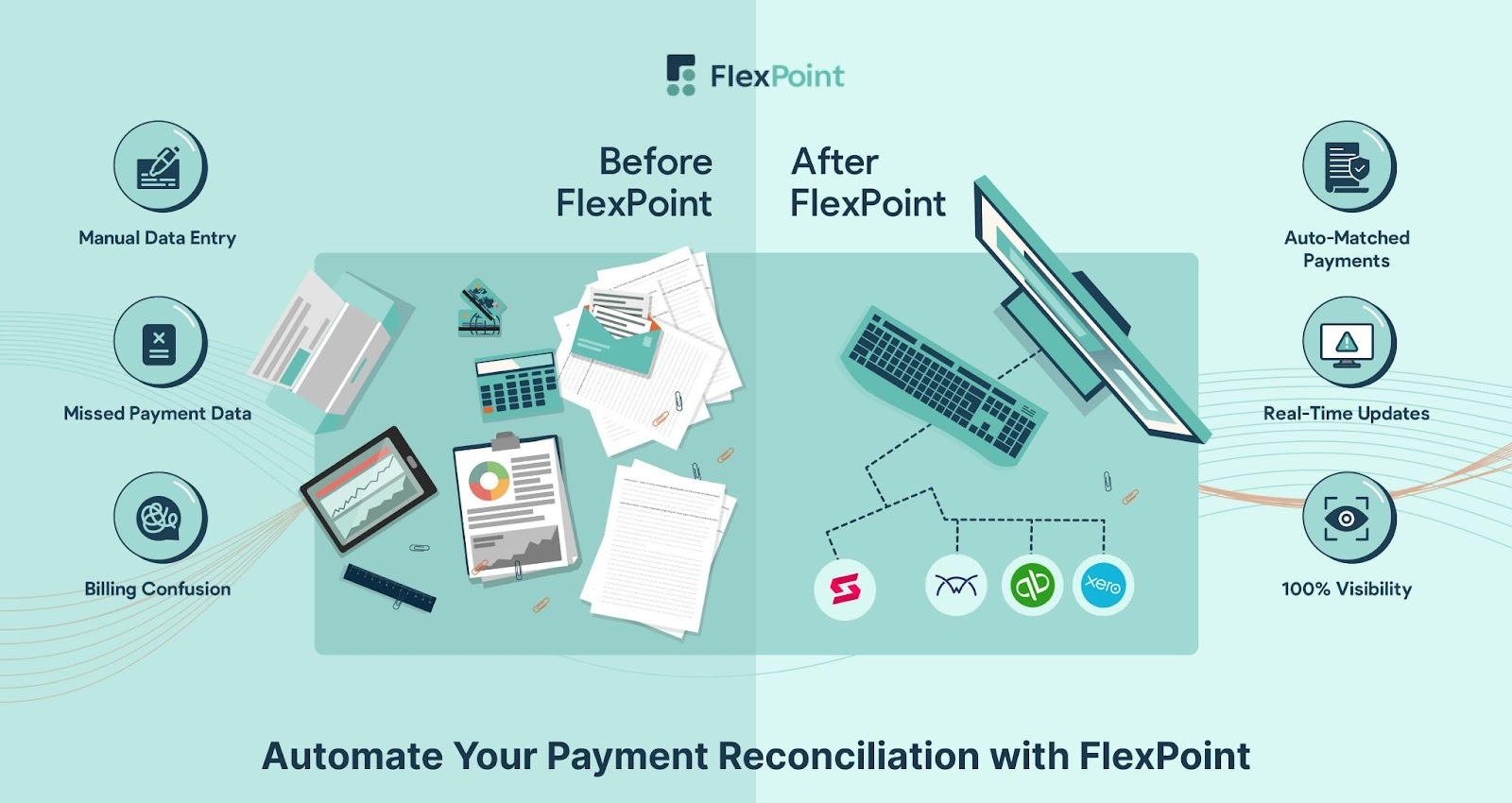
With automated usage-based charging, contract changes, fee recovery, and integrated collections, FlexPoint ensures your recurring billing runs smoothly without constant oversight.
This means you capture all revenue you’re entitled to, invoices go out error-free, and payments come in promptly, all while your books stay up to date.
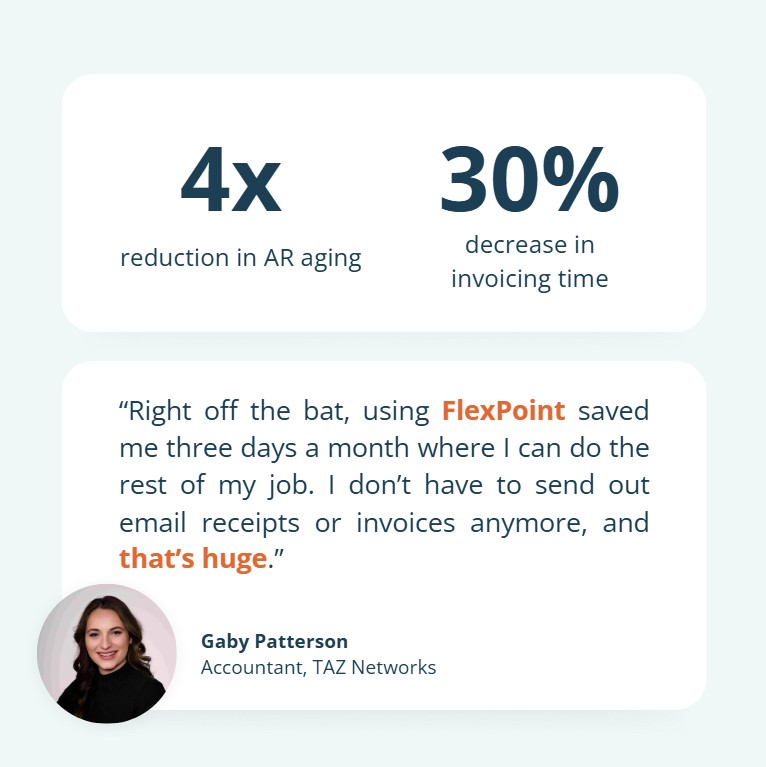
TAZ Networks, an MSP serving small businesses in Metro Detroit, saw these benefits firsthand.
Before FlexPoint, their accountant, Gaby Patterson, spent days each month chasing down past-due invoices and manually entering data from QuickBooks. Clients had nowhere to log in and check their balances, so billing questions were frequent, and overdue statements piled up.
Once they implemented FlexPoint’s branded client portal with AutoPay, that changed quickly. Clients could review invoices themselves, securely store payment information, and process payments automatically.
The result? A 4x reduction in AR aging and a 30% decrease in invoicing time.
Don’t let the constraints of a general-purpose tool hold back your recurring revenue potential. Instead, empower your finance process with tools built for your industry.
Tired of managing recurring billing manually?
FlexPoint automates the entire cycle from PSA to payment to QuickBooks Online.
Book your FlexPoint demo today.
Additional FAQs: QuickBooks and MSP Recurring Payments
{{faq-section}}
.png)

.png)
.png)