


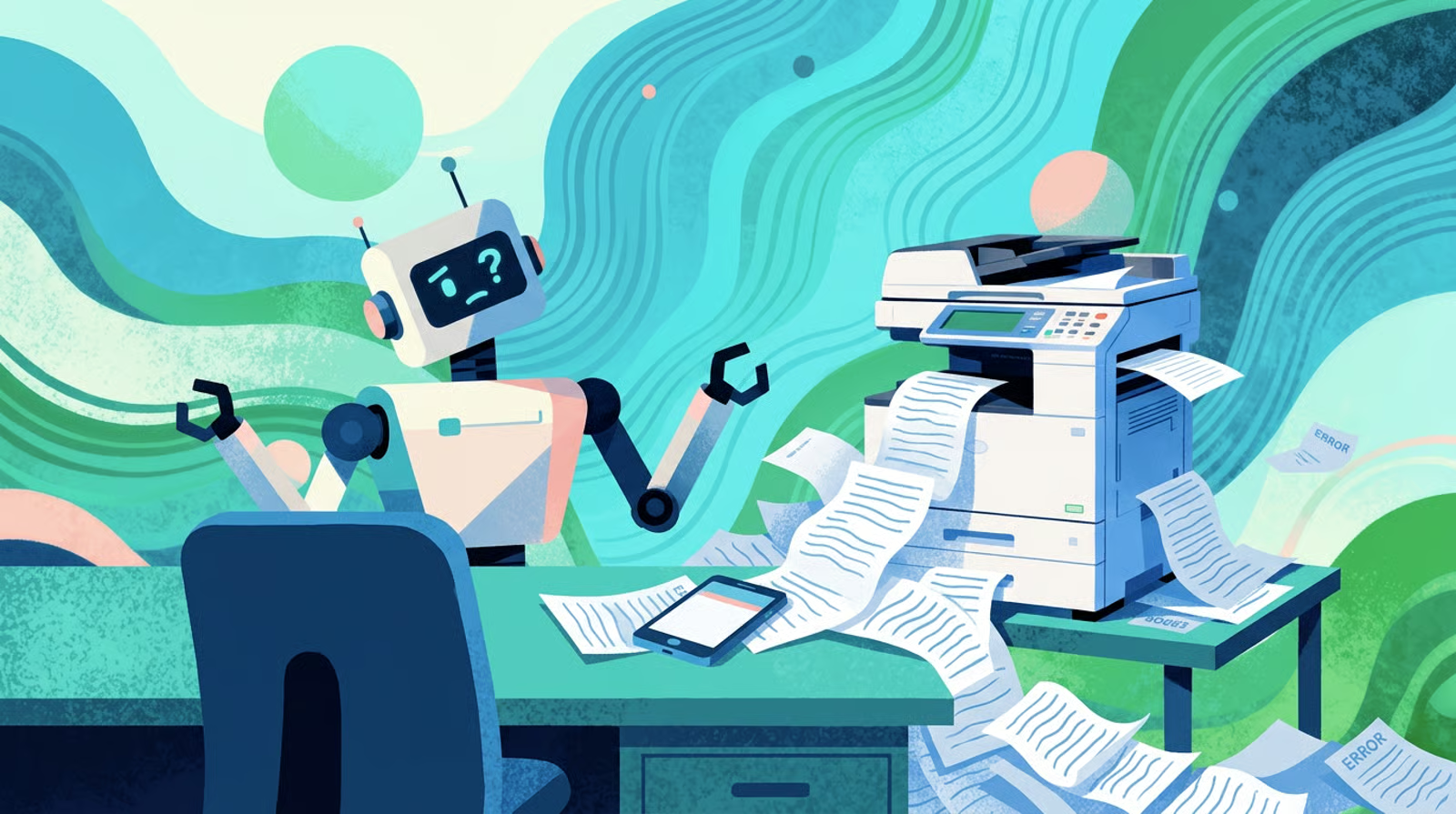
Currently, most MSP conversations about AI focus on the flashy stuff: copilots, ticketing, cybersecurity, service delivery automation. But one of the highest-impact uses of AI is much less glamorous.
For a lot of MSPs, the back office systems responsible for turning delivered work into revenue are still surprisingly manual. Which makes sense because most back-office processes were built gradually over time: one spreadsheet here, one PSA workflow there, one person internally who knows how everything works.
AI helps most when it removes that operational drag by making the repetitive parts happen consistently and automatically.
This guide breaks down where AI actually helps in MSP back-office operations, what should still stay human, and how to automate intelligently without creating a messy stack of disconnected tools.
What Counts as "Back Office" for MSPs?
Before getting into where AI helps, it's worth defining what the back office actually includes. For an MSP, it's simply everything that keeps revenue moving after the work is delivered.
That includes but isn't limited to:
- Invoicing and billing operations
- Accounts receivable and collections
- Payment processing and reconciliation
- Cash flow reporting and forecasting
- Client payment communication
- Internal documentation and approval workflows
- Financial reporting and month-end close
None of this is glamorous work and very often none of it is what you talked about when you started the business.
But all of it affects whether the money your team earns actually lands in your account on time and in full.
The reason back-office work gets deprioritized is that it often doesn't feel urgent until it is. A missed invoice reminder isn't a crisis on the day it's missed, but it does become a significant problem two weeks later when the client hasn't paid and someone has to figure out why.
Don't have a strong collections policy? Start here.
Why MSP Back Offices Are Still So Manual
If you've ever looked into an MSP's billing operations, you've probably seen: a spreadsheet tracking which clients have paid, a folder of invoice drafts, a calendar reminder that says "follow up with Client A," and one person who holds all of it together through sheer institutional knowledge.
(We love those people but also it's terrifying to be that person.)
It makes sense. After all, back-office tooling for the managed services industry specifically has historically been underdeveloped.
PSAs handle your service delivery and accounting platforms handle the books, but the gap between service delivery and cash in the bank (the invoicing, the collections follow-up, the reconciliation) has often been filled manually.
And the inefficiency adds up quickly. Research shows that companies with manual payment processes spend 67% more time following up on overdue invoices, while 65% of businesses spend an average of 14 hours per week on payment collection tasks alone.
But because of that, finance teams waste significant hours each week managing payments across disconnected systems. Invoice errors are common when data is being entered manually rather than pulled automatically. And inconsistent collections follow-up trains clients, without anyone intending to, that payment timelines are flexible.
Where AI Actually Helps in MSP Back-Office Operations

1. Accounts Receivable Follow-Up
This is where AI makes the most immediate difference for most MSPs, and the reason is simple: AR follow-up is high-repetition, time-sensitive work that doesn't require judgment on most accounts.
For example: An invoice is overdue so a reminder needs to go out with the amount, due date, and a payment link.
Doing that manually for 50 clients across multiple billing cycles is tedious. And doing it inconsistently, because someone forgot or got busy, is expensive.
AI-assisted AR follow-up handles the repetitive cases automatically: sending reminders on schedule, adjusting timing based on how a particular client tends to pay, stopping follow-up the moment payment clears, and surfacing the accounts that need human attention instead of another automated message.
Think of it less like a robot and more like a very reliable colleague whose only job is to make sure no invoice ever falls through the cracks. They don't negotiate or handle disputes, they just make sure the sequence happens on time.
Meanwhile, the accounts that need real human judgment like a client calling to dispute a charge, a long-term relationship approaching service limitation, or any situation that requires a conversation get escalated.
2. Invoice and Billing Operations
Manual invoicing is where billing errors are born.
Studies estimate that 60% of invoice errors are the result of manual billing.
When someone is manually entering line items, reconciling service data from a PSA, and generating invoices across dozens of clients, mistakes happen. Wrong amounts, missing charges, duplicates, and services that were delivered but never billed are all common in manual billing environments.
AI-assisted billing reduces these errors by pulling data automatically rather than requiring manual entry.
When invoice generation is connected to your PSA and accounting platform, the line items come from what actually happened rather than from what someone remembered to type. Anomalies, like a client whose invoice is significantly higher or lower than usual, get flagged before the invoice goes out rather than after the client notices.
The net effect is fewer billing disputes, fewer corrections, and fewer situations where you're in the awkward position of telling a client their invoice was wrong.
3. Payment Reminder Optimization
No two clients are the same and that means they require different communication styles. And beyond their personalities, payment history should have a say in your approach with payment reminders.
A client who has been with you for four years and pays on the 5th of every month without fail is significantly different from a newer client who has already been late twice.
So sending them identical reminders at identical intervals isn't the most effective approach.
The right AI tool can adapt timing and tone based on payment history. Clients who consistently pay within a few days of the due date might only need a light pre-due reminder. Clients with a pattern of going 20 to 25 days before paying warrant a different sequence that accounts for their actual behavior rather than the ideal behavior described in your payment terms.
4. Reporting and Cash Flow Visibility
You look at a spreadsheet at the end of the month, see which invoices are still outstanding, notice cash flow is tighter than expected, and try to work backward to figure out why.
But by the time that report exists, the problem already happened.
AI-assisted reporting changes that by turning billing and AR data into operational signals.
Instead of just telling you what happened last month, the system starts surfacing patterns while they're developing which clients are slower payers, which invoices may need a follow-up, which accounts could be risking your cash flow, and more.
Cash flow problems build gradually through small delays and inconsistent follow-ups. So unlike traditional reporting, this doesn't require someone manually exporting data from multiple systems into a spreadsheet every Friday. When your PSA, billing platform, payments, and AR workflows are connected, the visibility becomes continuous instead of periodic.
The result is back office proactivity.
5. Internal Documentation and Workflow Automation
This one is less exciting but still useful. Every collections interaction should be documented: when you reached out, what was said, what the client committed to.
As mentioned before, manual processes rely on someone's memory which unfortunately results in inconsistency.
AI can log communications automatically, summarize client interactions, and record payment commitments without requiring anyone to manually update a CRM or billing note. The documentation exists because the system created it, not because someone made time to write it down.
This sounds minor. But if you've ever been in a situation where a client disputes a charge or a collections agency asks for a paper trail, you understand why automatic documentation is worth having.
What AI Should Not Handle Alone

The section above covers where AI helps. This one is equally important.
AI is good at consistency and volume. It is not good at judgment, nuance, or navigating situations that are complicated in a human way.
While it can be a very effective tool here are a few places AI should not be used:
Legal language and escalation threats should not come from automated systems. If an account is approaching the point where formal collections or legal action is being considered, that communication needs to come from a person who has reviewed the situation.
Sensitive disputes and billing disagreements need a human. When a client believes they were charged incorrectly, or when there's a genuine disagreement about scope, automation can acknowledge the inquiry but cannot resolve it. Trying to automate dispute resolution creates frustrating client experiences and rarely produces good outcomes.
Emotional escalations are not for AI. When a client is upset about a billing situation and needs to talk to someone, that conversation needs to happen with a person who can listen, respond to what's being said, and adapt in real time.
Service suspension decisions should have human oversight. The automation can flag that an account has crossed a threshold that makes suspension appropriate per your policy. The decision to actually proceed (especially for long-term clients or accounts with unusual circumstances) should always involve a person.
Relationship management, generally. Automation can support client relationships by making billing smoother and communication more consistent. It cannot replace the judgment involved in managing those relationships when something goes wrong.
AI should reduce operational friction. It should not remove human judgment from situations that require it.
The Biggest Mistakes MSPs Make With AI in the Back Office
Automating a broken process: AI will amplify what already exists.
If your invoicing has errors, automating invoicing produces errors faster. If your collections sequence is poorly designed, AI sends the wrong messages more consistently than a person ever could. Before adding automation, fix the underlying process. Automation lacks its own judgment, so applying it without having applied your own judgment accelerates errors and muddies the water quickly.
Using too many disconnected tools: There's a version of "AI-assisted back office" that involves one tool for reminders, another for reporting, a third for payment links, and a fourth for documentation.
2025 and 2026 are easily the most prominent years so far for AI implementation. Lots of companies and developers are making single use AI tools to capture the widest net. But the result is more moving parts, more integration failures, and more time spent managing systems rather than getting value from them. Fewer connected tools almost always outperform more disconnected ones.
Removing human oversight entirely: Collections automation still needs escalation rules.
Automated reminders still need someone checking whether the right accounts are being handled correctly. The goal is to reduce how much time humans spend on routine execution, not to eliminate human involvement from the process. Especially in the service industry where communication and connection is so important, involving AI as a blocker between your clients and yourself should not be the goal.
Expecting AI to fix what consistency would fix: A lot of what looks like an AI problem is actually a consistency problem. If your collections process is being followed reliably and your invoices are going out on time with the right information, you've probably already solved most of what AI would solve.
AI is most valuable when you have a sound process that needs to scale, not when you're hoping automation will substitute for having a process at all.
What a Healthy AI-Assisted Back Office Actually Looks Like
Here's the operational picture when the back office is running well with appropriate automation:
Invoices go out automatically based on contract terms and PSA data, without anyone drafting them individually.
Pre-due reminders reach clients a few days before the due date, every billing cycle, without anyone scheduling them. When an invoice goes overdue, follow-up starts on schedule and escalates according to the policy, with the right tone at the right stage.
The payment portal always shows the current balance, including any late fees that have applied, so clients who go to pay aren't confused by a number that doesn't match what they expected.
Payment confirmation is logged automatically, the month-end reconciliation that used to take hours takes significantly less time because payments are already matched to invoices.
Your finance team's time shifts away from tracking down payments and updating spreadsheets and toward the work that actually requires their judgment like handling exceptions, reviewing trends, and making decisions that automation can't make.
Where MSPs Should Start with AI and Automation
The temptation when thinking about back-office automation is to try to change everything at once. That usually produces a complicated system that nobody fully understands and doesn't quite work.
A more practical starting point, in rough order of impact:
1. Start with invoicing: If invoices are still going out manually, automating that step removes the most frequent source of errors and the most time-consuming recurring task. The foundation of everything else is invoices going out correctly and on time.
2. Add automated reminders: Once invoicing is reliable, reminders are the next layer. A pre-due reminder and a consistent follow-up sequence for overdue invoices will improve your DSO measurably without requiring anything complicated.
3. Centralize your payment experience: If clients are paying through multiple channels (some via check, some via a payment link, some through their own bill-pay systems) consolidating to a single branded portal removes friction on the client side and makes reconciliation dramatically simpler on yours.
4. Add intelligent AR follow-up: Once the basics are running, more adaptive AR tools (ones that adjust timing and channel based on client behavior and surface accounts needing attention) add a layer of efficiency that compounds over time.
5. Layer in reporting and forecasting last: Cash flow reporting and forecasting are most useful when the underlying data is clean. Get the invoicing, payment, and collections layers right first, then build reporting on top of a reliable foundation.
How FlexPoint Uses AI in MSP Back Offices

FlexPoint's AR Agents are the practical version of what the "AR follow-up" section above describes. They run the collections sequence automatically (reminder emails, escalation voicemails, payment notifications) based on configurable rules that reflect your policy rather than a generic template.
The adaptive piece is what makes it useful beyond basic automation. The agents adjust outreach timing and approach based on how each client actually behaves. A client who reliably pays at Day 25 gets a different sequence than a client who usually pays within five days of the due date. That calibration happens automatically rather than requiring someone to segment clients manually.
Every interaction is logged, so the documentation trail exists without anyone having to create it, payment portal balances update in real time, so clients always see the current amount when they go to pay, and accounts that cross a threshold warranting human judgment (a dispute, a large balance approaching service limitation, a payment plan request) surface clearly rather than getting lost in the queue.
The goal is not to turn collections into an impersonal automated process. It's to remove the repetitive administrative work that consumes finance teams so they can focus on the situations that actually benefit from human involvement.
Free Up Your Team's Time
AI in the back office should not be framed as a way to replace the people who understand your clients, your contracts, and your business. It is most valuable when it removes the repetitive work that keeps those people buried in follow-up, spreadsheets, status checks, and manual documentation.
The right approach is simple: automate the repeatable parts first, keep humans in the loop for sensitive decisions, and make sure the workflow is actually sound before you scale it. AI will not fix a broken collections process or unclear billing policy on its own.
But when the process is clear, AI can help execute it consistently across every invoice, every client, and every billing cycle.
For MSPs, that is the real opportunity: not a back office without people, but a back office where people spend less time chasing routine tasks and more time handling the work that actually requires their expertise.
See how FlexPoint's AR Agents handle back-office automation for MSPs, book an on-demand demo.



.png)



