How MSPs Can Optimize Quote to Cash with ConnectWise




MSPs spend a lot of energy optimizing service delivery. The revenue side of the business: from the moment a quote goes out to the moment cash hits the account, often runs on manual effort and good intentions.
That gap is where a lot of MSPs quietly lose time, cash, and momentum.
This post walks through the full quote-to-cash journey inside a ConnectWise-based stack: what ConnectWise does well, where quoting (CPQ) tools fit in, which tools to use, and how payment automation closes the loop so your revenue actually flows.
The Hidden Gap in the MSP Revenue Process
Most MSPs think of their revenue process as linear: you scope the work, send a quote, get a signature, deliver services, invoice the client, and get paid. All of which is simple enough on paper.
But in practice, there are handoff points throughout that sequence where things slow down, fall through the cracks, or require someone to manually pick up where an automated process left off.
The biggest gap tends to live right at the end of the sales motion and the beginning of the billing cycle, after the quote is approved but before cash is collected. In reality, this looks like: A client signs off on a proposal on Friday. Someone on your team manually creates an invoice in ConnectWise PSA on Monday. That invoice sits unpaid for 30 days because there's no AutoPay in place, client portal to make paying easy, and no automated reminder nudging the client before it goes overdue.
Meanwhile, your team has already started delivering the service, which means you're spending cash before you've collected it.
This is the quote-to-cash problem, and it's not unique to MSPs, but it hits MSPs particularly hard because of the recurring, contract-based nature of managed services. Margins are tight. Cash flow timing matters. And a manual AR process doesn't scale.
The good news: the tools exist to close this gap entirely. You just have to know how they connect.
How ConnectWise PSA Fits Into the MSP Revenue Workflow
ConnectWise PSA is the operational backbone for a huge portion of the MSP market. From a revenue workflow perspective, ConnectWise PSA serves as the system of record, the authoritative source for what clients have agreed to, what's been delivered, and what's billable. When agreements are set up correctly, ConnectWise generates recurring invoices automatically on a schedule, which is a meaningful time-saver compared to building them manually each month.
For recurring managed services, ConnectWise PSA handles invoice generation automatically, that part works. The real friction tends to show up on both ends: at the beginning of the sales motion, where quoting and proposal tools vary wildly in quality and integration depth, and at the back end, where the invoice has been sent but cash collection is still largely a manual, reactive process.
Most MSPs have something handling payments, commonly WisePay for ConnectWise users. We'll discuss this a little later. But overall? Accepting payments isn't the same as actively managing accounts receivable or automating your process to make your cash flow better. That full AR automation layer is where most MSPs have a gap, even if they don't realize it yet.
ConnectWise was built to be a PSA and it's a good one. But the way you get the most out of a ConnectWise-based stack is by pairing it with tools purpose-built for the stages it wasn't designed to own. What matters isn't minimizing the number of tools you use but making sure the ones you use actually connect and hand off cleanly to each other.
ConnectWise Quoting Options: CPQ vs. Third-Party Tools
When MSPs in the ConnectWise ecosystem need to send a quote or proposal, they have two main paths: use ConnectWise's own CPQ tool or integrate a third-party quoting platform. One may be more tempting, but both options are worth understanding before choosing a direction.
ConnectWise CPQ: Features, Pricing, and What to Expect
ConnectWise CPQ (formerly ConnectWise Sell) is the quoting and proposal tool built specifically for the ConnectWise platform. It's designed to work natively inside the ConnectWise ecosystem, which means the integration with ConnectWise PSA is seamless by design: client data pulls in automatically, accepted quotes can create service tickets and agreements without re-entering information, and the entire sales pipeline stays visible within one environment.
Key features of ConnectWise CPQ include:
- Customizable quote and proposal templates with branded document generation
- Guided selling workflows that walk reps step by step through quote creation
- Real-time distributor pricing feeds from Ingram Micro, Tech Data, D&H, and Synnex, plus direct vendor quote imports from Cisco, Dell, and HP
- Multi-level approval workflows to route quotes internally before they reach the client
- E-signature built into the quoting flow, with signed acceptance automatically attached back to the ConnectWise PSA opportunity
- Renewal tracking and alerts for aging agreements and equipment
- Integration with tax tools like (Avalara) AvaTax for jurisdictional tax compliance (and other integrations as well)
ConnectWise CPQ comes in tiered packages (Basic, Advanced, and Premium), with pricing that isn't publicly listed, which means you'll need to talk to ConnectWise to get a quote based on your team size and needs.
For MSPs already fully invested in the ConnectWise platform, CPQ is the natural starting point. The tight integration reduces friction and keeps your stack consolidated.
The tradeoff is that it's a feature-dense tool with a learning curve, and some users find the interface less intuitive than newer, cloud-native alternatives. And because it isn’t vendor-agnostic, the integrations CPQ offers are not nearly as comprehensive compared to other third-party quoting tools.
Best Third-Party Quoting Tools That Integrate with ConnectWise
Not every MSP is all-in on the ConnectWise suite, and not every need is best served by a platform built within a larger ecosystem. Several third-party CPQ and quoting tools have strong ConnectWise integrations and are worth knowing:
QuoteWerks is one of the longest-standing quoting solutions in the MSP/VAR space, with over 29 years of focus on IT service providers. It integrates with ConnectWise PSA and is known for deep distributor connectivity, real-time pricing and availability lookups, and robust procurement management. If your team quotes a lot of hardware and needs granular SKU-level accuracy, QuoteWerks is a proven choice. Its add-on module, QuoteValet, enables web-based quote delivery with electronic signature capture. FlexPoint also integrates with QuoteWerks via a secure, hosted payment link embedded directly in the QuoteValet approval flow, meaning clients can pay by credit card or ACH at the moment they sign, rather than waiting for a separate invoice.
Quoter (ScalePad) is built specifically for MSPs and takes a more modern, cloud-native approach. It connects with PSA tools, distributors, CRMs, and accounting software, and supports 25+ integrations. Quoter has a direct payment gateway integration with FlexPoint, enabling clients to pay via card, ACH, or FlexLine financing as part of the approval flow, which is one of the tighter "signed to funded" experiences available in the MSP market today.
Datto Commerce (Kaseya Quote Manager) is worth consideration if your focus isn't just the quoting experience but also automated procurement. The tradeoff noted by users is that it's more opinionated about workflow than some alternatives, it works smoothly when you work within its structure, but can feel rigid if your procurement model doesn't fit its defaults.
Quoting Tool Comparison
This table reflects general integration capability, not a full feature comparison. Evaluate based on your stack and workflow.
The Missing Piece: Turning an Approved Quote into Cash
Here's the moment most MSPs underestimate: the quote gets signed. What happens next?
In a lot of MSPs, the next step is: someone on your team notices the approval, manually creates or updates an invoice in ConnectWise, emails it to the client, and waits. They may send a follow-up reminder in a week or two if it's not paid. And maybe even another. Either way, you're now looking at a 30-to-60-day cash conversion cycle from the moment work was agreed upon.
For one-time project quotes, this is already a problem. For recurring services that should be collected on a predictable schedule, it snowballs dramatically month over month.
The missing piece here is automating what happens after approval so that cash collection is as hands-off as the quote delivery process is becoming.
The gap isn't the invoice existing; it's everything that drives it to paid status quickly and without your team having to touch it. Quote-to-cash isn't just about sending a polished proposal. It's about compressing the entire distance between a client saying yes and cleared funds in your account, and eliminating the manual steps and waiting time in between. Every day that invoice sits unresolved is a day you've already delivered service without being compensated for it.
ConnectWise PSA handles the agreement and invoice creation side. CPQ tools handle the quoting and approval side. But neither was built to own the AR automation, payment collection, and reconciliation workflow for MSPs that turns an approved invoice into cleared funds.
What WisePay Does (and Where It Stops)
You've likely already encountered WisePay since it's ConnectWise's native payment platform. And for what it was designed to do, it works. Clients can receive invoices and pay online. Credit card and ACH payments are supported.
The limitations show up when you look at what happens around the payment itself: the setup, the automation, and the experience on both sides of the transaction.
- AutoPay is limited. WisePay offers AutoPay functionality, but it's described as limited compared to a rules-based, customizable approach. For MSPs managing a growing list of agreements with different billing terms, that flexibility gap matters.
- ConnectWise and QuickBooks sync is a separate cost. Accounting reconciliation (syncing payments back to ConnectWise and QuickBooks Online) requires Wise-Sync, which is a separate tool at additional cost. It's not included out of the box.
- Client portal lacks full historical access. WisePay's client-facing portal doesn't give clients complete invoice and payment history, which can create friction and inbound support requests when clients need to look something up.
- Client onboarding is manual. Setting up a new client in WisePay requires manually creating passwords and registering accounts for every client. There's no automated account creation or passwordless login flow.
- Deposit reconciliation is manual. Matching deposits back to the right invoices and records isn't automated,. it requires manual effort, which compounds at month-end.
- Invoices are sent from an unmonitored inbox. Client-facing invoice emails originate from an unmonitored address, which can leave clients confused about where to direct questions or follow-ups.
- Onboarding takes time. Getting set up as a merchant involves a PDF application and a slow underwriting process, not a fast, in-platform approval.
The honest summary: WisePay is a capable payment tool for MSPs who want something native to the ConnectWise world and don't need deep automation or a polished client experience. The friction points like manual reconciliation, separate sync costs, limited AutoPay, manual client setup tend to become more painful as volume grows. That's the gap the rest of this stack is designed to close. If you are already on WisePay but are unsatisfied with one of the factors mentioned above, we've created a guide to help you migrate seamlessly.
How MSP Payment Automation Closes the Quote-to-Cash Loop

Payment automation for MSPs means taking the collection process, from invoice delivery to payment processing to reconciliation, and making it work without requiring your team to chase anything manually.
Here's what that looks like in practice with a platform like FlexPoint, which integrates directly with ConnectWise PSA:
Invoice sync. When an invoice is created or updated in ConnectWise PSA, FlexPoint pulls it in automatically, including client information, line items, amounts, and all. There's no duplicate data entry, and your finance team isn't manually exporting and re-uploading records between systems.
Automated delivery. Invoices go out via branded, professional emails with a payment link embedded. Clients don't have to call you or log into a separate billing system they've never used. The experience is clean, fast, and looks like your brand.
AutoPay rules. For recurring clients with managed service agreements, FlexPoint lets you set AutoPay rules tied to specific agreements. On billing day, the charge runs automatically. No manual review needed for the bulk of your monthly invoices. One MSP reported that FlexPoint's automation enabled 99% of their invoices to process automatically each month.
Automated reminders. For invoices that aren't on AutoPay, FlexPoint sends automated payment reminders on a schedule you define: a day after due, a week after, and so on. No one on your team has to track who owes what and manually send follow-ups. One Texas-based MSP, Excellent Networks, saw payment speed increase by over 80% after implementing automated reminders through FlexPoint, while saving more than 24 hours per year previously spent on manual follow-up.
Real-time reconciliation. When a payment is processed in FlexPoint, the invoice is immediately marked paid in ConnectWise PSA. And FlexPoint's included GL Connect feature syncs ConnectWise PSA to QuickBooks Online in real time, so your accounting team isn't manually reconciling at month-end.
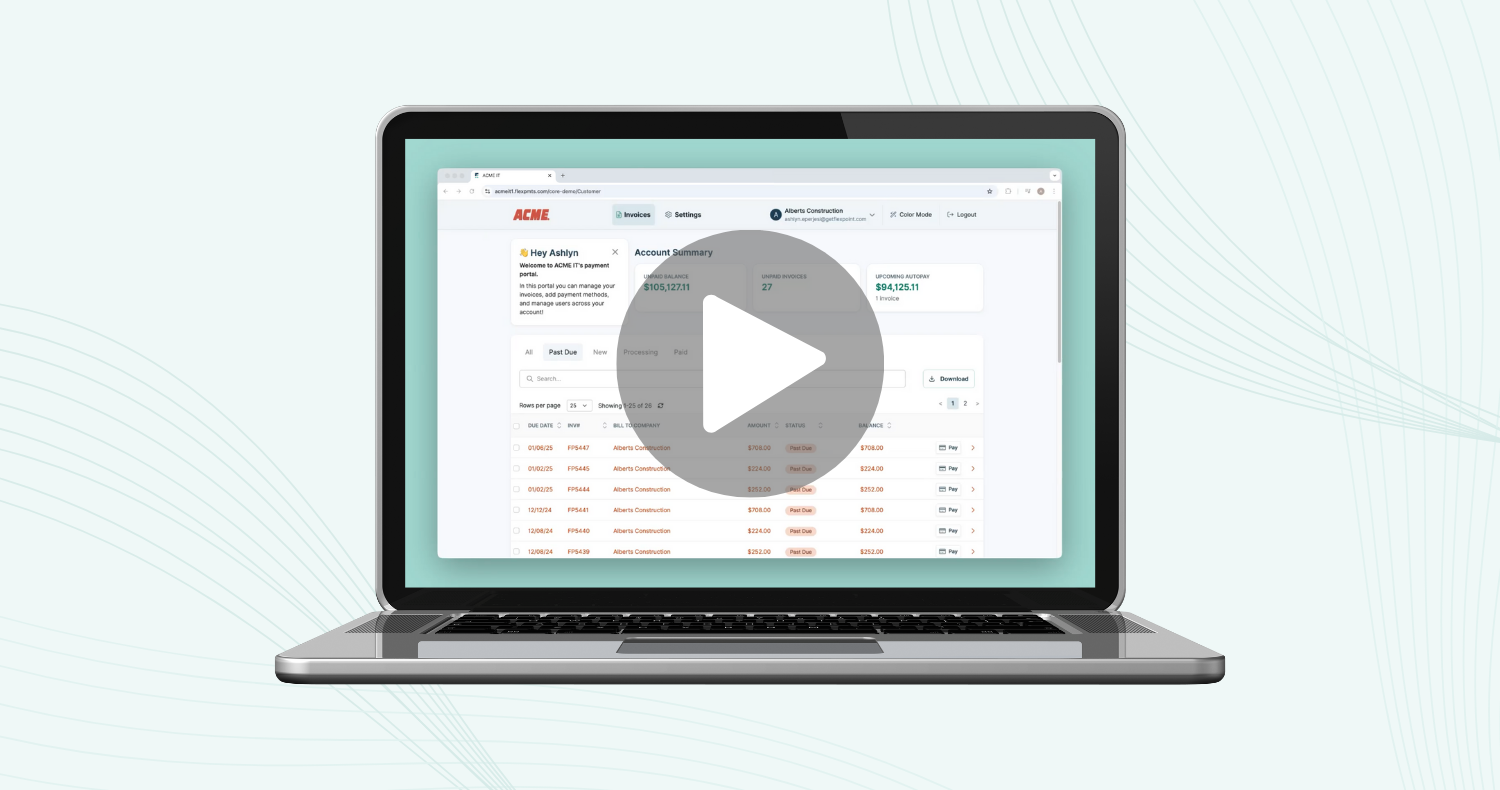
Client portal. Clients get access to a branded, secure portal where they can view their invoice history, manage stored payment methods, and pay on their own schedule. This reduces inbound billing inquiries and reinforces your brand rather than handing clients off to a generic payment processor experience.
The cumulative effect: an MSP that was manually managing AR can run most of its billing cycle on autopilot, with exceptions handled by exception, not by default.
Building the Modern MSP Quote-to-Cash Stack
When you put all of this together, the optimized ConnectWise quote-to-cash stack looks something like this:
ConnectWise PSA → System of record for client agreements, service delivery, ticketing, and invoice generation. This is the operational hub.
CPQ Tool (ConnectWise CPQ, QuoteWerks, Quoter, or similar) → Handles proposal creation, guided configuration, distributor pricing, e-signatures, and approval workflows. Gets the deal closed faster and more accurately.
FlexPoint → Handles everything after approval: invoice delivery, payment collection, AutoPay, reminders, failed payment recovery, client portal, and two-way sync back to ConnectWise PSA and QuickBooks at no extra cost. All of this gets you paid faster with less work.
The key principle here is that each tool owns the stage of the workflow it was built for. ConnectWise PSA wasn't built to be a CPQ. Your quoting tool wasn't built to be an AR automation platform. And a general-purpose payment processor wasn't built for the specific workflows and integrations that MSPs run. Using purpose-built tools at each stage (and connecting them with minimal to no development) is what turns a collection of software into an efficient revenue engine.
Optimizing Your Entire Revenue Journey
The goal of building an effective quote-to-cash system isn't to add more software; it's to remove friction from the path between a client saying yes and cash appearing in your account. Every manual step in that path is a delay, a potential error, and a cost.
For MSPs using ConnectWise PSA, the opportunity is right in front of you. ConnectWise PSA already handles the heavy lifting on service delivery and billing. Adding a capable CPQ tool gets your sales side up to speed, and adding payment automation like FlexPoint closes the back end.
The results MSPs report when this comes together are meaningful. One MSP grew revenue by 400% in under a year, attributing part of that to streamlined billing and improved cash flow. Another cut invoicing time by 30% using FlexPoint's client portal.
And none of those outcomes require you to rebuild your business or replace all the tools you've invested in. They come from connecting the tools you already use into a workflow that doesn't have gaps.
If you're an MSP on ConnectWise PSA and you're still chasing payments, sending one-off invoice reminders, or reconciling QuickBooks with a tool that costs extra money, that's the gap this stack closes. Quote faster. Get approved faster. Get paid faster.
Ready to see how FlexPoint fits into your ConnectWise workflow? Book a demo and we'll show you exactly how the pieces connect.


%20(1).jpg)


.png)