


ConnectWise CPQ is central to many MSP’s operations, helping teams quickly build proposals and rapidly respond to client needs. CPQ (previously ConnectWise Sell) automates what used to be a labor-intensive quoting workflow, freeing sales teams from repetitive tasks and allowing them to focus on selling.
In fact, studies show that companies using CPQ tools can cut quote generation time by nearly 30% by eliminating manual steps and leveraging real-time product and pricing data.
But quoting is only one link in the broader revenue chain. As MSPs grow and scale, the handoff from quote to delivery, billing, and revenue recognition becomes increasingly complex.
According to Service Leadership Index data, MSPs with fully integrated sales-to-billing workflows consistently achieve higher EBITDA margins than those relying on manual handoffs between systems.
Without strong integrations connecting CPQ to key systems like PSA, accounting, and payment platforms, information gets stuck in silos, and teams spend time on tasks that should be automated. For MSPs running multiple tools across sales, operations, and finance, strong CPQ integrations are not just nice-to-have; they’re essential to accelerating the path from signed contract to cash in the bank.
In this blog, we’ll walk through the most valuable ConnectWise CPQ integrations for MSPs and explain how they support a fluid, efficient quote-to-cash workflow.
{{toc}}
Why ConnectWise CPQ Integrations Matter for MSPs
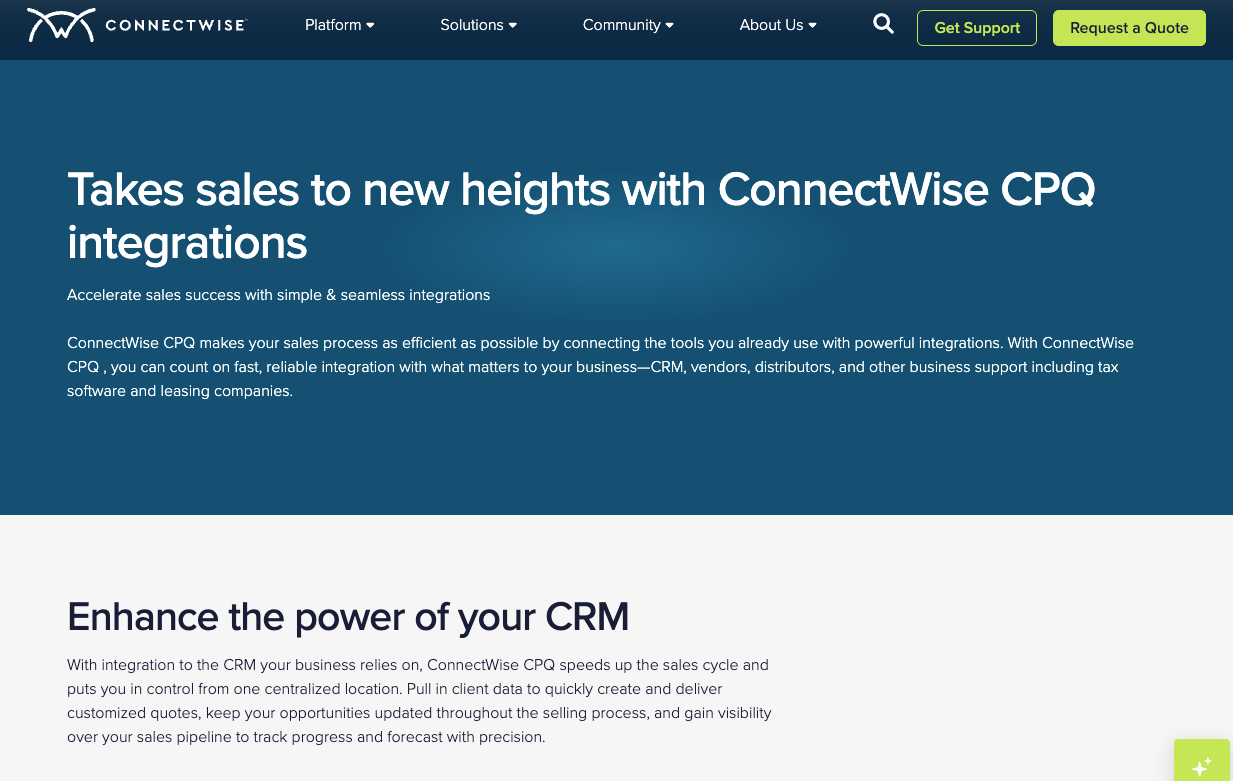
ConnectWise CPQ is designed to streamline the quoting process by combining templates, product sourcing, and workflow automation into one system.
Beyond quote creation, ConnectWise CPQ integrates with several core business systems. For example, it connects directly with ConnectWise PSA to sync opportunities and streamline handoffs from sales to service delivery. It also integrates with distributors for live product and pricing data, supports CRM connections, and works with tax engines such to calculate accurate sales tax during proposal creation. These integrations help maintain alignment across sales, operations, procurement, and finance workflows. In the next section, we will discuss all the integrations they offer and the value they can bring to your business.
Without strong integrations, friction often appears after a quote is approved. Teams may need to manually transfer data between systems, re-enter invoice details, or chase payments outside of the quoting workflow.
This is not a minor inefficiency. According to a PwC finance effectiveness study, finance teams spend 30–40% of their time on manual transaction matching and reconciliation tasks. As quote volume and invoice complexity increase, gaps between CPQ and billing systems can contribute directly to that operational burden.
Strong integrations help solve these challenges by:
- Reducing manual handoffs between systems
- Improving data accuracy across tools
- Accelerating the time between proposal approval and revenue recognition
In short, integrations determine how smoothly your entire quote-to-cash workflow operates.
The Most Important ConnectWise Integrations for MSPs
Not all integrations deliver equal operational value. For MSPs, the most impactful integrations typically fall into a few core categories.
1. PSA Integrations: Connecting Sales to Operations
A tight integration between CPQ and PSA software is foundational for MSP workflows.
When integrated with a PSA, approved quotes in ConnectWise CPQ can automatically convert into opportunities, products, and service agreements, carrying over line items and pricing details. This reduces manual data entry and keeps sales, service, and billing aligned from the start.
Because CPQ belongs to the ConnectWise ecosystem, it integrates directly with ConnectWise PSA.
However, it also supports a native integration with Autotask, allowing teams to pull company records, products, and service bundles directly into quotes. Outside of those two platforms, integration with other PSAs typically requires third-party connectors or custom API workflows rather than a built-in connection.
If flexibility on this matters to you, competing quoting platforms like QuoteWerks offer a broader range of native PSA integrations, while ConnectWise CPQ remains most tightly aligned with the ConnectWise ecosystem.
PSA Integrations Keep Sales, Service, and Billing Aligned
A PSA acts as the operational backbone of an MSP. It centralizes data across projects, contracts, billing, and service delivery, providing real-time visibility into performance, profitability, and client health.
PSA integrations help MSPs:
Maintain a single source of truth for client and contract data: PSA platforms function as a central database for MSP operations, consolidating customer records, agreements, service details, and billing information into one system. When quotes flow directly into the PSA, teams avoid conflicting records and ensure delivery aligns with what was sold.
Reduce administrative workload during onboarding: Integration eliminates repetitive tasks such as manually re-entering client details, products, and pricing. This reduces operational drag and allows technicians and project managers to focus on delivery rather than paperwork.
Improve alignment between sales and service delivery: A connected CPQ-PSA workflow provides shared visibility from opportunity through execution, helping teams avoid handoff errors and ensuring services are scoped accurately before delivery begins.
As organizations grow, the complexity of coordinating sales, service delivery, and billing increases significantly. A tightly integrated CPQ-PSA workflow helps maintain operational consistency while supporting scalability, which is essential for sustaining predictable revenue and strong client relationships.
2. Payment Integrations: Closing the Quote-to-Cash Gap
ConnectWise CPQ is highly effective at generating proposals, managing approvals, and capturing e-signatures. But once a quote is approved, the payment step typically occurs outside the platform. Teams often need to generate a separate invoice, send it through a billing system, and wait for the client to complete payment through a different workflow.
This separation creates a common operational gap between approval and revenue recognition.
For MSPs managing recurring services, hardware projects, or large implementation deals, even small delays at this stage can significantly impact cash flow timing.
How the Quote-to-Payment Gap Impacts Cash Flow and DSO
Research consistently shows that delays between agreement and payment are one of the most common contributors to extended Days Sales Outstanding (DSO).
Without this integration, teams often face:
- Manual invoicing after quote approval
- Additional back-and-forth with clients to initiate payment
- Delayed visibility into payment status
- Increased administrative workload for finance teams
For MSPs operating on tight cash flow cycles, these inefficiencies can snowball quickly as deal volume grows. Connecting CPQ directly to payment workflows helps eliminate that friction between “yes” and “paid.”
Instead of requiring a separate invoicing step, an integrated payment workflow allows clients to move directly from an approved proposal to a completed payment.
This approach can help MSPs shorten the time between approval and revenue collection, reduce manual invoice generation and follow-up, improve predictability of incoming cash flow, and provide a more seamless client experience.
For many MSPs, this is one of the most impactful opportunities to improve operational efficiency within the quote-to-cash lifecycle.
One example of this type of integration is the connection between ConnectWise CPQ and FlexPoint’s payment automation platform.
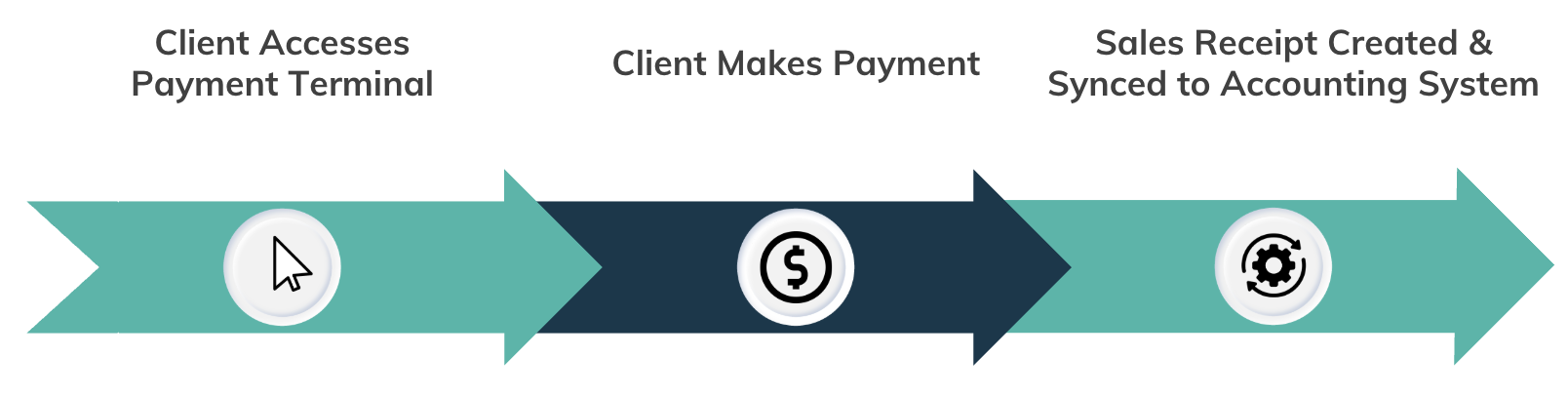
Through this integration, MSPs can embed secure payment links directly into CPQ proposals or approval workflows. When a client approves a quote, they can immediately proceed to payment without waiting for a separate invoice to be generated.
This capability helps eliminate a common bottleneck in the revenue cycle. Instead of relying on manual handoffs between quoting, invoicing, and payment systems, MSPs can create a more continuous workflow from proposal approval through reconciliation.
With FlexPoint, customers can pay by credit card or ACH, choose financing options for larger invoices, and complete payment immediately after approval. Take a look at what your clients would see with FlexPoint:
In addition, payment data can be synchronized back into PSA and accounting systems, improving visibility into payment status and reducing reconciliation workload.
ConnectWise CPQ does not natively include payment processing, but it can connect to several other external payment solutions.
Common options include:
- ConnectBooster: Accounts receivable automation platform commonly used by MSPs for payment collection workflows
- WisePay / Wise-Sync: ConnectWise-owned payment and synchronization tools for ConnectWise PSA environments
- Third-party payment gateways such as Stripe or Authorize.net, through custom workflows or integrations
These solutions typically operate after invoicing rather than directly within the quoting workflow. And as MSPs scale, the delay between signed agreements and collected revenue becomes significantly more noticeable. Even a few extra days between approval and payment can affect working capital, vendor payments, and even hiring decisions.
Once funds are collected, the next critical step is ensuring that revenue is accurately recorded, reconciled, and reflected in financial reporting systems. If payment data does not flow cleanly into accounting, the operational gains from faster payment collection can quickly be lost during month-end reconciliation.
That’s where accounting integrations become essential.
3. Accounting Integrations: Ensuring Financial Accuracy
Once payments are collected, MSPs still need to ensure those transactions are accurately reflected in their accounting systems. That’s where strong accounting integrations become mission-critical.
Yes, accounting software is where your numbers live, but it’s also where some of your most crucial financial decisions are made. When accounting tools are disconnected from quoting, billing, and payment systems, finance teams often spend hours reconciling records, correcting errors, and manually importing data.
How Accounting Integrations Reduce Reconciliation Work
Finance automation research shows that automated accounting tools can reduce the time spent on repetitive finance tasks by accelerating reconciliation and reporting workflows, freeing teams to focus on forecasting and strategic analysis rather than manual data entry.
Disconnected systems at this level can result in:
- Invoices created in billing systems but not reflected in accounting records
- Payments recorded in one system but not reconciled in another
- Manual journal entries to correct mismatched records
- Delayed month-end close cycles and slower financial reporting
In contrast, an integrated accounting environment ensures that financial data flows seamlessly from PSA and payment platforms into a single ledger, giving MSP owners a real-time view of revenue, expenses, and cash position.
Best Accounting Integrations Used with ConnectWise CPQ
QuickBooks Online & QuickBooks Desktop
These are the most widely used accounting platforms among MSPs. CPQ itself does not integrate directly with QBO and QBD, but ConnectWise PSA does. This allows syncing invoices, payments, and general ledger data, allowing financial records to update automatically without manual entry.
Xero
Similarly, ConnectWise PSA also integrates with Xero through established sync tools that transfer invoices, payments, and procurement data between systems in near-real time.
Accounting integrations help unify the financial picture, giving decision-makers access to reliable data without waiting for weeks of reconciliation. They improve financial visibility and reduce the time required for reconciliation and reporting.
4. Distributor & Vendor Integrations: Improving Quote Accuracy
For MSPs that sell hardware, licensing, or bundled solutions, quoting accuracy depends heavily on access to up-to-date product and pricing information. This is where distributor integrations play a critical role.
One of ConnectWise CPQ’s core strengths is its ability to connect directly with major technology distributors. Instead of toggling between distributor portals, teams can source products, confirm inventory, and apply current pricing without leaving the CPQ environment.
ConnectWise CPQ integrates directly with major technology distributors, including Ingram Micro, TD SYNNEX, and D&H to provide real-time pricing, availability data, and electronic ordering. It also connects with vendor-level tools such as Etilize for standardized product content and GreatAmerica Financial Services for leasing options.
What are the Benefits of Distributor Integrations for MSPs
- Eliminate manual price lookups by pulling real-time cost and availability data directly into quotes
- Reduce quoting errors caused by outdated pricing or mismatched product details
- Accelerate procurement workflows by enabling faster sourcing and electronic ordering
For MSPs that regularly sell hardware, licensing, or bundled solutions, these integrations are key to maintaining quoting accuracy, protecting margins, and responding to client requests more quickly.
5. CRM Integrations: Maintaining Pipeline Visibility
Because quoting tools like CPQ are central to the sales pipeline, it’s incredibly relevant and helpful to integrate with a CRM wherever possible. When quoting systems connect to a CRM, they create a continuous flow of data from opportunity creation through deal closure.
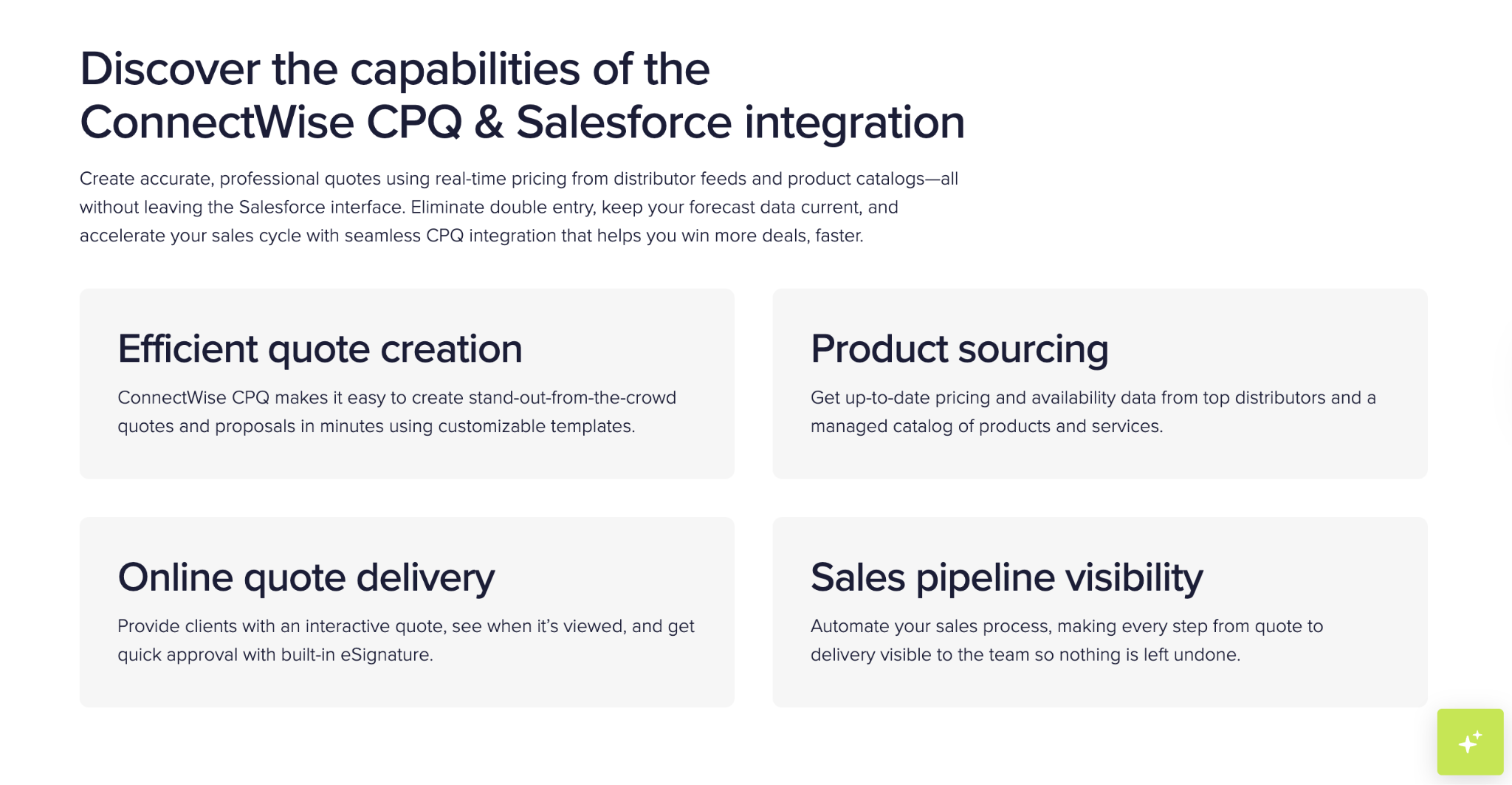
ConnectWise CPQ integrates with several CRM platforms, most notably Salesforce, which is its most robust CRM integration outside the ConnectWise ecosystem. Through this connection, teams can pull customer records directly into quotes, update opportunity stages automatically, and maintain a real-time view of pipeline progress without switching between systems.
This type of visibility is critical for MSPs, where long sales cycles, multi-year contracts, and recurring revenue models make accurate forecasting especially important.
How CRM Integrations Improve MSP Functionality
At a practical level, CRM integrations allow MSPs to:
- Track deal progress in real time across the entire sales lifecycle
- Keep customer data consistent between quoting, CRM, and operational systems
- Maintain clear visibility into revenue pipelines and projected cash flow
Research consistently shows that accurate forecasting depends heavily on integrated data. When CRM systems consolidate sales information across workflows, they allow teams to generate more reliable revenue projections and identify which deals are most likely to close. Automation at this level significantly reduces the risk of human error across operational workflows.
In fact, studies indicate that organizations using connected data across sales systems specifically can see 15–25% improvements in forecast accuracy, with some achieving significant reductions in forecasting errors.
Building a Seamless Payments Workflow
ConnectWise CPQ is a powerful quoting platform. It standardizes proposals, improves pricing accuracy, and gives sales teams structure.
In fact, finance automation studies consistently demonstrate that organizations with end-to-end integration experience shorter billing cycles and improved cash flow predictability. For MSPs, this matters even more.
Recurring revenue models, project billing, hardware margins, distributor sourcing, and PSA-driven service delivery all introduce complexity. And when CPQ operates independently from PSA, accounting, and payment systems, that complexity turns into administrative overhead.
But when it’s integrated properly, the workflow becomes continuous:
Quote → Approval → Service Setup → Invoice → Payment → Reconciliation → Reporting
Prioritizing integrations across PSA, CRM, distributors, accounting, and payments allows MSPs to:
- Reduce duplicate data entry between sales and finance
- Protect margins by minimizing pricing and billing discrepancies
- Shorten the time between approval and collected revenue
- Improve leadership visibility into the pipeline and cash flow
The objective isn’t simply faster quoting. It’s eliminating friction across the entire revenue lifecycle.
Why Integrated Quote-to-Cash Is Important for MSPs
For MSPs, quoting tools don’t exist in isolation. They initiate a workflow that touches nearly every function in the business, including sales, onboarding, procurement, billing, accounting, and client communication.
ConnectWise continues to invest in platform connectivity across its ecosystem, and CPQ remains a strong front-end quoting engine. But the efficiency of that engine ultimately depends on how well it connects downstream, particularly to billing and payment workflows.
This is where many MSPs still experience unnecessary delays.
The gap between “approved” and “paid” is often the least optimized part of the process. And in a recurring revenue business, even small inefficiencies in that window can snowball quickly.
Strengthening the payment layer by embedding payment capabilities directly into proposal workflows and ensuring synchronization back into PSA and accounting systems can materially improve revenue timing and financial visibility.
If you’re evaluating how ConnectWise CPQ fits into your broader revenue operations strategy, the most important question isn’t whether it can generate quotes. It’s whether your entire quote-to-cash process operates as one connected system.
If you’re exploring ways to strengthen your quote-to-cash operations, consider how a fully integrated payment layer can help turn approved proposals into predictable revenue faster. Learn how FlexPoint supports ConnectWise CPQ workflows and schedule a demo to see it in action.




