


Quoter is already a strong quoting platform. But the real power of Quoter shows up when it’s connected to the rest of your tech stack.
The best Quoter integrations help MSPs, IT service providers, and SaaS businesses move from quote to cash faster. They connect sales to operations, finance to delivery, and approvals to payments. Instead of juggling disconnected tools, your systems start working together.
If you’re researching Quoter integrations, Quoter payment integrations, or the best Quoter integrations for MSPs, this guide breaks it down clearly and practically.
Let’s start with the basics.
Quoter is a CPQ (Configure, Price, Quote) platform designed to: automate quote creation, use branded proposal templates, route quotes through approval workflows.
{{toc}}
The Benefits of Integrating Quoter With Other Automation Tools
Quoter is strong on its own. It helps you build polished proposals quickly and present them professionally. But quoting is only one part of the revenue cycle. The real leverage shows up when Quoter connects to the rest of your systems.
When your CRM, PSA, accounting software, distributor feeds, and payment tools all talk to each other, quoting becomes part of a continuous workflow instead of a standalone task.
That shift changes everything for an MSP.
Improve Quote-to-Cash Speed
Every extra handoff slows down deals. When a rep has to copy contact details from a CRM into a quote, then someone else has to re-enter billing data into accounting, and someone else has to manually create a project in a PSA, those small delays can snowball quickly.
Integrated systems remove those pauses.
When Quoter is connected properly:
- Quote line items can pull directly from CRM opportunity data, preserving pricing and contact accuracy.
- Upon approval, quotes can automatically generate invoices in accounting or create projects inside a PSA, without re-entry.
- Payment links can appear inside the approval flow so clients move from signature to payment in the same session.
For MSPs operating on recurring revenue models, shaving even a few days off the quote-to-cash cycle can have a meaningful impact on cash flow.
Research from Service Leadership consistently shows that even small delays in billing and collections compound over time, reducing effective margin and limiting reinvestment capacity. When approval, invoicing, and payment happen inside one connected workflow, days sales outstanding (DSO) drops and working capital improves without adding new revenue.
Reduce Administrative Work and Errors
Manual entry is where mistakes creep in on all sides of MSP operations. But it's especially painful in this limbo between quote and payment.
This happens when a rep updates pricing in one system but forgets another. A customer’s billing address changes in the CRM but not in accounting. A service item gets renamed in the PSA but not reflected in the quoting tool.
Beyond being simply frustrating to deal with, disconnected systems create duplication. And those duplications can cause significant errors.
But with proper integrations in place, customer records sync automatically. Product catalogs stay consistent. Billing data flows into accounting tools without being retyped. Quotes reflect accurate pricing pulled from distributor feeds or internal systems.
You eliminate the “Which version is correct?” problem.
For lean MSP teams, that time saved adds up quickly. Fewer errors also mean fewer awkward corrections with customers and fewer reconciliation headaches later.
Gain Better Reporting and Financial Visibility
Forecasting is already difficult, but it's impossibly difficult when data lives in silos.
If your quoting platform, CRM, PSA, and accounting software all operate independently, it becomes hard to answer basic questions:
- What’s our close rate from quote to signed deal?
- How long does it take customers to pay after approval?
- Where are deals stalling?
- Which services generate the most margin?
Integrated systems bring that information together.
You can track conversion rates from opportunity to quote to signed agreement to paid invoice. You can monitor sales cycle length. You can analyze payment timelines. You can forecast revenue more accurately because you’re seeing the full picture.
That visibility becomes essential for growing MSPs because you can’t scale confidently if you’re guessing.
When quoting data, approval timelines, and payment information live in separate platforms, forecasting becomes reactive instead of predictive. Integrated systems allow leadership teams to see revenue pipeline, conversion rates, and payment velocity in one view, which improves hiring decisions, inventory planning, and cash flow management.
Top Quoter Integrations for MSPs and Service Businesses
There are many tools Quoter connects with. The most impactful integrations tend to fall into a few categories: payments, CRM, accounting, PSA, and distributor systems. And each solves a different friction point in the sales-to-delivery process.
Want a quick version? Use the interactive guide at the bottom of this article!
Payment Gateway Integrations
For most service businesses, payments are where friction becomes visible. Quotes get approved, but then things stall.
That happens when invoices get sent separately, payment instructions get requested, then customers ask for ACH details. After that, finance follows up which can lead to sales following up again. That’s why a strong Quoter payment integration should be a priority.
Quoter can connect to several common payment gateways, including Stripe, PayPal, and Authorize.net. These platforms make it possible to accept credit card payments and, in some cases, ACH transfers.
For smaller service teams, those tools may be sufficient. They enable basic online payments and can be embedded into approval workflows with some configuration. But MSPs often outgrow generic processors.
Many general-purpose payment gateways were designed for eCommerce checkout, not recurring service contracts, milestone deposits, or large B2B invoices. That difference matters when transactions regularly exceed typical online purchase sizes or when ACH becomes the preferred payment method to control processing costs.
Recurring contracts, large hardware invoices, ACH-heavy transactions, and the need for consolidated reporting create complexity that standard gateways weren’t designed to handle.
FlexPoint

FlexPoint integrates directly with Quoter to remove one of the most common friction points in the sales process: getting paid after approval.
Instead of generating a separate invoice once a quote is signed, FlexPoint embeds secure payment options directly into the Quoter approval workflow. When a customer approves a proposal, they can immediately complete payment (by credit card or ACH) in the same experience.
No extra billing email, separate portal login, or waiting days to send an invoice.
That simple shift tightens the gap between “approved” and “funded.”
With the FlexPoint–Quoter integration, MSPs can:
- Accept both credit card and ACH payments from approved quotes
- Offer ACH to reduce processing costs on larger invoices
- Sync payment data into accounting systems automatically
- View consolidated reporting across clients in one dashboard
This is especially important for MSPs managing recurring agreements, project deposits, and hardware-heavy proposals. Larger invoices and milestone billing structures demand more than basic card processing.
FlexPoint is built for B2B service workflows, not just general eCommerce. That means support for ACH-first collection strategies, centralized reporting, and payment infrastructure that scales as deal sizes grow.
As your MSP grows, how you collect payment matters just as much as how you close the deal. Embedding payment directly into Quoter shortens collection cycles, reduces follow-up, and makes cash flow more predictable without over-complicating your stack.
Quoter also supports integrations with: Alternative Payments, BenjiPays, ConnectBooster, and WisePay.
CRM Integrations
A strong Quoter CRM integration prevents your sales team from duplicating effort.
Instead of copying contact details and deal information manually, CRM integrations allow quotes to be generated directly from opportunities. Data stays aligned across systems. Sales leadership maintains pipeline visibility.
Salesforce
When integrated with Salesforce, Quoter allows sales teams to create quotes directly from opportunities. Customer and deal data sync automatically, reducing manual entry.
Quote creation and status updates can sync back into Salesforce opportunities, keeping pipeline reporting aligned with actual proposal activity.
For MSPs with longer or more complex sales cycles, this keeps forecasting centralized and accurate.
HubSpot
For teams using HubSpot, Quoter can automate quote creation from deals and sync contact information seamlessly.
Marketing, sales, and quoting stay aligned. Reps don’t have to re-enter data. Managers gain clearer insight into where deals are in the quoting stage.
For lean teams, this saves significant administrative time and reduces friction inside the sales process.
There are a number of other CRM Integrations that Quoter offers too, like: keap, Nutshell, Agile, and more. Check out the full list of integrations with Quoter here.
Accounting Software Integrations
Once a quote is approved, finance shouldn’t have to rebuild the deal from scratch.
Without integration, someone manually creates the invoice. Customer details get retyped, line items are copied over, and tax codes are double-checked. It’s slow, and it’s where small but expensive mistakes happen.
A strong Quoter accounting integration ensures that approved quotes move cleanly into your accounting system with accurate pricing, customer data, and revenue classification intact.
QuickBooks
The Quoter QuickBooks (Online) integration allows approved quotes to automatically generate invoices inside QuickBooks with line-item mapping, tax code sync, and customer record creation if one does not already exist.
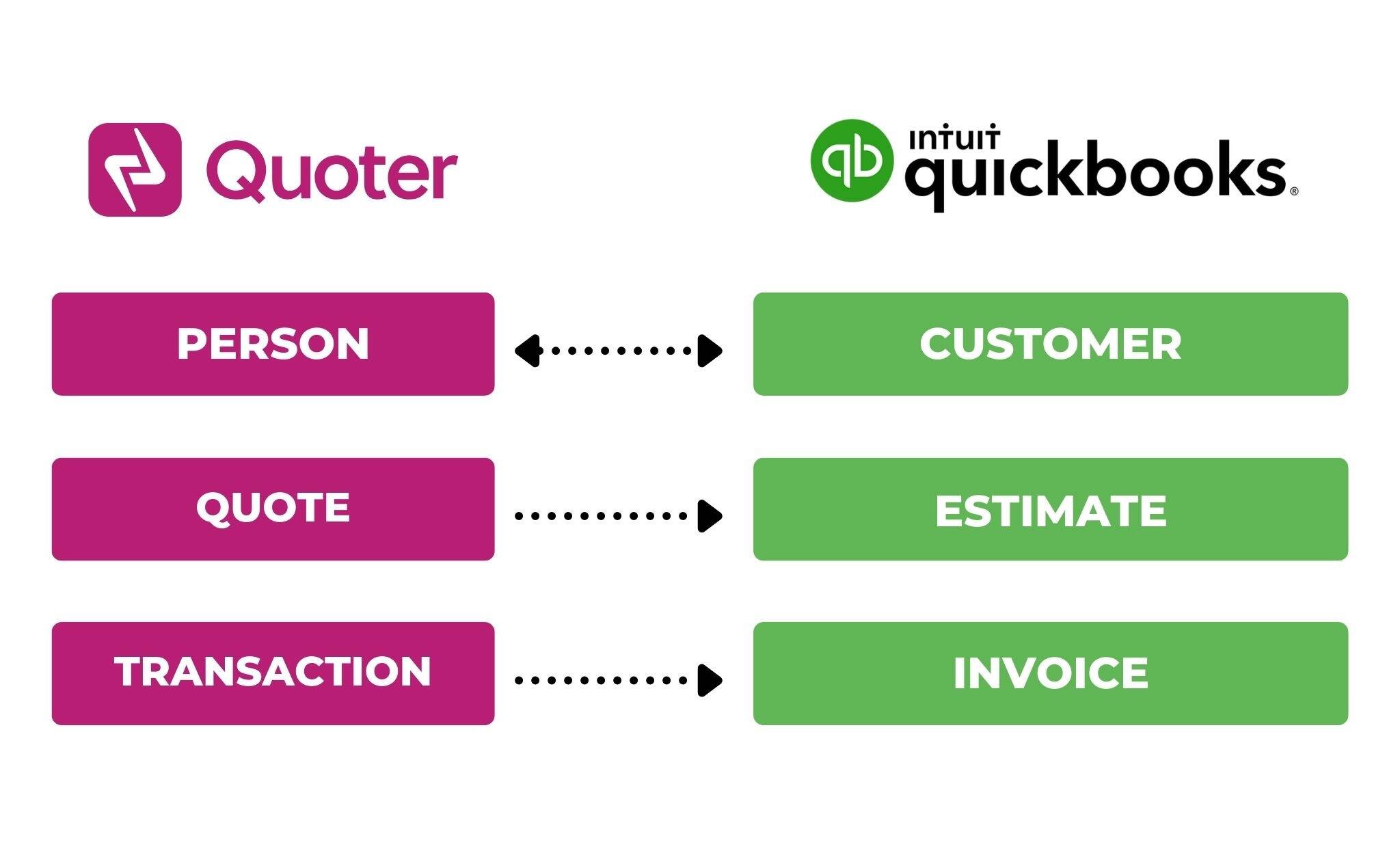
Customer details sync over. Line items map correctly. Revenue categories stay consistent. Instead of re-entering data, your accounting team reviews and sends.
For MSPs managing recurring services and project-based hardware sales, this reduces invoice lag and tightens the time between approval and revenue recognition. It also minimizes reconciliation discrepancies at month-end, fewer “why doesn’t this match?” moments.
Xero
Similarly, Quoter can push invoice data directly into your accounting environment after approval directly through Xero.
That means no duplicate entry and fewer manual adjustments. Revenue reporting becomes more accurate because billing data originates from the same approved quote your client signed.
For international MSPs or SaaS-heavy service providers, this integration supports cleaner financial visibility across currencies, tax settings, and recurring billing categories.
PSA Integrations
For MSPs, a signed quote doesn’t mean “deal closed.” It means “work begins.”
Without integration, someone has to manually create tickets, set up projects, assign engineers, and input scope details into a PSA system. That gap between approval and implementation is where errors creep in.
Quoter PSA integration ensures that once a proposal is approved, service delivery can start without redundant data entry.
ConnectWise Manage
The Quoter ConnectWise Manage integration allows approved quotes to sync directly into ConnectWise Manage, reducing the gap between signed agreement and service execution.
When a quote is approved, line items can map into service tickets, projects, or agreements inside ConnectWise. Scope details, product selections, and pricing follow the sale instead of being manually recreated by operations.
That means the implementation team works from the exact structure that was quoted, not a summarized version reconstructed from memory. It reduces rework, protects scope clarity, and helps ensure what was sold is what gets delivered.
Datto Autotask
With Autotask, approved proposals can automatically generate projects tied to the appropriate customer account.
Quote line items can populate project templates or service entries, preserving task structure and service components without manual entry. This keeps ticket setup consistent and reduces delays between approval and kickoff.
For MSPs handling frequent onboardings or hardware rollouts, eliminating manual project creation can save hours each week, while also reducing the risk of missed scope details.
HaloPSA
Quoter integrates with HaloPSA to move approved quotes directly into active service workflows.

Customer records, products, recurring services, and contract terms can transfer into Halo without retyping. This keeps billing, agreements, and delivery aligned from the start.
When quoting and PSA data stay connected, handoffs between sales and service become cleaner, and operational execution reflects exactly what the client approved.
Syncro
For MSPs using Syncro, Quoter’s integration ensures that approved quote data flows directly into active service records and ticketing workflows, eliminating manual handoffs between sales and operations.
Once a proposal is signed, the integration can transfer customer information, line items, and service details into Syncro without re-entry. This means service teams aren’t left recreating tasks, rebuilding billable items, or guessing at scope based on a PDF. Instead, they begin work with the exact data that was quoted and approved.
Service tickets, task structures, and agreement details remain aligned with what the customer signed, which reduces administrative overhead and minimizes the risk of miscommunication between teams. For MSPs that manage a high volume of onboarding projects or repeat service work, this consistency saves hours every week while also improving operational accuracy and service delivery confidence.
Distributor Integrations
For MSPs that quote hardware and technology products alongside services, distributor integrations are essential. Without them, sales teams spend hours manually updating product catalogs, researching part availability, and pricing items across multiple back-end systems, all before a single quote is sent.
Quoter offers direct connections to leading IT distributors so your quotes reflect real-time product data and accurate pricing without manual lookup. That means less guesswork, fewer price mismatches, and more reliable margins when hardware is part of the deal.
Here are some of the key distributor integrations MSPs rely on:
Ingram Micro
Integration with Ingram Micro gives you access to up-to-date SKU data, tiered pricing, and availability directly inside Quoter. You can search Ingram’s catalog from within the quoting interface, pull in part numbers and cost data, and build hardware bundles that reflect current supplier pricing.
This eliminates the need to maintain static cost sheets that go stale quickly and protects profitability by ensuring margins are calculated off real inventory prices.
TD SYNNEX
TD SYNNEX integration brings another major distributor into your quoting workflow. Like Ingram, it provides live feeds of product availability, tiered cost structures, and up-to-date pricing that can be embedded into quotes.
D&H
D&H integration adds access to a broad catalog of hardware and software products with live price points and inventory status. This matters when your standard bundles include peripherals, security appliances, or specialized gear that can vary in cost by region or vendor.
Amazon
For MSPs that include hardware or cloud infrastructure in their offerings, Quoter’s Amazon integration brings real product data into your quoting workflow without manual lookup or spreadsheet juggling.
Instead of manually entering marketplace pricing for components, accessories, or infrastructure-related purchases, you can pull real-time pricing and product details directly from Amazon into your Quoter proposals.
Across all these distributor integrations, the benefits are consistent:
- Accurate pricing and availability: Quotes always reflect current cost structures and stock levels.
- Fewer errors: No more outdated spreadsheets or manual lookups that introduce mistakes.
- Better margin protection: Cost and pricing data stay aligned, protecting profitability.
- Faster quote creation: Sales teams build hardware quotes without leaving the quoting platform.
For MSPs quoting hardware, software, and bundled offerings, distributor integrations are more than a convenience, they’re a revenue and operational advantage.
How to Choose the Best Quoter Integration for Your Business
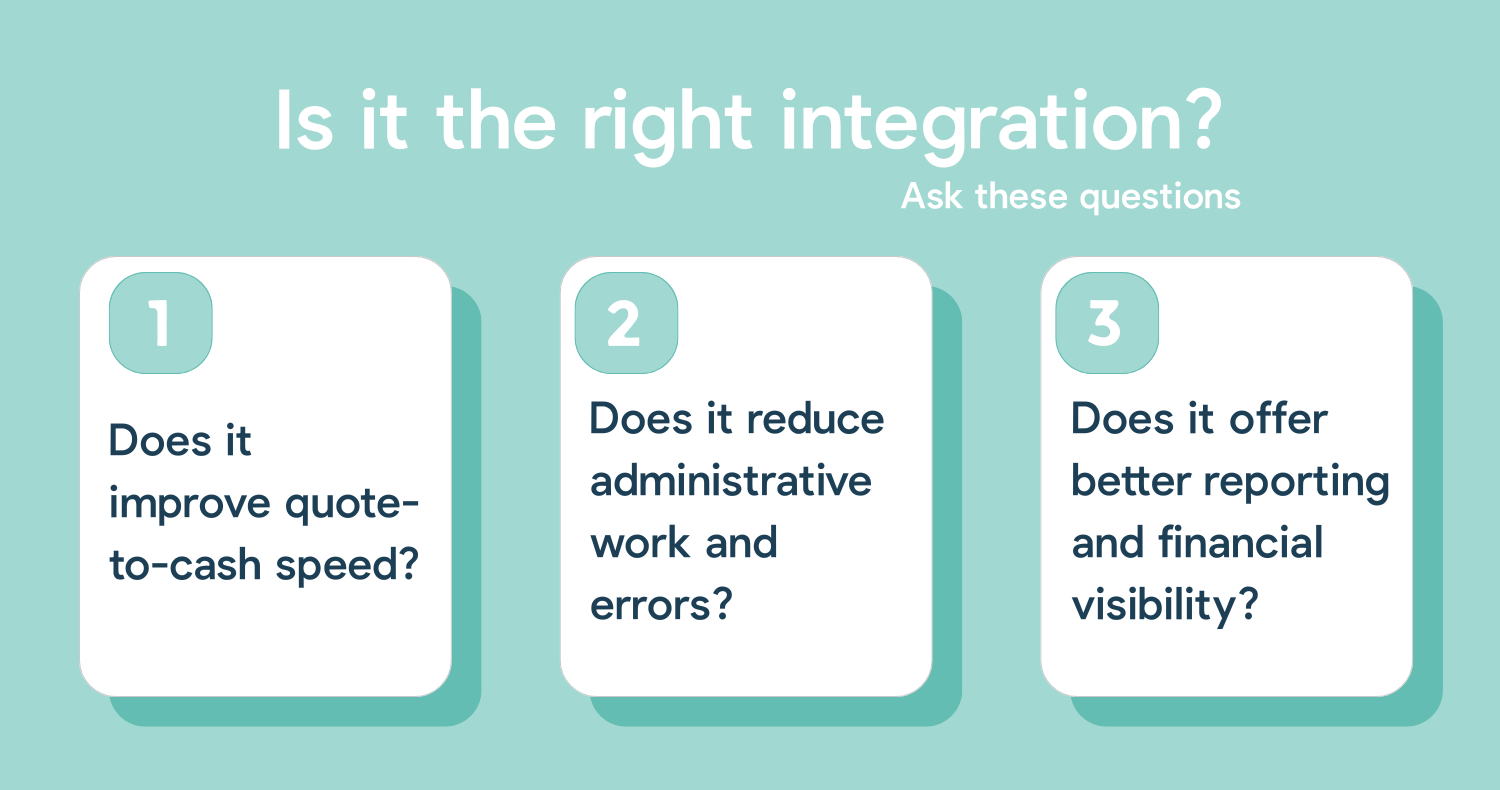
Not every integration deserves equal priority. The right choice depends on where friction exists in your workflow.
Start by identifying your bottlenecks:
Are reps re-entering customer data between systems?
Are quotes sitting in approval longer than expected?
Is there a gap between quote approval and project kickoff?
Are handoffs between sales and service causing delays?
Are customers unclear about next steps after signing?
Payment may be the biggest friction point, but it’s not always the only one. Delays can happen in quoting, approvals, fulfillment, billing, or project setup. That is why it's so important to find where the slowdown lives first.
In many MSPs, friction doesn’t show up in obvious places. It appears in small delays like approval emails sitting unopened, tickets created days after signature, invoices sent a week late. Mapping the full quote-to-cash workflow often reveals inefficiencies that integrations can eliminate quickly.
Then integrate strategically.
Prioritize Integrations That Improve Cash Flow
In many MSPs, the biggest slowdown in the quote lifecycle is actually payment, not approval.
If you’re deciding where to focus first, payment integration is often the fastest way to create measurable impact. When customers can pay at the moment they approve a quote, you eliminate unnecessary steps between agreement and deposit.
By embedding secure credit card and ACH options (and flexible financing for big projects!) directly into Quoter’s approval workflow, FlexPoint turns approval into action. Clients can complete payment immediately, instead of waiting for a separate invoice or instructions. For larger invoices, ACH reduces processing costs. For recurring or project-based work, the structure supports deposits and milestone payments without added complexity.
If your goal is to improve financial performance without adding new revenue streams, tightening the quote-to-payment gap is one of the most practical places to start.
Beyond that, adding integrations should simplify your stack, not complicate it. Look for tools that consolidate reporting, provide unified dashboards, and reduce redundant systems. Choose integrations that support long-term alignment between sales, finance, and operations.
Common distributor use-cases
- Live SKU details and pricing pulled into quotes
- Less margin erosion from stale cost sheets
- Fewer “we can’t get that model” surprises
- Faster quoting for refresh cycles and onboardings
Quick check: where does your process slow down most?
Choose the biggest bottleneck. We’ll suggest the best “first” integration to prioritize.
Clients approve, then payment drags Reps re-enter customer/deal info Invoicing takes too long after approval Projects/tickets get created days later Hardware pricing changes wreck margins
Recommendation
Payments integration
Fastest impact
If customers sign but payment lags, tighten the gap between “approved” and “paid.” A payment integration is often the quickest way to improve cash flow without changing your sales process.
Learn about FlexPoint + Quoter Jump to section
Final Thoughts on the Best Quoter Integrations
Quoter is a strong platform on its own. But it really starts to shine when it’s connected to the rest of your systems.
When your CRM, PSA, accounting, distributor feeds, and payment tools all work together, quoting stops being a standalone task. It becomes part of how your business actually runs, from opportunity to delivery to cash in the bank.
That’s why connecting Quoter to a purpose-built payment solution like FlexPoint can make such a noticeable difference. It tightens the gap between approval and deposit, reduces follow-up, and gives you clearer visibility into what’s actually been collected, not just what’s been signed.
If you’re already using Quoter, you don’t need more tools. You just need the right ones talking to each other.
See if FlexPoint is the right integration for your MSP here.




