


.png)
Most MSPs have already invested in the systems to run their business. Accounting is structured. Reporting is dialed in. Operations are connected.
But payments are still disconnected from all of it.
Invoices live in one place. Payment processing happens somewhere else. Reconciliation happens later. And your team ends up bridging the gaps manually.
Microsoft Dynamics 365 Business Central gives MSPs a strong foundation for financial operations. What it doesn’t do is automate how money actually moves through your business. That’s where FlexPoint comes in. And now, the two are connected.
Let’s take a look at the FlexPoint and Microsoft Dynamics 365 Business Central integration.
FlexPoint Now Integrates with Microsoft Dynamics 365 Business Central
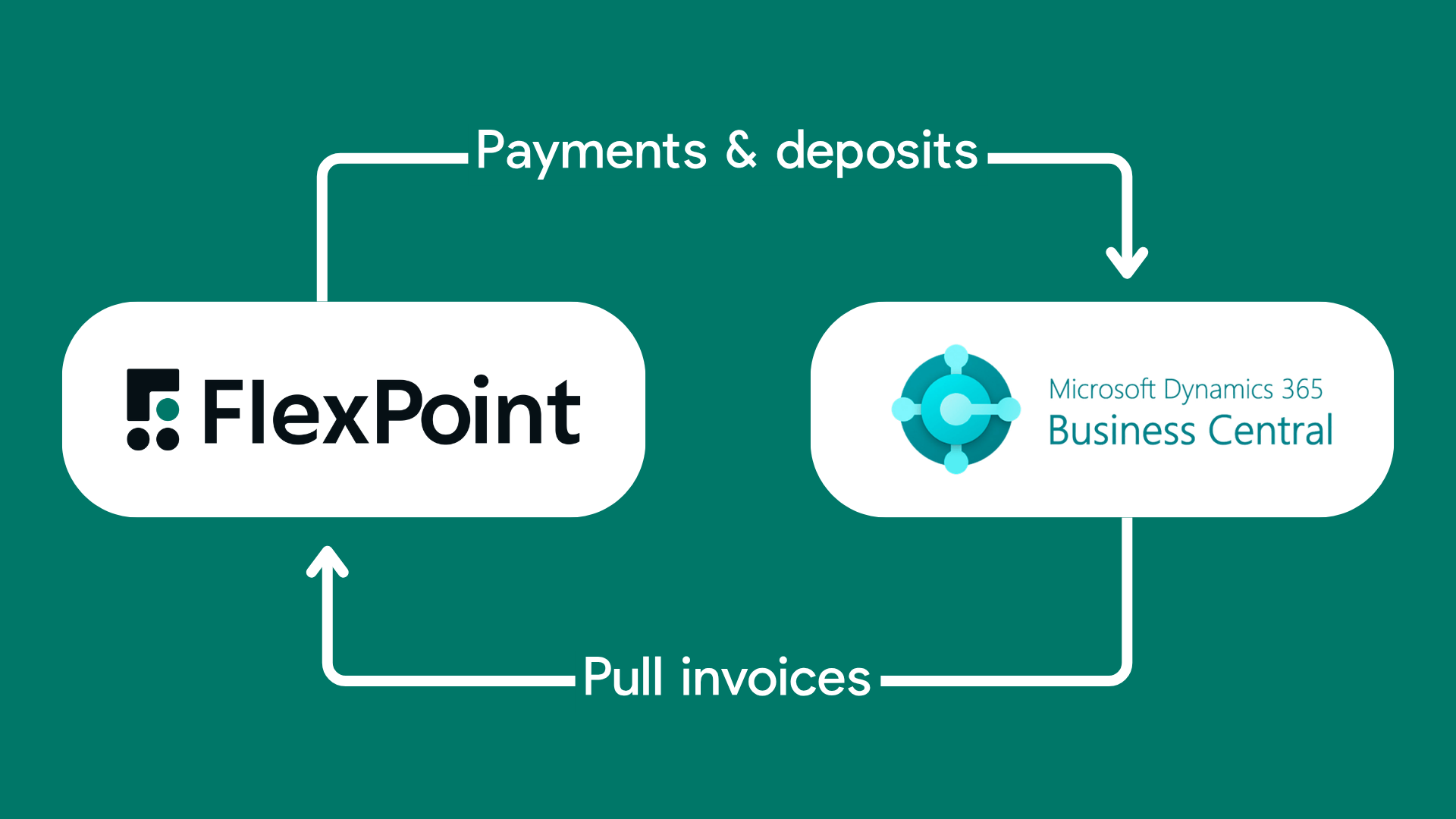
If your MSP runs on Microsoft Dynamics 365 Business Central, you can connect FlexPoint to automate your entire accounts receivable workflow: from invoice delivery and AutoPay to payment collection, reminders, and reconciliation, with real-time sync back into your accounting system.
Why This Matters for MSPs on Microsoft Dynamics 365 Business Central
MSPs using Business Central are already operating with structure. You’ve got financial visibility, reporting, and processes in place.
But collections are still where things tend to break down. It usually looks like this:
- Invoices are generated in Business Central or your PSA
- Clients pay on their own timeline
- Someone on your team follows up on overdue invoices
- Payments are recorded manually or through a separate processor
- Month-end becomes a reconciliation exercise across multiple systems
It works when volume is low. But as your MSP grows, it creates friction.
More invoices means more follow-up. More payments means more reconciliation. And your finance team ends up spending time managing processes instead of managing growth.
FlexPoint removes that friction by automating collections and syncing financial data continuously, not just at month-end.
Why FlexPoint + Microsoft Dynamics 365 Business Central?
Your Financial Stack, Connected
FlexPoint syncs invoice and payment data directly with Business Central, keeping your accounting system aligned with real-time activity. No more gaps between what’s been paid and what’s reflected in your books.
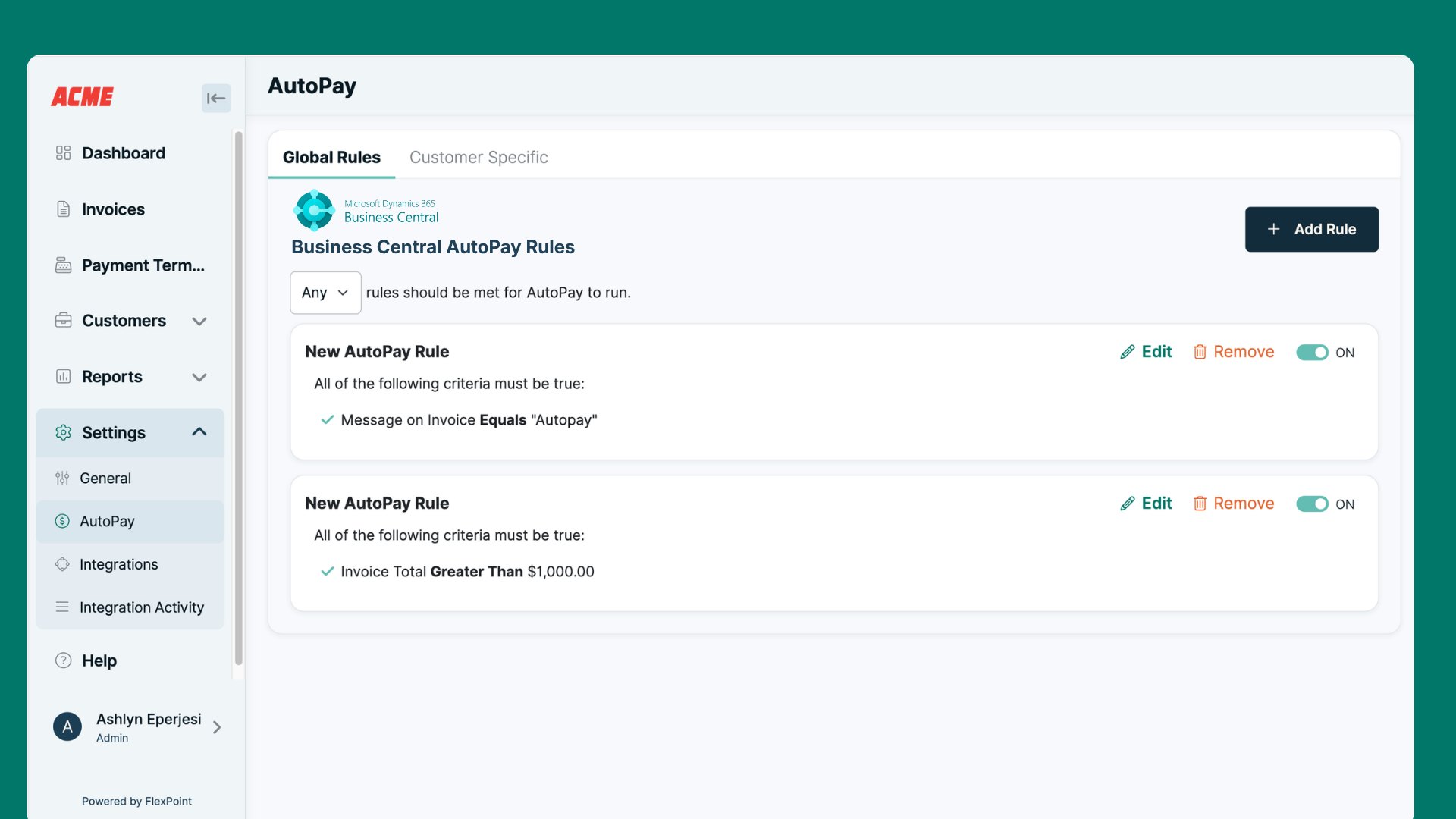
AutoPay Built for MSP Billing
MSP billing is rarely simple. Recurring agreements, usage-based billing, project work — Business Central tracks it, but collections still require manual effort.
FlexPoint automates that layer.
You can configure AutoPay rules globally or at the client level, and trigger them based on invoice data coming from Business Central or your PSA. Collections happen automatically, regardless of how complex your billing structure is.
Reconciliation Without the Month-End Crunch
As payments come in, they’re automatically recorded in Business Central.
Invoices close. Payments match. Deposits reconcile.
Instead of scrambling at the end of the month, your books stay current throughout it.
Collections That Scale With Your MSP
Growth shouldn’t create more back-office work.
Whether you’re adding new clients, expanding locations, or increasing invoice volume, FlexPoint handles collections automatically. Your team doesn’t need to scale headcount just to keep up with AR.
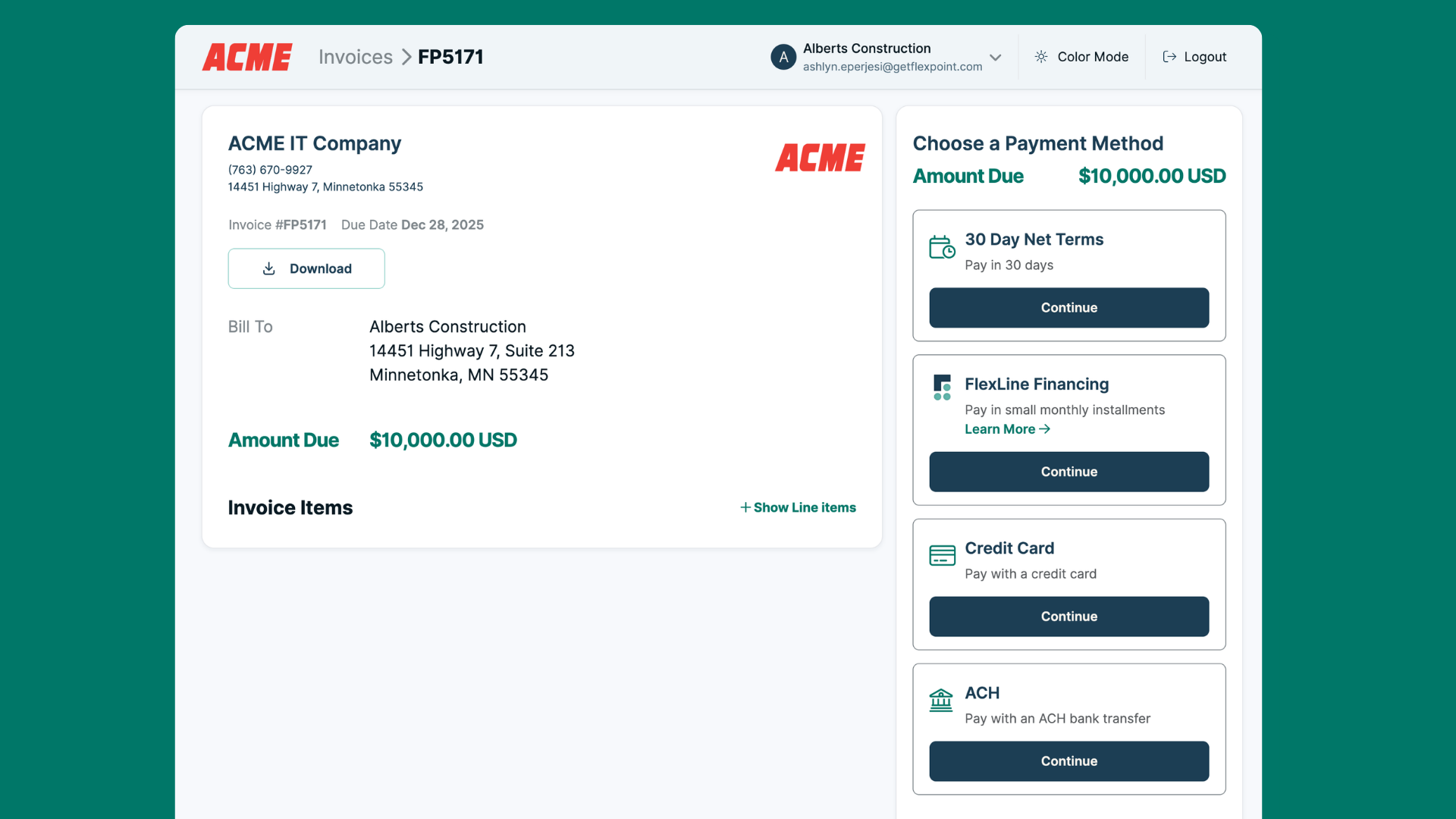
Clients can pay through a white-label portal using ACH, credit card, or FlexLine financing, reducing friction and accelerating cash flow.
How It Works
The integration is designed to fit directly into your existing workflow.
1. Invoices Sync to FlexPoint
Invoices generated in Microsoft Dynamics 365 Business Central sync into FlexPoint based on your rules. You control when invoices are ready for collection. Nothing moves before it should.
2. Clients Pay Through FlexPoint
Clients receive a secure, branded payment experience. They can pay via ACH, credit card, or financing. Automated reminders ensure invoices don’t get overlooked, and your team has full visibility through the FlexPoint Admin Portal.
3. Payments Sync Back to Business Central
Once a payment is made, FlexPoint automatically records the transaction in Microsoft Dynamics 365 Business Central. No manual entry. No delays.
4. Deposits Reconcile Automatically
Payments are grouped and matched to deposits inside Business Central.
Invoices close. Exceptions surface quickly. Month-end becomes a confirmation step, not a cleanup process.
What MSPs Gain with FlexPoint
MSPs using FlexPoint don’t just improve collections. They change how their financial operations run.
Overdue invoices stop building up because most clients are on AutoPay. Payments happen on schedule instead of being chased down.
Finance teams get real time back by eliminating manual data entry, follow-ups, and reconciliation work.
Cash flow becomes predictable. When payments come in consistently and your accounting system reflects that activity in real time, decision-making improves across the business.
Financial data becomes more reliable. Instead of updating records after the fact, your books stay accurate as transactions happen.
Growth stops creating operational drag. More clients no longer mean more administrative work. FlexPoint handles the volume so your team can stay focused on scaling the business.
Ready to Connect FlexPoint and Microsoft Dynamics 365 Business Central?
If your MSP runs on Microsoft Dynamics 365 Business Central and AR is still manual, fragmented, or time-consuming, this integration closes that gap.
FlexPoint brings payment automation into your accounting workflow so you can collect faster, reconcile continuously, and operate with real-time financial visibility. Schedule your personalized demo today.



%20(1).jpg)



