
MSP Accounting
How to Choose the Right Accounting Software for Your MSP


.png)
In many cases, Managed Service Providers (MSPs) operate under a financial structure that differs significantly from that of a typical small business. Recurring service contracts, usage-based fees, project-based work, and pass-through vendor costs shape the way MSPs earn and track revenue.
These billing patterns place unique demands on financial systems, which means the accounting software an MSP selects plays a large role in billing accuracy, month-end reporting, cash flow, and long-term profitability.
Most businesses rely on standard accounting tools, yet these generic platforms often fall short once MSP billing models and contract requirements come into play.
In this article, we’ll explain why MSPs need industry-specific accounting solutions and outline key criteria for evaluating your options. You’ll learn a step-by-step process to compare platforms based on features, integrations, automation, cost, and long-term fit.
Finally, we’ll show how FlexPoint works alongside your chosen accounting software, syncing data from your PSA and QuickBooks/ Xero, automating complex billing, and streamlining payments and reconciliation.
Let’s ensure you choose an accounting solution that supports your MSP’s unique business model and growth plans.
{{toc}}
Why Choosing the Right Accounting Software Matters for MSPs
Selecting the appropriate accounting software is crucial for an MSP’s operational efficiency and financial health. MSPs face challenges that generic small-business accounting tools don’t adequately address.
Here’s why the choice of accounting platform matters so much for MSPs:
Recurring Revenue Management:
Many MSPs derive revenue from the Monthly Recurring Revenue (MRR) generated by service contracts.
Your software must easily handle subscription-style billing, contract changes, and usage-based fees without constant manual adjustments.
If it doesn’t, you end up managing renewals and changes with spreadsheets, a recipe for mistakes.
Disorganized recurring billing leads to payment delays, billing errors, and unhappy clients.
In contrast, an MSP-tailored system supports automated recurring invoices and smooth updates to maintain steady cash flow.
PSA Alignment:
Most MSPs use a Professional Services Automation (PSA) tool to track tickets, time, and contracts.
If your accounting software doesn’t integrate deeply with your PSA, you’ll waste time on double data entry and reconciliation.
Lack of integration means that invoicing data must be transferred manually, which is inefficient and error-prone. This often results in duplicate entries or omissions, leading to billing disputes.
The right accounting software will sync (or work with a tool that syncs data automatically) with your PSA to ensure contracts, charges, and payments stay consistent across systems, eliminating redundant work and errors.
Invoicing Accuracy:
Accurate invoicing is non-negotiable for MSPs. Clients must be billed correctly for recurring services, hourly work, and pass-through expenses.
When an accounting tool lacks MSP-specific features, finance teams resort to manual invoice edits and external spreadsheets.
Unfortunately, manual billing processes are slow and error-prone.
In fact, according to MSP Insights, 70% of MSPs still rely on manual billing workflows, spending around 9 hours a week on them, and about 12.5% of manually processed invoices contain errors.
These errors (such as missed billable items or incorrect amounts) lead to client disputes and delayed payments, hurting your client relationships and cash flow.
The right software automatically generates accurate invoices, helping you maintain trust and avoid revenue leakage.
Scalability:
Using a basic accounting tool might work for a very small MSP. However, as you add more clients and contracts, an inadequate system will begin to break down.
Generic software can struggle with the complexity and volume of MSP billing.
For example, more clients mean exponentially more recurring invoices to send and payments to reconcile each month.
Without an MSP-ready accounting platform, finance teams get overwhelmed by manual tasks, slowing down your growth.
In contrast, the right accounting platform scales with your MSP, handling increasing transaction volume, multiple entities or locations, and more sophisticated reporting as you expand.
Choosing a solution built for growth ensures you won’t outgrow your software in a year or two.
The right platform empowers you to bill correctly, integrate systems, and glean financial insights, enabling smooth operations and confident growth.
7 Key Criteria MSPs Should Use When Evaluating Accounting Software
When comparing accounting software options, MSPs should weigh each solution against a set of must-have criteria.
The following factors will determine whether a platform can truly support your MSP’s billing workflows and financial management needs:
1. Billing Model Support
MSPs have diverse billing models, so your accounting software must support all the ways you charge clients.
Look for the ability to handle recurring subscription billing, usage-based fees (e.g., per-device or cloud usage charges), tiered pricing, one-time project invoices, and pass-through expenses (such as third-party licenses).
The software should allow flexible invoice templates and schedules for these different revenue streams.
By contrast, generic tools may require manual workarounds for tasks such as mid-month contract add-ons or metered-usage billing.
Ensure the platform natively supports MSP contract terms so it can, for example, prorate a new service added mid-cycle or automatically bill for variable usage based on your RMM logs.
2. Integration With PSA Tools
Seamless integration between your accounting software and your PSA (Professional Services Automation) is essential for efficiency and accuracy.
A good MSP accounting solution will offer two-way sync with popular PSA systems and with your billing and payment platforms.
This integration ensures that ticket entries, time logs, contract details, and invoices flow automatically from the PSA to accounting and back.
It also eliminates the need to re-enter data across multiple systems manually, minimizing errors and avoiding data silos. In fact, over 75% of MSPs say that integration between their tools saves significant time.
When evaluating software, verify that it has strong APIs or pre-built connectors for your PSA and any other key systems.
Proper integration means invoices can be generated with one click from PSA data, and payments recorded in accounting are reflected back in the PSA.
3. Invoice Automation Capabilities
Modern MSP accounting software should automate as many routine financial tasks as possible – or easily integrate with software that does. Automation increases efficiency and reduces human error.
Key capabilities to look for include:
- Automatic invoice generation (e.g., create all recurring invoices each month with a single action)
- Automated payment processing and posting (record payments against invoices without manual input)
- Auto-reconciliation of payments with bank deposits
If you’re evaluating a platform, ask how it handles recurring invoices, late-payment reminders, or usage-based billing; the more it can handle on its own, the better.
For example, a strong system might let you schedule invoices to send on specific dates or trigger an invoice when a project milestone is marked complete. It might also auto-email clients when an invoice is due or past due.
These features save your finance team countless hours.
According to one study, automation can reduce duplicate payment errors by 98%, underscoring its effectiveness in preventing such errors.
4. Payment Flexibility
Ensure the software either includes or integrates with solutions for: ACH bank transfers, credit/debit cards, and online payment portals.
Features such as AutoPay enrollment (allowing clients to save a card or bank account for automatic monthly payments) can significantly improve on-time payment rates.
Also consider how the platform handles payment processing fees; flat-rate ACH fees or credit card surcharge recovery can save your MSP money.
For instance, some generic tools (such as QuickBooks Payments) charge ~1% per ACH transaction, whereas MSP-specific billing solutions like FlexPoint offer flat ACH fees of $0.25.
Over hundreds of invoices, that difference can save thousands of dollars in processing costs.
Look for features such as automated credit card fee recovery (passing on or separately accounting for processing fees) and the ability to offer installment plans or financing options to clients.
The goal is to make it easy for clients to pay in a way that suits them, while controlling your costs.
An excellent MSP accounting software will also provide a branded payment portal or client portal that allows clients to view invoices and pay online, enhancing professionalism and the client experience.
5. Reporting Requirements
MSPs need clear insight into recurring revenue, contract profitability, accounts receivable aging, and cash flow.
The accounting software should include customizable reports and real-time dashboards that track metrics important to your business.
Look for the ability to generate reports on monthly recurring revenue (MRR), client-wise revenue and costs, service line profitability, and cash flow projections.
Accounts receivable (AR) management is vital for an MSP. As such, aging reports (to see overdue invoices) and collections reports are a must.
Real-time visibility means you can quickly see which clients owe money, which contracts are most profitable, and where expenses might be climbing.
Advanced platforms even let you drill down from high-level dashboards into detailed data (for example, clicking on “receivables” to see the list of outstanding invoices).
When evaluating, check if the software can produce cash flow forecasts and if it integrates with tools like Excel or BI software for custom analysis.
6. User Experience
Don’t overlook user experience (UX) when choosing accounting software.
Look for an intuitive interface and clean design; your finance team should be able to navigate the system with minimal training. Everyday tasks (such as creating an invoice, posting a payment, or running a report) should be straightforward.
A well-designed system improves productivity by minimizing clicks and reducing confusion.
In fact, solutions that offer a simple, intuitive experience ensure that both finance staff and non-financial users (such as technicians or account managers accessing billing data) can use them effectively.
Consider the client-facing experience as well. If the software sends invoices to clients or provides a payment portal, those touchpoints should be professional and easy to use.
Clients appreciate clear, easy-to-read invoices and a simple portal for reviewing bills and making payments.
During trials or demos, pay attention to how the software looks and feels.
A modern, user-friendly design will save time and reduce frustration compared to outdated or overly complex systems.
7. Security and Compliance
Handling client financial information and payments means security and compliance are paramount.
Ensure any accounting software on your shortlist adheres to industry-standard security practices.
These standards include:
- Role-based access controls (so staff only see what they need)
- Multi-factor authentication for logins
- Data encryption (in transit and at rest)
- Regular data backups
Many MSPs are subject to compliance standards either internally or via clients (for example, PCI DSS and SAQ-A for credit card handling, or even HIPAA if you service healthcare clients).
Verify that the software meets the relevant compliance standards, or that it can help you do so.
For instance, if you accept credit card payments, the platform or its payment integration should be PCI-compliant so that sensitive card data is properly protected.
Cloud-based accounting solutions should have certifications or third-party audits attesting to their security controls.
Note that research shows that about 60% of business data sits in the cloud today, and 91% of organizations report that cloud systems support smoother compliance efforts.
These numbers reflect the degree of trust companies place in cloud infrastructure.
When so many organizations rely on cloud platforms for sensitive information and compliance tasks, it signals that well-built cloud accounting tools are designed with strong security standards and built-in compliance features.
Prioritize vendors with a solid track record in safeguarding financial data, as your clients and your own business depend on it.
By evaluating each solution against the criteria above, you can identify which accounting software will truly fit your MSP’s needs.
Next, we’ll outline a step-by-step process to compare your options.
How to Compare MSP Accounting Software Options Effectively
Choosing the right tool requires a structured comparison.
Follow these steps to evaluate MSP accounting software options and determine the best fit:
1. Create a Requirements Checklist:
Start by documenting your MSP’s specific accounting and billing needs. List out everything your ideal software should do, based on your service model.
Include requirements such as “supports recurring and usage-based billing,” “integrates with ConnectWise PSA,” “automates payment reminders,” “multi-currency support,” etc. This checklist will serve as your scorecard.
Be sure to involve your finance team (and others who deal with billing) in compiling requirements; they know the current pain points best.
2. Map PSA Workflows:
Outline how you currently go from service delivery to invoicing to payments. Identify where your PSA, RMM, or other systems come into play.
As you evaluate accounting platforms, consider how each would fit into (or improve) your workflows.
For example, if a ticket is closed in your PSA, how would that information reach the accounting system? The goal is to ensure seamless data flow from service execution to billing.
If a software doesn’t easily align with your existing tools and processes, you may need to invest in custom integrations or change your workflow; factor that into your comparison.
Ideally, choose a solution that complements your PSA with minimal friction, so that invoice generation and time tracking are connected (many MSP-focused tools excel at this).
3. Conduct Feature Matching:
With your requirements in hand, compare features side by side for each candidate software. Note which solution meets each requirement fully, partially, or not at all.
Pay special attention to how each platform handles the key criteria we discussed:
- Can it automate invoicing and reconciliation?
- Does it support all your billing models?
- Is the reporting robust enough?
For example, if one option lacks a feature for usage-based billing, note that down; it might require a manual workaround or an add-on.
Explore each platform’s depth of automation and integration capabilities in detail as well.
This is where you see the real differences between generic small-business accounting software and MSP-specific solutions.
4. Evaluate Cost vs. Value:
Price is important, but focus on total value delivered rather than just the sticker price.
A cheaper software that lacks automation or integration may cost you more in labor hours and errors. On the other hand, a higher-priced solution might save so much time that it pays for itself.
When comparing costs, factor in software subscription fees, implementation costs, and payment transaction fees.
Then, weigh those against the value each platform provides, such as reduced admin workload, fewer billing mistakes (which prevent revenue loss), and faster payment cycles.
Account for pricing scalability (e.g., will the cost jump significantly if you double your client count or invoicing volume?). Aim to choose software that is affordable yet high-impact.
The right solution should more than pay for itself through efficiency gains over time.
5. Test User Experience:
Before making a final decision, take advantage of free trials or demos.
Have your finance team (and possibly an operations team member) test drive the software. Simulate common tasks: create a couple of invoices (recurring and one-time), enter a payment, run an aging report, etc.
Pay attention to speed and ease: are screens and reports loading quickly? Is the navigation logical?
Consider the client perspective as well: if there’s a client portal, try sending a test invoice to yourself and paying it as a client would, to gauge the experience.
You want a solution that your team feels comfortable with. An intuitive platform will have a shorter learning curve, meaning you can roll it out with minimal disruption.
Many vendors will also provide one-on-one demos. Use these to ask specific questions about how the software handles MSP scenarios.
6. Assess Long-Term Fit:
Finally, think beyond immediate needs and evaluate how each piece of software will support your MSP’s future growth.
Consider the vendor’s roadmap and reputation:
- Is the software updated frequently with new features?
- Do they understand the MSP industry?
- Do they mention MSP use cases, provide integrations with PSA tools, etc.?
Look for signs that the solution can scale with you. These signs include supporting more users, more transactions, or even multi-entity management if you expand to multiple business units.
Check whether the platform offers advanced versions or add-on modules you might need later. For example, some start with basic packages and provide upgrades for more complex needs.
You want a solution that can handle being a small 5-person MSP today and a 50-person MSP in a few years.
It’s also wise to read reviews or ask other MSPs of similar size for references; find out whether the software held up as they grew.
With a future-proof platform, you avoid having to rip and replace your accounting system down the road.
Selecting an accounting tool is a long-term investment, so prioritize a vendor with a strong track record, good support, and features that will continue to meet your needs as your MSP evolves.
By following these steps, from defining requirements to hands-on testing, you’ll be equipped to make an informed decision.
The result should be an accounting software choice that checks all the boxes for your MSP’s billing workflows, saves you time, and supports your strategic growth.
How FlexPoint Strengthens Any MSP Accounting Stack
Even with the right accounting software in place, MSPs often find gaps in the end-to-end automation of their complex billing and payment processes.
FlexPoint is a specialized accounts receivable automation platform that works alongside your accounting system (such as QuickBooks Desktop, QuickBooks Online, or Xero) to fill those gaps. The MSP-specific platform acts as the billing engine and payment layer on top of your accounting software.
Here are key ways FlexPoint enhances an MSP’s accounting stack:
Full Data Sync Across ConnectWise PSA & QuickBooks Online:
FlexPoint integrates with popular PSA tools such as ConnectWise, HaloPSA, SuperOps, Autotask, as well as accounting systems such as QuickBooks Online, QuickBooks Desktop, and Xero.
The FlexPoint platform goes a step further with full data syncing functionality for MSPs using the popular ConnectWise PSA and QuickBooks Online combination. This creates a two-way data sync that keeps your tickets, invoices, and payments perfectly aligned across systems.
For example, when a client makes a payment through FlexPoint’s portal, that payment is automatically applied to the invoice in QuickBooks and noted in ConnectWise. This way, no reconciliation is needed.
FlexPoint’s dual integration eliminates duplicate data entry and significantly reduces human error in financial records.
Automated Recurring and Usage Billing:
FlexPoint takes on the heavy lifting of MSP billing automation.
The platform can automatically generate recurring invoices based on your contracts and pulls usage data (such as overages or variable fees) directly from integrated systems to create accurate usage-based invoices.
Complex billing scenarios, such as bundling multiple services into one invoice or applying prorated charges for mid-cycle additions, are handled seamlessly.
Every invoice goes out correctly and on time, without your team having to prepare them by hand.
Streamlined Collections and Payments:
FlexPoint serves as an MSP-specific payments platform that improves how you collect cash. The platform provides a branded client payment portal where your clients can view invoices, save payment methods, and enroll in autopay.
Clients can pay via ACH (bank transfer), credit/debit card, or financing options, all through a secure payment portal featuring your branding (not a generic third-party look).
FlexPoint also automates collections by sending out payment reminders and past-due notices on your behalf (with customizable templates).
Features such as flat-rate ACH (as low as $0.25 per transaction) and optional credit card fee recovery help reduce your processing costs.
Overall, MSPs using FlexPoint see faster payments and fewer outstanding receivables because the platform makes it effortless for clients to pay (and nudges them when they don’t).
Cost Recovery and Flexible Payment Controls:
Beyond basic payments, FlexPoint gives MSPs fine-tuned control over how payments are handled.
You can choose to:
- Absorb or pass on credit card fees
- Set up flat ACH fees to save on bank charges
- Offer installment plans to clients if needed
FlexPoint offers one-click financing options for clients who need to finance larger purchases, helping you close big deals with flexible payment terms.
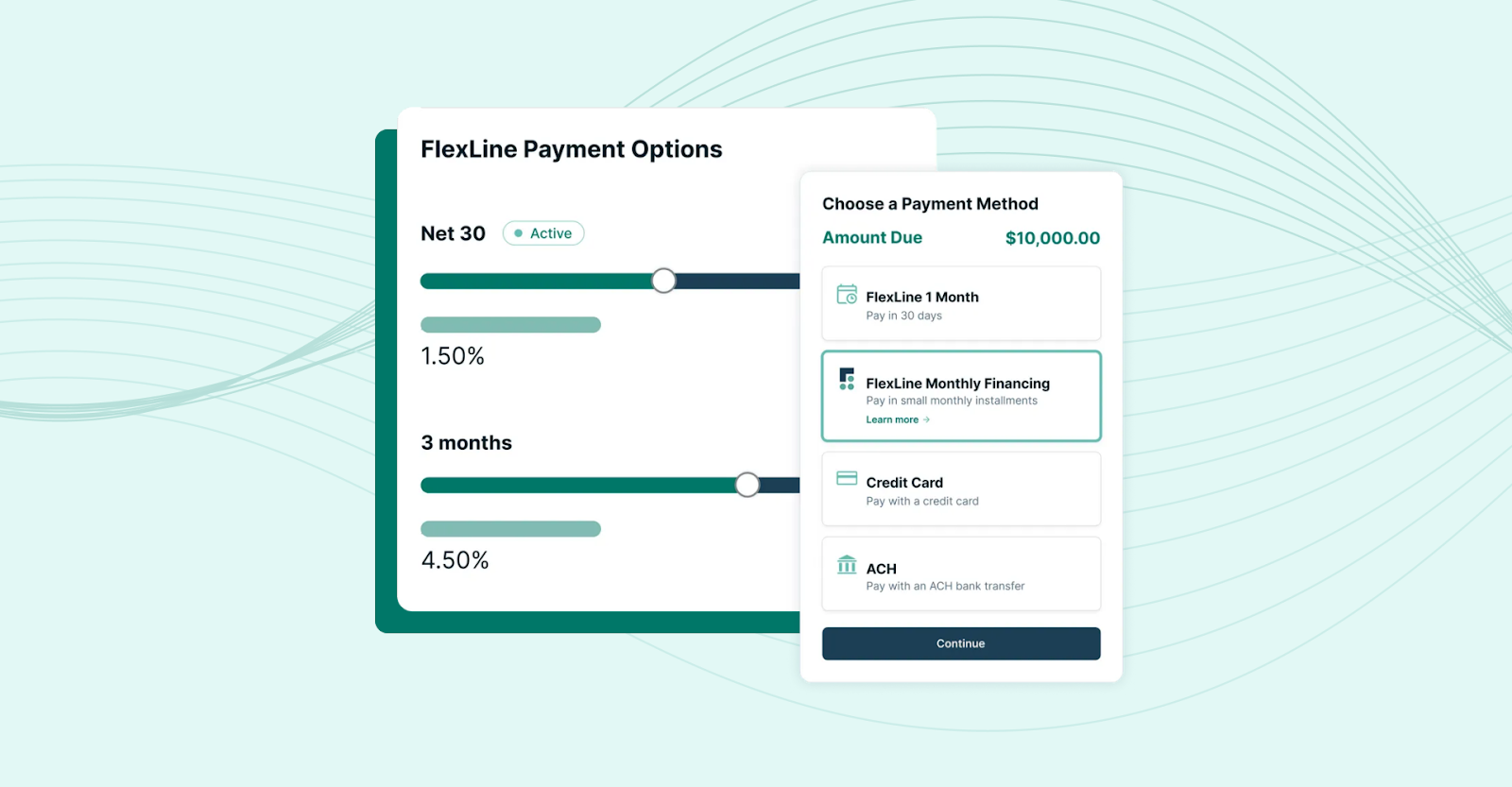
By managing these aspects, FlexPoint ensures your accounting system reflects the net fees properly and that you’re not losing margin to payment processor costs. These are capabilities standard accounting software typically doesn’t have.
Instant Reconciliation and Cash Visibility:
One of the biggest operational wins with FlexPoint is the near-elimination of manual reconciliation work. Every time a client pays through FlexPoint, the payment is immediately matched to the invoice and logged in your accounting software (QuickBooks Online, QuickBooks Desktop, or Xero).
At the end of the month, there’s no mystery trying to tie bank deposits to specific invoices; FlexPoint has already done it.
The platform even groups payments into batch deposits to mirror your bank statements. In turn, QuickBooks’ deposit records align exactly with what hits the bank.
This instant reconciliation ensures your financial reports (such as accounts receivable aging and revenue reports) are always up-to-date and accurate. You gain complete cash flow visibility without spending hours cross-checking transactions.
FlexPoint serves as an always-on assistant that keeps your books in sync and your cash collections on track, complementing your accounting software.
Conclusion: Choose an Accounting Automation Platform That Supports Your MSP’s Growth
The ideal MSP accounting platform will not only handle basic bookkeeping but also support recurring revenue cycles, complex contract billing, and integration with your PSA and other tools.
After evaluating options against MSP-specific criteria, billing models, automation, integration, reporting, and more, you can identify a solution that improves accuracy and reduces manual work in your financial processes.
The payoff for getting this decision right is considerable:
- Fewer billing errors
- Better cash-flow visibility
- Time saved that you can reinvest in your business
FlexPoint’s MSP Accounts Receivable Software synchronizes your PSA and accounting data, automates invoicing and collections, and provides a smooth payment experience for clients. This ensures that whichever accounting system you choose is fully optimized for an MSP business model.
The combination of a capable accounting platform plus FlexPoint’s automation will keep your finances accurate, your cash flow steady, and your team focused on growth.
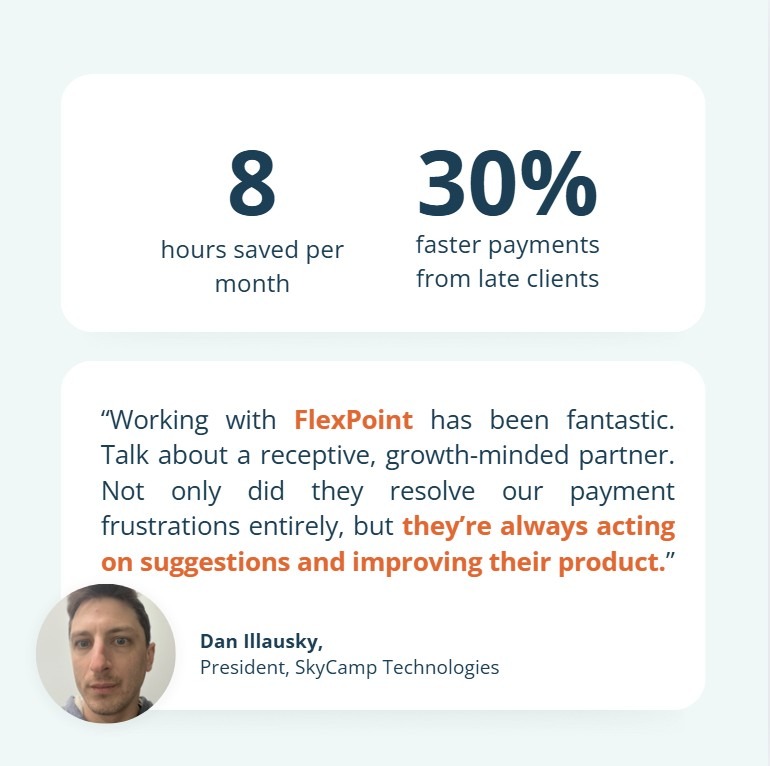
For example, SkyCamp Technologies, an Ohio-based MSP serving businesses with up to 75 users, struggled with manual ACH processing and invoice updates caused by monthly license changes.
After implementing FlexPoint, billing data synchronized automatically between its PSA and QuickBooks. This eliminated manual reconciliation and saved the finance team 8 hours per month.
AutoPay adoption also increased by 20%, and payments from late-paying clients arrived 30% faster.
This gave SkyCamp steadier cash flow and fewer billing follow-ups without changing its existing accounting system.
Ready to modernize your accounting stack like SkyCamp did?
Schedule a demo to see how FlexPoint streamlines MSP accounting and accounts receivable operations.
Additional FAQs: Choosing MSP Accounting Software
{{faq-section}}

MSPs don’t necessarily need a completely unique accounting program. However, using one tailored to the MSP industry (or enhanced with MSP-specific tools) makes a huge difference.
Generic accounting software such as QuickBooks can handle core bookkeeping, but it may lack support for recurring billing, contract terms, and PSA integrations that MSPs rely on.
An MSP-focused billing solution (or add-on) ensures things such as service contracts, usage fees, and ticket data flow seamlessly into your books.
In summary, you can use a standard platform; however, you’ll likely spend much more time on manual work.
Integrating your PSA with your accounting software is extremely beneficial for reconciliation accuracy. A PSA integration means that data (such as billable hours, ticket charges, and contract info) automatically transfers to your accounting system.
This avoids the mistakes of re-typing or importing data manually; errors in that manual process are a common source of billing inaccuracies.
When integration is in place, invoices can be generated directly from PSA records, and payments or updates sync back to the PSA.
This two-way communication ensures that your finance data matches your service delivery records at all times, reducing revenue leakage and discrepancies.
FlexPoint is designed to automate the billing and accounts receivable processes that traditional accounting software can’t handle well for MSPs.
The platform syncs with QuickBooks and your PSA to automatically generate invoices (recurring or usage-based) as soon as services are delivered.
When clients pay through FlexPoint’s online portal, those payments are immediately applied to the correct invoices in your accounting system.
This means by the time you’re reviewing accounts, most of the work is already done: invoices went out on time, and payments were matched without manual effort.
FlexPoint’s two-way syncing significantly reduces human error and eliminates manual reconciliation tasks.


