
MSP Accounting
Bookkeeper’s Guide to Automating MSP Payments with FlexPoint


.png)
MSP bookkeepers often spend hours each month chasing clients for unpaid invoices, processing payments, updating records, and reconciling deposits. All of this manual work causes unnecessary delays and increases the chance of errors. Notably, an estimated 60% of late payments are due to invoice errors.
When payments are handled manually, cash flow becomes inconsistent and unpredictable. Client invoices may sit unpaid for weeks, and small mistakes can throw off account balances.
This article will explain why payment automation is important for Managed Service Providers (MSPs) and how it can transform a bookkeeper’s daily workflow.
We will outline the major challenges posed by manual payment processes and provide a step-by-step roadmap to automate payments with FlexPoint.
By the end, MSP bookkeepers will see how automation can streamline billing, reduce their workload, and keep client payments accurate and on time.
{{toc}}
What Are Automated Payments for MSPs?
Automated payments refer to using software to handle the entire client payment process without constant manual intervention.
In an MSP context, this means the system/solution can automatically charge and record client payments based on preset rules and schedules.
For example, you can securely store client payment methods (credit cards or ACH) and charge them on a schedule tied to invoice dates.
Bookkeepers can configure AutoPay for recurring service contracts so that invoices are paid as soon as they are issued.
Key features of payment automation include:
- Scheduled payment runs
- Automatic retries for failed transactions
- Real-time updates across systems
- Deposit reconciliation synced to accounting
If a client’s payment fails, the system will retry after a set interval and notify the client to update their details.
Clients also receive automatic payment confirmation emails and upcoming due reminders, keeping everyone informed without manual effort.
Notably, payment automation for MSPs must support a range of billing models.
Whether it’s a fixed monthly fee, usage-based charges that change each cycle, or pass-through expenses, an automated solution charges clients correctly based on data in your PSA (Professional Services Automation) system.
This is not merely a “set it and forget it” convenience. Instead, it forms the backbone of a modern MSP's reliable cash flow.
When done right, automating payments ensures that invoices get paid promptly and consistently, with minimal effort from your team.
Finally, just as crucial as collecting payments is reconciling them.
Automated payment systems that handle reconciliation eliminate the need for bookkeepers to match deposits manually, invoices, and processing fees manually. This saves hours during the month-end close.
7 Common Payment Workflow Challenges Bookkeepers Face
Manual payment handling creates many headaches for MSP accounting teams.
Below are some of the most common issues that bookkeepers encounter each billing cycle:
1. Late or Missed Client Payments
Clients often forget to pay on time or push off their payments.
Without an AutoPay system in place, bookkeepers end up sending repeated reminders (often manually) and hoping the client eventually pays. Late payments hurt cash flow and leave revenue in limbo.
In fact, according to recent Atradius statistics, late payments affect 43% of credit-based B2B sales for US companies. This statistic shows how widespread this issue is.
Unpredictable payment timing makes it hard for MSPs to forecast income or pay their bills promptly, turning the bookkeeper into a debt collector each month.
2. High Volume of Manual Outreach
Without automation, collecting payments means constant outreach.
Bookkeepers must draft email reminders, make phone calls, and follow up multiple times for overdue invoices. This repetitive effort is unstructured and time-consuming.
According to a QuickBooks survey, 65% of businesses report spending an average of 14 hours per week completing administrative tasks related to collecting payments.
These businesses are effectively dedicating almost two full days per week to sending past-due notices. All those hours could be spent on higher-value work instead of chasing payments.
3. Payment Method Issues
Credit cards expire, and bank account details change regularly. When a stored card declines due to expiration or a daily limit, the bookkeeper must contact the client for updated information and then re-run the payment.
These hiccups are frequent in recurring billing.
Each failed charge leads to extra emails or calls, and further payment delays.
Without an automated way to handle card updates or retry failed payments, an MSP can accumulate many unpaid invoices simply because of outdated client data.
This creates more back-and-forth communication and slows down the collection process.
4. No Standardized Workflow
When things aren't standardized, clients tend to have different payment habits.
One client might pay via ACH on the due date, another might mail a check eventually, and another might only pay after a second reminder.
With no unified process, bookkeepers are forced to juggle multiple billing workflows and payment schedules. It becomes tough to track which payments have been received and which are still outstanding.
This lack of consistency increases the chance of human error.
A bookkeeper might forget to follow up with a slower-paying client or miss a partial payment, simply because each account is handled differently.
5. Time-Consuming Reconciliation
Matching payments to invoices is one of the biggest time sinks for bookkeepers. Client payments often hit the bank in batch deposits that combine multiple invoices and subtract processing fees.
Bookkeepers then have to manually break down each deposit and match it to the right invoices. If a client makes a partial payment or pays several invoices at once, the process becomes even more complicated.
A single mistake can throw off your financial records.
Many bookkeepers end up cross-referencing transaction lists and spreadsheets to reconcile everything, which slows month-end closing and can lead to inaccuracies if something is overlooked.
6. Disconnected Systems
MSPs often use separate systems for their PSA, payment processor/gateway, and accounting software. If these systems are not integrated, the bookkeeper must manually update each one.
For example, when a payment comes in through the processor, someone needs to mark that invoice as paid in the PSA and again in QuickBooks. This triple-entry of data is tedious and prone to errors.
It is not uncommon for an invoice to show as unpaid in one system even after the client has paid, simply because an update was missed.
Disconnected systems create extra work and constant discrepancies that bookkeepers have to fix.
7. Inefficient Client Experience
A Federal Reserve study found that 80% of Americans want faster payment options when making business payments. A lack of modern payment options frustrates clients and slows down collections.
If clients cannot easily view invoices or save their payment information, they are more likely to procrastinate.
Many MSPs without a payment portal end up fielding emails like, “Can I get a copy of my invoice?” or “How can I pay my bill?”
Clients might have to call the office to provide credit card details or search through old emails for a payment link.
This clunky experience delays payments and also creates additional support workload. It can even reflect poorly on the MSP’s professionalism, giving clients another excuse to pay late.
These challenges will sound familiar to any MSP bookkeeper.
Fortunately, the right automation platform is designed to solve each of these pain points.
How FlexPoint Automates MSP Payments for Bookkeepers: Step-by-Step Roadmap
In this section, let’s walk through how FlexPoint, a payment, billing, and accounts receivable automation platform built for MSPs, can eliminate a substantial portion of the manual work in your billing and collections process.
Below is a step-by-step roadmap showing what an automated payment workflow looks like with FlexPoint:
1. Sync PSA and Accounting Data Automatically
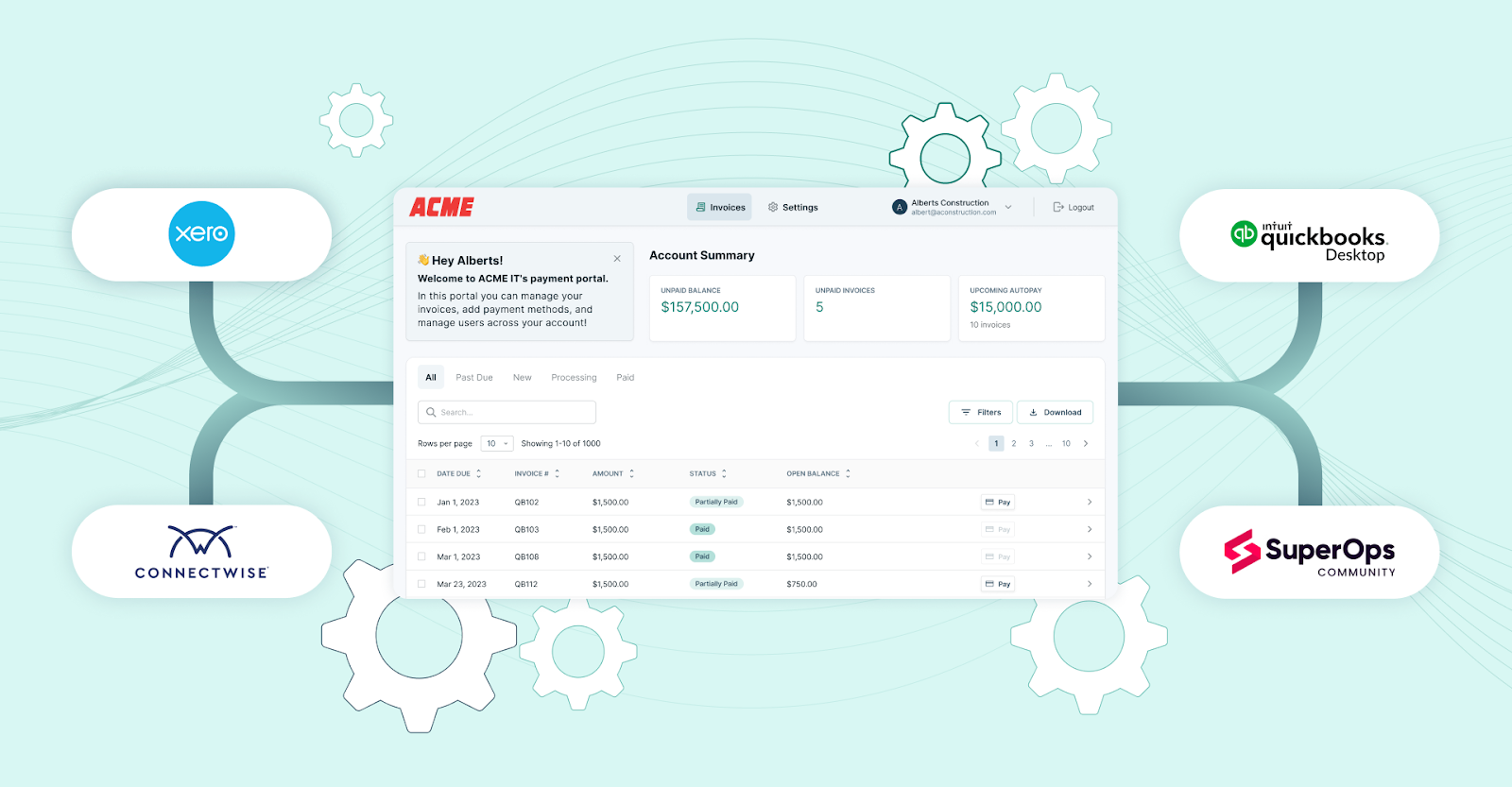
FlexPoint connects with your PSA and accounting software to keep all billing data in sync.
When you create an invoice in your PSA (such as ConnectWise PSA, SuperOps, HaloPSA, or Autotask), FlexPoint automatically pulls in the invoice details, client information, and contract terms.
There’s no need to re-enter data or shuffle invoices between systems. This approach ensures you begin with clean, consistent data across platforms, eliminating many billing errors upfront.
Every client’s charges, from recurring services to one-time fees, are captured accurately before any payment is processed.
2. Enable AutoPay for Recurring Clients
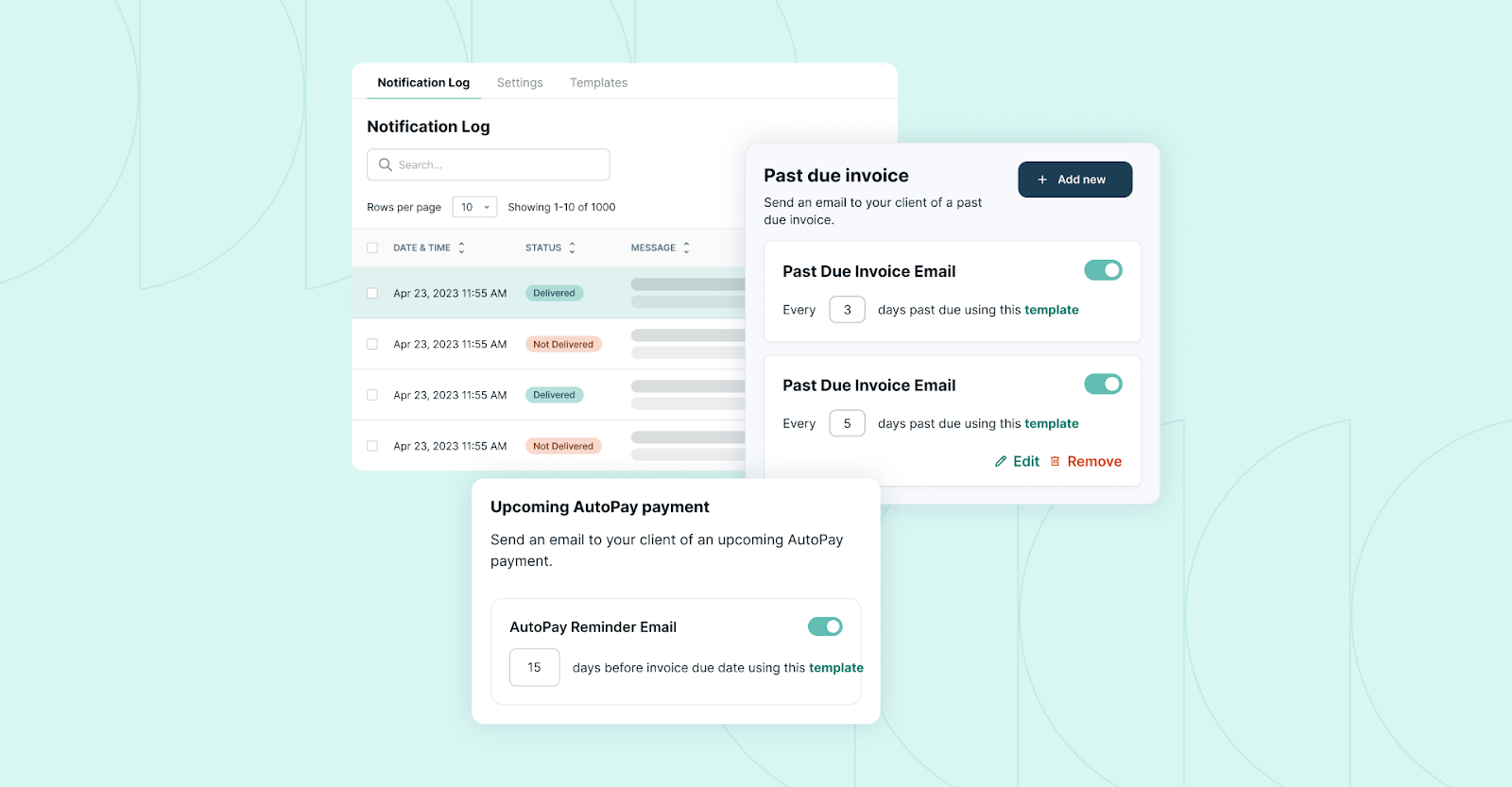
With the data synced, the next step is to put payments on autopilot. FlexPoint makes it easy for MSPs to set up AutoPay for clients on recurring contracts.
Clients can securely save a credit card or ACH bank account through a branded payment portal and enroll in AutoPay.
Once they opt in, FlexPoint will automatically charge their stored payment method whenever an invoice is due (for example, on the invoice date each month (for example).
This automation ensures you get paid on time without having to chase clients. Bookkeepers can configure global AutoPay rules or tailor settings for specific clients and contracts.
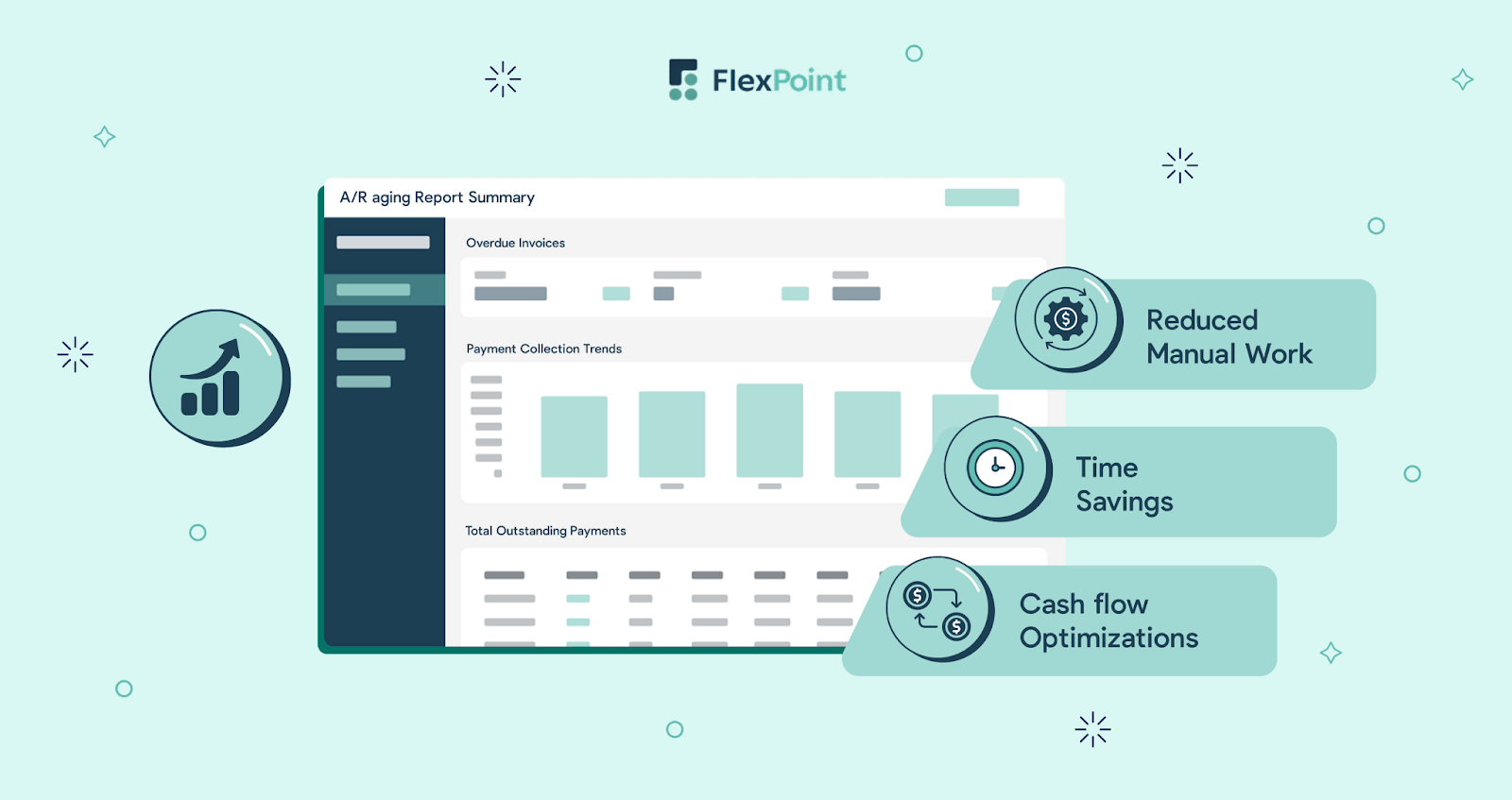
As more clients move to AutoPay, your ageing accounts receivable will shrink. Recurring invoices get paid promptly rather than lingering past their due dates, giving you predictable cash flow.
3. Automate Payment Runs for All Billing Models
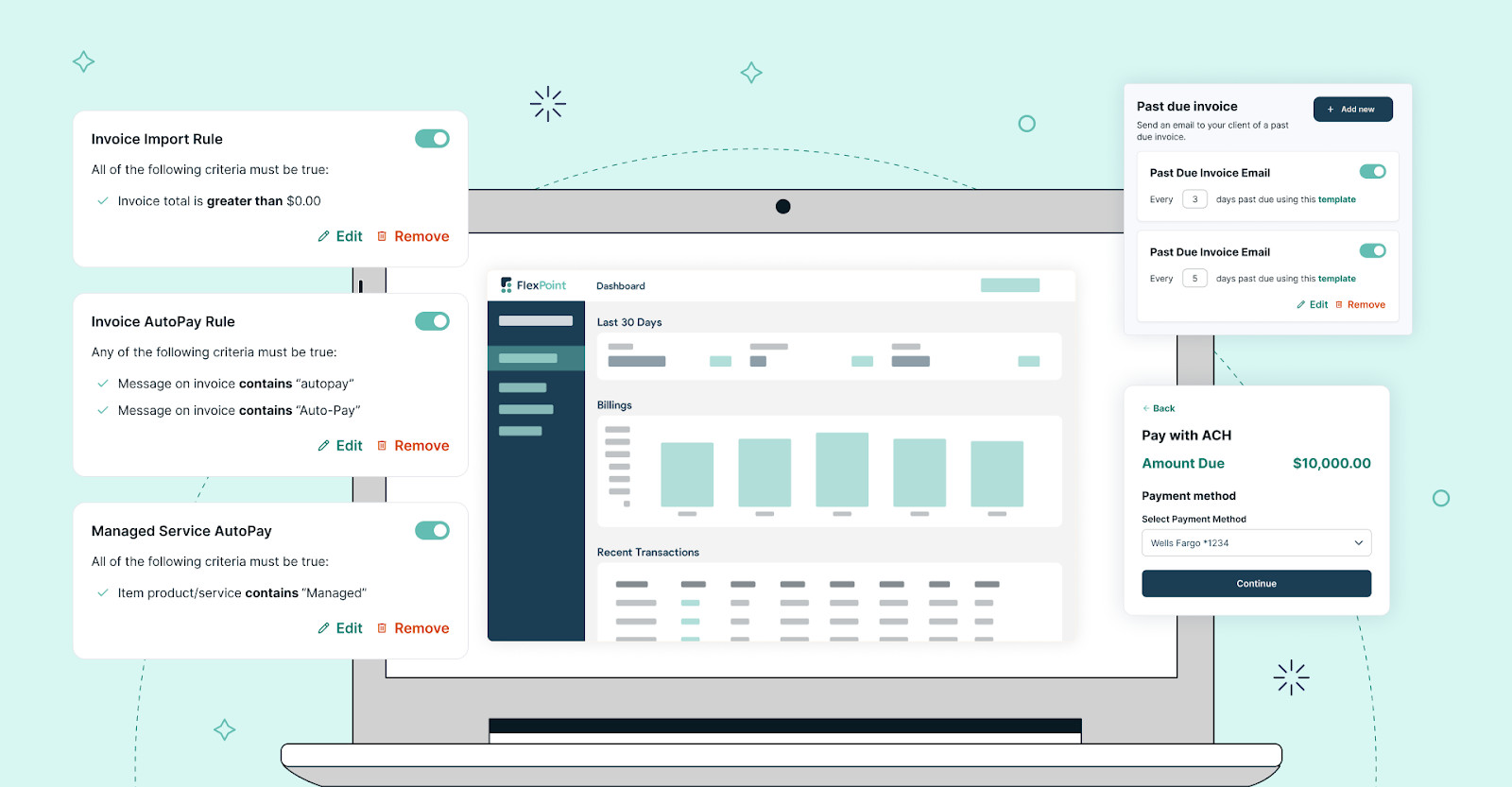
FlexPoint goes beyond fixed monthly fees and covers all the other billing scenarios MSPs deal with. You can automate payment collection for usage-based charges, tiered pricing, software pass-through expenses, and even one-time project invoices.
For example, you might schedule the system to charge all hourly support invoices every Friday or to collect variable usage fees the day after those invoices are issued.
FlexPoint processes these payments on schedule without any manual effort. You no longer need to manually batch transactions or remember to charge each client’s card. Invoices of all types are handled automatically.
The bookkeeper isn’t spending evenings clicking “Charge” on dozens of transactions, and every invoice gets picked up by the automation.
4. Automate Failed Payment Recovery (Dunning)
FlexPoint also automatically handles failed payments through a dunning process (automated retries and reminders).
If a payment attempt fails, the platform will retry the charge after a set interval without any intervention from the bookkeeper. The platform also sends the client a polite notification about the failed payment, along with a link to update their card or bank details.
FlexPoint’s dunning sequence can include multiple retry attempts and follow-up emails, all customizable to your preferences.
This automation greatly increases the chance of recovering payments that would otherwise require manual follow-up.
The software is working in the background to resolve payment issues, so the bookkeeper isn’t spending weeks tracking down updated cards or sending reminders.
Many failed payments are automatically collected, which means less revenue slips through the cracks.
5. Multiple Payment Options
FlexPoint gives MSPs the flexibility to offer a range of payment methods. This flexibility makes it easier for clients to pay promptly.
Clients can choose between credit cards, standard ACH transfers (including Same-Day ACH), and flexible financing options.
These options are built into the branded client portal. There’s no need to request payment offline or work around system limitations.
Offering multiple payment methods removes a major excuse for late payments. Some clients prefer using a corporate card for recurring expenses. Others may want to avoid fees by paying via ACH.
FlexPoint allows each client to choose their preferred method and save it securely for future use.
FlexPoint also supports one-click financing integrations that let MSPs offer flexible terms to clients when needed.
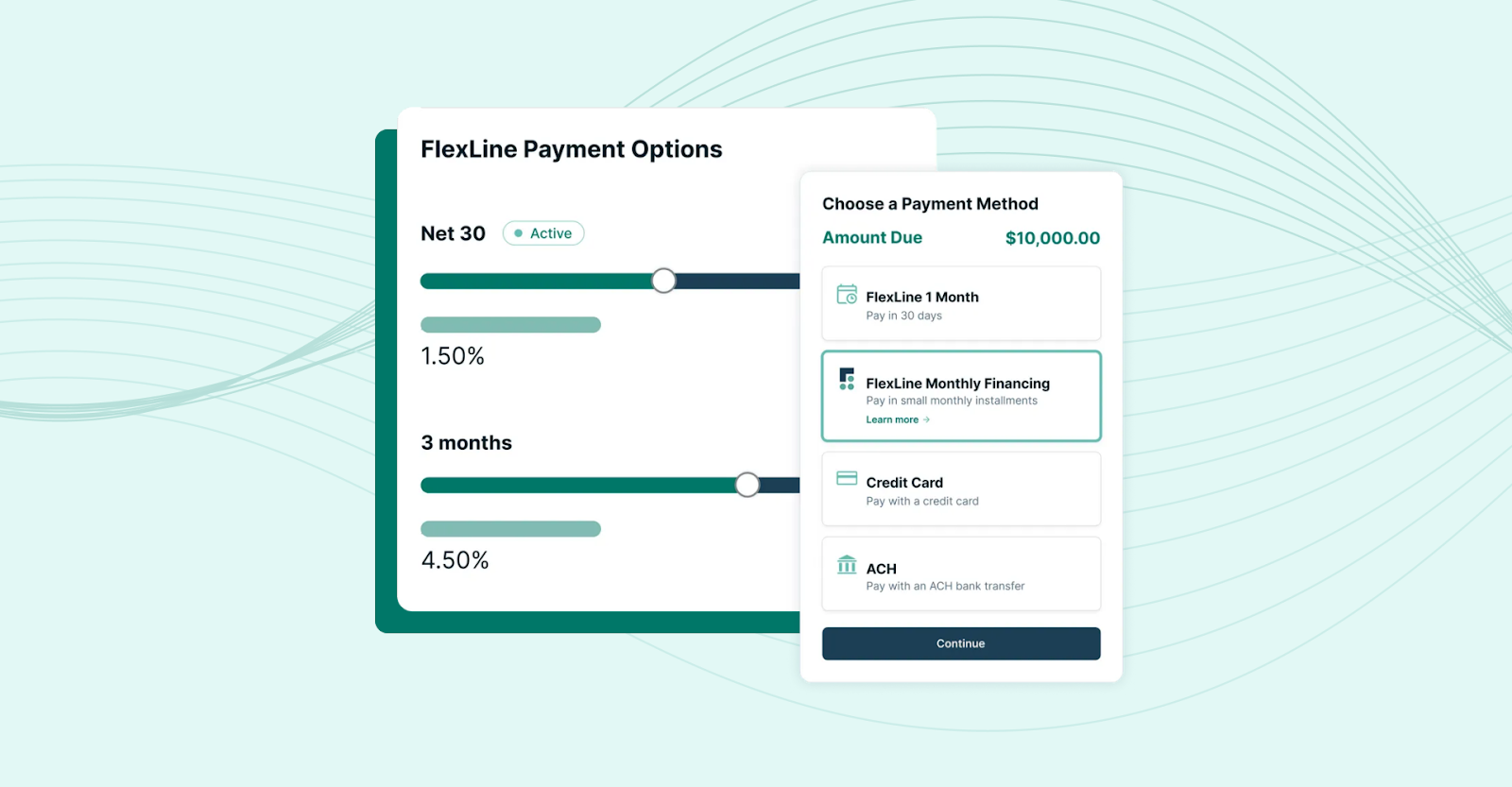
For example, clients can split larger invoices into smaller installments while the MSP still gets paid upfront.
This protects cash flow and provides more predictability for bookkeepers managing collections.
FlexPoint offers clients clear, convenient payment options that match their preferred way of doing business. In turn, payments tend to come in faster and with fewer support issues.
That means fewer aging invoices, fewer reminder emails, and less friction in the A/R process.
6. Use the Client Portal to Reduce Workload
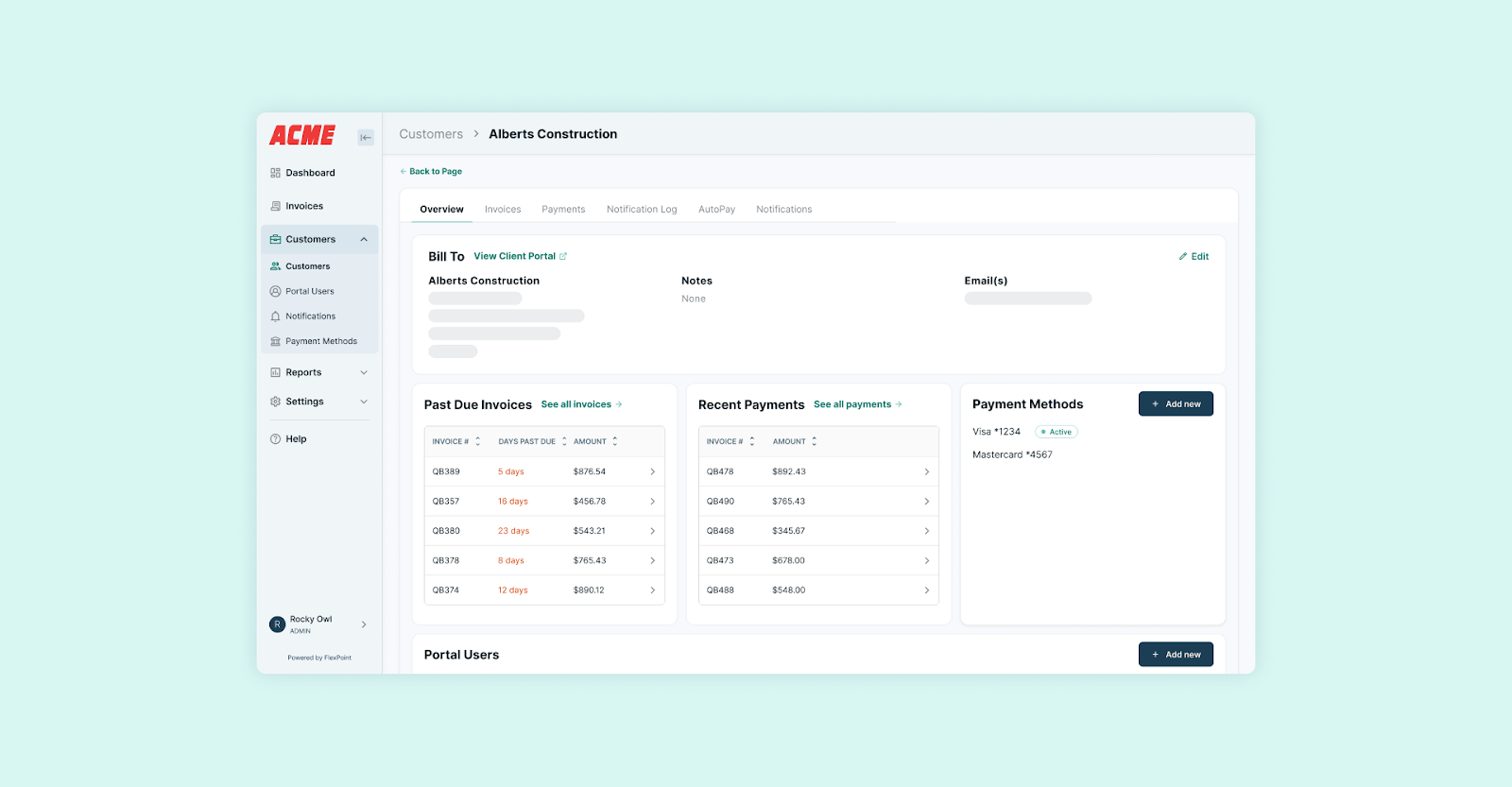
FlexPoint provides a branded client portal that significantly lightens the bookkeeper’s workload. Through this secure portal (customized with your MSP’s branding), clients can self-serve many tasks that previously required staff assistance.
Clients can log in to view all their current and past invoices, reducing the need for email requests for invoice copies. Clients can also add or update their own payment methods, manage AutoPay enrollment, and make one-time payments directly in the portal.
Because the portal is user-friendly, clients are more likely to pay on time. It’s convenient for them to log in and pay a bill.
For the MSP, this translates to fewer billing-related support requests. Bookkeepers and MSP account managers spend far less time responding to basic payment questions.
Your team can focus on exceptions and exceptional cases, while most clients pay smoothly through the portal themselves.
7. Automate Deposit Reconciliation

FlexPoint automates the month-end deposit reconciliation process that bookkeepers typically dread.
As payments are received and deposited into your bank account, FlexPoint groups and matches them to the corresponding invoices and fees.
The platform knows exactly which invoices are covered in each batch deposit and accounts for any payment processor fees or partial payments.
FlexPoint then syncs these records directly into your accounting system (QuickBooks Desktop, QuickBooks Online, or Xero).
The result is that your bank deposits align perfectly with your invoice records, all without manual effort.
Bookkeepers no longer need to spend hours matching a $10,000 bank deposit to ten different client invoices. FlexPoint has already done the work behind the scenes.
According to Rynoh, automating reconciliation can cut the time spent on that process by up to 95%. This aligns with the time savings FlexPoint users report.
By following this roadmap, MSPs can virtually eliminate the payment friction points that consume so much staff time.
Each step replaces a manual task with an automated workflow in FlexPoint. The outcome is predictable cash flow, clean records, and hours back in your week.
Conclusion: Automate Your Payments and Take Back Your Time
Manual payment processing drains valuable time and can hold MSPs back. When bookkeepers are busy chasing invoices, fixing errors, and performing double data entry, they have less capacity to focus on strategic finance tasks.
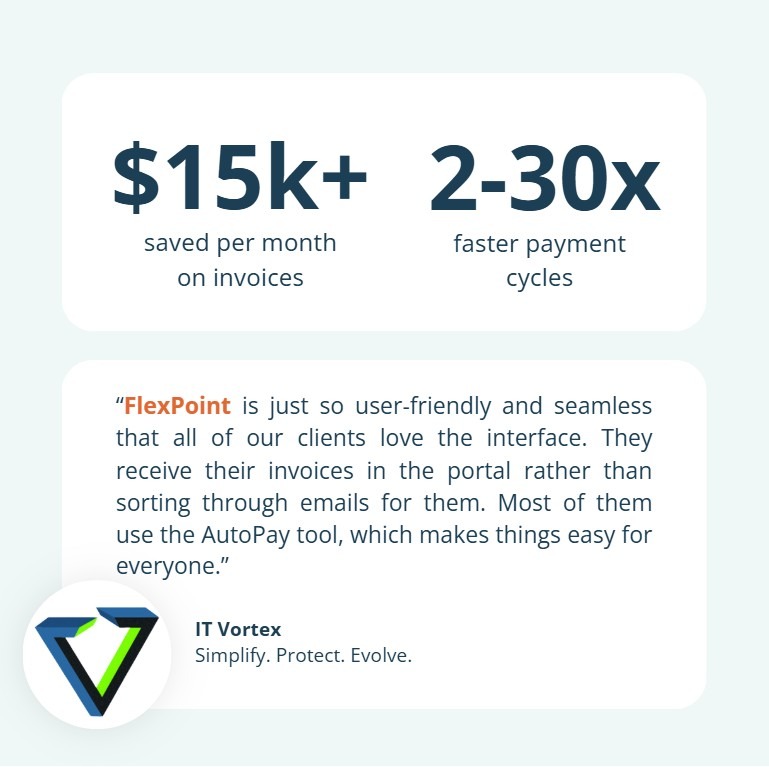
IT Vortex, a New Jersey IT company, felt this pain before switching to FlexPoint.
Their outdated invoicing process required clients to leave the IT Vortex website to pay via PayPal, which caused delays, confusion, and high credit card processing fees for larger invoices.
Those extra costs strained client relationships and made reconciliation more difficult when payments appeared under PayPal rather than under IT Vortex.
Internally, staff spent too much time chasing payments and fixing errors, rather than focusing on higher-value finance work.
FlexPoint replaced this friction with automated payment workflows:
- IT Vortex’s clients could view and pay invoices through a secure, password-free portal without leaving the IT Vortex site
- AutoPay helped keep payments on schedule
- FlexPoint’s QuickBooks integration handled reconciliation automatically
As a result, IT Vortex reduced payment cycles by up to 30x, improved cash flow, saved over $15,000 per month in invoice fees, and recovered about 60 hours of staff time each year.
If the MSP whose books you are managing is experiencing similar challenges, it doesn’t have to be this way.
Implementing automated payment workflows with a tool such as FlexPoint meaningfully reduces the workload of a bookkeeping and finance team and ensures steady, reliable cash inflow for the MSP.
FlexPoint serves as a trusted automation engine for MSP accounting teams. The platform handles everything from invoicing and charging clients to posting transactions and reconciling accounts, with minimal human intervention needed.
This means far fewer errors and no more last-minute scrambles at month-end to get the books in order. Bookkeepers can close each month knowing that invoices were paid on time and every dollar is accounted for.
Ready to automate payments and eliminate manual work?
See how FlexPoint streamlines billing, payments, collections, and reconciliation.
Schedule a demo and start modernizing your A/R workflows today.
Additional FAQs: FlexPoint Automated Payments for MSP Bookkeepers
{{faq-section}}

FlexPoint automates client payments by integrating with your PSA and accounting tools to handle charges end-to-end. The platform securely stores client payment methods and automatically processes invoices on schedule (for example, charging clients on the invoice due date).
The platform even sends payment reminders and confirmation emails to clients. This reduces manual follow-up for your team.
All transactions sync to your systems instantly, ensuring that once you issue an invoice, it gets paid and recorded with minimal effort.
Yes, FlexPoint automatically handles failed payments using a dunning (retry) process. If a client’s credit card is declined or an ACH payment fails, the platform will retry the charge after a set interval and notify the client to update their payment details.
In many cases, the issue resolves itself without any action from the bookkeeper. Letting FlexPoint handle failed payments in the background helps MSPs recover revenue that might otherwise be lost.
Yes. FlexPoint syncs payment information in real time with both your PSA and your accounting software.
For example, when a client’s payment is processed in FlexPoint, the invoice is instantly marked paid in your PSA (e.g., ConnectWise PSA), and that payment is recorded in QuickBooks.
This automation keeps your billing records and financial ledgers in agreement without any manual updates.


