
MSP Accounting
7 Signs Your MSP Needs to Upgrade Its Accounting Workflow


.png)
It’s not uncommon for MSP finance teams to juggle spreadsheets, manually adjust invoices, and double-enter data between systems. In fact, according to Tech Radar, 90% of organizations still use spreadsheets or legacy tools for vital data, and Small Biz Trends reports that 84% of small businesses rely on manual processes daily.
As an MSP grows, the volume of monthly invoices, recurring service charges, pass-through costs, and reconciliation tasks increases, making these old accounting workflows even harder to manage.
This article will help you recognize key red flags that your MSP’s accounting workflow is holding you back, understand why those issues occur, and learn how modern automation tools (such as FlexPoint) can dramatically improve accuracy, speed, and cash flow in your billing operations.
{{toc}}
What Is an MSP Accounting Workflow?
An MSP accounting workflow encompasses all the steps required to go from delivering services to recording revenue in the books.
It involves multiple interconnected processes that must work in harmony:
- Billing Intake from the PSA: Capturing billable services, contract terms, and any usage or project fees from your PSA (Professional Services Automation) system.
- Invoice Creation and Billing Cycles: Generating invoices (often monthly) for recurring contracts, one-time projects, and usage-based charges.
- Payment Collection and Processing: Receiving client payments (via checks, ACH, credit card, etc.) and applying them to the correct invoices.
- Collections and Follow-Up: Sending payment reminders or making collection calls for overdue invoices.
- Reconciliation in the Accounting System: Matching incoming payments and bank deposits to invoices in your accounting software (e.g., QuickBooks or Xero) and handling fees or adjustments.
- Reporting and Forecasting: Producing accounts receivable aging reports, cash flow statements, and forecasts based on the latest billing and payment data.
- Data Sync Across Systems: Ensuring information stays consistent between the PSA, billing tool, payment platform, and accounting ledger.
MSP accounting workflows demand accuracy, speed, and multi-system synchronization.
Unlike a one-off project business, an MSP bills for recurring services (often per month, per device, or per user) that can change frequently.
You may need to account for mid-term seat changes, usage overages, or vendor pass-through costs (such as cloud licenses). This means a higher level of precision and automation is needed to keep all systems up to date and to ensure invoices are error-free.
A well-designed MSP accounting workflow will automatically pull data from service delivery, generate invoices on schedule, sync everything to the ledger, and give real-time visibility into receivables.
When any part of this chain is broken or done manually, errors and delays encroach.
7 Common Signs Your MSP Accounting Workflow Is Holding You Back
How do you know if your current billing and accounting process isn’t up to par? Below are some of the most common red flags.
If these sound familiar, it’s a sign your MSP needs to upgrade its accounting workflow:
1. Heavy Reliance on Manual Processes
One major warning sign is over-reliance on spreadsheets and manual data entry.
Perhaps your team is exporting data from the PSA into Excel each month or hand-editing invoices to true up contract changes. Maybe you maintain separate sheets to track vendor licensing fees or usage counts, then copy and paste them into invoices.
This manual approach is slow and error-prone.
Research shows 86% of businesses still enter invoice data by hand, and 39% of those invoices contain errors.
All that double-checking and fixing mistakes leads to inconsistent billing and delayed invoice send-outs.
If your finance staff spends hours “cleaning up” data or reconciling spreadsheets before invoices go out, that’s time they could spend on analysis or customer service.
Manual workflows simply can’t keep up as your client base grows, leading to more mistakes and back-office labor each billing cycle.
2. PSA and Accounting Systems Never Match
Do you constantly find discrepancies between your PSA and your accounting software?
For example, the invoice amounts or payment statuses in your PSA never seem to match what’s in QuickBooks. This is a telltale sign of workflow failure.
Often, it stems from a lack of integration; invoices might be created in the PSA but then have to be re-entered into your accounting software by hand.
That duplicate data entry not only eats up time, but inevitably introduces billing errors (even a seemingly modest 1–5% manual error rate adds up over dozens of invoices).
The outcome is two sources of truth that are out of sync with each other. Your team ends up cross-checking line items across systems, hunting down why amounts differ, and performing tedious reconciliations.
Aside from internal confusion, these mismatches can lead to client payment disputes (for instance, if an invoice was adjusted in the PSA but the accounting copy wasn’t updated).
3. Delayed or Inconsistent Invoicing
Another red flag is when invoices are sent late or with inconsistencies.
Perhaps your billing cycle drifts by a week because the finance team is waiting on data or fixing issues. Or clients receive invoices that vary in format and detail from month to month, causing confusion.
Outdated workflows often rely on one or two key people to manually generate and send invoices, so if anything slows them down, the entire invoicing schedule slips. In fact, even a simple human delay can have consequences.
According to CFO Magazine, 11% of payment delays are due to clients not receiving the invoice on time.
Consistency is critical for client trust. When invoices go out late or contain errors that require re-issuance, clients may pay more slowly (or raise more questions each cycle).
Slower invoicing also directly slows down your cash flow.
4. Aging A/R Keeps Growing
Take a look at your accounts receivable (A/R) aging report.
Is the stack of past-due invoices getting taller each month? Rising overdue receivables indicate that your billing and collections process is struggling.
Commonly, MSPs with workflow issues see many clients paying late or only after multiple reminders. You might notice that 30- or 60-day overdue buckets are growing, and that more invoices are slipping into 90+ days past due.
This often happens when collections are handled manually (e.g., someone occasionally sends email reminders or calls when they have time).
Without a consistent, automated collections process, clients tend to pay on their own schedule, or not at all.
Late payments are widespread: 81% of MSPs report having clients who pay late, with many invoices taking over 60 days to resolve.
If your cash flow is unpredictable because so many payments drag out, your workflow is likely to blame. An outdated system provides no automated nudges or easy payment options to encourage timely payment.
The result is money left on the table and more stress on your finances.
Growing A/R directly pressures your ability to pay bills or invest in growth.
5. Reconciliation Bottlenecks Every Month
Does your finance team dread the month-end close because it turns into a reconciliation nightmare? This is a classic symptom of an underpowered accounting workflow.
For MSPs, one common pain point is deposit reconciliation: client payments often hit your bank in lump-sum batches (especially credit card batches or ACH deposits that combine multiple invoices).
These rarely line up one-to-one with individual invoices, leaving bookkeepers to manually match a $100,000 bank deposit to 27 different client payments, for example. If you’re also subtracting processing fees or dealing with partial payments, the task gets even harder.
Without automation, reconciling payments to invoices is slow and painful at month-end. Your team might spend days each month just making journal entries for each deposit and cross-referencing which invoices have been paid.
During that time, it’s easy to make mistakes or overlook transactions, leading to inaccurate financial reports.
A clear sign of trouble is if your books aren’t closed until well into the next month because reconciliation took so long.
This bottleneck not only wastes time but can mask cash flow issues. For instance, you might think revenue was higher than it really was if some invoices weren’t accounted for correctly.
If “Where did this payment go?” is a frequently asked question in your office, it’s time to upgrade your workflow.
6. Client Friction With Billing and Payments
Your accounting workflow affects your clients’ experience and your internal operations. Signs of trouble here include client confusion or complaints about your billing process.
Clients might say they can’t understand what they’re being billed for, or that they have to call/email to get copies of invoices and receipts. Perhaps you don’t offer a convenient online payment option, so clients “intend” to mail a check but end up forgetting.
A clunky billing experience will create friction: more billing-related support tickets, more contested invoices, and slower payments.
Clients expect billing to be as easy as any other online transaction.
Studies show that offering a self-service payment portal and clear billing can significantly boost client satisfaction and retention.
If your MSP hasn’t provided things like a branded payment portal, AutoPay for recurring bills, or at least a simple “Pay Now” link on invoices, you could be inadvertently making it hard for clients to pay you.
Over time, that can erode clients’ trust in your professionalism.
7. Too Much Time Spent Fixing Errors
Perhaps the biggest red flag is when your team is spending more time patching up the process than running it.
If each billing cycle involves hours of troubleshooting, then your workflow is working against you.
These errors and exceptions typically grow in number as your MSP scales.
What might have been one or two invoice errors becomes a dozen when you double your client count, especially if the process is largely manual.
Some industry analyses have found that finance teams often spend 4–8 hours per week correcting invoicing errors, and accounts receivable specialists may dedicate up to 30% of their time just fixing mistakes.
That’s a significant productivity drain (and salary expense) that yields no value: your staff are basically doing the same work twice.
Moreover, every error carries the risk of upsetting a client or delaying payment.
A modern system should prevent most errors up front (through integration and validation), so your team isn’t constantly in reactive mode.
Why These Workflow Issues Occur in MSP Accounting: 5 Top Reasons
Why do so many MSPs face the above problems?
There are a few core reasons that outdated workflows break down:
1. Generic Accounting Software:
Many MSPs start out using generic small-business accounting software or a basic invoicing tool. While these are great general platforms, they aren’t designed for recurring revenue or the complexities of usage-based billing.
An MSP might have monthly per-seat fees, cloud usage charges, quarterly project invoices, etc., which standard accounting software can’t handle elegantly.
For example, QuickBooks wasn’t built to manage all the unique moving parts of MSP billing agreements.
So MSPs end up with workarounds: exporting PSA data to Excel, manually calculating overages, or issuing separate invoices for different services.
Those manual steps fill the gap that software isn’t covering.
Unfortunately, every workaround introduces a potential source of error or delay. The limitations of generic tools force MSPs into heavy lifting that eventually becomes unsustainable.
2. PSA Integration Gaps:
Another common culprit is poor integration between systems.
Your PSA, billing system, and accounting software might not fully “talk” to each other. In many cases, the integration is one-way or limited in scope.
For instance, you can push an invoice from the PSA to QuickBooks, but if a payment comes in or an update is needed, it doesn’t sync back.
This means data isn’t automatically consistent across systems. Someone has to manually update either the PSA or the accounting records to match the other.
If the integration misses certain fields (such as detailed line items or service adjustments), those details are lost and must be re-entered.
All these gaps create extra work and increase the risk of mistakes.
These integration gaps are also why you see situations such as invoices existing in one system but not the other, or payment statuses that never update in the PSA.
Without a robust, two-way integration that covers all critical data, MSPs are left doing manual reconciliations and data entry to keep systems aligned.
3. Lack of Automation:
Many of the issues above boil down to a simple problem: too many steps still require human intervention.
If your workflow isn’t automated, then every invoice needs a person to create/send it, every reminder must be written manually, and every payment must be recorded by hand. People get busy or make mistakes, so things are missed.
Ardent Partners research found that fully automated invoice processing is 81% faster than manual methods and more accurate.
Some MSPs haven’t implemented available automation due to inertia or fear of change.
They continue doing things “the way we’ve always done,” perhaps not realizing how much efficiency they’re missing out on.
However, as invoice volumes grow, manual processes that once worked well will start to break down.
The lack of automation is essentially a lack of scalability; it’s why a process that works for 10 clients falls apart at 50.
If your billing relies on heroics (staff working late to get invoices out or a single skilled bookkeeper who catches all the mistakes), that’s not a scalable system.
4. Growing Billing Complexity:
MSPs often expand their services and client base, but don’t evolve their billing processes accordingly. Maybe you’ve added cloud services, usage-based subscriptions, or multiple pricing tiers over time.
Each new element introduces complexity.
For example, tracking license counts monthly, handling tiered discounts, or billing projects and managed services together.
If you’re still using the same basic workflow from when you were a smaller operation, it’s likely straining under the new complexity.
Many workflow problems (errors, delays, mismatches) start to appear when an MSP hits a certain size or service mix that outgrows its processes.
The symptoms we covered (including more errors and longer invoicing cycles) are often the result of process debt: the MSP’s operations haven’t kept up with its business growth.
5. Fragmented Data:
Lastly, MSP accounting issues often occur because data is siloed in multiple unconnected systems.
You might have client and contract info in a PSA, invoice records in an accounting system, payment info in a separate merchant portal, and maybe extra details in spreadsheets.
When data is fragmented like this, it’s hard to ensure accuracy across the board.
Something as simple as a client address change might be updated in QuickBooks but not in the PSA, causing invoice errors. Or a payment might be marked in the payment gateway but not reflected on the invoice record.
This fragmentation means your team spends a lot of time cross-referencing and reconciling data across systems (which is inefficient) and may still miss things.
No unified visibility also means you don’t have a single dashboard of your financial health; you have to piece it together. The more tools that aren’t integrated, the more manual coordination is needed, and that’s exactly where workflows break down.
Modern MSPs are increasingly recognizing that connecting their tools is key to smooth operations.
When you eliminate data silos, many of the manual fixes and errors disappear along with them.
Generic software leads to workarounds, poor integrations lead to mismatched data, and a lack of automation or process updates leads to people struggling to keep up.
The good news is that once you address these root causes by using MSP-specific solutions, true integration, and automation, the red flags begin to disappear.
How FlexPoint Transforms MSP Accounting Workflows
Upgrading your accounting workflow often means adding a solution designed to fix the issues above.
FlexPoint is one such solution: the platform doesn’t replace your PSA or QuickBooks, but rather augments them by automating the workflow in between.
Here are some of the ways FlexPoint modernizes MSP billing and accounting:
Automated Billing Engine:
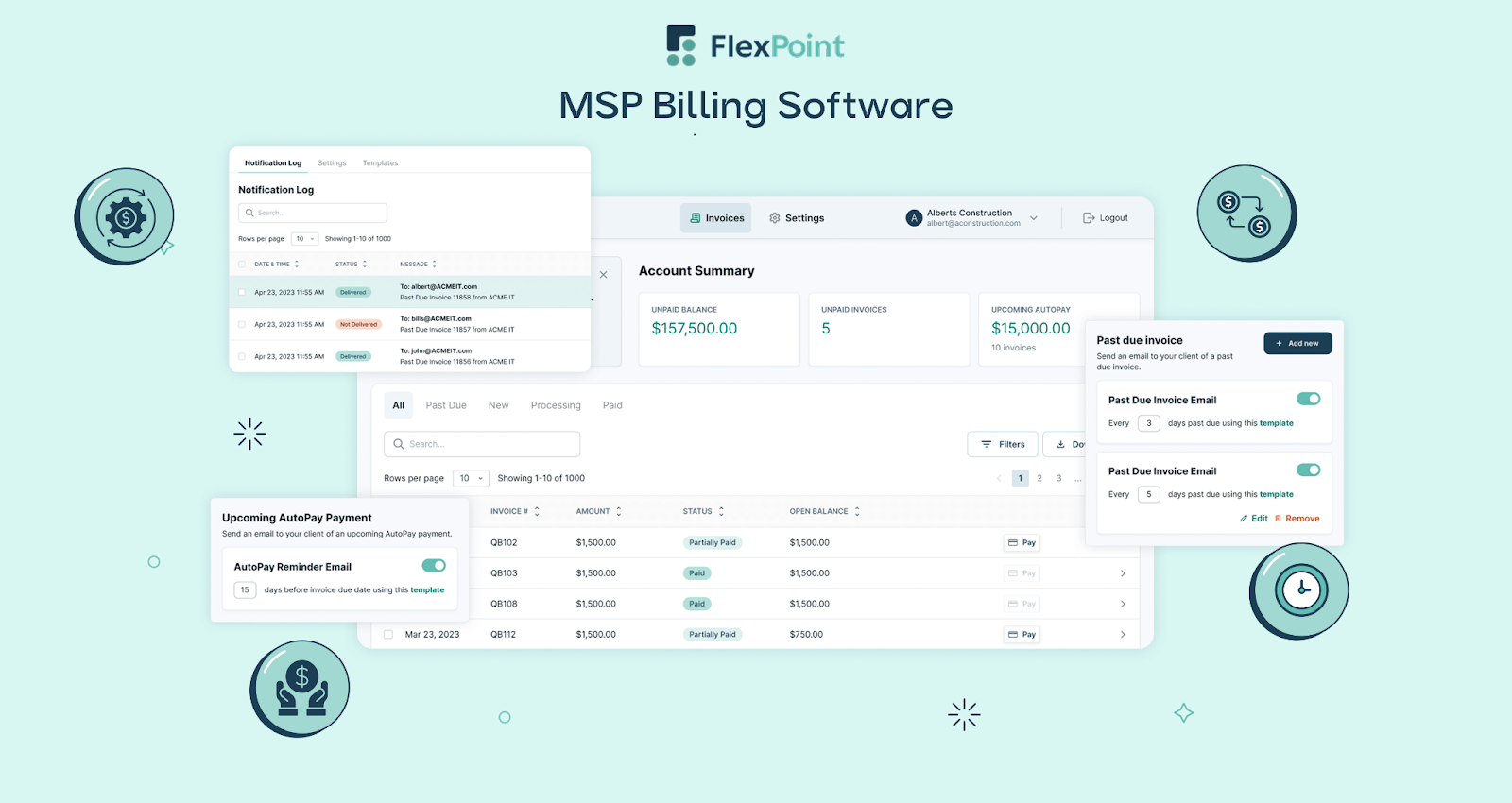
FlexPoint automatically generates accurate invoices for all your services.
Recurring contract charges, hourly work, usage fees, and even third-party pass-through costs are pulled in from your PSA or other sources. This ensures that no billable work is missed and eliminates the need to compile invoices manually each period.
The invoices go out on schedule with consistent line-item detail, so your billing cycle becomes predictable and error-free.
PSA + Accounting Software Sync:
FlexPoint acts as a bridge connecting your PSA and your accounting software (QuickBooks Online, QuickBooks Desktop, or Xero). Invoices, payments, credits, and updates are synchronized.
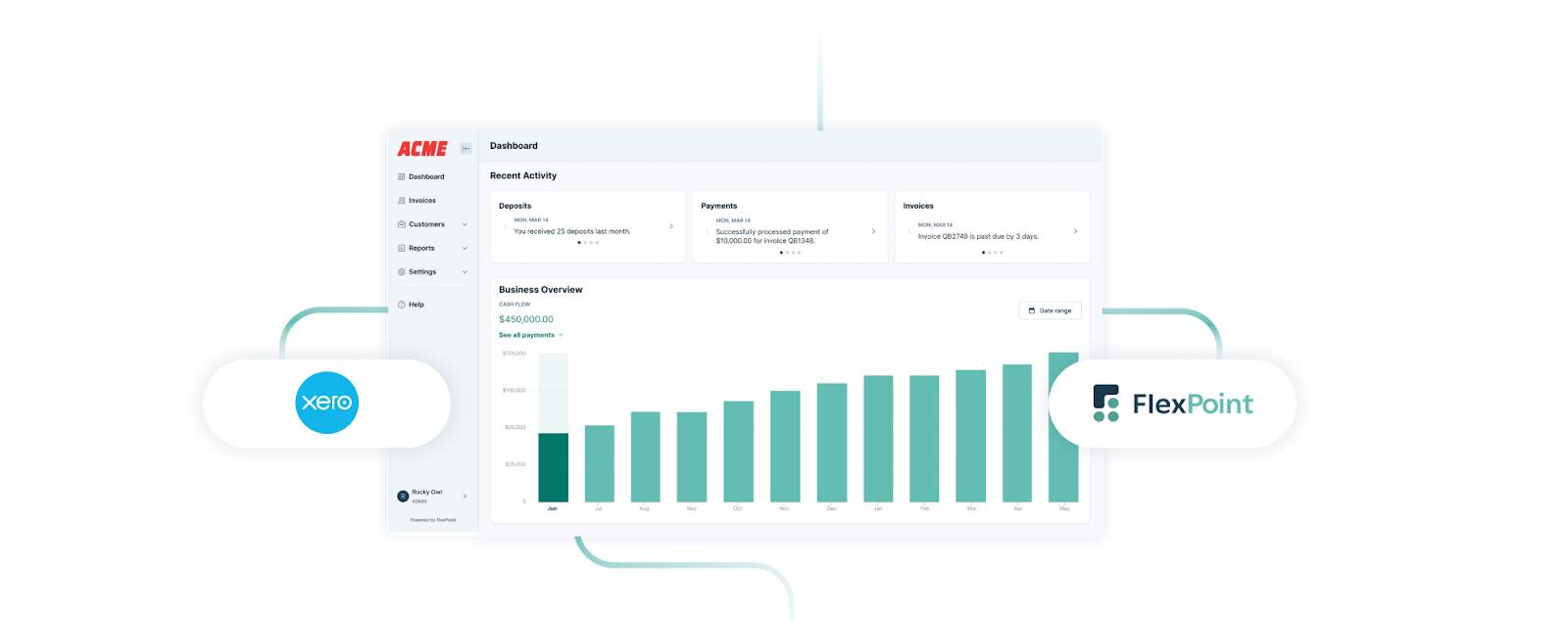
For example, when an invoice is generated via FlexPoint, it appears in QuickBooks automatically; when a client pays online, that payment is recorded in QuickBooks and even updates the ConnectWise contract or ticket status.
This two-way data flow means you always have matching information in both systems without manual data entry.
Automated Collections:
FlexPoint significantly streamlines accounts receivable (A/R) collection. The platform can send out payment reminder emails to clients on a set schedule (before and after the due date), without your staff having to remember who to follow up with.
You can customize sequences for overdue notices, so gentle nudges are sent automatically as invoices age.
FlexPoint also enables AutoPay rules: you can let clients enroll in automatic recurring payments for their monthly invoices (or even require it for certain contracts).
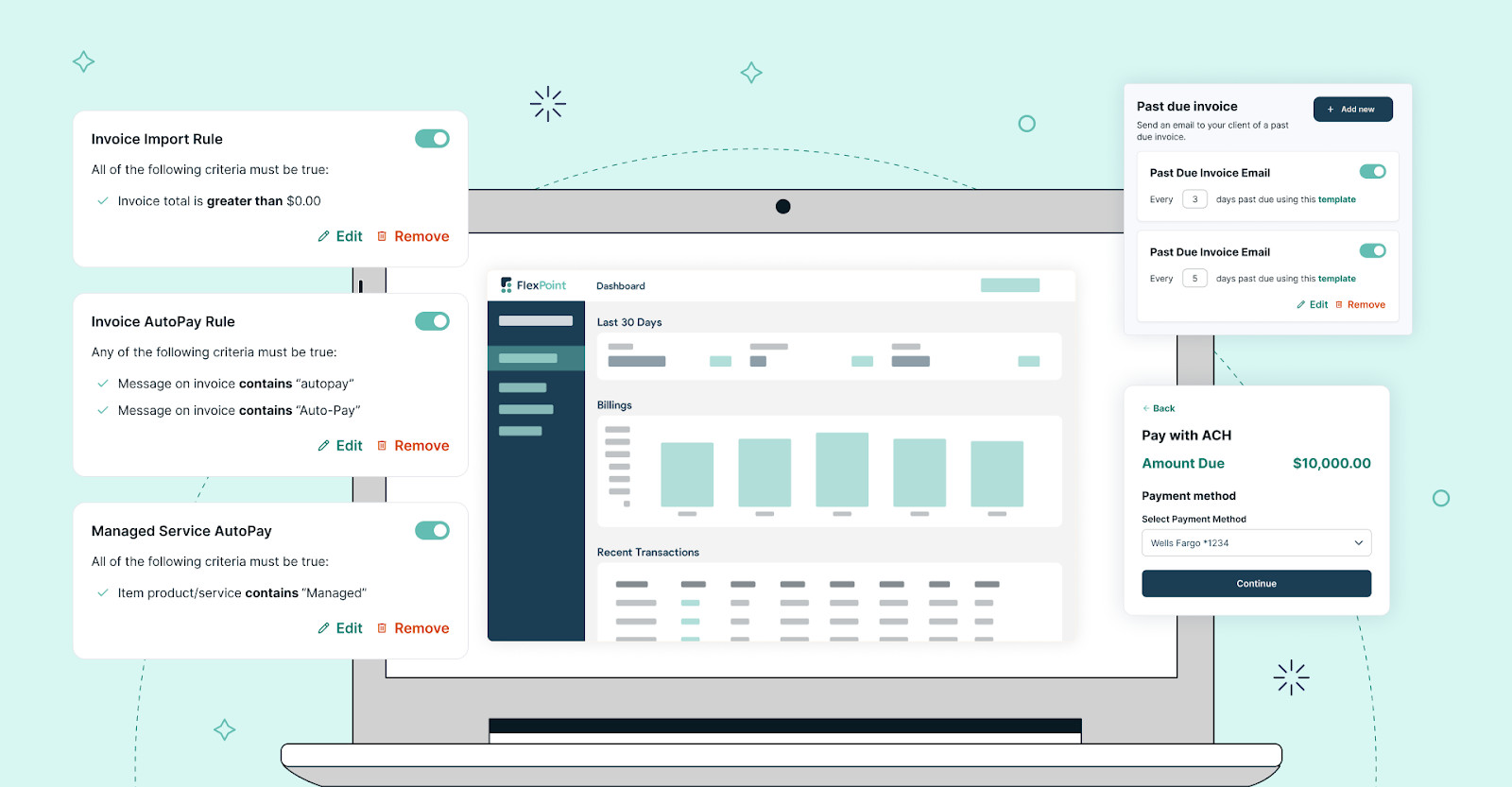
With AutoPay, many MSPs have seen a significant drop in late payments because the system charges the client on the due date.
Branded Client Portal:
A standout feature of FlexPoint is its secure, branded client portal. This is an online portal (with your MSP’s branding) where your clients can log in to view their invoices, download statements, and pay their bills.
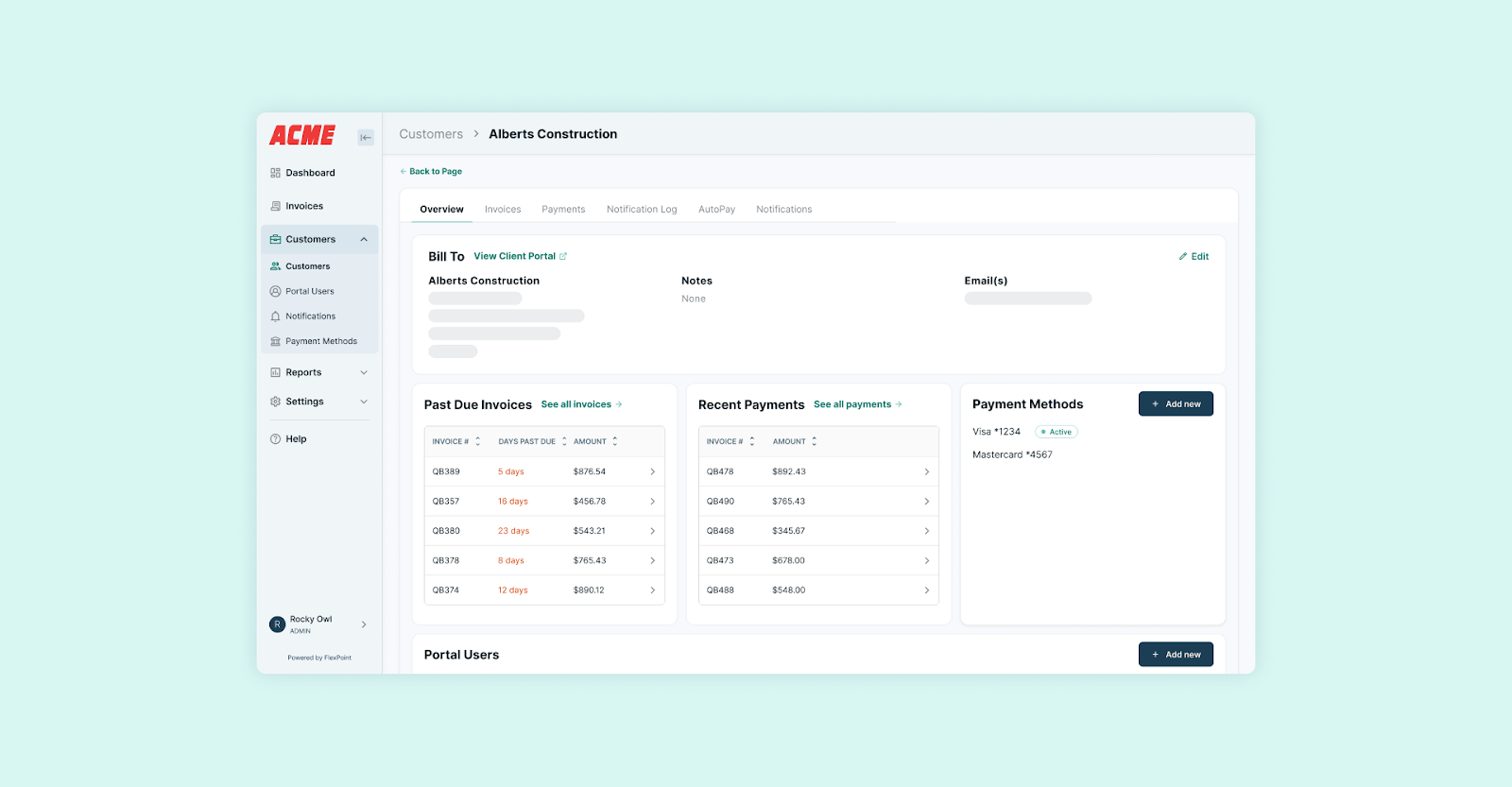
The portal supports multiple payment methods: clients can pay by credit/debit card, ACH bank transfer, or any other payment method you enable.
They can also save a payment method on file and set up automatic payment methods through the portal. This self-service approach makes it incredibly easy for clients to pay you.
No more back-and-forth emails for invoice copies or taking credit card info over the phone.
By offering a modern payment experience (similar to what clients expect from any online service), you remove friction from the payment process.
Plus, your staff spends less time answering billing questions or re-sending invoices, since clients can help themselves 24/7.
Automatic Deposit Reconciliation:
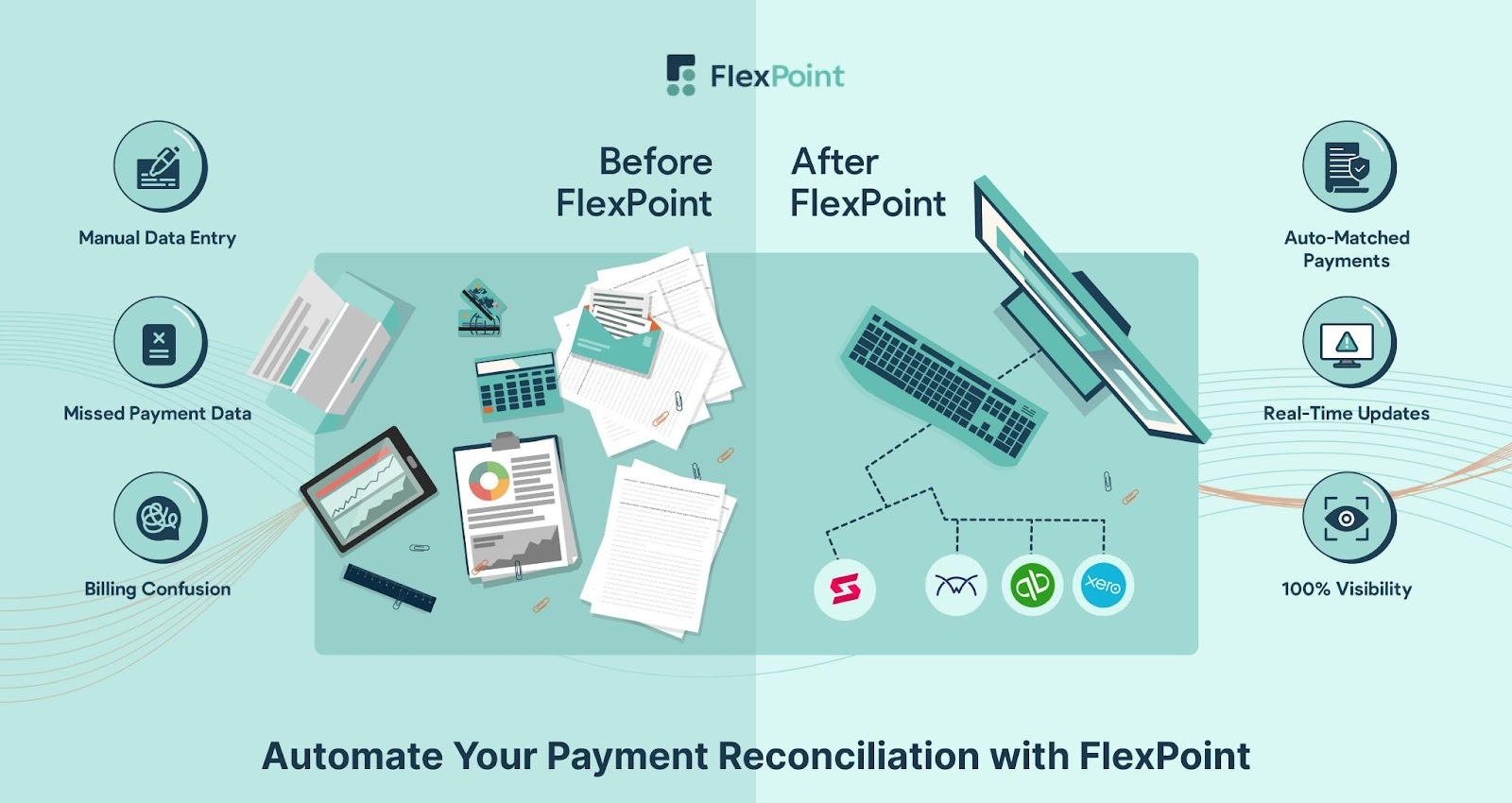
Remember those month-end reconciliation headaches? FlexPoint fixes that through automatic, real-time reconciliation.
When a client makes a payment via the FlexPoint portal, the system automatically matches it to the corresponding invoice(s).
Those deposits are then synced into your accounting software.
In practice, this means that when you look at QuickBooks, the payments and deposit entries are already there and matched. This way, no manual reconciliation is needed.
Even partial payments or overpayments are handled intelligently by FlexPoint’s reconciliation engine.
FlexPoint also records all processing fees and surcharges accurately, so your accounts match your bank statements to the penny.
By the time you’re ready to close the month, there are few (if any) uncategorized transactions to reconcile. This eliminates the tedious deposit-matching process and ensures your financial records are always up to date.
Flat-Rate ACH + Surcharge Support:
Payment processing fees can eat into an MSP’s margins, so FlexPoint provides tools to help manage that.
The platform offers flat-rate Same-Day ACH processing (electronic bank payments at a fixed, low cost), often cheaper than credit card fees. MSPs can encourage clients to use ACH through the portal to reduce transaction costs.
FlexPoint also supports surcharging for credit card payments where allowed. This means you can pass credit card fees on to the client transparently, or charge a small convenience fee instead of absorbing the cost.
These features help you recover revenue that would otherwise be lost to processing fees, improving your bottom line.
Real-Time Visibility:
Because FlexPoint centralizes your billing and payments, it also provides a real-time dashboard of your accounts receivable and cash flow.
At any moment, you can log in and see exactly which invoices are paid, which are pending, and which are overdue. You get up-to-date aging reports and can drill down into any client’s payment status.
This kind of visibility is often lacking when data is split between a PSA and an accounting system.
FlexPoint’s unified dashboard gives bookkeepers and owners instant insight into the company’s financial health.
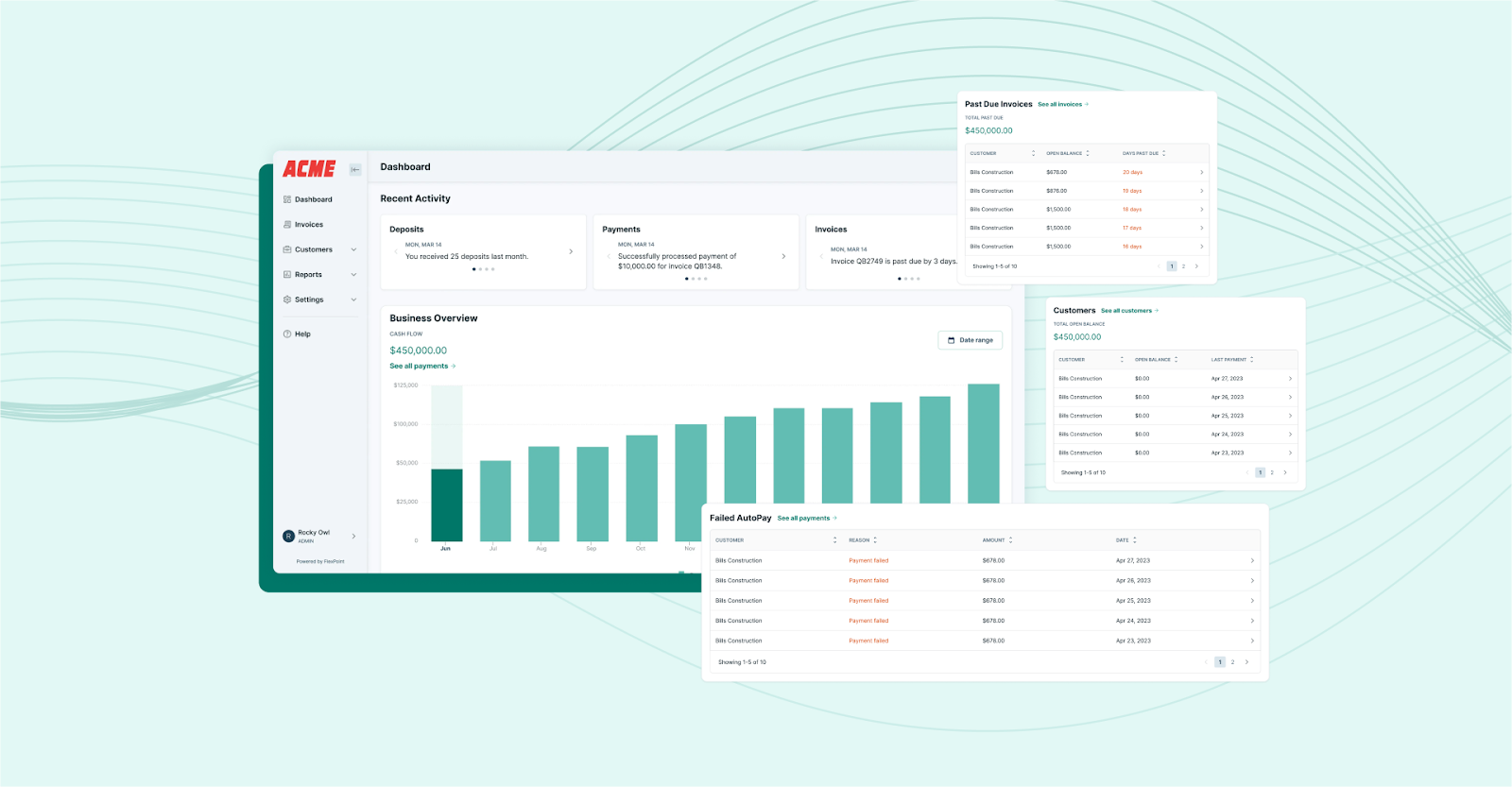
For example, you can easily spot if a particular client is falling behind or if this month’s collections are slower than last month, and take proactive action.
With better reporting, MSPs can forecast cash flow more accurately and make informed decisions (such as when to invest in new tools or whether to tighten payment terms).
All these capabilities work together to eliminate the bottlenecks and pain points in a traditional MSP accounting workflow.
Additionally, FlexPoint achieves this without requiring you to replace your existing PSA or accounting software; it upgrades the workflows around them.
Conclusion: Upgrade Your Accounting Workflow for a More Efficient MSP Operation
Outdated accounting workflows aren’t merely an inconvenience. In fact, they impose real costs on an MSP, including delayed revenue, frequent errors, frustrated clients, and overworked staff.
The signs of trouble (from growing A/R to constant spreadsheet gymnastics) are indicators that your current process is holding your business back. Modern MSPs need to leverage automation and integration to remove those inefficiencies.
By aligning your PSA, billing, and accounting systems (and letting smart software handle the repetitive tasks), you can achieve a billing operation that is timely, accurate, and scalable.
This means faster cash flow, fewer mistakes to clean up, and more trust earned from your clients through a professional billing experience.
FlexPoint serves as the accounting workflow engine that many MSPs have turned to for these improvements.
The platform was built specifically to fill the gaps in MSP billing processes, automating everything from invoice generation to payment collection to reconciliation.
The result is an MSP that gets paid faster, spends far less time on billing busywork, and has crystal-clear financial records at all times.
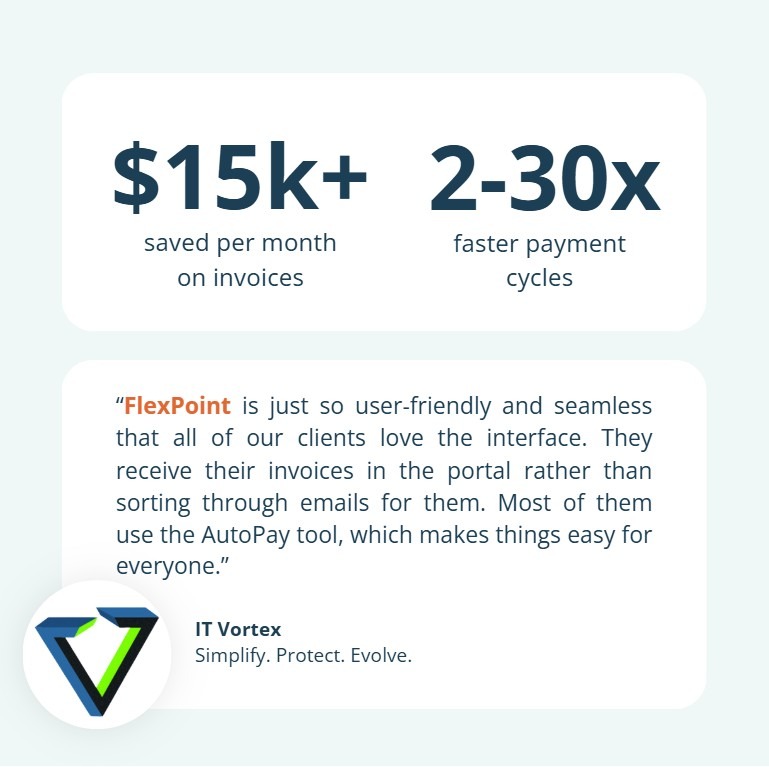
Consider IT Vortex, a managed service provider. The MSP was struggling with manual invoicing, cumbersome payment links, and slow payment cycles that tied up cash flow.
Before FlexPoint, the team spent hours each month attaching invoices, sending links, and chasing payments. Clients had to leave the MSP’s site to pay. This not only looked suspicious but also slowed collections.
After adopting FlexPoint’s client portal and automated payment tools, IT Vortex saw dramatic improvements:
- Payment cycles shortened by as much as 30 days compared to before FlexPoint
- The team saved 60 hours per year previously spent on manual invoicing
- The MSP cut more than $15,000 per month in invoicing-related costs
With AutoPay enabled, many clients now pay on their own schedule without reminders, and payments are automatically matched in QuickBooks.
As the bookkeeper at IT Vortex put it, “Now, I just create invoices, and that’s it. My job is done.”
Ready to fix your accounting workflow?
See how FlexPoint automates invoicing, payments, collections, and reconciliation for MSPs.
Schedule a demo to see how FlexPoint upgrades your accounting workflow from start to finish.
Additional FAQs: MSP Accounting Workflows
{{faq-section}}

MSP accounting workflows often break down when the tools and processes in place don’t fit the business model.
For example, a generic accounting app might not handle recurring revenue well, and a one-way PSA integration can force many manual fixes.
Over time, manual steps lead to data entry errors, delays (such as late invoicing), and items falling through the cracks as the MSP grows.
The workflow ultimately fails because it’s unsystematic: it relies on disconnected systems, spreadsheets, and human-dependent processes that can’t scale.
Reducing manual work starts with introducing automation and integration at key points. MSPs should connect their PSA and accounting systems (and payment platform) so data flows automatically without duplicate entry.
Adopting specialized MSP accounts receivable software that supports recurring billing will eliminate reliance on spreadsheets for invoicing.
Automating tasks such as invoice emails, payment reminders, and deposit reconciliation removes a significant burden from staff.
FlexPoint is a purpose-built platform that automates an MSP’s entire billing and payment cycle.
The platform integrates with your PSA software (such as ConnectWise, HaloPSA, Autotask, SuperOps) and accounting software (such as QuickBooks Online, QuickBooks Desktop, Xero), so invoices, payments, and credits sync automatically between systems: no more exporting or re-keying data.
FlexPoint also automates invoice generation (including recurring and usage fees), sends payment reminders, and provides clients with a branded online portal to pay, which speeds up collections.
When payments come in, FlexPoint auto-reconciles them with the bank deposit and updates your books in real time.


