
MSP Accounting
Manual Reconciliation vs FlexPoint: Why Smart MSPs Are Making the Switch


.png)
Reconciling payments and invoices is one of the most tedious parts of running an MSP's finance operations.
Every month, finance teams manually match client payments to invoices, account for fees, and update records across multiple systems. They often deal with recurring invoices, partial payments, credit card fees, and batched deposits that rarely align one-to-one.
In turn, the reconciliation process becomes time-consuming and error-prone.
Manual reconciliation slows down cash flow, introduces billing errors, and creates end-of-month stress for MSP owners, accountants, and bookkeepers.
In fact, according to one report, a poor payment reconciliation process can cost a business 120 hours every month.
Fortunately, MSP-specific software such as FlexPoint can automate this process and give your team back this time.
In this article, we compare traditional manual reconciliation with FlexPoint’s automated reconciliation platform.
We’ll highlight the hidden costs of manual processes, from hours lost on repetitive tasks to mistakes in the books, and show how FlexPoint’s automation helps MSPs save time, improve accuracy, and eliminate month-end headaches.
By the end, you’ll see why automating reconciliation isn’t just a tech upgrade, but a smart business move for any MSP looking to scale efficiently.
{{toc}}
What Is Manual Reconciliation for MSPs?
Manual reconciliation in an MSP’s finance workflow means matching records by hand across various systems.
- A bookkeeper might start by pulling a list of invoices from the PSA (professional services automation system, such as ConnectWise PSA or Autotask).
- Then they log in to payment processor dashboards (for credit card or ACH payments) to see which clients paid and which fees were deducted.
- Next, they check the bank statement for deposit amounts, which often bundle multiple clients' payments into a single lump sum.
- Using these sources, they try to match each payment to the correct invoice, accounting for any merchant fees, partial payments, refunds, or credits that may cause discrepancies.
This process involves cross-checking multiple systems: the PSA software, the payment gateway, the bank account, and the accounting software (e.g., QuickBooks).
For each transaction, the accountant must:
- Identify which invoice it belongs to
- Apply the payment in QuickBooks
- Record or allocate any processing fees
- Mark the invoice as paid in both the PSA and accounting records
Accountants may also need to manually adjust for timing differences (such as an ACH payment initiated on the last day of the month that doesn’t deposit until a few days later).
For a small MSP with only a handful of invoices, manual reconciliation is manageable.
However, as an MSP grows, the number of transactions increases.
Dozens or hundreds of payments flow in each month, and each one requires careful matching and data entry.
The work scales linearly with the number of clients and invoice volume. This means a 5x increase in clients could mean 5x more reconciliation effort.
Ultimately, manual reconciliation is labor-intensive and unscalable.
What used to take a couple of hours can quickly balloon into several days of work at month-end.
Then, MSP finance teams feel stuck spending too much time overseeing payments and fixing records, rather than focusing on higher-value activities.
7 Common Problems with Manual Reconciliation
Manual processes take time. However, they also introduce a host of challenges and headaches for MSP finance teams.
Below are the most common problems MSPs face when reconciling payments and invoices manually:
1. Time-Consuming and Repetitive Work
As mentioned above, manual reconciliation is slow, repetitive work.
An accountant or a bookkeeper might have to match dozens or hundreds of payments to invoices one by one every month.
Each payment requires jumping between the PSA, bank deposits, and QuickBooks to verify amounts. This siloed workflow turns month-end closing into a multi-day marathon of spreadsheet ticking and tying.
According to a PwC study, finance professionals waste 30–40% of their time on transaction matching and validation.
In an MSP context, that means hours spent on low-value administrative effort.
The process is the same every billing cycle. This not only makes it time-intensive but also incredibly repetitive for your staff.
2. Frequent Errors and Mismatched Amounts
No matter how skilled your team is, human error is unavoidable when reconciliation is handled manually.
Research on spreadsheet data entry shows that people average about a 95% accuracy rate, even with small, simple files.
As spreadsheets grow more complex, errors become almost guaranteed.
In practice, that can mean a mistyped number, a payment applied to the wrong client, or a small fee being missed, all of which create discrepancies that take time to untangle.
Credit card and online payment fees create mismatches between invoice totals and deposit amounts.
For example, a client’s $1,000 invoice might come through as a $970 deposit after fees.
Without an automated system handling these adjustments, errors can slip into the books.
Suppose you’re processing hundreds of payments; even a 1% error rate means several mistakes every month. These errors lead to inaccurate financial statements, forcing you to spend additional time troubleshooting discrepancies and fixing your records after the fact.
3. No Real-Time Visibility
Manual reconciliation is usually done in batches, often at month-end. During the month, payments are recorded piecemeal (or sometimes not recorded at all until reconciliation).
This means MSP owners and executives lack real-time visibility into accounts receivable and cash flow.
For example, if a client payment comes in today but your bookkeeper only reconciles once a week, your aging report might still show that invoice as unpaid.
Finance teams must manually run reports and merge data from different sources to answer basic questions such as, “Which invoices are still open?” or “How much cash was collected this week?”
There’s no single dashboard showing up-to-date payment status.
This lack of real-time insight can lead to decision-making based on stale data.
4. Slow Month-End Close
Because reconciliation drags out, it slows down the entire month-end close process.
Suppose it takes an extra week after month-end just to reconcile payments and deposits.
In turn, financial reports, P&L statements, and forecasting are all pushed back.
MSPs operating on manual reconciliation may find that their books for the previous month aren’t finalized until well into the next month.
This delay reduces agility: you’re always looking in the rear-view mirror when analyzing performance.
A slow close also creates stress for the finance team. They will feel pressure at the end of each month to catch up on backlogged reconciliations.
In contrast, MSPs that automate reconciliation can often close their books days (or even weeks) faster because the matching is handled continuously rather than in a last-minute scramble.
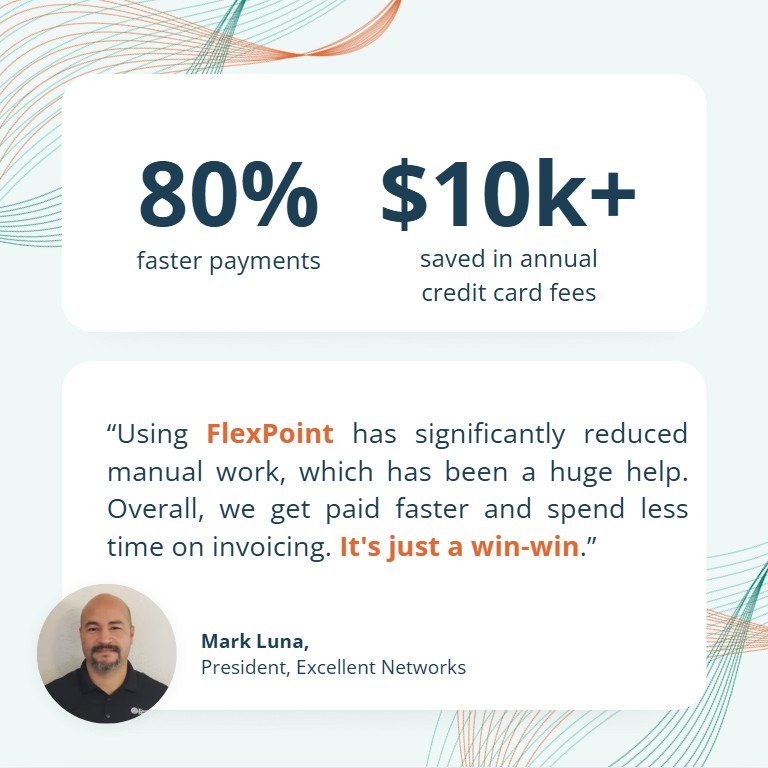
Consider Excellent Networks, an MSP that struggled with manual billing and reconciliation.
After adopting FlexPoint’s automated invoicing, AutoPay, and auto-reconciliation features, the company saw payments arrive 80% faster and saved about 24 hours per year previously spent on manual billing.
5. Disconnected Systems
Another considerable challenge is that key systems are not in sync.
The PSA, the payment processor, the bank, and the accounting software each hold pieces of the payment puzzle.
However, they don’t automatically talk to each other.
This disconnect leads to data silos and inconsistencies.
An invoice might show as paid in QuickBooks but still appear open in the PSA if someone forgot to update it. Or a deposit might be recorded in the bank feed, but the breakdown of which invoices that deposit covered lives in a separate spreadsheet.
When systems are fragmented, MSPs end up maintaining multiple sources of truth for financial data.
This creates extra work (you have to update several places for a single transaction) and increases the risk of something being missed.
It’s easy to see how an out-of-sync system could result in duplicate charges, missed payments, or improper revenue recognition, all of which require more cleanup later.
6. Higher Labor Costs
Manual reconciliation has a real labor cost.
If your bookkeeper spends 10 hours a month on it, that’s 10 hours of salary going toward a task that doesn’t directly grow the MSP.
As an MSP scales, the finance team often has to grow to keep up with billing and reconciliation.
Some MSPs hire extra accounting staff or outsource to bookkeeping services simply to manage the increased workload of manual processes.
This is essentially a hidden tax on growth: the more you bill, the more overhead you incur to collect and reconcile that revenue.
In contrast, automation allows one person to handle a larger volume of transactions without extra help.
By sticking with manual methods, MSPs risk paying for more full-time hours (or, worse, burning out their teams with overtime) to complete work that software could do in minutes.
Those labor dollars could be redirected to more strategic finance tasks or saved to boost your profit margins.
7. Poor Client Transparency
When reconciliation lags, internal operations are affected. However, it can also impact client experience.
Suppose a client’s payment isn’t applied to the system in a timely manner. Then, they might not see their updated balance and could receive an erroneous past-due notice.
Clients may reach out to ask whether you received their payment or to dispute late fees charged due to slow recording.
All of this creates extra support tickets and friction in the client relationship. Manual processes also make it harder to provide clients with timely payment confirmations or receipts.
Appearing disorganized with billing can erode trust. In short, slow reconciliation can make your service look less professional.
Clients today expect clear, up-to-date billing information, just as they’d get from a SaaS subscription or a utility bill.
Manual methods struggle to meet that standard. Alternatively, an automated system can keep client portals and statements up to date, avoiding confusion.
Why SavvyMSPs Are Switching to Automated Reconciliation
Given the challenges above, it’s no surprise that MSPs are increasingly turning to automation to solve their reconciliation woes.
Automating the reconciliation process addresses each manual pain point head-on, delivering improvements in speed, accuracy, and visibility.
Here are the key reasons savvy MSPs are making the switch:
Speed:
An automated system can match payments to invoices in seconds, not hours.
As soon as a payment comes in, the software applies it to the correct invoice and even accounts for any fees or partial payments.
This real-time matching means what used to require a dedicated session of manual work now happens continuously in the background.
Studies show that automation can reduce reconciliation time by up to 85%.
For an MSP, that could turn a task that took days into one that’s essentially handled instantly by software.
Accuracy:
By removing manual data entry, automation virtually eliminates human mistakes. The system doesn’t transpose digits or forget to record a fee. Instead, it follows predefined rules every time.
Payments are allocated correctly, and financial records stay consistent across systems. This leads to cleaner books and far fewer surprises during audits or financial reviews.
With automation, your team can trust the numbers, which builds confidence across all your financial reporting.
• Unified Data:
Automated reconciliation provides MSP owners with real-time dashboards to monitor cash flow and receivable status.
At any point in the month, you can see which invoices have been paid, which are outstanding, and what your expected bank deposits are. This up-to-date insight allows for better cash management and decision-making.
You can catch if a big client hasn’t paid yet before it becomes a problem, rather than finding out weeks later.
Automation provides a window into your financial data that manual processes simply can’t offer until everything is finally reconciled at month-end.
Predictability:
When reconciliation is automated, the month-end close process becomes much more predictable.
Finance teams aren’t scrambling to resolve a pile of open issues at the last minute. Instead, most transactions have already been matched and recorded properly throughout the month.
This means you can close the books faster and with less anxiety.
Leadership gets timely reports for forecasting or board meetings, and the finance staff isn’t pulling late nights in the first week of the month.
The whole organization benefits from having accurate numbers sooner.
Scalability:
Automation shines as your MSP grows.
Whether you double your client base or introduce new services that increase billing volume, an automated system can handle the load without missing a beat.
You won’t need to hire another full-time bookkeeper just because you added another 100 invoices. The software scales to match your transaction volume.
This scalability means your back-office processes won’t become a bottleneck on growth. You can confidently take on new clients and revenue streams, knowing that the reconciliation work will remain under control.
In contrast, sticking with manual methods can turn growth into a double-edged sword: more revenue, but also more operational strain.
Automation breaks that link by decoupling effort from volume.
Lower Operational Costs:
By reclaiming the hours once spent on manual reconciliation, MSPs can reduce labor costs or reallocate their teams to more valuable work.
According to Patent PC data, automating reconciliation could reduce labor costs by 40%.
When finance staff are freed from data-matching, they can now focus on analysis, budgeting, or improving financial strategy.
In some cases, MSPs may be able to avoid outsourcing bookkeeping or postpone hiring additional personnel, directly saving on salary expenses.
Beyond direct costs, consider the opportunity cost. Every hour not spent on rote reconciliation can be spent optimizing cash flow, strengthening internal controls, or helping management interpret the numbers.
Automation turns finance teams from data processors into data analysts, and that’s a far better use of talent in a modern MSP.
Automated reconciliation is becoming the new standard for MSP finance operations. Automation addresses the pain points of manual cash management and unlocks a more efficient, scalable way to manage cash.
FlexPoint vs Manual Reconciliation: What’s the Real Difference?
FlexPoint is an accounts receivable automation platform purpose-built for MSPs. The platform takes a radically different approach to reconciliation than the old manual methods.
Here’s how FlexPoint’s automated reconciliation stacks up against manual processing:
Instant Deposit Reconciliation:
With manual workflows, you might log into your bank on Tuesday and see a $5,000 deposit, then spend an hour figuring out which client payments make up that amount.
FlexPoint does this automatically.
The platform tracks every payment made through its system and knows exactly which invoices were paid and which fees (if any) were deducted.

When funds hit your bank, FlexPoint has already matched the deposit to the originating invoices behind the scenes.
There’s no need for you to manually reconcile the bank feed, as it’s already pre-reconciled.
Partial payments, batched deposits, and credit card fees: all those tricky scenarios are handled seamlessly by FlexPoint’s matching engine.
Two-Way PSA + Accounting Sync:
A standout feature of FlexPoint is its deep integration with both PSA software and accounting systems.
The platform offers native integrations with ConnectWise PSA, SuperOps, HaloPSA, Autotask, and other MSP platforms. FlexPoint also integrates with QuickBooks Online, QuickBooks Desktop, Xero, and more.
This means that when an invoice is marked paid in one system, its status is instantly reflected in the other.
For example, if a client pays via the FlexPoint payment portal, FlexPoint will automatically update the invoice status in ConnectWise and record the payment in QuickBooks.
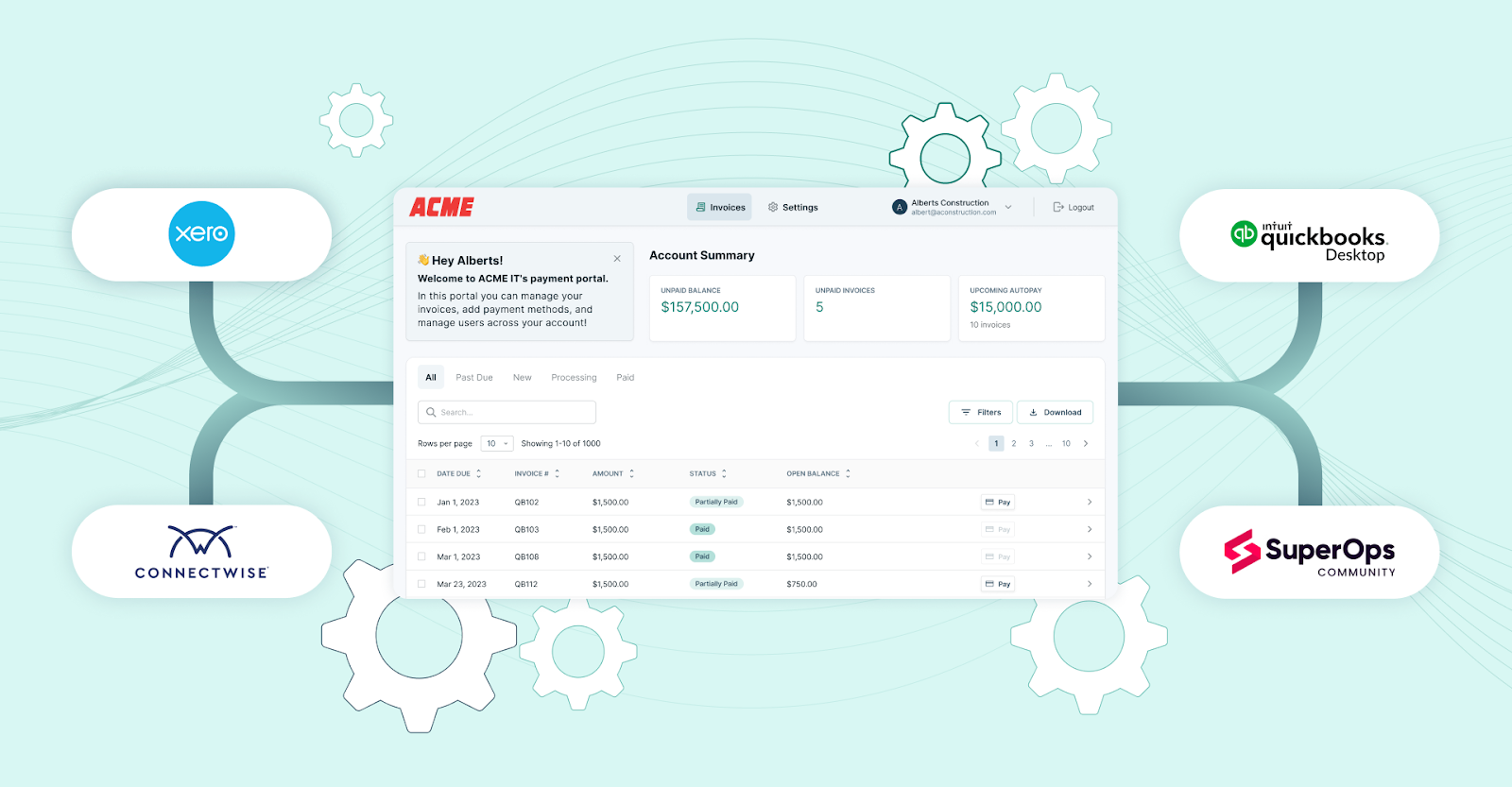
The result is perfectly aligned books: your PSA and accounting software are always in sync without manual exports or double-entry.
Compared to manual reconciliation, where you might update QuickBooks today and forget to update ConnectWise PSA until next week, FlexPoint eliminates lag or discrepancies between systems.
Automated Fee Handling:
FlexPoint is built with MSP billing nuances in mind, including payment processing fees and schedules. The platform automatically accounts for credit card fees or ACH transfer timelines.
For instance, if a $1,000 invoice is paid by credit card, FlexPoint might record $970 in revenue (and separately record the $30 fee to the appropriate expense account).
Then, QuickBooks matches the net deposit exactly.
It expects ACH payments to take a few days to settle and keeps the invoice in a “pending” state until the funds are confirmed.
All these details mean your team doesn’t have to manually calculate fees or chase down timing differences.
FlexPoint’s reconciliation process covers end-to-end financial matching, not just the payment itself.
Real-Time Visibility:
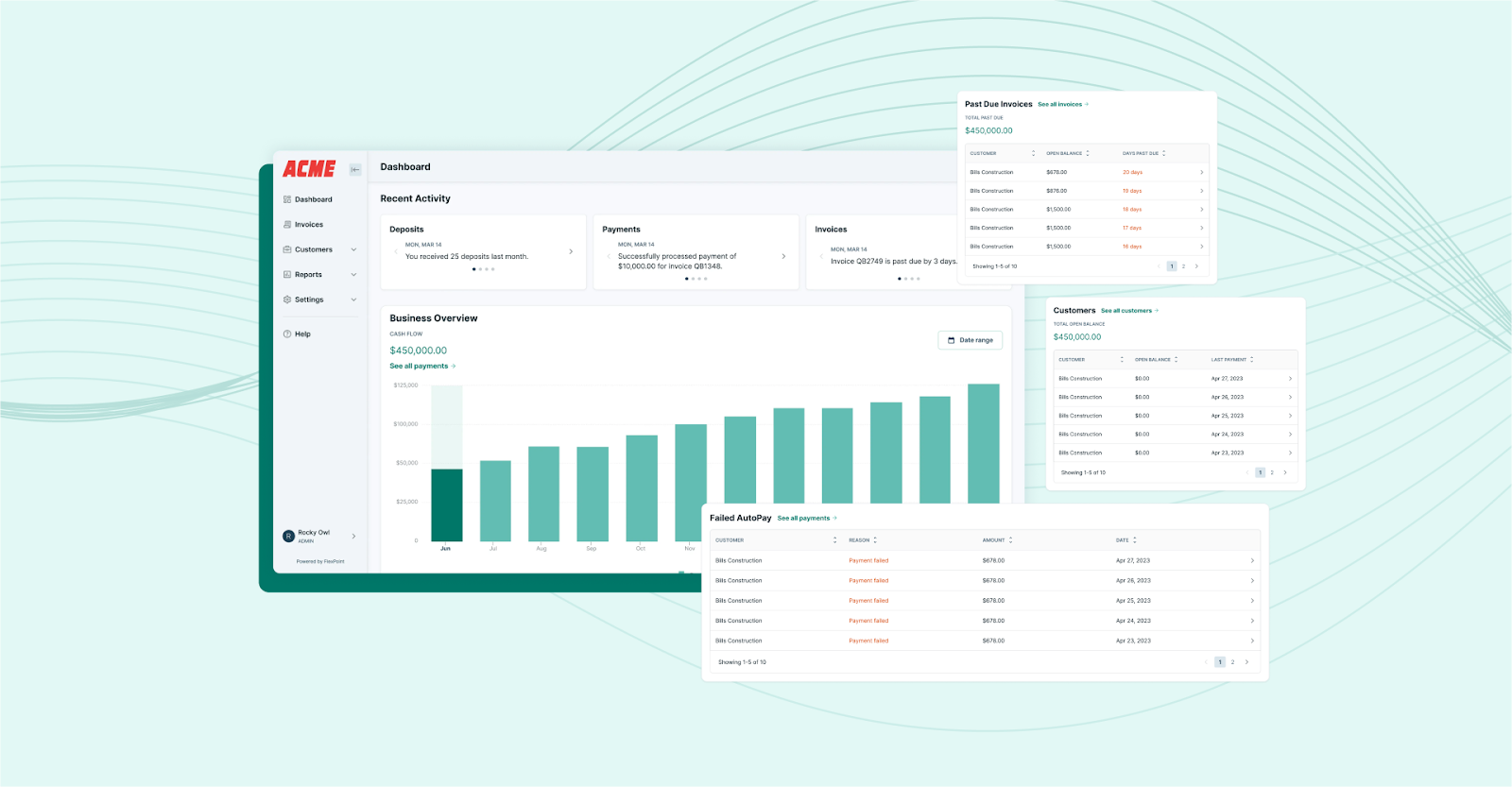
Unlike a static spreadsheet, FlexPoint provides MSPs with a real-time dashboard for their billing and payments.
At any moment, you can log in to see how much has been collected today, which invoices are overdue, and the status of recent deposits.
The platform essentially removes the question mark around “have we reconciled this or that payment yet?” because everything is updated continuously.
Aged receivables reports, cash flow metrics, and client payment histories are available on demand, without waiting for someone to manually compile the data.
FlexPoint turns reconciliation from a backward-looking task into a live snapshot of your financial health.
No Manual Matching:

The clearest difference from the end-user perspective is simply the elimination of manual matching tasks.
With FlexPoint, your finance team no longer needs to download CSV files and play detective to connect the dots between an invoice and a deposit.
They don’t have to hop between five browser tabs to verify if a client’s payment was recorded everywhere it needed to be.
All that busywork is replaced by automation.
In fact, FlexPoint users report saving significant time.
tekRESCUE, Inc., saved 20 hours a month by using automated invoicing and reconciliation.
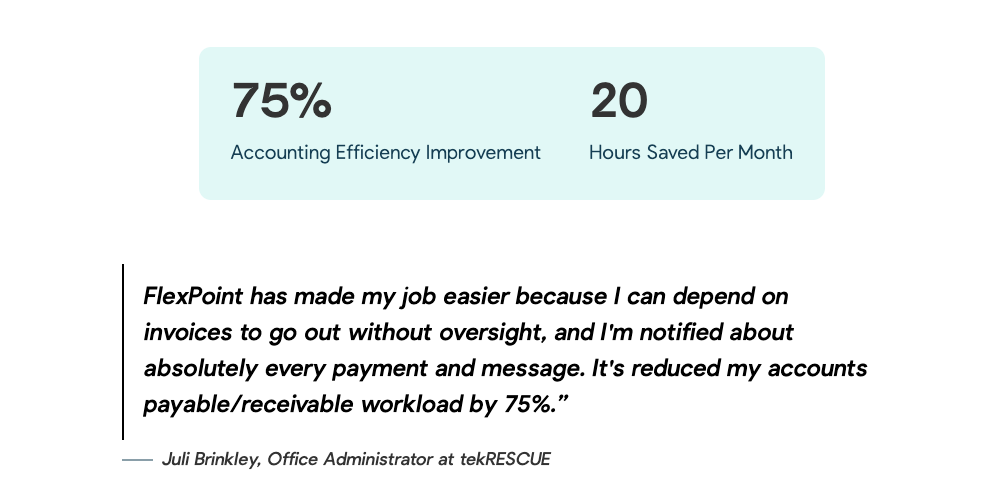
That’s time your bookkeeper can spend analyzing numbers rather than pushing them around.
Supports All MSP Billing Models:
FlexPoint was designed specifically to handle the complexities of MSP billing, so it can handle any billing scenario you throw at it.
Whether you invoice recurring fixed fees, usage-based charges (such as cloud service consumption), one-off project fees, or pass-through vendor costs, FlexPoint can invoice the client and reconcile payments effortlessly.
The platform also automates proration, discounts, and multi-site clients within a single organization. This is important because many generic payment systems or accounting tools struggle with anything beyond simple, single invoices.
MSPs often offer tiered pricing, add-ons, and multiple services per contract; FlexPoint was built to accommodate that complexity while still automating reconciliation.
In a manual world, more complex billing equals more reconciliation work; in FlexPoint, complex billing is handled with the same one-click simplicity as a basic invoice.
When you sum it up, the real difference with FlexPoint is that reconciliation becomes a background process rather than a foreground task.
The software does the heavy lifting of matching and syncing, while your finance team just supervises and handles exceptions (far fewer).
The end result is hours saved, greater accuracy, and far less frustration compared to manual reconciliation.
Conclusion: Manual Reconciliation Is Costing You More Than You Think
Manual reconciliation may feel familiar. However, it comes at a high cost for MSPs, including wasted time, errors, and delayed finances.
All those extra hours spent matching payments could be used to analyze MSP performance or improve client service. The small mistakes that slip in can add up to big headaches, from misstated financials to missing revenue.
Perhaps the highest cost is the opportunity cost: the chance to close your books faster, gain real-time insights, and operate with confidence in your numbers.
These are the things you sacrifice when you stick to labor-intensive manual processes.
On the flip side, embracing automation in your billing and reconciliation unlocks valuable benefits, including an accelerated cash flow.
Reconciliation automation allows your MSP to run smarter and leaner.
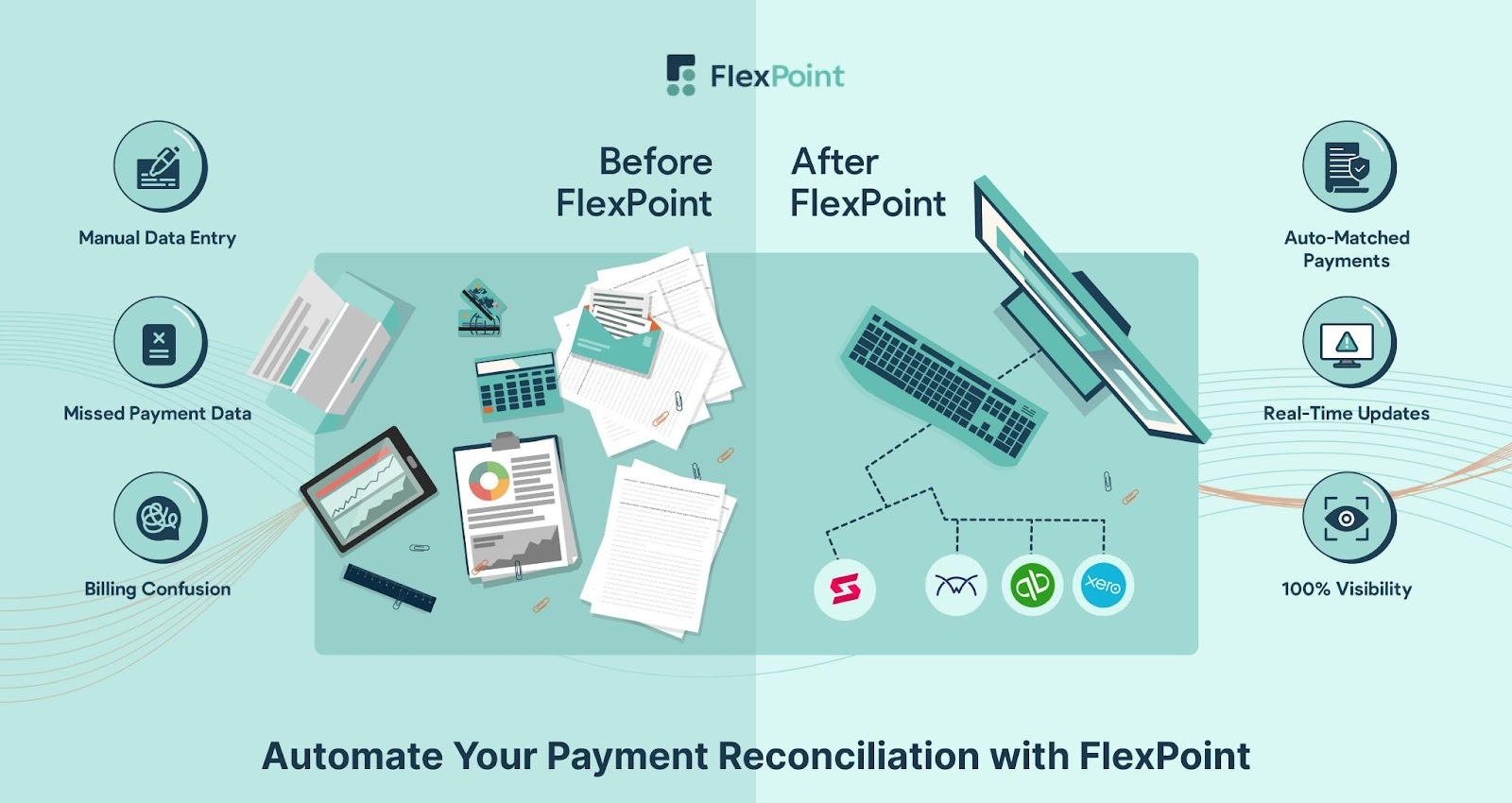
FlexPoint is the clear solution for MSPs ready to leave manual reconciliation behind. By automating collections and reconciliation, FlexPoint removes the bottlenecks that slow your finance operations to a crawl.
The platform handles the heavy lifting so that you can focus on strategy, not spreadsheets.
The bottom line is that manual reconciliation isn’t “free”; it’s costing you in ways you might not even realize.
Adopting an automated tool such as FlexPoint is an investment that pays off every single month in hours saved, errors avoided, and stress eliminated.
Ready to eliminate manual reconciliation?
See how FlexPoint automates payments, collections, and reconciliation for MSPs.
Schedule a demo to see how FlexPoint transforms your financial workflows.
Additional FAQs: FlexPoint Automated Reconciliation for MSPs
{{faq-section}}

Manual reconciliation takes so much time because MSP billing involves many moving parts.
Staff have to cross-reference multiple systems (PSA, bank, payment portals, accounting software) and match each payment to the correct invoice. This means performing the same lookup and data entry tasks repeatedly.
For MSPs with recurring-revenue models, even a “simple” monthly cycle can involve hundreds of transactions. This can take days of manual work.
Additionally, manual reconciliation doesn’t scale well. As you add more clients and invoices, the effort grows proportionally.
FlexPoint automates reconciliation by integrating with your MSP’s tools and handling the matching behind the scenes.
The platform integrates directly with platforms such as ConnectWise PSA and QuickBooks; this way, invoice and payment data flow in automatically.
When a client pays through FlexPoint’s payment portal, the system instantly applies that payment to the invoice and updates all records, no human needed.
FlexPoint also automatically logs any processing fees and matches batched bank deposits to the right invoices.
Yes. FlexPoint offers native integrations with the most popular PSA and accounting platforms used by MSPs.
The platform has two-way sync with PSA systems, including ConnectWise PSA, Autotask, HaloPSA, and others, as well as with accounting software such as QuickBooks (Online & Desktop) and Xero.
These integrations eliminate manual data transfers and ensure your financial records remain consistent across platforms.
Automating reconciliation delivers several tangible benefits for MSPs:
- It saves time: Tasks that used to take hours of manual effort can now be completed in seconds, freeing your team to focus on more important work.
- It reduces errors: Software can apply payments and handle calculations without the mistakes that come from manual entry.
- Real-time financial visibility: You can see up-to-date information on which invoices are paid and which are outstanding at any time.
- Streamlines your operations and cash flow: Faster, accurate reconciliation leads to quicker month-end closes and a better handle on your cash position.


